Table of Contents
You can find many ways to get temporary access, such as using mobile data, backup routers, Wi-Fi hotspots, satellite internet, or free Wi-Fi.
Nowadays, it is difficult to imagine life without an internet connection. From work to entertainment, everything happens online, so a sudden loss of connection can be a real disappointment. If your internet service provider (ISP) experiences problems, there are still a few ways to help users maintain a temporary connection.
1. Using mobile network
When your landline goes down, the quickest solution is to switch to a cellular network. Most people use two different providers for their mobile and Internet, so if your ISP goes down, your cellular network will usually work just fine. Even when you share a carrier, your cellular service sometimes won't be affected.
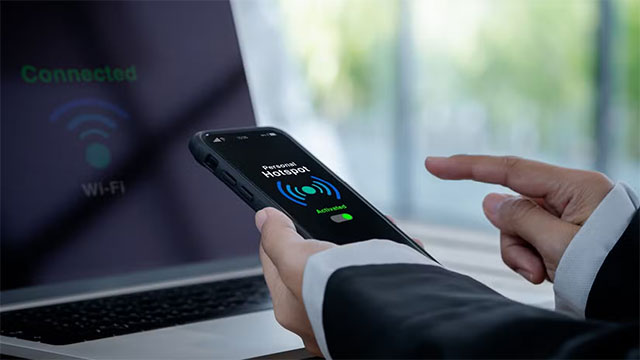
The test is straightforward: turn off Wi-Fi on the phone and try to open a website. If it works, You can turn on the connection sharing feature (hotspot) to let the computer access the Internet via the mobile network. However, Keep in mind that mobile capacity is limited and can be consumed very quickly when used as the main connection. Some packages also limit the speed when using hotspot, so it is not suitable for watching 4K movies or downloading heavy data.
2. Connect via the router's backup line
In cases where you can't use your mobile network — for example, if the signal is weak or the same carrier causes both the Internet and mobile to 'go out' — then other options are needed.
Some routers support 'failover', which means they automatically switch to a backup mobile connection when the fixed line goes down. If you have this type of router, you may not even realize that your ISP has had a problem, as the switch to the backup connection is automatic.
3. Use a mobile Wi-Fi hotspot
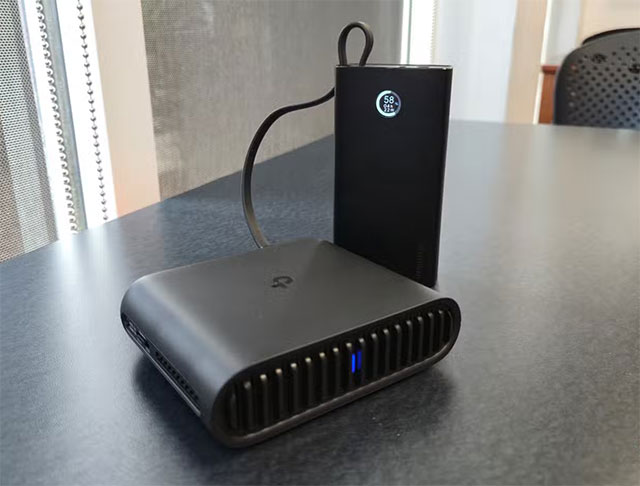
A failover router is essentially a router with a built-in cellular modem. The downside is that it is fixed at home. If you want more flexibility, you can choose to buy a dedicated mobile Wi-Fi transmitter.
A mobile hotspot can create a Wi-Fi network anywhere there is a cellular signal. For those who primarily use the internet at home or work, this may not be a regular handset, but with a prepaid data plan, it becomes a great backup when the landline goes down without having to maintain a monthly plan.
Hotspot devices are also useful when traveling or going on long trips, helping users avoid having to search for free Wi-Fi. In addition, compared to hotspots from phones, separate devices will not drain the phone's battery.
4. Use satellite Internet
In addition to cellular networks, You can also access the Internet via satellite — a technology that has become more popular in recent years. Services like Starlink provide broadband connections beamed directly from satellites, working almost anywhere with a clear view of the sky. This is especially useful in remote areas where cellular reception is weak or non-existent.
That said, satellite internet is not cheap: users have to buy separate equipment and pay relatively high monthly fees. If you already have a subscription, this is an extremely effective backup solution when the fixed ISP is down.
5. Find free Wi-Fi
In case all else fails, there's still one last option: find a free Wi-Fi network.
You can visit nearby friends' houses and ask to 'borrow' the internet for a short time. Many families even proactively share Wi-Fi passwords with neighbors to support each other when the internet is down.
Additionally, coffee shops are a popular destination when you need free Wi-Fi. However, when using public networks, users should be cautious and prioritize turning on VPN to ensure safety. Public libraries also often provide free Wi-Fi or computers with built-in connections.
Losing the internet makes you realize how dependent you are on it. While an ISP outage can be frustrating, there are ways to stay connected until service returns. Or, simply take it as an opportunity to step away from your screen and… get some fresh air.
FAQ
What should you know about the options in this guide?
In practical terms, there are many ways to get temporary access, such as using mobile data, backup routers, Wi-Fi hotspots, satellite internet, or free Wi-Fi.
Which option is the best choice?
The best choice depends on your priorities, compatibility, budget, and the specific features discussed in the comparison.
What should you compare before deciding?
Compare core features, limitations, ease of use, compatibility, and long-term value before making a decision.
Related Articles
 5 Ways to Create Wi-Fi When There Is No Internet Service Provider8 minutes read
 How to Fix Internet Connection Errors9 minutes read
 8 Simple Ways to Fix Network Connection Problems6 minutes read
 How to Fix Network Problems But Can't Access Some Websites6 minutes read
 Fix Wi-Fi Modem Problem Without Network Access6 minutes read
 7 Key Features to Look for in an Internet Fax Service Provider7 minutes read
Reader Comments 0
Sign in with email or Google to join the discussion.