Table of Contents
This updated guide compares best chrome extensions that Google just removed and highlights the details that matter most. In 2025, Google discontinued a bunch of popular Chrome extensions. If some of your favorite tools disappeared overnight, here's why—and we'll say goodbye to some of our best Chrome extensions.
Note : In March 2025, Google forced the removal of old extensions from Chrome, upgrading its extension framework from Manifest v2 to v3. The new version was designed to be safer and more secure, but some extensions could not be updated to the newer version. Extensions that could not be updated to the new version were removed.
5. uBlockOrigin
uBlockOrigin is one of many Manifest v2 plugins that have disappeared from Chrome, despite Google cracking down on ad blockers for a while now. The tool's main purpose was to prevent users from seeing ads on the sites they visit, whether it is YouTube or news sites (although YouTube has cracked down on ad blockers).
uBlock Origin is free and open source. Still, Google removed it because the webRequest API formed a key part of the extension. This API was responsible for blocking certain web elements and was one of the key features that was blocked with the Manifest v3 update.
Many people are moving away from Google Chrome because of these changes, and you might want to consider doing the same if uBlockOrigin is an important part of your browsing experience. Luckily, you can still use it on Firefox, Microsoft Edge, and Opera. Edge has some cool features that Chrome does not!
4. Ghostery Private Search
While you can use Google Search more effectively, it is not perfect. A number of factors determine Google Search results, such as the websites you've visited. Ghostery Private Search tries to provide suggestions without letting these algorithms control what you see.
When you use Ghostery Private Search, you can see how many trackers are used on different websites. You'll get an analysis of what these tools are used for, giving you more control over your privacy.
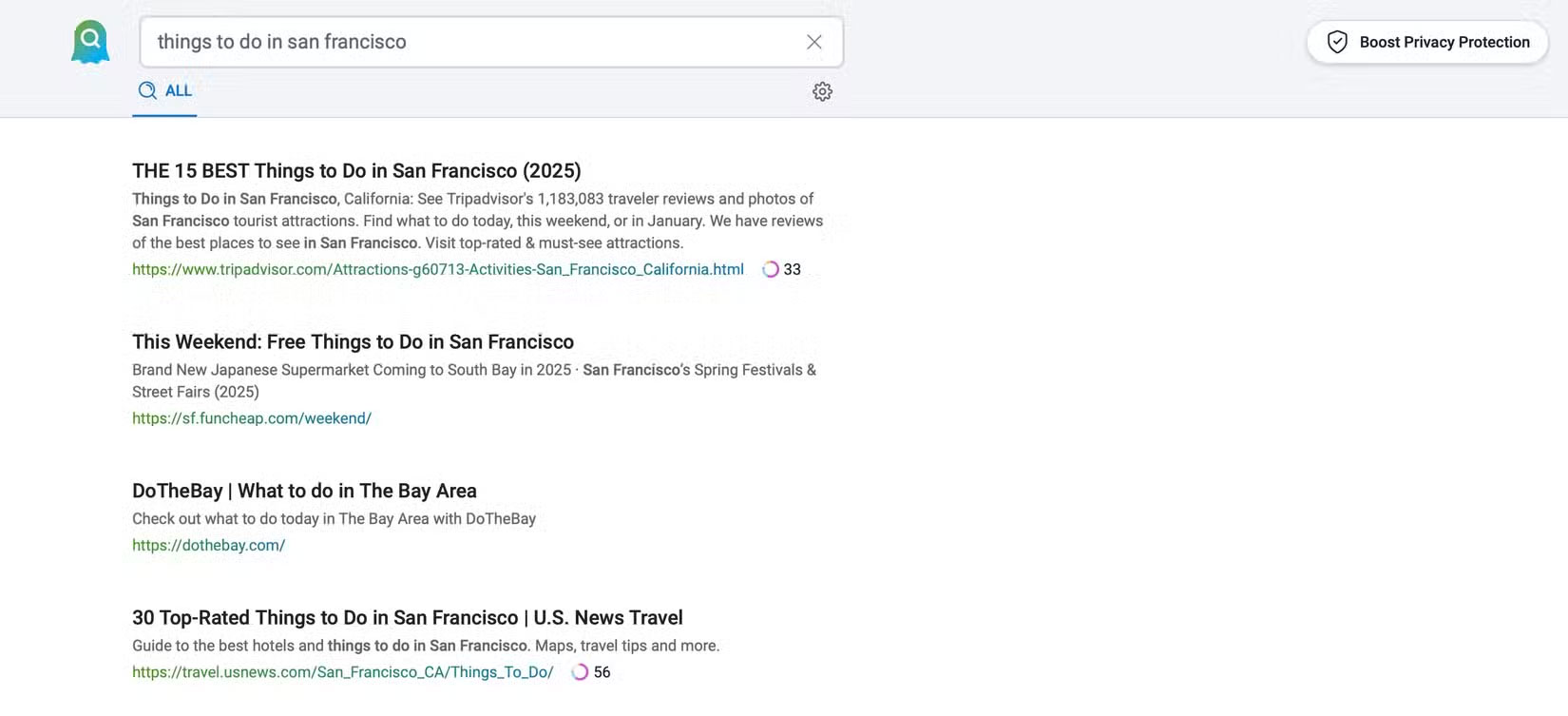
Ghostery also says that their searches do not track your personal information. Compared to many alternative search engines, it has a pretty good user experience. The good news is that you can still use the search feature; instead of using the extension, you now have to open their website or download the extension for your mobile browser. You'll still see the number of trackers being used when you do so.
You can browse Google in Incognito Mode as an alternative. Still, you still cannot trust Google's private browsing feature; for instance, your Internet Service Provider (ISP) can still track you using this tool.
3. Duplicate Tabs Closer
How many times have you opened the same tab over and over again and not realized it until later? Probably more times than you'd like to admit. You'll know all too well how annoying it can be to have so many tabs open; it makes it hard to focus and find the information you want when you need it.
Duplicate Tabs Closer solves that problem and makes it easy to keep only one instance of each tab open. Instead of automatically closing them, you can view the duplicates in a small window. If you notice any duplicates, you can easily close them and focus only on the original.
Google has removed many other extensions that perform similar tasks. Still, you can still find some that duplicate the functionality. The Close Duplicate Tabs extension is one example. You can follow many other Chrome tab management tips to organize things more efficiently.
2. Social Blade
Social Blade is a must-have Chrome extension for anyone with a creative interest in social media. You can see the profile scores of creators in your niche and their rankings in a specific category. If you're thinking about monetizing, this tool is ideal for seeing estimated earnings, allowing you to determine if you're on the same level.
This extension is great for helping you see how many views your competing creators have. Even if you do not have a creative outlet, it is great to understand how your favorite creators are doing. Along with YouTube, you can see stats for TikTok, Instagram, Twitch, and Facebook.
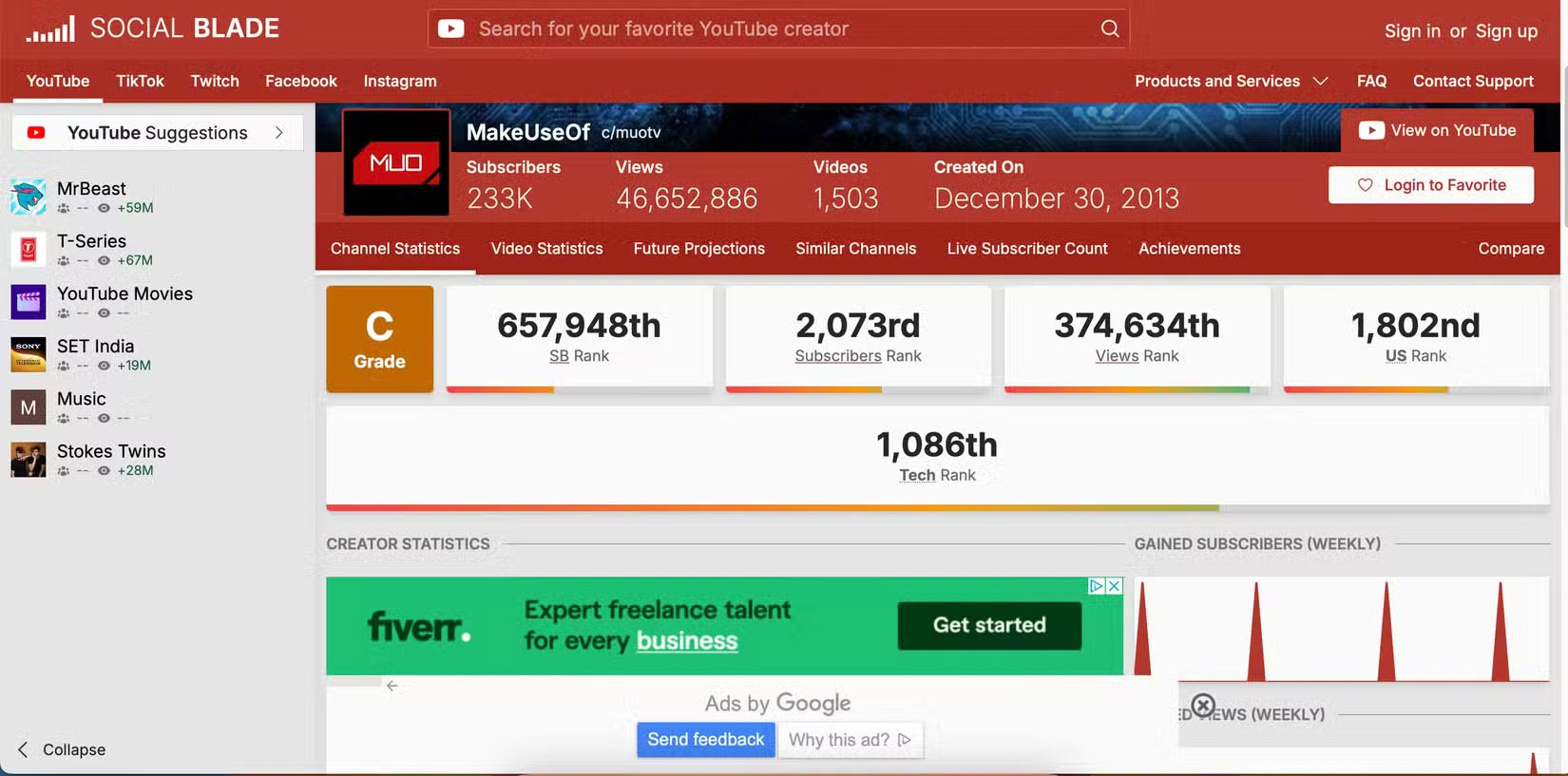
While you can no longer use the Social Blade Chrome extension, you can still use the tool. Instead of accessing the stats through the extension, you now have to visit the official website. Here, you can still see all the stats you're looking for.
1. Papaly
Chrome has some useful bookmarking tools, but they do not always offer the most flexibility. Papaly is an extension that can overcome Chrome's limitations. The software can categorize your extensions, making everything easier to access.
Using this extension, you can drag and drop your browsers into the order you want (and move them into different columns). What's more, you can share the same board with other people you know; you can see each of their tabs in a different color. Everything is stored in the cloud.
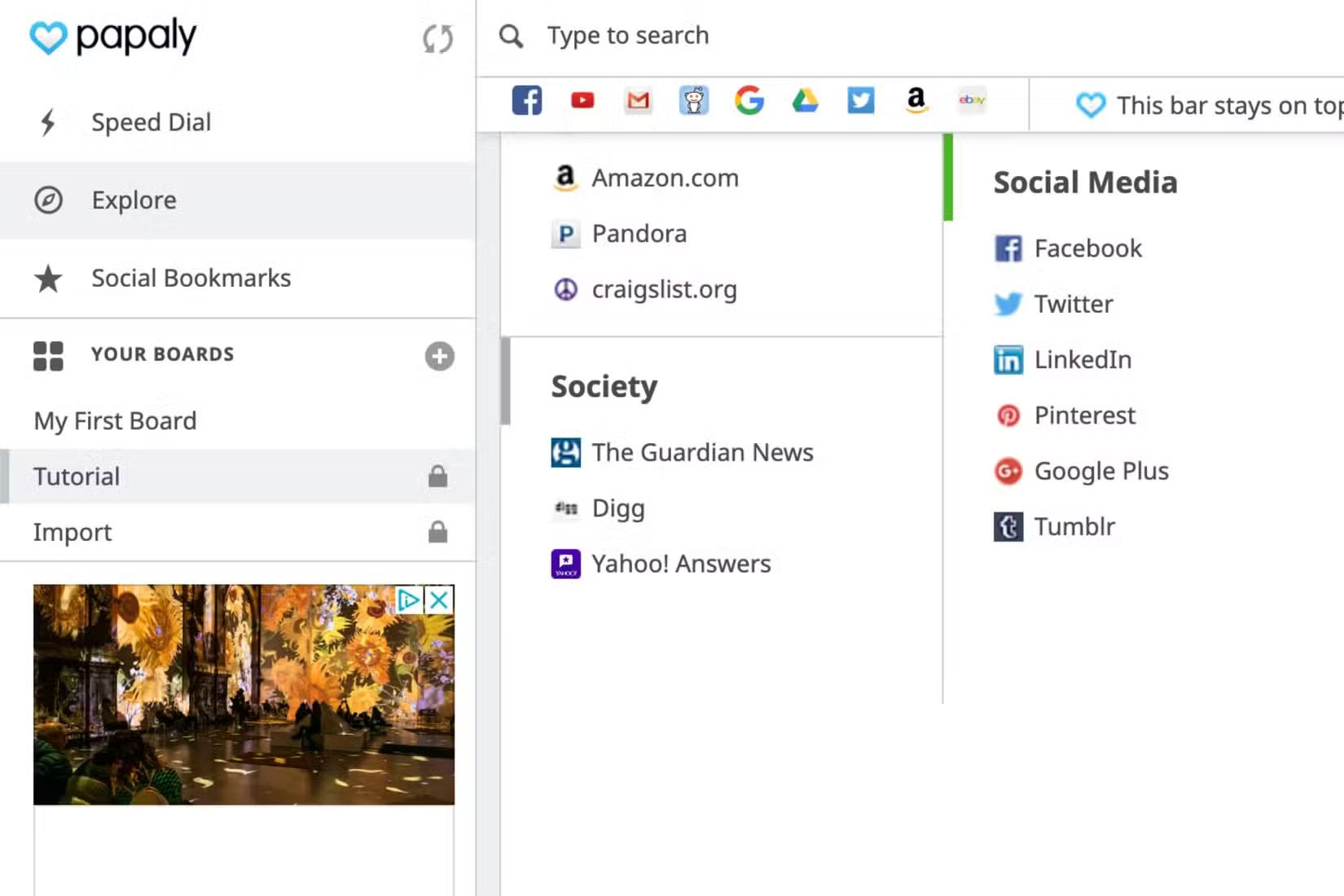
You can still use Papaly, but you have to use an alternative website. Still, the website is heavily ad-heavy and sometimes crashes when you want to create a new board.
FAQ
How were the best chrome extensions that google just removed options evaluated?
The comparison focuses on practical features, ease of use, limitations, compatibility, and the type of user each option is most likely to help.
Which option is best for beginners?
Beginners should prioritize a clear interface, useful documentation, reliable support, and the core features needed for their first project.
Should I choose a free or paid option?
Start with a free option when it covers your needs. A paid plan may be worthwhile when you need advanced tools, commercial rights, collaboration, or professional support.
Related Articles
 Google Chrome Temporarily Prevents Sideload of Extensions3 minutes read
 How to Create Custom Shortcuts for Extensions on the Chrome Browser4 minutes read
 Attractive Extensions on Google Chrome8 minutes read
 4 Google Chrome Features That Eliminate the Need for Extensions8 minutes read
 Google Removes More Than 70 Malicious Add-Ons from the Chrome Web Store4 minutes read
 7 Useful Google Chrome Extensions for Web Users5 minutes read
Reader Comments 0
Sign in with email or Google to join the discussion.