Table of Contents
This guide provides a clear, practical overview of "What Is PayPal? PayPal Benefits for You". It organizes the most useful details, explains important considerations, and highlights the steps or choices that matter most.
What is PayPal?
PayPal is an international payment and money transfer service over the Internet, replacing paper-based communication methods such as letters, checks or money orders. For many years, PayPal has maintained a leading position in the field of online payments and money transfers over the Internet.
PayPal is also accepted by online retailers as a form of payment for stores and businesses at a much higher rate than similar services such as Liberty Reserve, Moneybookers, Webmoney, Neteller.
It is certainly not an exaggeration to say that PayPal continues to hold the throne in the fierce race of online payment applications that are developing more and more strongly today.
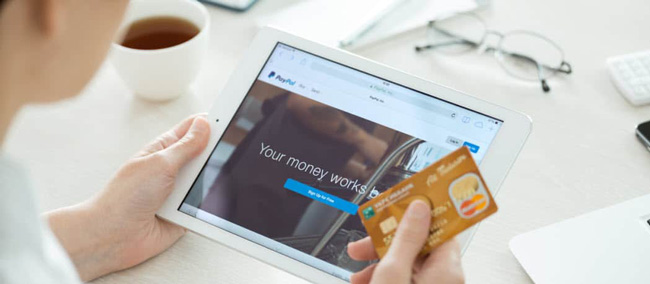
In this article, TipsMake.com will help you learn about some extremely useful utilities that PayPal offers you. Let's follow along and see.
How does PayPal work?
To initiate and complete a PayPal transaction, both the sender and recipient must log into the dashboard using their own PayPal user accounts. The username is simply the account holder's email address.
Once logged in, you can send or receive payments, transfer any balance to your bank account, create and send invoices, make online purchases, or sign up for services. When you first create a PayPal account, you may encounter transfer limits that vary by country. In the United States, the initial sending limit is capped at $4,000 for first-time, unverified users.
To raise these limits, you should verify your profile, which means your email address, phone number, bank account and credit card are approved into the system. These details can be easily found from within the dashboard as soon as you create a new account.
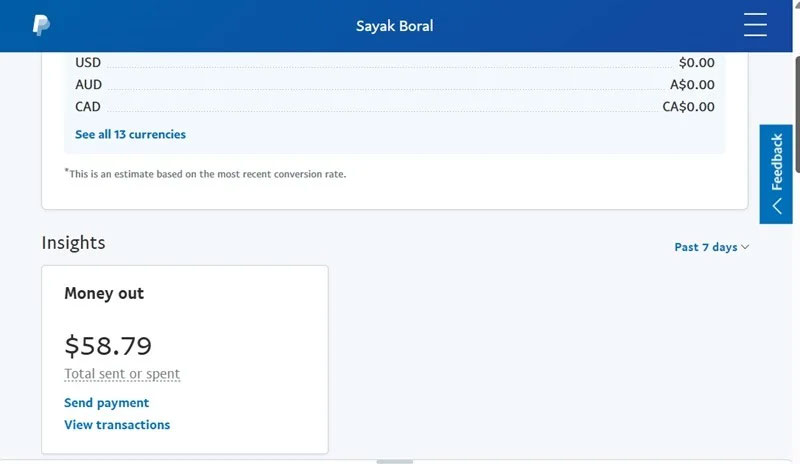
Types of PayPal Accounts
Now that we have learned how to use PayPal, we will now focus on two different types of users: Personal accounts and business accounts.
PayPal Personal
You can use a PayPal Personal account to make or receive small payments occasionally. This is great for individuals who want to use this payment processor to transact with family and friends, shop online, split money with Venmo (US only), send money as gifts, and even do some casual online selling.
When you create an account, you'll be given two options: Personal or Business. If you choose Personal, you can always upgrade to Business later.
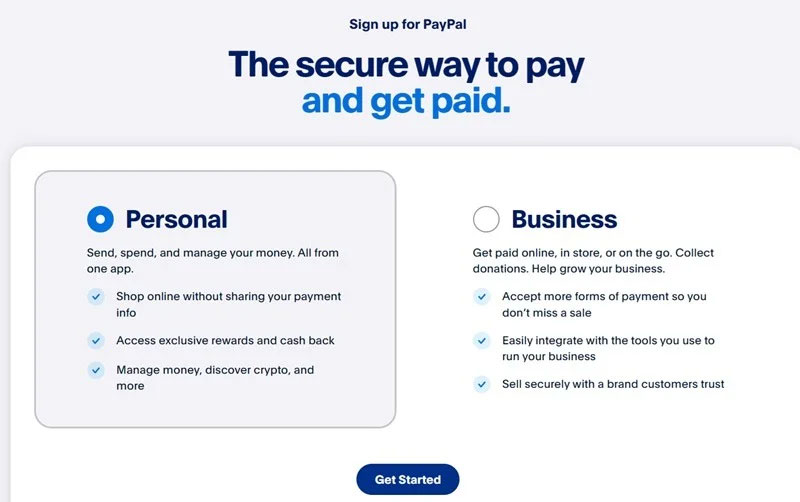
PayPal Business
PayPal Business is a more serious account that gives you more privileges than a regular personal account.
Firstly, transaction limits are virtually non-existent and you will never have any trouble sending or receiving money. You can also receive payments on your website, which is not possible with a personal account. A business account allows you to ship goods anywhere in the world.
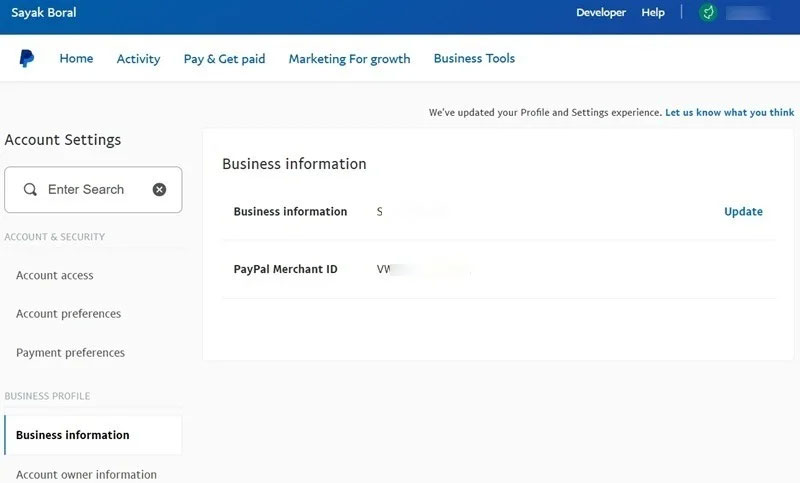
To create a PayPal Business account, select your profile name and select Account Settings . You can update your business information, including your Business information name. A PayPal Merchant ID is also created. Next, update your Account owner information, Money, Banks, Cards , and other business information.
Once all your questions about PayPal are answered, you may still want to use other platforms, such as Stripe for WordPress. NFC mobile payments are also popular among smartphone users. Check out this comparison of the best NFC payment providers: Google Pay, Samsung Pay, and Apple Pay for more details.
Send - pay money via PayPal
Most people sign up for a PayPal account because of the convenience of this wallet for online shopping. You can use PayPal to pay for any of the following activities:
- Shop online from online stores.
- Pay for products in-store by connecting your PayPal account to Google Pay or Samsung Pay.
- Transfer money when needed.
You can see the PayPal logo everywhere when shopping online, just like big names like VISA or Mastercard. This further emphasizes that owning a PayPal account will be extremely useful for you.
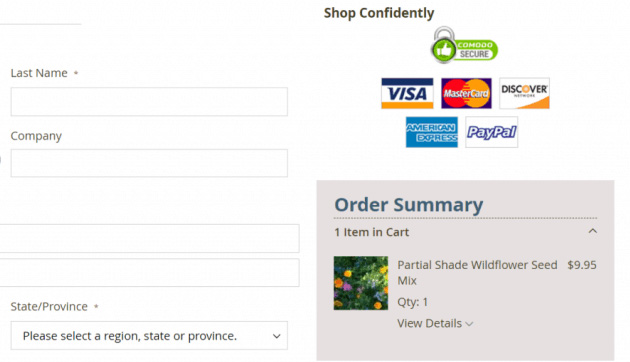
Another thing you need to know is that PayPal charges transaction fees in two forms: payment in purchases and personal payments . Each form will have a different way of calculating fees:
- Payment in sales : The buyer will be free of charge and the seller will be charged a fee according to regulations.
- Personal payment : If you use money from your bank account or PayPal account, it will be free. If you use money from a Debit Card or Credit Card, there will be a fee according to the regulations, however, this fee can be chosen to be paid by the sender or the recipient.
TipsMake.com will explain more clearly how PayPal charges below.
Receive money via PayPal
Receiving payments or transfers via PayPal is as easy as sending. If you receive money in person, you will not have to pay any other fees. However, if you are a seller (for example on online shopping sites like Amazon, Ebay.) then you will have to pay a transaction fee to PayPal. I will update the details below.
You can track these transactions in your transaction details, and also choose to print a payment receipt or refund the payment if needed.
Create invoice
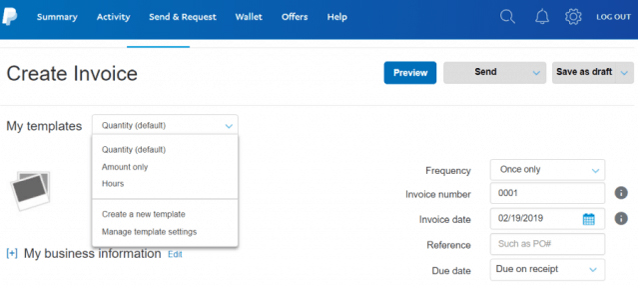
To create an invoice in PayPal, log in to your account , click More and select Create an invoice . PayPal makes it easy to create an invoice for the item you need and have paid for through this payment gateway.
Once you've finished entering your invoice, simply click the Send button to send it to any email address needed.
Add PayPal to your website payment options
If you're considering adding PayPal to your business payment options, check out this guide.
First, scroll down to the bottom right of the main page and select the Manage Buttons option. Here you will see a list of buttons you have created and select Create new button on the right.
The next steps PayPal will guide you through will show you how to customize and how the buttons you choose work, such as price, shipping costs, taxes payable, etc.
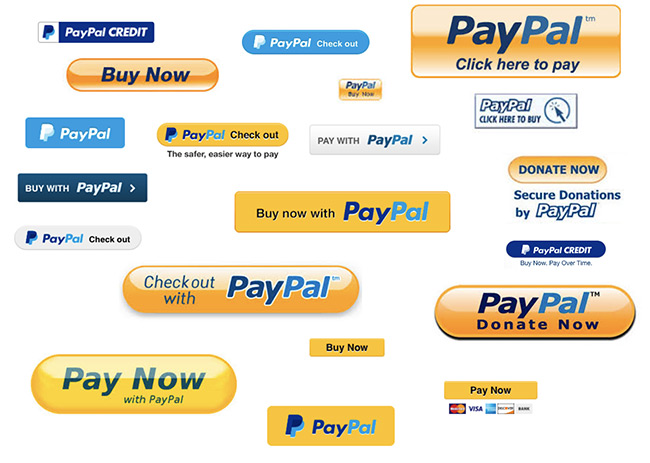
There are several types of buttons available for your website such as:
- Shopping Cart - Shopping Cart
- Buy Now - Buy Now
- Donations - Contributions
- Subscriptions - Sign up
- Automatic Billing - Automatic Billing
- Installation Plan - Installment Plan
PayPay's instructions will vary depending on the button you choose. Once you've finished customizing your buttons, you'll need to copy the embed code and paste it into your website to complete adding PayPal to your payment options list.
PayPal Account Management
You can easily track, manage and search all the transactions processed in your PayPal account using the transaction history option. This feature is extremely useful for tax filing when you need a complete record of your store/business's business performance throughout the year.
The main summary page gives you an overview of your most recent transactions. To dig deeper, click the Activity link in the menu and select Statements in the upper right corner of the page.
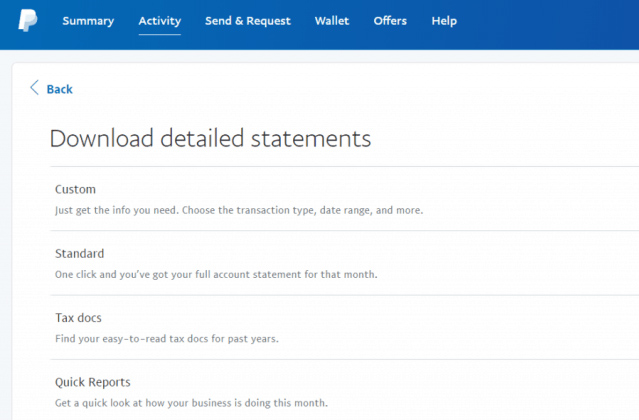
Here you can access options to view the history in your account.
- Custom: Allows you to view date ranges or filter by incoming or outgoing funds.
- Standard: View your entire account history.
- Tax Docs: View only the data you need for your tax filings.
- Quick Reports: An overview of your transactions from the past month.
If you use PayPal for all your business transactions, these reports will help you a lot in managing the financial records needed to keep track of all your business activities.
Other PayPal Benefits
PayPal has evolved over the years to become a perfect financial transaction tool for many purposes. It is not just about receiving payments or making online purchases, PayPal also provides many other utilities such as:
- Donate to a charity: PayPal offers a list of major charities you can donate to directly from your account.
- Create a small financial fund: If you want to have a small fund for purposes such as business cooperation with friends, or a common financial amount in the family, it's very simple, You only need to create a fund from your PayPal account and invite friends to contribute via email extremely simply.
- Send a Gift: Use PayPal's Send a Gift form to send a 'financial' gift via the recipient's email or mobile phone number.
- Split Bill: This option is extremely useful if you are sharing a room with friends and need to split the bill.
How PayPal Charges
Overall, PayPal's fees are quite cheap, of course depending on the service you use.
If you make a domestic payment within the US from your account, PayPal does not charge any fees. If you transfer to another country, there is a fixed fee.
Payment in sales: The buyer will be free of charge, but the seller will be charged a fee calculated according to the formula: 2.9% - 3.9% of total transaction + 0.30 USD + surcharge .
Personal payments: If you use money from your bank account or PayPal account, it will be free. If you use money from a Debit Card or Credit Card, the following fee will be charged: 2.9% of the total amount + 0.30 USD (this fee can be chosen by the sender or the recipient).
The additional fees you will need to pay will usually depend on the total payment amount.
- $0.00-$49.99: 99 cents fee per transaction.
- $50.00-$99.99: $2.99 fee per transaction.
- $100.00+: $2.99 fee for payments to Canada and European countries, $4.99 for the rest of the countries.
Note that Paypal's exchange rate may be slightly different from the exchange rate in Vietnam (Exchange rate).
Why should you choose PayPal?
- PayPal payment system is extremely secure.
- Wide network system, used worldwide quickly and conveniently.
- Safe transactions for both sellers and buyers (feature to claim back money after sending money to another account in case of fraud).
- Good and fast customer support service.
- Limit the disclosure of bank account information, because each time you pay, you do not have to enter the international payment card number (VISA, Mastercard) because you provided it to PayPal when registering to create an account.
Overall, over the years of development, PayPal has become one of the most trusted online financial services. Many other services have tried to compete, providing similar services, but hardly any "newcomer" has a strong and wide coverage like PayPal.
If you have never used this app, why not give it a try? TipsMake.com thinks you will not be disappointed!
FAQ
What is PayPal?
PayPal is an international payment and money transfer service over the Internet, replacing paper-based communication methods such as letters, checks or money orders. For many years, PayPal has maintained a leading position in the field of online payments and money transfers over the Internet.
How does PayPal work?
To initiate and complete a PayPal transaction, both the sender and recipient must log into the dashboard using their own PayPal user accounts. The username is simply the account holder's email address.
What should you know about types of PayPal Accounts?
Now that we have learned how to use PayPal, we will now focus on two different types of users: Personal accounts and business accounts.
What should you know about payPal Personal?
You can use a PayPal Personal account to make or receive small payments occasionally. This is great for individuals who want to use this payment processor to transact with family and friends, shop online, split money with Venmo (US only), send money as gifts, and even do some casual online selling.
Related Articles
 Utilities Paypal Payment Gateway for You11 minutes read
 Paypal Releases 'Paypal Here' for iPhone3 minutes read
 How to Create a Paypal Account?4 minutes read
 How to Use Paypal on iPhone4 minutes read
 More Than 15.8 Million PayPal Accounts Are Being Sold on the Dark Web3 minutes read
 How to Create a PayPal Account, Register, and Verify Your PayPal Account9 minutes read
Reader Comments 0
Sign in with email or Google to join the discussion.