Table of Contents
Explore utilize old computers to build home assistant and a free smart home system.
Start your smart home journey completely free
Home Assistant (HA or HASS) is a completely free, open-source smart home platform that runs directly on your home's local network. Home Assistant manages your smart home system and is programmed in Python. This software is open source, works across most operating systems and smart home management platforms, and allows users to control it via a web interface or smartphone app. This is a major difference from the closed ecosystems of Google or Amazon.
Currently, Home Assistant has two main versions that are commonly used: Home Assistant Core and Home Assistant OS. Each version has its own advantages and features, allowing users to choose the option that best suits their system.
With Home Assistant, users aren't "locked" into any single platform. The system supports a wide range of devices and protocols such as Wi-Fi, Zigbee, Z-Wave, and Thread (Matter). Because the server operates locally, users can build a smart home that isn't dependent on the cloud. The platform is highly scalable and customizable; although there's a slight learning curve, you can start slowly and upgrade gradually as needed.
To manage a large number of devices, Home Assistant is packaged as a continuously running Linux operating system. This makes it unsuitable for installation on a main computer, such as a laptop often used for work or a gaming console that needs to be turned off at night to save power.
After installation, users can access the system via a browser or mobile app as long as they are on the same network. If desired, you can also set up remote access over the internet. And if you already have some older smart home devices in your home, chances are Home Assistant will also support them — no need to remove them.
Home Assistant works on almost everything
The Home Assistant project doesn't specify a clear minimum configuration, but the highlight is that it can run smoothly on machines like the Raspberry Pi. A ten-year-old PC can also run well, unless you want to handle several other tasks on the same machine.
Many people choose old PCs or mini-PCs as Home Assistant servers, but old laptops are perfectly usable too. You can install it directly (replacing the old operating system), or run Home Assistant in a virtual machine or container.
If these concepts are unfamiliar, Home Assistant's 'Getting Started' guide will help you understand each step. For flexibility, the author chose to install it in a virtual machine — for example, they installed Home Assistant on an old Mac mini running on the current macOS. Windows and Linux can also do the same thanks to VirtualBox and pre-built installation files.
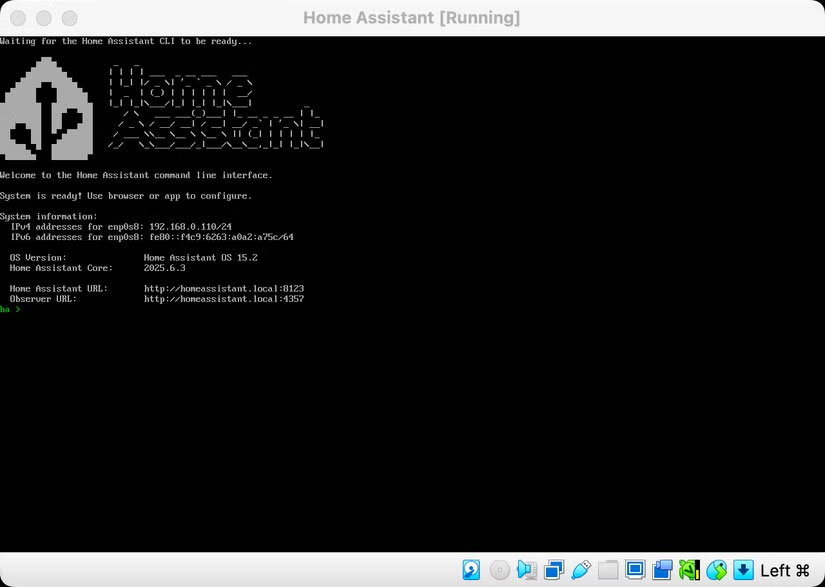
Once set up, this is a 'put it to rest' server. You don't need a monitor; just let it run 'headless'. All operations, such as adding devices, creating automations, and updating, are done remotely via web or phone. If configured to start automatically with your computer, even power outages or system failures won't be a major issue.
Although Home Assistant requires a dedicated device, it could be an old, dusty laptop. When you first start testing it, you can treat it as a playground to experiment with, without worrying too much about breaking anything important.
I once completely wiped out my first Home Assistant server because I accidentally resized the wrong virtual drive and didn't have a backup. Luckily, I hadn't installed expensive devices all over my house at the time, so the consequences were relatively minor.
When you start getting 'addicted' to automation, you might realize your old laptop is no longer suitable. A Raspberry Pi or a dedicated mini PC will be more stable and energy-efficient. If backups are properly enabled, migrating the server is very smooth — all switches, lights, sensors… will be restored to their original state.
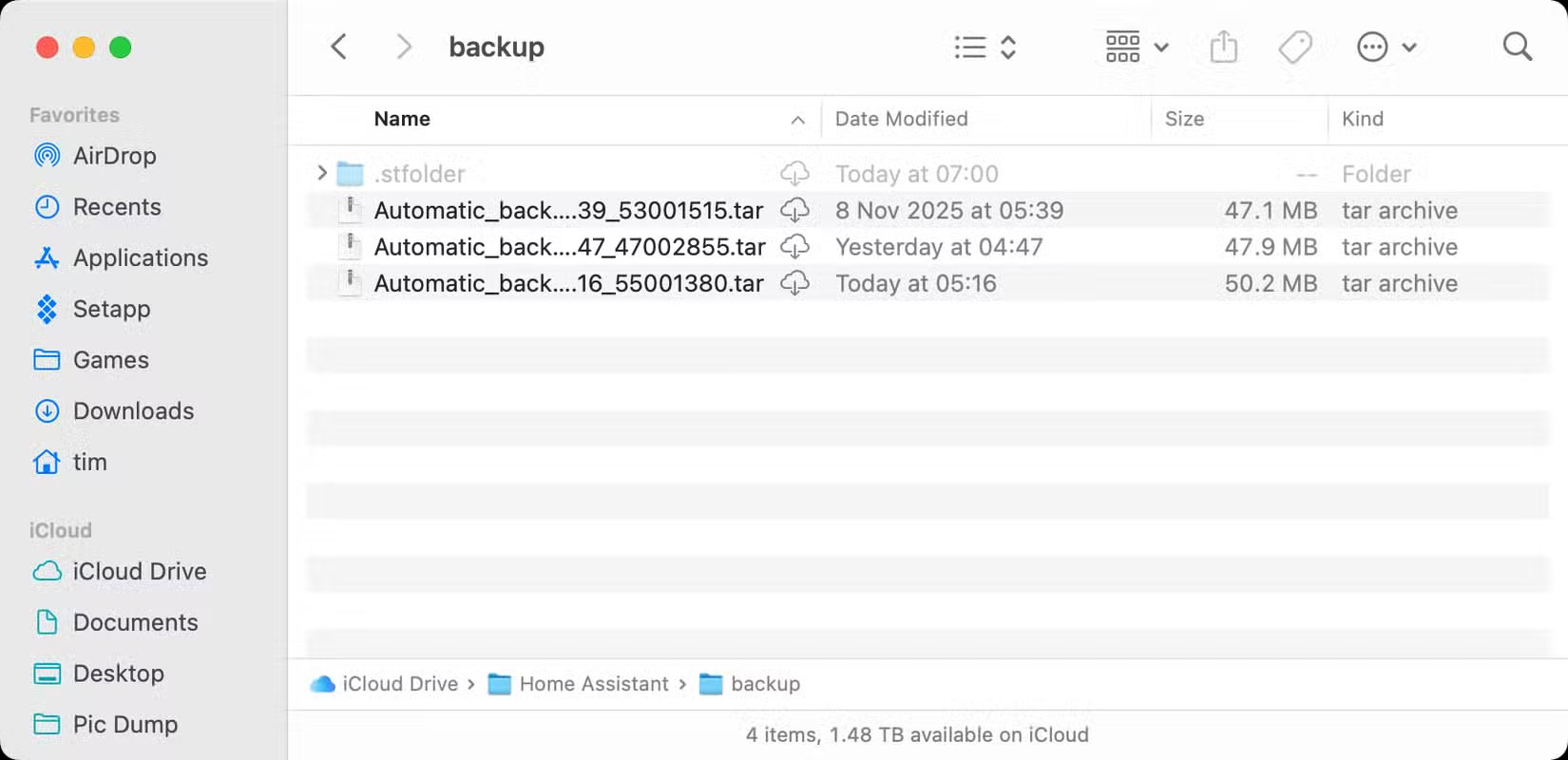
Many people even choose to 'start from scratch' by switching from VirtualBox to Docker for a cleaner system. This depends on whether you want a standalone Home Assistant or to set up a full homelab to run multiple self-hosted services.
In any case, anyone who adopts a smart home has to start somewhere. The worst-case scenario? You try Home Assistant, find it doesn't suit you, and then put your old laptop back in the cupboard — no loss.
Final Thoughts
Understanding utilize old computers to build home assistant and a free smart home system makes it easier to evaluate the information and apply the most relevant recommendations. Focus on the key points above and verify details that may change over time.
FAQ
What is utilize old computers to build home assistant and a free smart home system?
Explore utilize old computers to build home assistant and a free smart home system.
What key points does this article cover?
The article focuses on Start your smart home journey completely free, Home Assistant works on almost everything, with practical explanations and examples.
How can you use this information in practice?
Use the explanations to compare options, verify important details, and make a more informed decision. Apply the recommendations that best match your goals and situation.
Related Articles
 Home Assistant - Your Home Automation Platform!9 minutes read
 Hackers Can Now Gain Control of a Smart Home Assistant Using a3 minutes read
 Building a Complete AI Assistant4 minutes read
 What Is Google Home? Should You Buy Google Home?7 minutes read
 Smart Home - What Does a Smart Home Have?8 minutes read
 What Is Smart Home Smart Home?14 minutes read
Reader Comments 0
Sign in with email or Google to join the discussion.