Table of Contents
Top 5 3D Design Software, Home Design, Interior Design is easier to approach with a clear overview and reliable steps. This guide organizes the essential information, highlights practical details, and explains what to check along the way.
Key Takeaways
- Review top 3D design software, home design, best interior.
- Explore planner 5D.
- Understand sweet home 3D.
Top 3D Design Software, Home Design, Best Interior
1. Planner 5D
Planner 5D is a 3D interior design tool suitable for both professionals and beginners. The intuitive interface makes it easy to create beautiful designs. The app offers a variety of 3D models such as furniture, floors, lighting, and decorations. Anyone can create realistic designs.
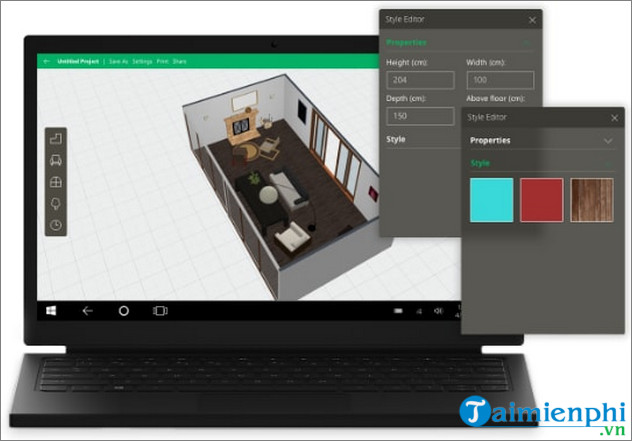
With Planner 5D, you can design a single room, an entire floor, or a multi-story home. The tool also allows you to customize the exterior landscape to complete your ideas.
Snapshots feature helps render realistic 3D images, automatically cast shadows and create depth, making models more professional without additional manipulation.
Advantage:
- Newbie-friendly interface and functions. - Realistic photo rendering with Snapshots feature. - Continuously updated furniture catalog with more than 6,500 available 3D models. - Cross-platform design, supporting web, iOS, Android, Windows and macOS. - Integrated AI technology to support 3D object recognition.
=> Download link for Planner 5D here.
2. Sweet Home 3D
Sweet Home 3D comes in second because it's suitable for people who have never used a home design tool before. You can create plans, arrange furniture, and view your project in 3D. The software supports first-person and overhead views for more detailed observations.
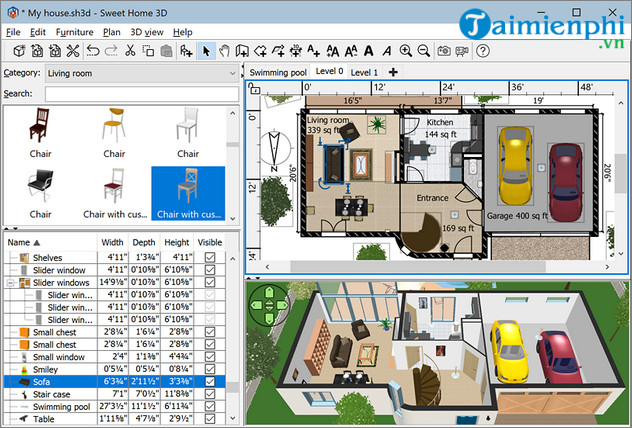
Sweet Home 3D offers a collection of pre-designed home designs for you to choose from. You can use the 3D models of furniture, materials, and decorations for free. This is the right choice if you need a tool for basic and simple home design.
Advantage:
- User-friendly interface. - Convert 2D drawings into 3D models. - Supported on many different platforms such as Windows, MacOS, Linux, Solaris. - Export 3D files in many formats including SH3D, OBJ, DAE, KMZ, 3DS. Or save the complete home design in PDF, PNG, MPEG4,.
=> Link to download Sweet Home 3D here.
3. SketchUp
SketchUp is a 3D modeling software for art and design that allows you to customize your workspace for maximum productivity. From a 2D drawing, you can build a complete 3D model. Then, add furniture, accessories, paint, flooring, and lighting for added realism.
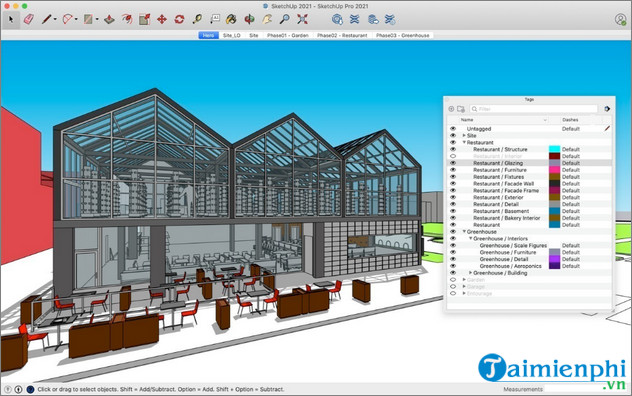
SketchUp allows you to download extensions to customize your workspace to your liking. Even with the free plan, you get unlimited cloud storage, allowing you to store multiple 3D models for different purposes. You can also download interior and exterior libraries to use as needed.
Advantage:
- Fully customizable workspace. - Unlimited cloud storage with free subscription. - Suitable for design beginners. - Direct design guidance support through specific tutorials and videos.
=> SketchUp download link here.
4. Autodesk 3Ds Max
Autodesk 3Ds Max is the tool professional designers use to create 3D models of rooms, homes, and landscapes. The software allows you to experiment with color schemes, furniture arrangements, and lighting effects. You can also create realistic 3D simulations of how your space will look and feel when completed.
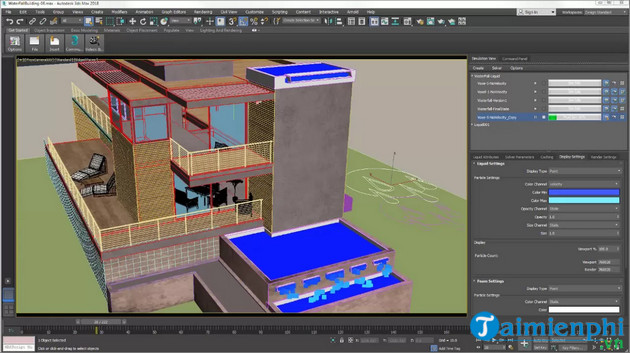
In addition to interior design and architecture, Autodesk 3Ds Max is also used in graphics, filmmaking and 3D games thanks to its ability to simulate realistic motion. The software helps create realistic and vivid materials, adding depth to designs and effectively conveying ideas.
Advantage:
- Simplifies the process of creating 3D blocks for objects and design objects. - Many detailed and realistic editing functions for 3D models. - Export 3D files after automatic alignment, formatting and coloring. - Suitable for a variety of industries and jobs.
=> Link to download Autodesk 3Ds Max here.
5. DreamPlan
DreamPlan supports interior design on Windows and Mac, allowing for 3D modeling at multiple levels. Built-in libraries help customize spaces from interiors to garden landscapes. Designs can be edited directly to match your ideas.
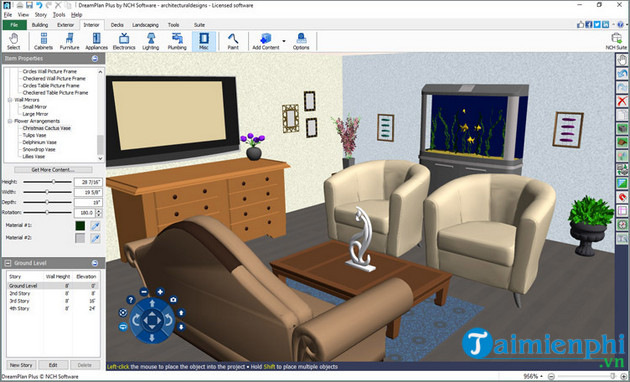
DreamPlan is popular with designers thanks to its Trace Mode feature, which helps create 3D models from existing plans. Just enter data, the software will automatically build an accurate model based on the information provided.
Advantage:
- Easy to use on multiple platforms. - Suitable for many design levels. - Ability to build 3D models from available diagrams. - Allows users to load 3D objects to include in the design.
=> Download DreamPlan here.
In addition, you can also refer to the top best 3D modeling software in interior design to create their own unique designs.
Final Thoughts
The most reliable way to handle top 5 3D design software, home design, interior design is to follow the process in order, verify each important setting, and test the result before moving on. Use the guidance above as a practical reference, then adjust the details for your device, software version, or specific goal.
FAQ
What should I know first about Top 5 3D Design Software, Home Design, Interior Design?
With graphic design software, designers can now create 2D and 3D models on the computer to express their ideas instead of having to draw their ideas by hand.
How do I get the best results with Top 5 3D Design Software, Home Design, Interior Design?
Use current software or equipment, follow the steps in order, review the recommended settings, and test one change at a time so you can identify what improves the result.
What should I do if Top 5 3D Design Software, Home Design, Interior Design doesn't work as expected?
Check compatibility, permissions, connectivity, and version-specific settings. Restart the relevant device or app, then repeat the process carefully before trying a more advanced fix.
Related Articles
 Top Professional Design Software for Decorating Homes and Offices7 minutes read
 Great Software and Interior Design Trends for Decorating a Room8 minutes read
 5 Best Most Professional Interior Design Software in 20203 minutes read
 Top 5 Best 3D Interior Design Software5 minutes read
 The Easiest 3D Interior Design Software to Learn 20219 minutes read
 Top 3D Modeling Software for Interior Design5 minutes read
Reader Comments 0
Sign in with email or Google to join the discussion.