Table of Contents
This guide compares 5 leading Best Home Design Software Today, focusing on useful features, compatibility, ease of use, and overall value.
1. Sweet Home 3D
Link to download the software: http://www. sweethome3d. com/en/download. jsp
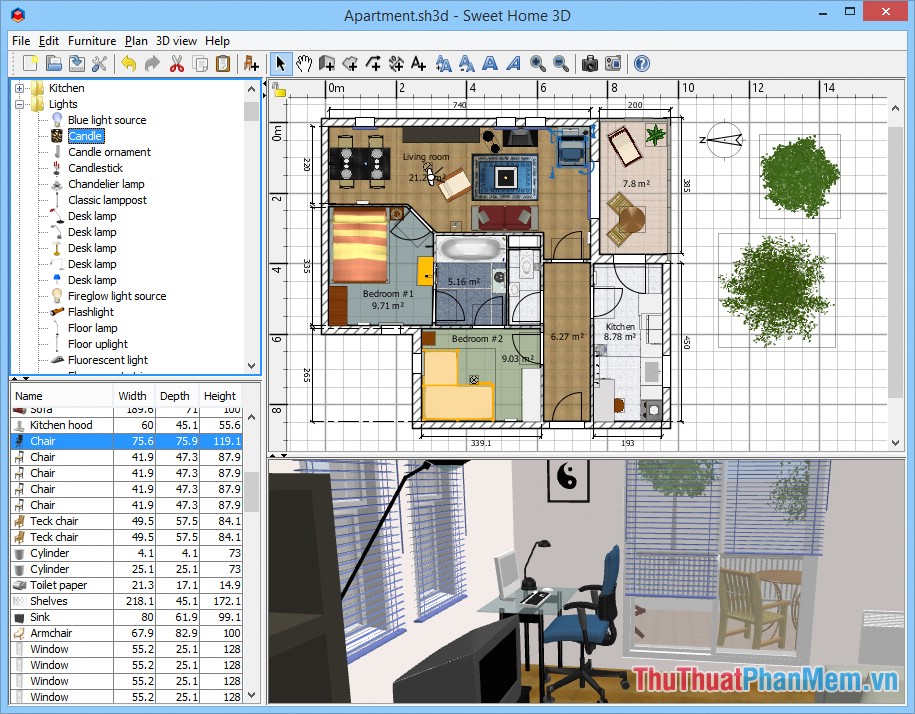
Sweet Home 3D is an interior design software inside the house. With an easy-to-see, intuitive interface, streamlined tools will help even novice users can easily use them. The software provides you with many different interior models and can customize the size to suit your intention. You can also export the file as a PDF, vector image, bitmap, video or 3D file. so you can share it with your friends or upload it online.
2. Super Home Suite
Link to download the software: http://en. softoware. org/apps/download-super-home-suite-for-windows. html

Super Home Suite will help you easily design construction projects, renovate houses from interior to exterior with photorealistic 3D technology for true and vivid colors. The software is created by experts in the construction industry, so Super Home Suite lets you compose the frame model as well as calculate the model and size to avoid mistakes before you build. However, this is a paid software with a high price of $ 49.99. You can also try 15 days to experience before making a decision whether or not to invest.
3. Autodesk 3Ds Max

Autodesk 3Ds Max can be considered as the most professional and modern home design software today. With a friendly interface, powerful and streamlined tools will help you easily simulate your home in a unique 3D architecture. The software has the function of supporting image processing analysis in high complexity. True colors are matched with the light of the weather. to help you have a better overview of the house you are designing.
However, this software only lets you rent but can not buy off but at a high price. $ 1.505 for the regular version or up to $ 2,525 for the most advanced version. You should consider carefully before making a decision whether or not to spend money.
- Software rental link: https://www. autodesk. com/products/3ds-max/overview
- You can download the trial version to get acquainted before renting the software at: https://www. autodesk. com/products/3ds-max/free-trial-dts
- If you are still a student, you can try the software for up to 3 years at: https://www. autodesk. com/education/free-software/3ds-max
4. Sketchup
Link to software home page: https://www. sketchup. com/
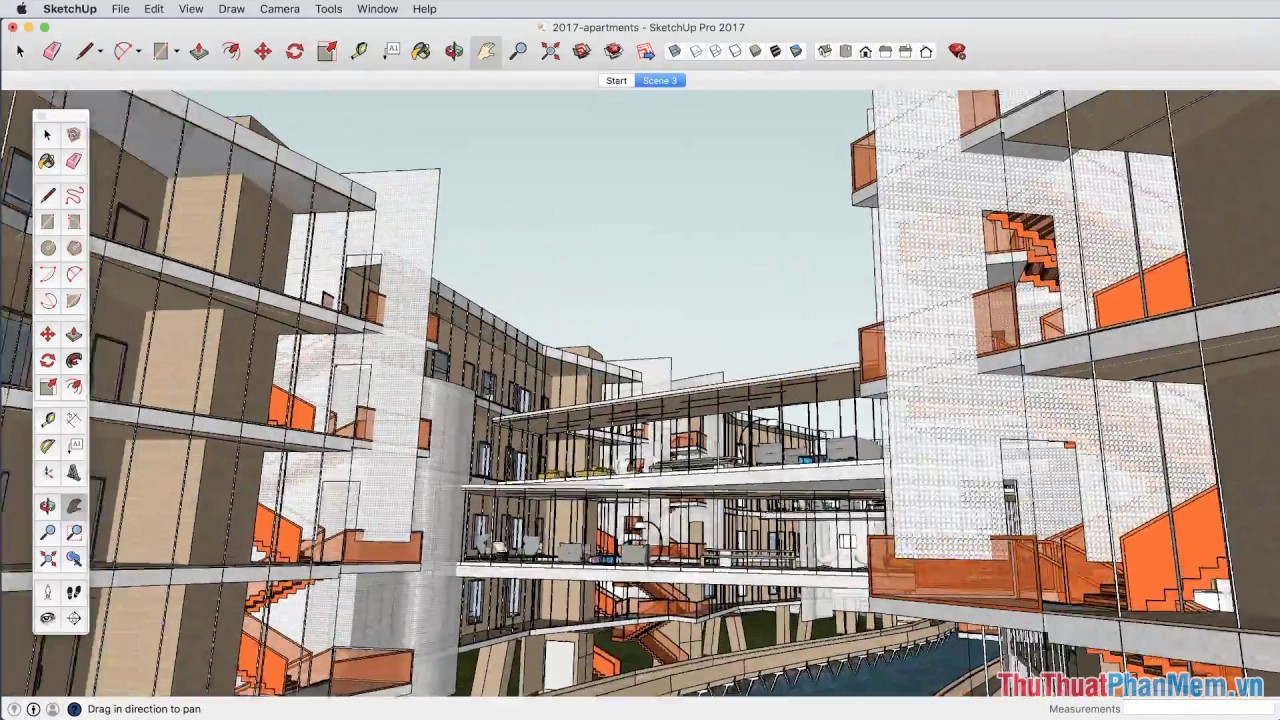
Sketchup will help users to quickly sketch out house and interior design ideas without much effort. You can simulate geometric polygons, Offset, FollowMe or split samples. Sketchup also helps you cast shadows, specify the size, accurately align the proportion of blocks in the image.
5. Home 3D Design
Link to the software homepage: https://en. homedesign3d. net/

The last software on this list that TipsMake. com wants to send to you is called Home Design 3D. It is a software for designing high-quality houses and gardens. Using a variety of built-in tools, suggesting you a number of items makes it easier to coordinate furniture and align the size range between objects.
Above are Top 5 best home design software today that TipsMake. com has summarized and sent to you. Hopefully through this article, you can find yourself a suitable software to build yourself a reasonable model for the future. Good luck!
FAQ
How should I choose among Best Home Design Software Today?
Compare compatibility, essential features, ease of use, security, support, and total cost rather than choosing only by popularity.
Are free options suitable for everyday use?
Free tools can be sufficient for basic needs, but advanced features, commercial use, or priority support may require a paid plan.
What should I check before installing or using one?
Verify the official source, system requirements, recent updates, privacy practices, and support for your device and file types.
Related Articles
 5 Best the Best Free Home Design Software Today 20205 minutes read
 5 Best 3D Home Design Software5 minutes read
 Top Professional Design Software for Decorating Homes and Offices7 minutes read
 Top 10 Simple Home Design Software: Key Facts8 minutes read
 5 Best 3D Home Design Software - 3D Home Design7 minutes read
 TOP Home Decoration and Design Games on Your Phone5 minutes read
Reader Comments 0
Sign in with email or Google to join the discussion.