Table of Contents
Overview
This guide covers game 'dead dinosaur' on Google chrome is beautifully in clear, practical terms. It covers the key concepts, recommended steps, common limitations, and useful checks so you can make a better-informed decision.
YouTuber Fat Dino decided to use Unreal Engine 4 - a video game programming toolkit developed by Epic Games, to add flesh and color to the game 'Dead Dinosaur' on Google Chrome and turn the familiar Google Chrome game into a beautiful 3D game.
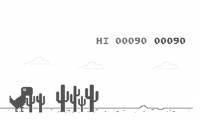
The game 'Dead Dinosaur' is very famous with Chrome users. The main character of this game is a dinosaur named Chromasauras with simple and lovely 2D pixel graphics.

Every time the user starts Google Chrome without an Internet connection, this dinosaur will appear to entertain the user while waiting. The player's task is straightforward: control this dinosaur to overcome obstacles. Just help Chromasauras avoid thorny cacti, annoying birds, and run as long as possible by pressing the Space key/up arrow key.
However, with the 'endless-run' gameplay that is very popular on smartphones today, the game 'Dinosaur Death' can completely become a more interesting game if invested in terms of graphics. Therefore, Fat Dino decided to turn it into a beautiful 3D game.
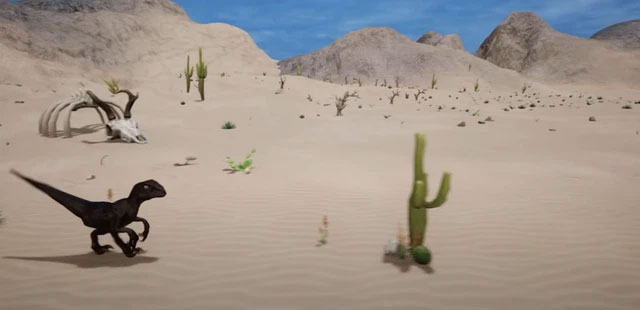
The first thing Fat Dino did was create a limited game environment, meaning the game would have an end point. But the YouTuber claims that players would never be 'good enough' to reach that end point.
Fat Dino then created 3D models of Chromasauras, cacti, and the flying dinosaur Pterodactyl. He also added some necessary functions to the Chromasauras dinosaur such as jumping, flowing, and crouching to easily avoid obstacles on the way.
To make the game more interesting, Fat Dino also added some mechanics such as Chromasauras will have a running speed that increases over time, day and night cycle, sound effects and even Game Over screen like the original. And after adding a little desert background scene behind, finally the game 'Dinosaurs die' 3D version is completed.
YouTuber Fat Dino also shared the process of him 3Dizing the Google Chrome game "Dead Dinosaur" every time he was offline for everyone to know. For details, please watch the video below.
In addition, this guy also allows users to download and experience the 3D version of 'Dead Dinosaur', with a capacity of 1GB, here.
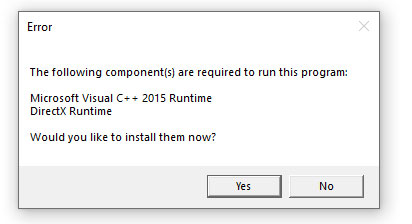
Note: After downloading the zip file, unzip it and run it. Your device must have Microsoft Visual C++ installed to experience this 3D game.
Key Takeaways
Use the guidance above as a practical reference for game 'dead dinosaur' on Google chrome is beautifully. Check compatibility, follow the steps carefully, and verify important details with official documentation when software, security, accounts, health, or purchases are involved.
FAQ
What is the main point of this article?
This article explains the game 'dead dinosaur' on Google chrome is beautifully, including the central facts, context, practical implications, and details needed to understand the topic.
Why does this topic matter?
It may affect performance, cost, safety, convenience, purchasing decisions, or how people understand a broader development.
Could the information change over time?
Yes. Product details, software features, prices, policies, codes, and news developments can change, so verify time-sensitive information with official sources.
Related Articles
 'Hack' Google Chrome's dinosaur game to make your T-Rex4 minutes read
 Google Finally Revealed the Origin of the Legendary T-rex Dinosaur When the Computer Lost Its5 minutes read
 What Is the Ending of the Dinosaur Game T-rex on Chrome?4 minutes read
 'Hack' the Dinosaur Game of Google Chrome to Make Your T-rex3 minutes read
 How to Play Games on Chrome When Losing Life and Have Internet4 minutes read
 'Hack' Google Chrome's Dinosaur Game to Make Your T-Rex Immortal5 minutes read
Reader Comments 0
Sign in with email or Google to join the discussion.