Table of Contents
Learn how to download games created on gemini with clear steps, practical tips, and troubleshooting guidance for a reliable result.
How to download games created on Gemini
Step 1
Teachers can create games on Gemini as usual, entering commands and specifying the game requirements to get a complete game.
Then, in the game section, click on Code to open the game's HTML code.
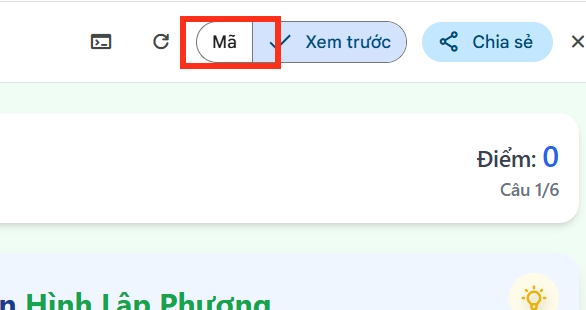
Step 2
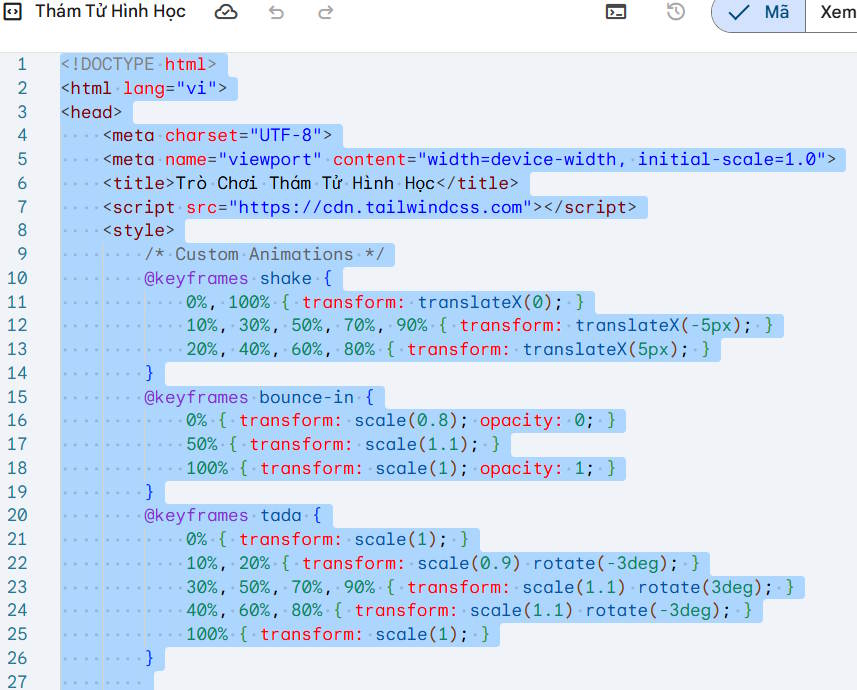
Now you will see the game's HTML code. Copy the entire code and paste it into Notepad on your computer . We highlight the word and end with a period.
If you're using a Mac, use TextEdit or any other code editor you usually use.
Step 3
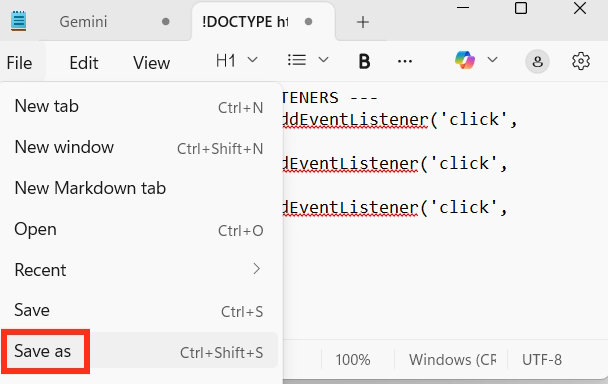
Continue by clicking on File and selecting Save As… to save this HTML file.
Note that the file format must be.hmtl as shown in the image below. If the default is.txt, you need to remove that extension and manually enter.html and save it.
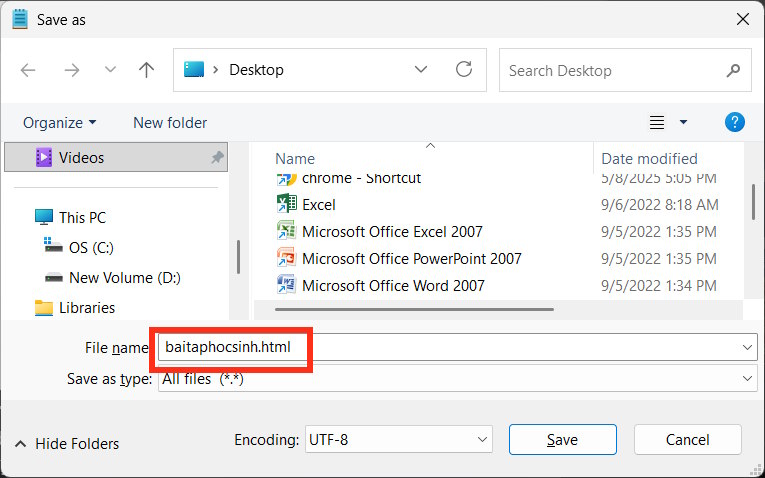
As a result, we have downloaded the game from Gemini and all we need to do is click on the HTML file to open it on our computer.
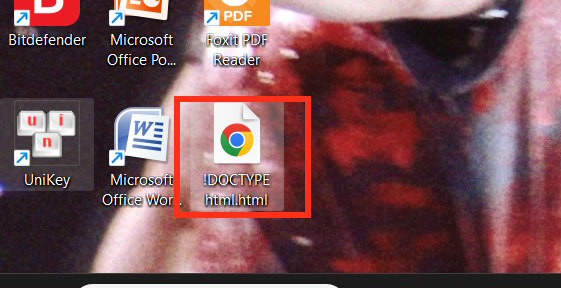
We can send this game to anyone, and they can simply click on the file to open it in their computer's browser of choice.
Final Thoughts
Use this guide as a practical checklist for how to download games created on gemini. Work through the steps in order, verify each result, and adjust the options to match your needs.
FAQ
What do you need before following this How to Download Games Created on Gemini guide?
Review the required tools, accounts, settings, or materials mentioned in the article. Learn how to download games created on gemini with clear steps, practical tips, and troubleshooting guidance for a reliable result.
What are the main steps for how to download games created on gemini?
Follow the sections in order, especially How to download games created on Gemini, Step 1, Step 2. Complete each step before continuing and verify the result as you go.
What should you do if the process does not work as expected?
Recheck the prerequisites, update the relevant app or service, review the settings, and repeat the step that caused the issue. Use any troubleshooting notes included in the guide.
Related Articles
 Instructions for Using the Gemini Utility: What to Know4 minutes read
 How to Create Games on Gemini Extremely Quickly4 minutes read
 How to use Gemini API14 minutes read
 Gemini 3.1 Pro or Gemini 3 Pro: Better?8 minutes read
 Instructions for Getting Started with Gemini Embedding 211 minutes read
 How to Download Games to Your Computer: Clear Instructions21 minutes read
Reader Comments 0
Sign in with email or Google to join the discussion.