delete files
-
 How to enable / disable the delete delete confirmation dialog box
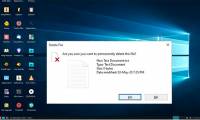
to delete a file in windows, all you have to do is press the delete key. windows displays a confirmation dialog when you try to delete a file permanently. this is how you can enable or disable it as needed.
How to enable / disable the delete delete confirmation dialog box
to delete a file in windows, all you have to do is press the delete key. windows displays a confirmation dialog when you try to delete a file permanently. this is how you can enable or disable it as needed.
-
How to force delete files in Windows 10
if windows prevents you from deleting a file, you can use a single command to force delete the file from the command line. here's how you do it.
-
Delete the most 'stubborn' files on Windows
delete stubborn files, delete files that cannot be erased to free up memory, and prevent computer trash. but how to delete these stubborn files? please read our instructions below.
-
Fix 'These Items Are Too Big To Recycle' error on Windows 10
the troubleshooting guide cannot delete files with the message 'these items are too big to recycle' on windows 10.
-
2 ways to permanently delete files on Windows
normally, when deleting a file on windows, the file will not be deleted immediately but will be saved in recycle bin. after that, you will have to do one more step to clear the trash. but if you do not want to take this second step, we will guide you how to permanently delete a file in the article
-
Delete Files on Mac - Empty Trash or Secure Empty Trash?
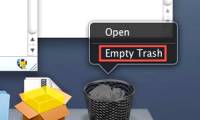
deleting files in mac os is not a difficult matter in any way, but it can cause confusion. most people know how to drag files into the trash in the dock, but to really delete them, there are two options in the finder menu - empty trash and secure empty trash.
 Home
Home
 Wifi Tips
 Fix Computer
 Windows 10
 Windows 11
 Artificial Intelligence
 Space Science
 Strange story