Table of Contents
This guide provides a clear, practical overview of "'Not a Bug, but a Feature': Windows Hello Face Unlock Doesn't Work". It organizes the most useful details, explains important considerations, and highlights the steps or choices that matter most.
Windows Hello has not been working as expected since at least April's Patch Tuesday update, as discovered by Windows Central. Specifically, the facial authentication mechanism on Windows Hello will now require an infrared (IR) sensor and a color webcam to work properly. Previously, Windows Hello relied solely on the IR sensor to create a 3D facial map, similar to the iPhone.
IR sensors work great in low light, but Microsoft no longer allows users to rely solely on them due to a security patch. It's important to note that most webcams don't illuminate the environment themselves, relying on external light. This means that Windows Hello simply won't work in low light for many users.
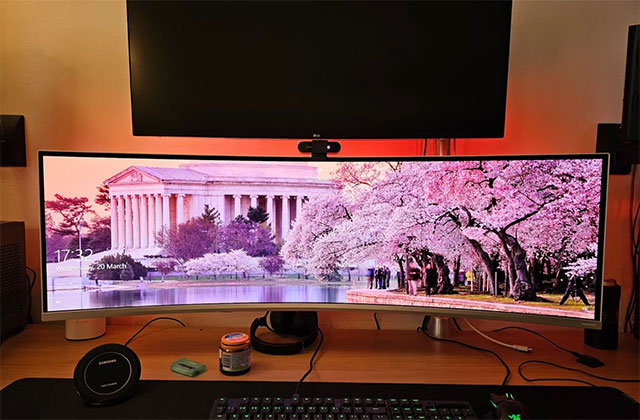
In real-world testing, Windows Hello still works under warm yellow light (as shown below):
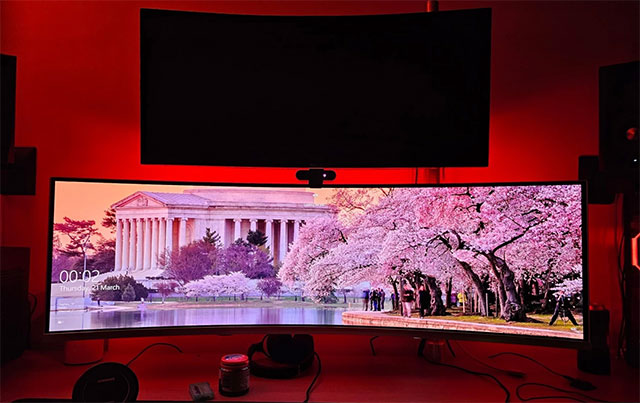
However, this feature currently does not work in darker environments, such as dim red lighting (as shown below):
However, it seems that Microsoft has not implemented this change completely. Users have reported that if they disable the webcam via Device Manager, Windows Hello will revert back to using just the IR sensor and continue to work as before. While this may be a temporary solution for current users, it would be interesting to see if Microsoft also patches this 'loophole' in the future.
FAQ
What does this guide cover?
This guide explains 'not a bug, but a feature': Windows hello face unlock doesn't work, including the main steps, important details, and practical considerations.
Who is this guide for?
It is designed for readers who want a clear, practical overview and a reliable process they can follow without unnecessary complexity.
What should you check before getting started?
Review the requirements, confirm that your software or device is up to date, and save any important data before changing settings.
Related Articles
 How to Set Face ID on iPhone X4 minutes read
 Unlock Your Phone with Face on Android 5. 05 minutes read
 Sorry, IPhone's Face ID Won't Work with Your Face Mask.5 minutes read
 How Does Apple's Face ID Work?6 minutes read
 Face Unlock Feature on Many Popular Smartphones Can Easily Be Fooled with Just One Photo8 minutes read
 Elephone U & Elephone U Pro Has the Same Face Unlock Feature as iPhone X3 minutes read
Reader Comments 0
Sign in with email or Google to join the discussion.