Table of Contents
This updated guide explores instagram's edits app is surprisingly good with practical details, clear explanations, and useful takeaways. Snapchat and Instagram Stories, TikTok and Reels, X and Threads — it is clear that Instagram has a habit of borrowing ideas from other platforms and adding its own twist. Edits, a CapCut clone, has arrived, and it is surprisingly good.
Surprisingly, Edits Delivered on Its Initial Promise.
After testing the app, it is safe to say that it not only lives up to its promise, but exceeds it. When Instagram head Adam Mosseri announced Edits in January 2025 (ironically, shortly after CapCut was temporarily removed from app stores in the United States), the app was only available for pre-order on Apple's App Store.
In its initial announcement, Mosseri mentioned that the Edits app wouldn't launch until February 2025. While that didn't happen, the app's App Store page later listed an expected launch date of April 30, 2025. In fact, the app launched about a week earlier than expected, on April 22, 2025. Mosseri also stated that the app would initially only be available for iOS devices (as evidenced by the fact that it could only be pre-ordered on Apple devices). In a surprising turn of events, Meta released the app globally on both Android and iOS.
When Edits was announced, the Price section of the app's App Store listing stated that Edits would be a completely free editing app.
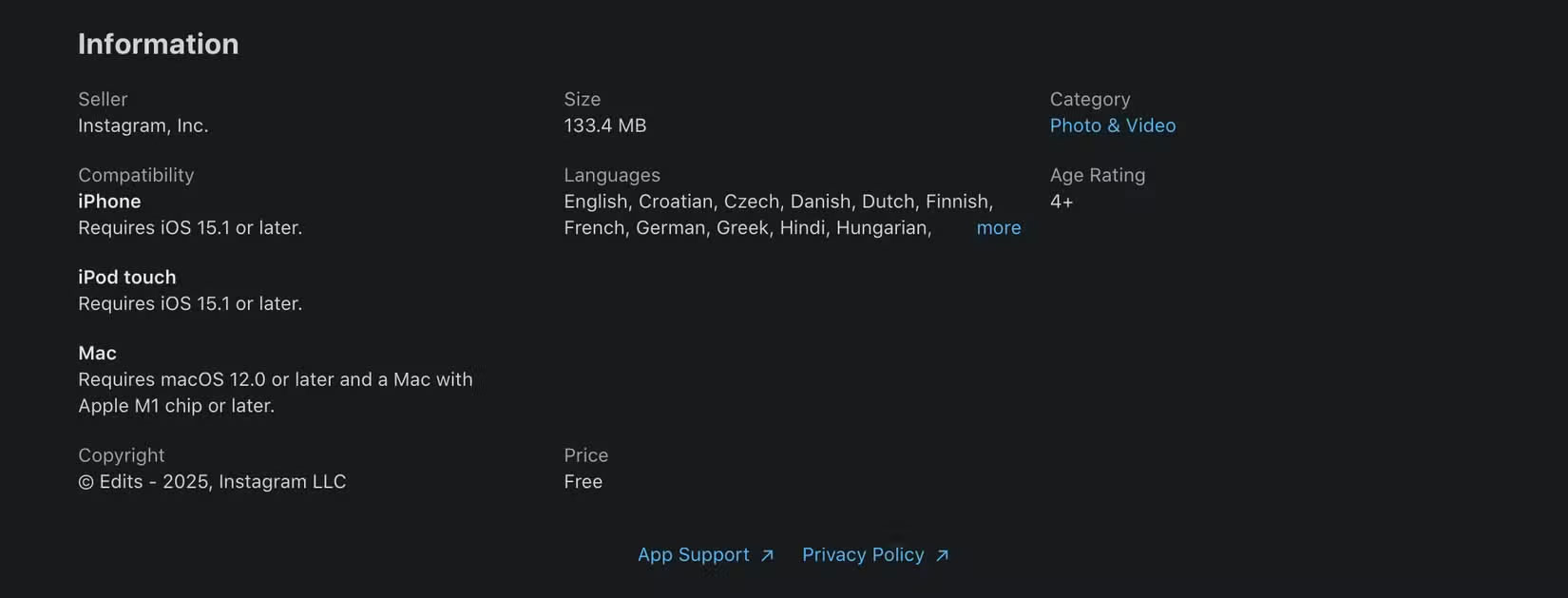
Honestly, that is a pretty bold claim in this economy, especially from a company as big as Meta. Edits could actually be completely free, but it could also just be a publicity stunt that does not stay that way after the app launches.
Surprisingly, Edits stays true to its promise and is completely free to use. None of the app's features are locked behind a paywall at the moment, although that may change soon.
Mosseri posted a Reel on Instagram in early April to answer a fan question about whether the Edits app would continue to be free:
This app will be free. Over time, we may have some paid features for things like big AI features. But overall, the more free features the better, because the more people can create, the better Instagram will be, and the more users will benefit.
Still, the important thing is that Instagram has delivered on what they initially promised and the app is actually completely free.
Edits' User Interface Is Simpler Than Most Other Editing Apps
Initially, Edits does not seem as easy to navigate as CapCut (comparison results based on the app's initial announcement and App Store listing).
Once you test the app, you'll notice that this isn't the case. Edits' user interface is definitely on the simpler side compared to many video editing apps of the past. The app is basically divided into these five sections:
Ideas
The Ideas tab has three sections: Stickies, Saved , and Collections.
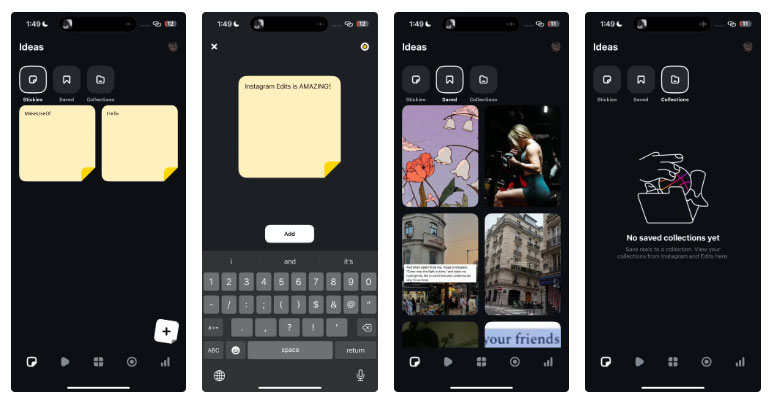
If you're someone who gets ideas at the strangest of times (like when you're in the shower or taking a walk), then you've probably done something like jotting down your ideas on the nearest piece of paper you can find or in your handy note-taking app.
Stickies is a great alternative to that. It lets you jot down any ideas you might have and save them as sticky notes. This way, all your ideas are neatly stored in one place and you do not have to dig through your notes app or pieces of paper trying to remember what idea you came up with. The Saved section lets you see all of your saved Instagram Reels, and if you tend to organize your favorite Reels into Collections on the Instagram app, you can find them in the Collections view.
Inspiration
The Inspiration tab is essentially identical to the Reels tab in the Instagram app and shows you Reels that you can use for inspiration. You can save any Reel to revisit later like on Instagram, save it as a pin, or tap Use audio to use the Reel's audio in a new video.
Projects
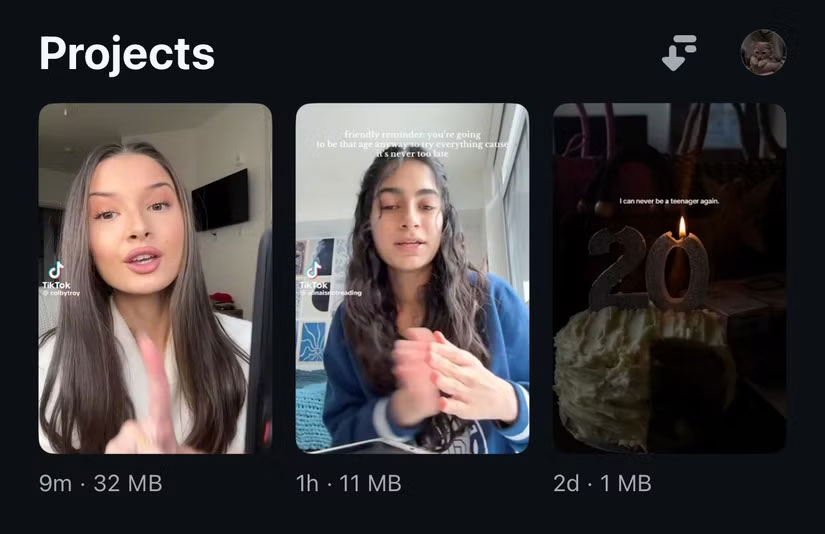
The Projects tab is where you can start editing new videos and view all of your existing projects. You can sort these projects by Last edited, Date created , or Alphabetical .
Camera
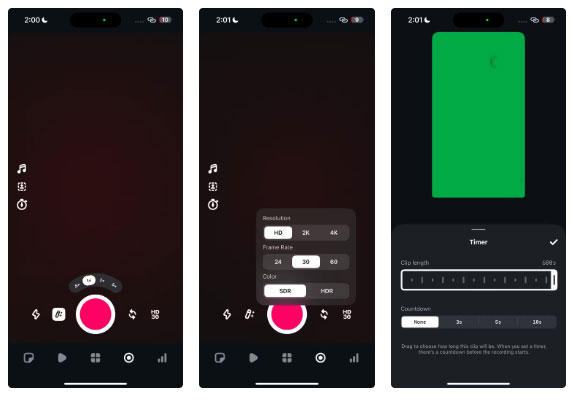
To shoot clips up to 10 minutes long right in the Edits app, switching to the. Camera tab, which gives you access to advanced camera settings like control over resolution and frame rate, as well as the option to choose between SDR and HDR color. The app also has three zoom options for the front camera (1x, 2x, 5x) and four options for the rear camera (0.5x, 1x, 2x, 5x).
Insights
Finally, the Insights tab lets you see deeper insights into the performance of your account and Reels. This is primarily for creators, which we'll cover in more detail below.
Even if you do not use Instagram much, both navigating the app and actually editing your footage is super simple.
After you create a new project (or open an existing one), a timeline appears at the bottom, followed by a list of tabs: Audio , Text , Voice , Captions , Overlay , Sound FX , Cutout , and Sticker .
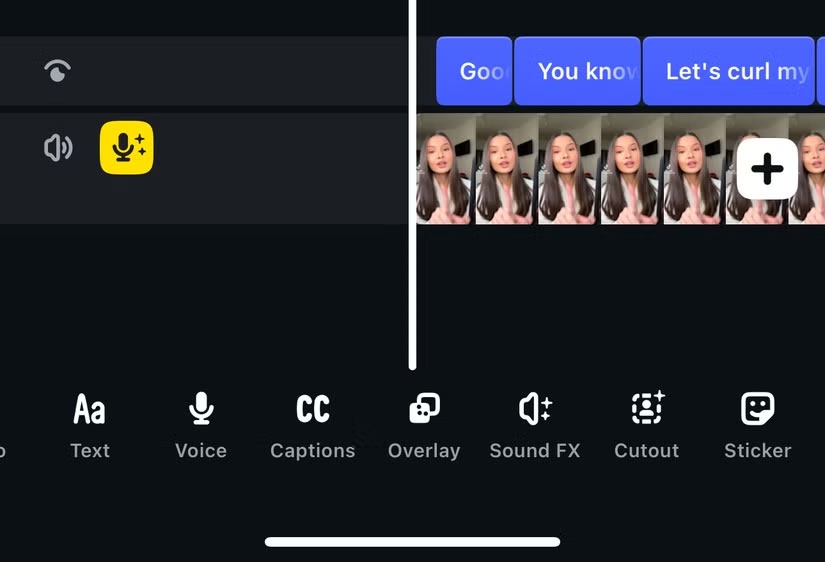
All of these options are quite simple and learning how to use the app will not take more than a few minutes.
The Edits App's Auto Captioning Feature Is Really Convincing.
What kept people loyal to CapCut for so long was the Auto Captioning feature, but then it was charged and became a Pro feature. CapCut's Standard plan is currently $9.99/month, and if you do not edit videos much, spending almost $10 for just one feature does not make sense.
One app's shortcoming is another's gain, as Edits offers the same feature completely free of charge. After testing the Auto Captioning feature with a few random TikTok videos, aside from a few minor bugs, the results were practically flawless.
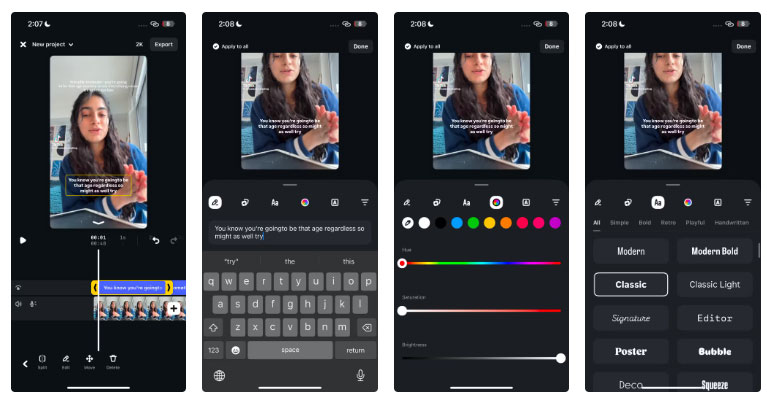
There are also tons of fonts you can use across different categories ( Simple , Bold , Retro , Playful , Handwritten ) to customize how your captions appear in your videos, including classic fonts you'll come across when creating Instagram Stories like Literature , Bubble , Signature , Modern , etc.
Captioning a nearly 3-minute video took less than a minute (32 seconds to be exact), which is impressive. Plus, Edits has a lot more features than just Auto Captioning.
As you might have guessed, it has AI features like Cutout that help you take your editing to the next level. You can create animations, edit backgrounds with green screen effects, and even improve the audio of your videos by making voices clearer and removing background noise.
Edits Aren't as Instagram - centric as People Think
Initially, many assumed that Edits would be all about creating Reels for Instagram. After all, it is an Instagram-owned app. There's no denying that it is closely tied to Instagram. In fact, you'll need an Instagram account to use the app, just like its X competitor, Threads. But the real limitations end there.
Unlike CapCut, which adds a watermark to your videos after you export them (unless you subscribe to one of the Pro plans), Edits lets you export videos in HD (720p), 2K, and 4K resolutions without a watermark. Now, after exporting your videos, the Meta app's advantage comes into play, as you have the option to share directly to Instagram and Facebook.
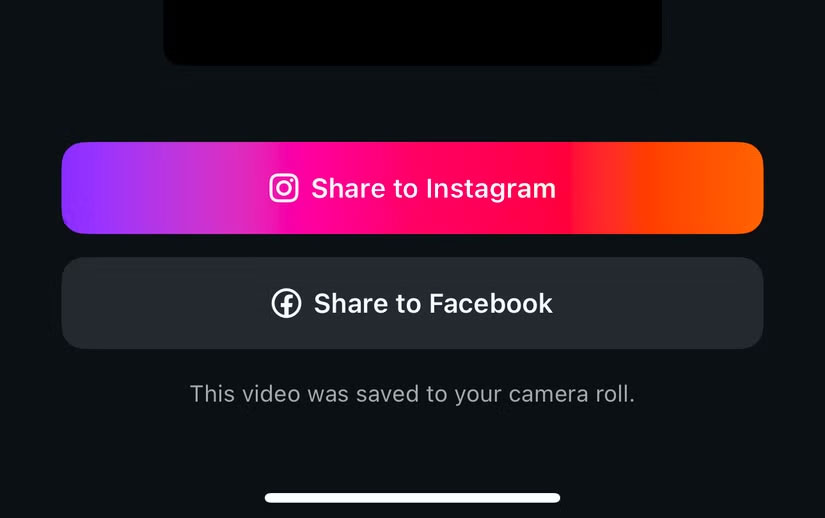
The same page also mentions:
Videos created with Edits are optimized to play high quality on Instagram.
While you cannot export to other third-party apps like TikTok (CapCut lets you do that), that is not a huge deal. After all, there's no watermark attached to your videos, and posting directly to the app only takes a few seconds.
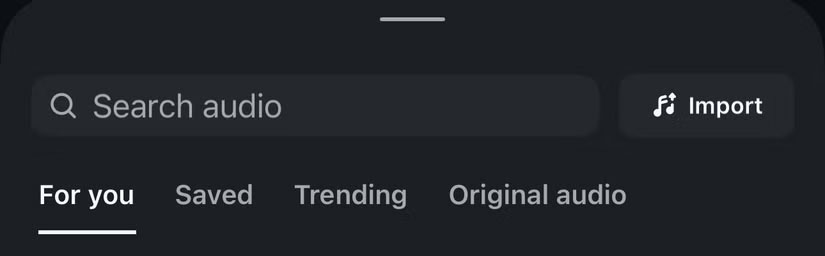
When it comes to background audio for your videos, Edits lets you choose from trending music clips on Instagram, audio you've saved (on Instagram), a curated For You section based on your interests, and original audio shared by the community. You also have the option to manually import audio.
The only part of Edits that is really tied to Instagram is the Insights tab. As mentioned above, this tab shows deep insights into your account and Reels performance over a 7-day, 13-day, 30-day, and 60-day period, with stats like Reels views , Reach , Net followers , Likes , Comments , Shares , and Saves .
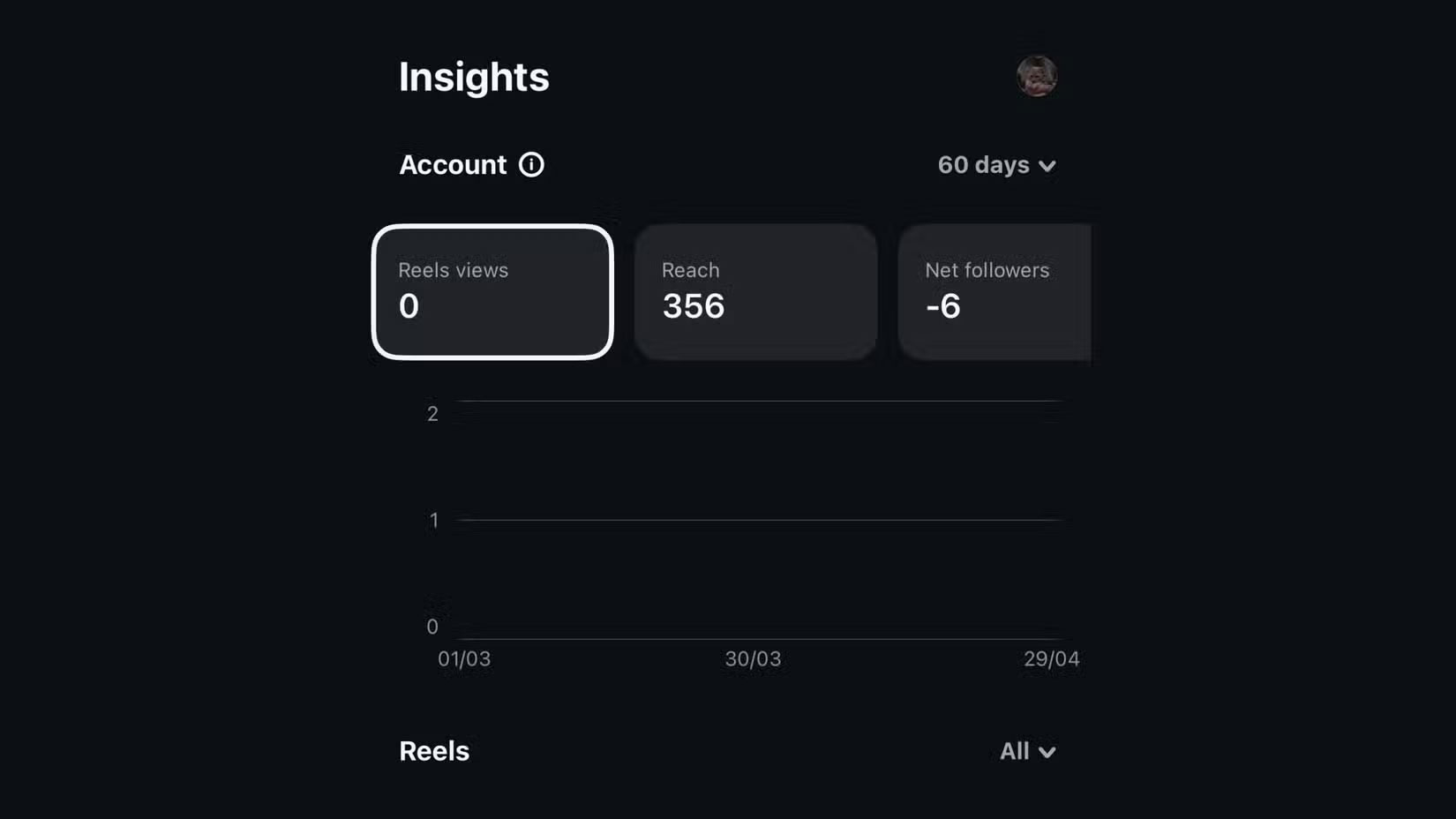
When you select each stats tab, a graphical graph appears showing how that specific metric has changed over time, making it easy to track growth trends, spot performance dips, and understand what types of content work best for your audience.
Overall, Edits is definitely an impressive app, especially considering that this is still in its early stages and Adam Mosseri has stated that 'the early stages are not finished.' This editing app will certainly get better over time, but it is already a solid and great CapCut alternative for beginning editors.
FAQ
What is the main takeaway about Instagram's Edits App Is Surprisingly Good?
The key is to understand the core idea, compare the available options, and apply the practical guidance that matches your situation.
What should beginners know about Instagram's Edits App Is Surprisingly Good?
Start with the essential steps and terminology. Avoid changing advanced settings until you understand how they affect performance, privacy, cost, or compatibility.
How can I use this information in practice?
Follow the relevant section in order, test one change at a time, and confirm the result before moving to the next step or recommendation.
Related Articles
 Instagram Is About to Launch Edits to Compete with CapCut6 minutes read
 How to Use the Edits App to Create Instagram Videos4 minutes read
 Why Instagram's Edits Tool Is the Best Free Video Editor for Beginners?8 minutes read
 How to Use DALL-E 3's Editing Tools: Step-by-Step Guide8 minutes read
 10 Great Uses of Beer You May Not Know Yet6 minutes read
 How to Organize Your Images Using Zoner Photo Studio X5 minutes read
Reader Comments 0
Sign in with email or Google to join the discussion.