Table of Contents
Shopping for products has never been easier, but people always want to know they're getting the best value for their money. Thankfully, the latest version of Microsoft Copilot is here to help, with a number of useful features to help users find the best deals.
You can track prices with real-time tracking
Copilot includes AI enhancements that have significantly improved its research and analytics platform — as well as the online shopping experience. With Copilot Vision, available for free to Edge users and to Pro users on mobile (currently only in the US), you can point your phone at a product or highlight it on your device, and Copilot will track prices from multiple retailers.
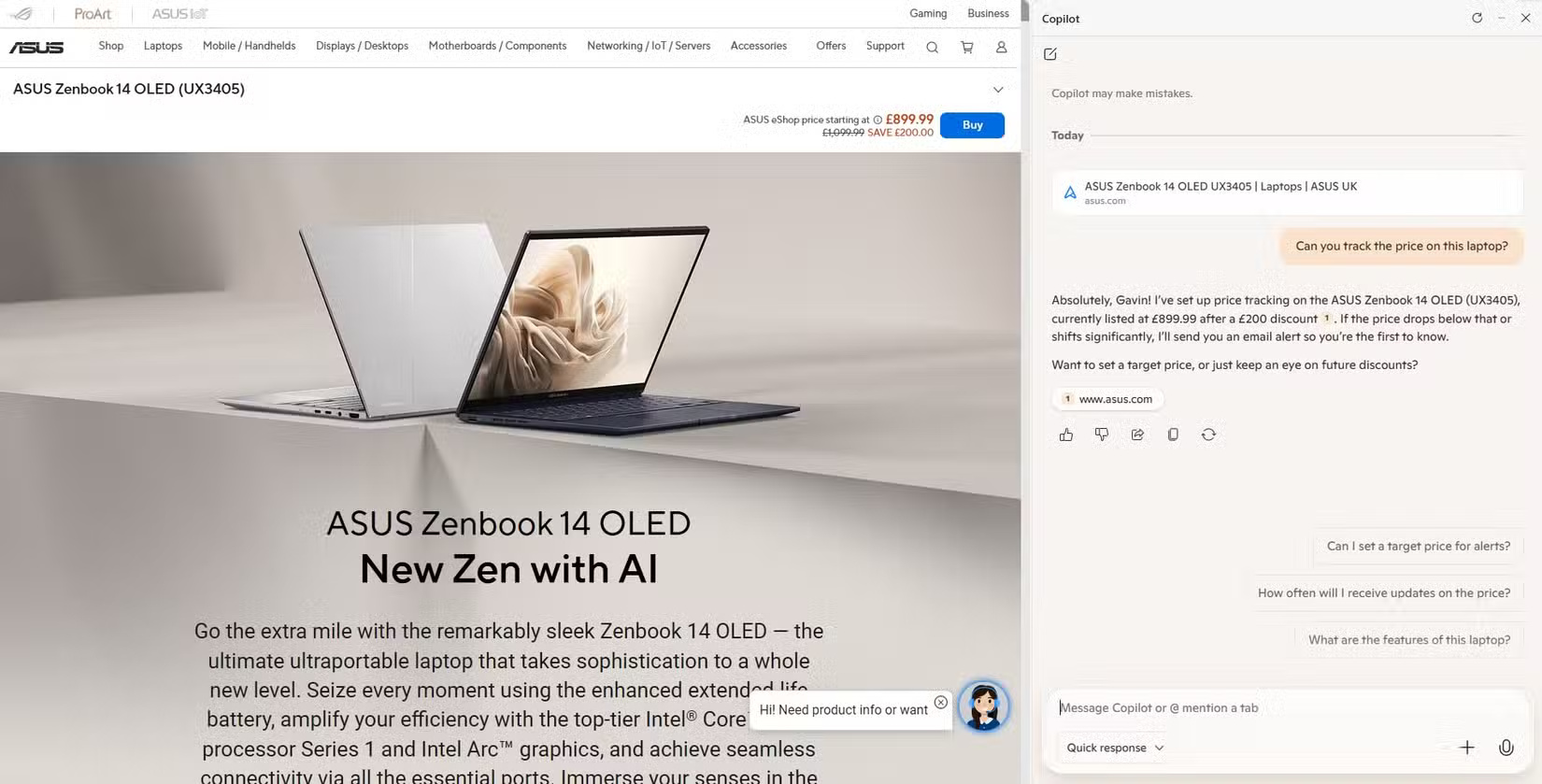
Even more helpful are Copilot's price drop alerts, which are triggered by clicking the bell icon next to a product that appears in Copilot's search results. Set a target price, and as soon as the price drops below that level, you'll receive an email notification and/or app alert to let you know it's time to buy. Even better, when you find the perfect product and are ready to buy, Copilot's in-app checkout feature lets you buy directly without having to jump between websites.
You can compare prices of multiple products
Comparing prices across different websites used to be a pain, requiring multiple tabs and constant searching, and people often realized they missed a deal after they bought it. With Copilot's upgraded inference engine, called Think Deeper, which uses OpenAI's o3-mini model, users get intelligent price comparisons in real time.
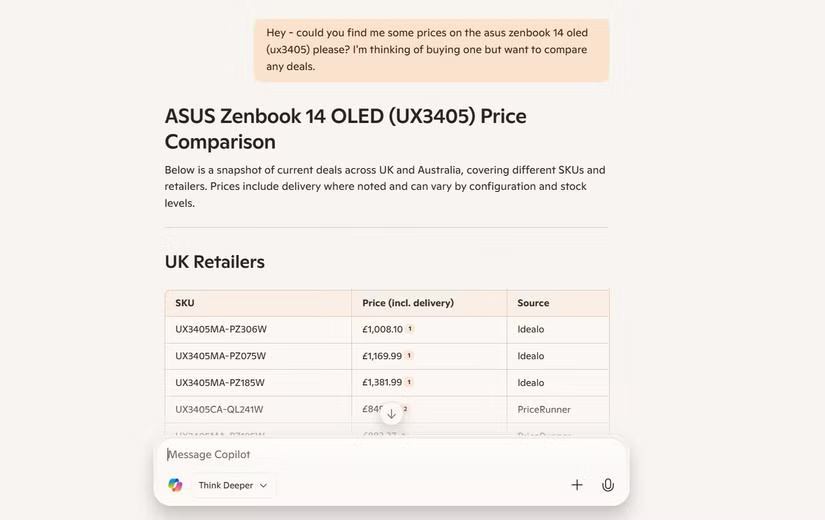
For instance, if you're looking for wireless headphones, Copilot will provide a curated list of options that fit your specific needs. It will then compare prices from multiple retailers and show you:
- Product name and specifications
- Price of each seller
- Shipping details and discounts
You can even ask for a more detailed breakdown of costs and benefits. Let's say you're comparing three identical headphones. You can ask Copilot for an in-depth review that includes shipping costs and warranties, to make sure you're getting the best deal.
Stay up to date with cross-app integration
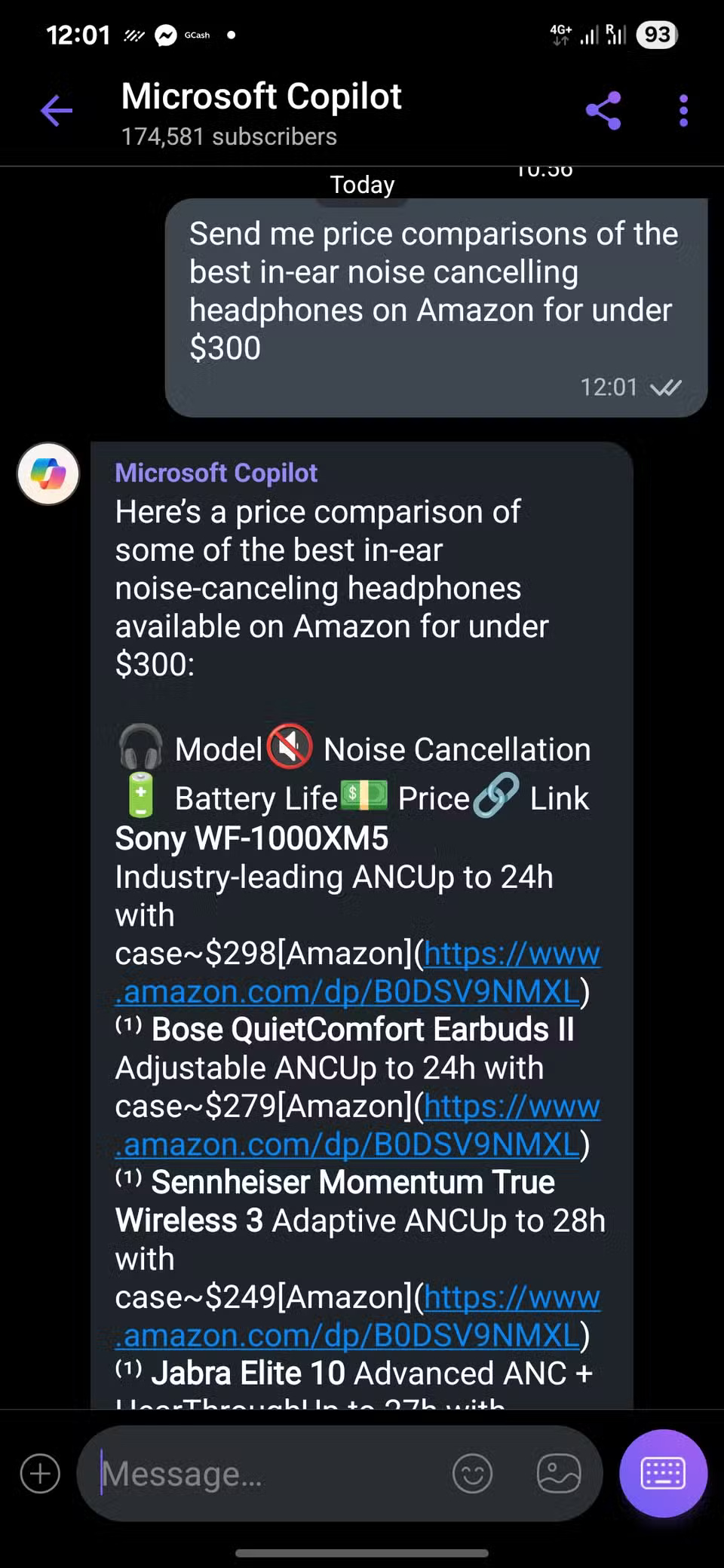
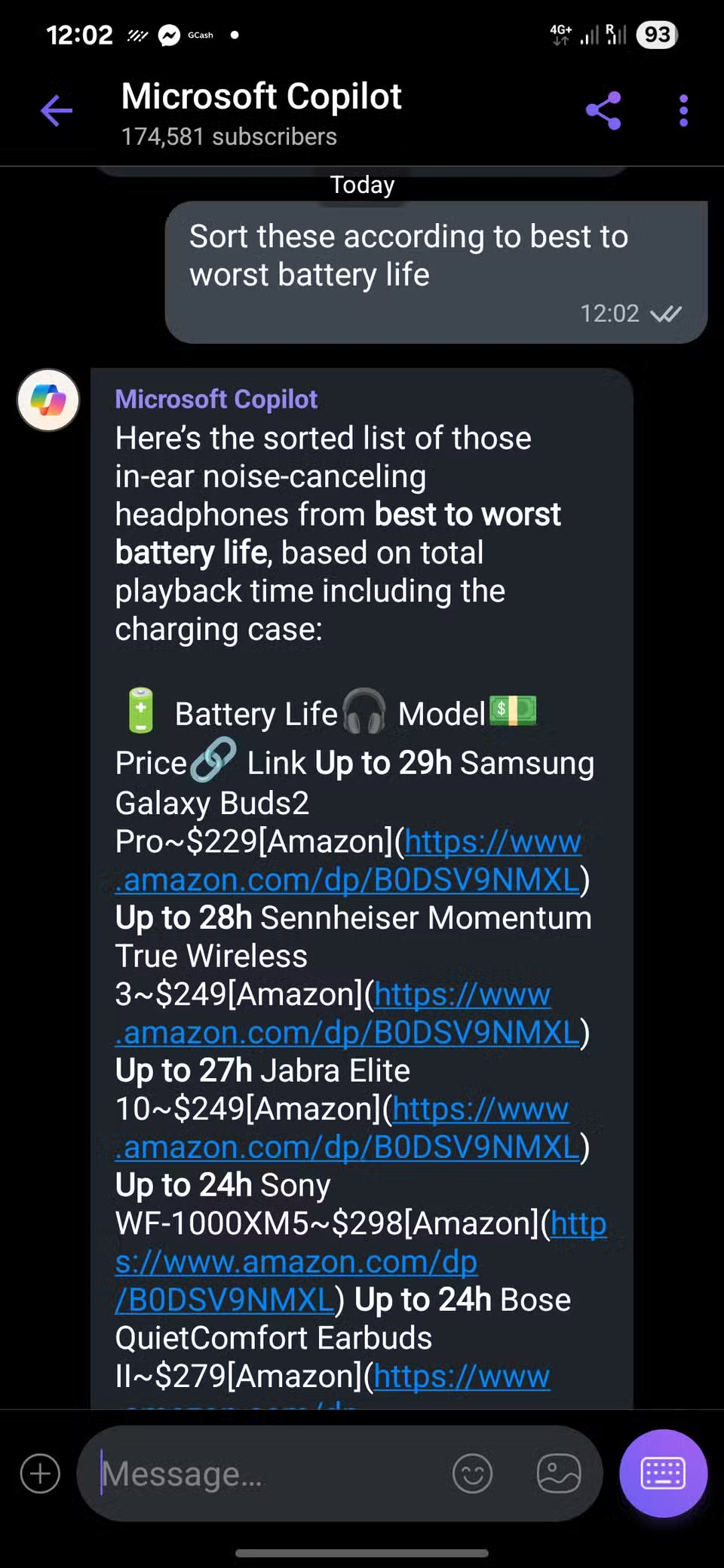
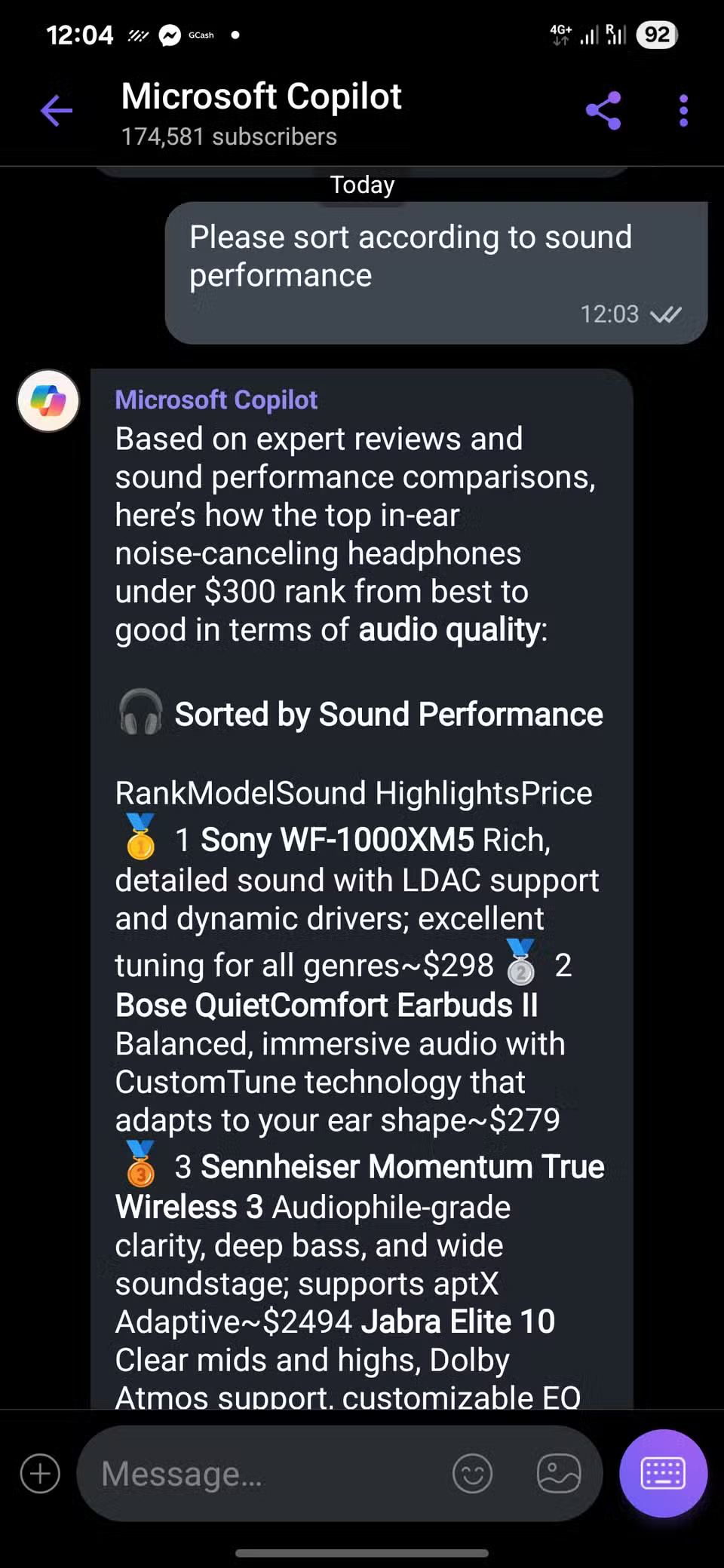
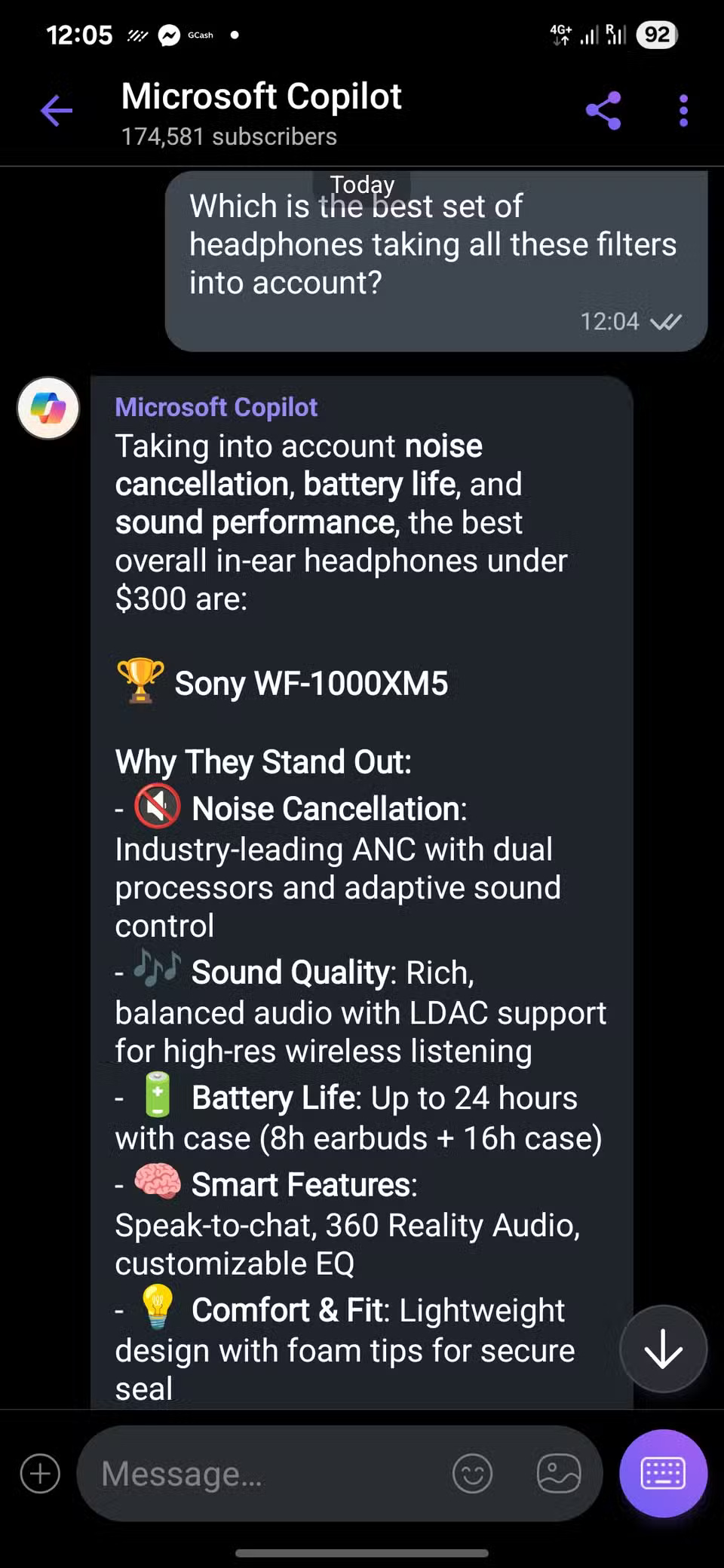
Copilot is now integrated into Viber and GroupMe. While they aren't the most popular messaging apps, many people don't mind using them if it saves them money. Within the apps, you can take a photo of a product and ask Copilot to compare it, or even chat directly with Copilot to let it know what you're looking for, to make things easier.
Copilot's integration has other benefits. For example, you can get weather and stock market information from Viber, and GroupMe summarizes news articles, trending topics, and breaks down other complex information. But the most important benefit is getting live price alerts, meaning you're less likely to miss a deal.
Enjoy a faster and smarter search experience with OpenAI

While most of us aren't interested in seeing the wizard behind the curtain, the AI model mentioned above is a recent upgrade that allows Copilot to intelligently compare prices. Not only is product search faster and more informative, it's also presented in a clear and concise manner, which should appeal to any user.
Say you want to find a smartwatch with the best battery life for the money. Copilot can run a quick analysis. It then gives you a shortlist of watches, comparing and reasoning in concise, easy-to-understand language. This is the kind of query that used to be difficult, even when talking to a real person in a store, but now you get the information you need in double the time.
You can find personalized offers based on your interests
Copilot uses your interactions and preferences to refine recommendations. While this may seem a little invasive on paper, it's a handy feature that helps you quickly find products you're interested in and differentiate between good and bad.
With Copilot's help, you're more likely to find products you like. It even suggests alternatives, tells you about seasonal promotions, and suggests the best times to shop. Plus, when you provide feedback, Copilot uses those suggestions to make future recommendations. For example, if you tell Copilot you like a particular brand or aesthetic, your smart AI assistant will take note.
While Copilot still has a ways to go compared to other AI models, it does have its uses, especially when it comes to online shopping. The next time you're thinking about spending money on a product or service, whether it's the latest iPhone or a vacation to Europe, give Copilot's price tracking feature a try. While the solution is simple in principle, it can save you time and effort searching for deals on the web, and even give you a pleasant surprise when you least expect it.
Final Thoughts
Following the steps in order and checking version-specific settings should make it easier to Use Microsoft Copilot to Never Miss Any Online Deals. If an option looks different, verify the device, app, or operating-system version before changing additional settings.
FAQ
What is the best way to Use Microsoft Copilot to Never Miss Any Online Deals?
Start with the requirements described in the article and follow the steps in order. Shopping for products has never been easier, but people always want to know they're getting the best value for their money. Thankfully, the latest version of Microsoft Copilot is here to help, with a number of useful features to help users find the best deals.
What should you know about You can track prices with real-time tracking?
Copilot includes AI enhancements that have significantly improved its research and analytics platform — as well as the online shopping experience.
What should you do if the instructions do not match your screen?
Check the device, software version, account permissions, and regional settings. Interfaces can change after updates, so use the closest matching option and consult the official support documentation when necessary.
Related Articles
 Don't Miss These 8 Little-known Features of Microsoft Copilot9 minutes read
 What Are Copilot Labs: Clear Explanation5 minutes read
 What Is Microsoft Copilot AI? How to Use It Effectively?6 minutes read
 Overview of Copilot Studio11 minutes read
 How Is Copilot Pro Different from Copilot? Should I Upgrade Explained7 minutes read
 Microsoft Upgrades Copilot with a Series of New Features: from Bing4 minutes read
Reader Comments 0
Sign in with email or Google to join the discussion.