Table of Contents
Explore 8 reasons to use microsoft copilot instead of ChatGPT, including the key concepts, practical examples, important considerations, and useful guidance.
1. Copilot offers GPT-4 for free
ChatGPT offers the older, less capable GPT-3.5 AI model as a free option. The more advanced GPT-4 model is available with a ChatGPT Plus subscription at $20/month. While the GPT-3.5 is a powerful AI model on its own, it can't compare to the power and depth you get with the GPT-4.
Microsoft Copilot offers GPT-4 for free, along with other features like custom GPT and plugins (the latter plugin will be discontinued on ChatGPT in April 2024). If you don't really need a feature specific to ChatGPT, the choice is simple. Undeniably, you can access one of the most advanced AI models on Copilot for free, or you can pay $20 to use a similar model on the ChatGPT platform.
2. Copilot has better internet access and search capabilities
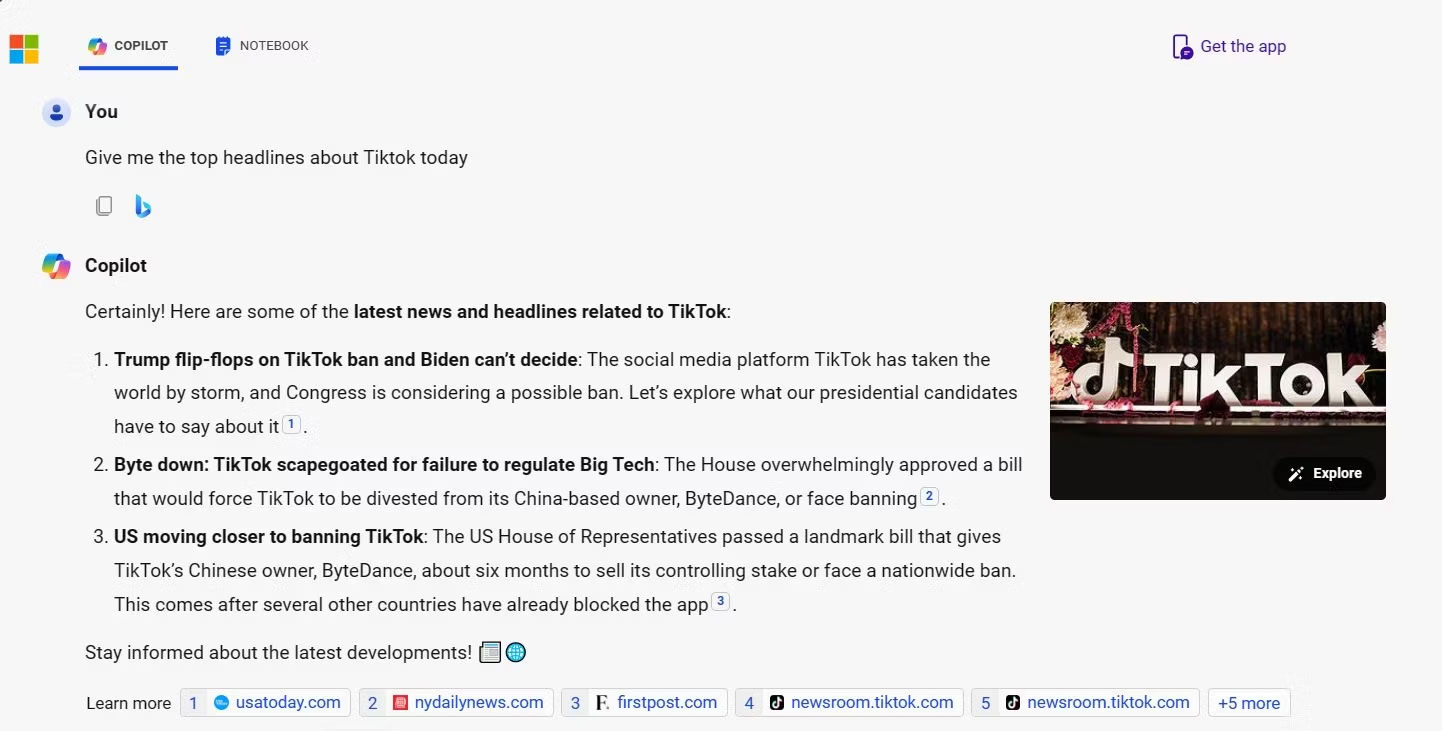
To clarify, both Copilot and ChatGPT offer internet access. However, you can only do so with the premium ChatGPT plan. You'll have to pay at least $20/month for direct internet data access if you use ChatGPT. On the other hand, with Copilot, you can access the internet with a free account – you don't even need an account to access the internet on Copilot. However, the issue isn't just whether either model offers internet access; a crucial factor is how they utilize that internet access.
Copilot's internet data aggregation approach is far superior to ChatGPT. Copilot is better at deciding when to use its training data to answer a question and when to access the internet to retrieve the answer. This may seem trivial, but it can be the difference between receiving up-to-date feedback and outdated responses.
It's worth noting that Copilot, originally released under the name Bing AI, was built as a search engine. This means that by default, the AI chatbot is searching for information on the larger internet. ChatGPT, on the other hand, relies heavily on training data. Therefore, Copilot is a better choice when performing tasks that require up-to-date information or source citations.
3. Copilot offers the ability to create DALL-E images for free
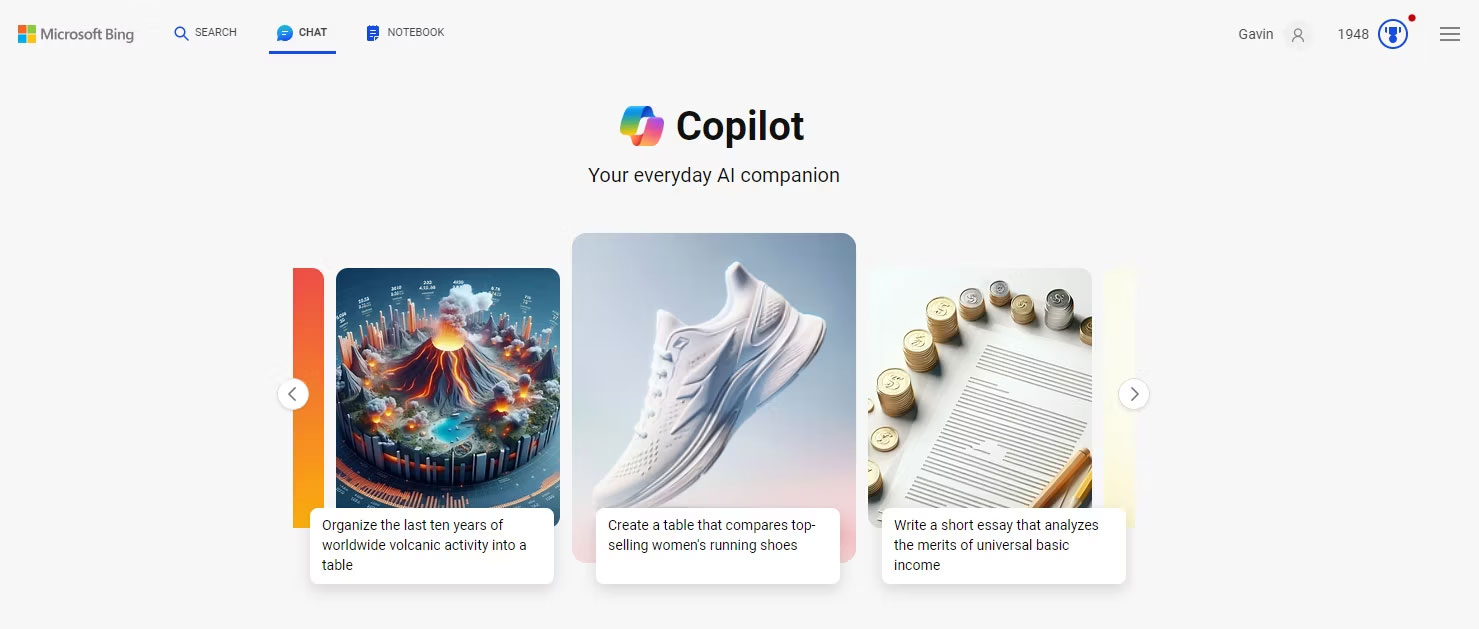
Microsoft seems to be on a mission to enhance OpenAI at all times. They are taking the advanced features that make ChatGPT so appealing and creating their own variations, offering them for free through their Copilot service. Access to the DALL-E image generator is just one such feature.
With ChatGPT, you need to pay for one of the premium tiers to access the DALL-E image generator. But with Copilot, Microsoft is opening the door for users to create stunning AI images using the same DALL-E model without paying.
Of course, there's also the issue with ChatGPT's GPT-4 usage limitations, which restrict the number of times you can prompt the model to generate text and images. Copilot is more liberal in this respect, offering users the ability to generate significantly more images using the DALL-E image generator compared to ChatGPT.
4. Copilot is integrated into the larger Microsoft ecosystem
Another equally important advantage of Copilot over ChatGPT is how tightly it integrates with the larger Microsoft ecosystem. This creates a seamless and cohesive experience, giving it an edge over standalone AI chatbots like ChatGPT. For users already familiar with Microsoft's suite of productivity tools and services, Copilot's deep integration means that using the tool within the Microsoft ecosystem will feel like a natural extension of their established workflow.
Ultimately, the choice between Copilot and ChatGPT depends on your specific needs and preferences. If you're primarily looking for an AI chatbot to handle heavy-duty tasks like data analysis, image processing, or detailed ad copywriting and are willing to pay for it, ChatGPT might still be the better option. However, if you appreciate some of ChatGPT's features, updates, and the tightly integrated experience within the Microsoft ecosystem without necessarily paying, then Copilot might be the right choice.
5. Copilot can access ChatGPT's o1 model
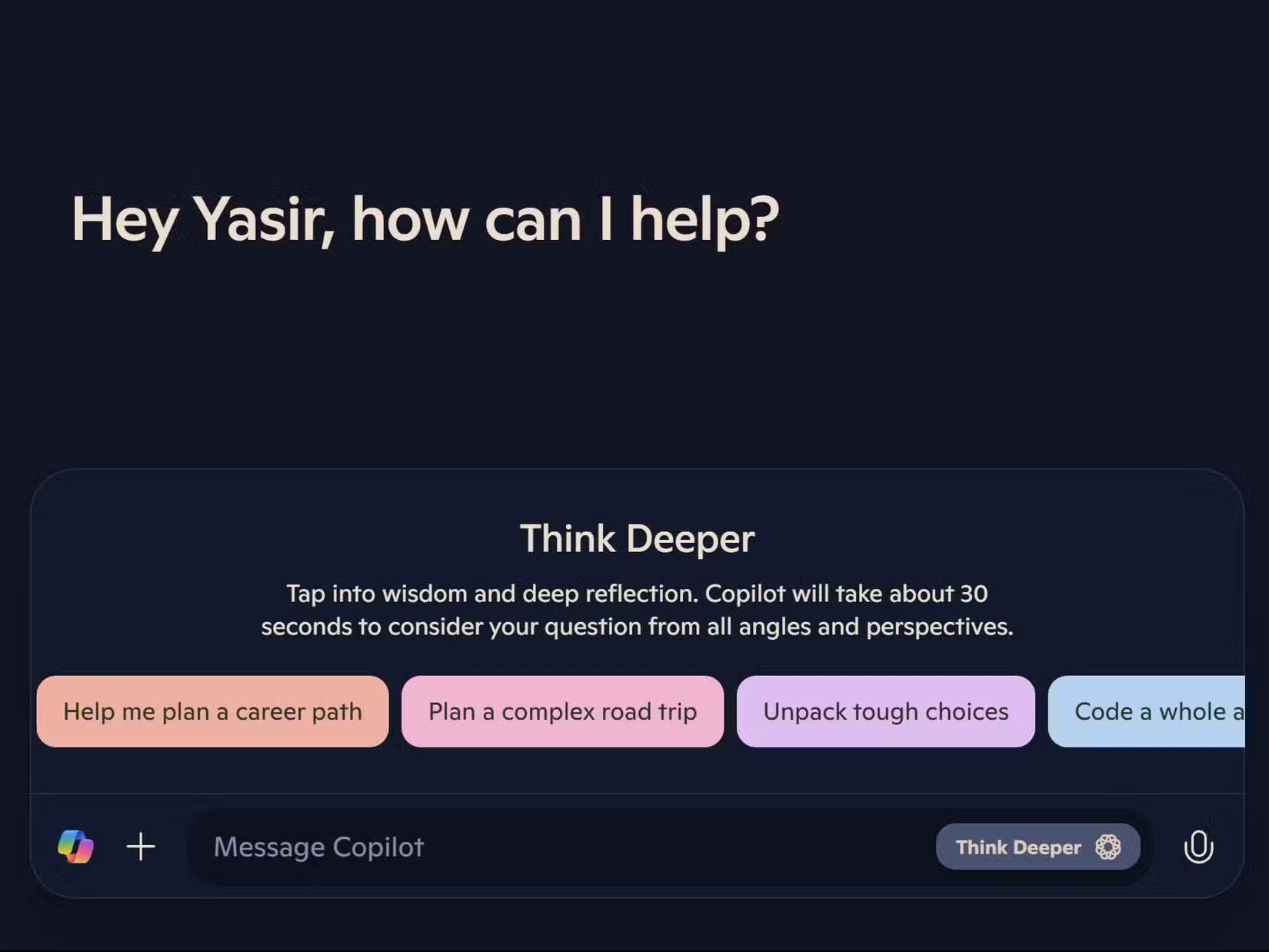
Microsoft announced that it is now offering free, unlimited access to OpenAI's powerful o1 model through Copilot's Think Deeper feature. This is the same advanced AI model that ChatGPT users pay $20/month to access.
To use Microsoft Copilot's Think Deeper, go to copilot.microsoft.com or open Copilot on your PC and click the sparkling icon next to the microphone button in the search bar. You'll notice that responses take a few seconds longer than usual, but the wait is worth it for the improved reasoning ability.
Note : You must sign in to your Microsoft account to access Think Deeper. Without a sign-in, you will only have access to the standard features of Copilot.
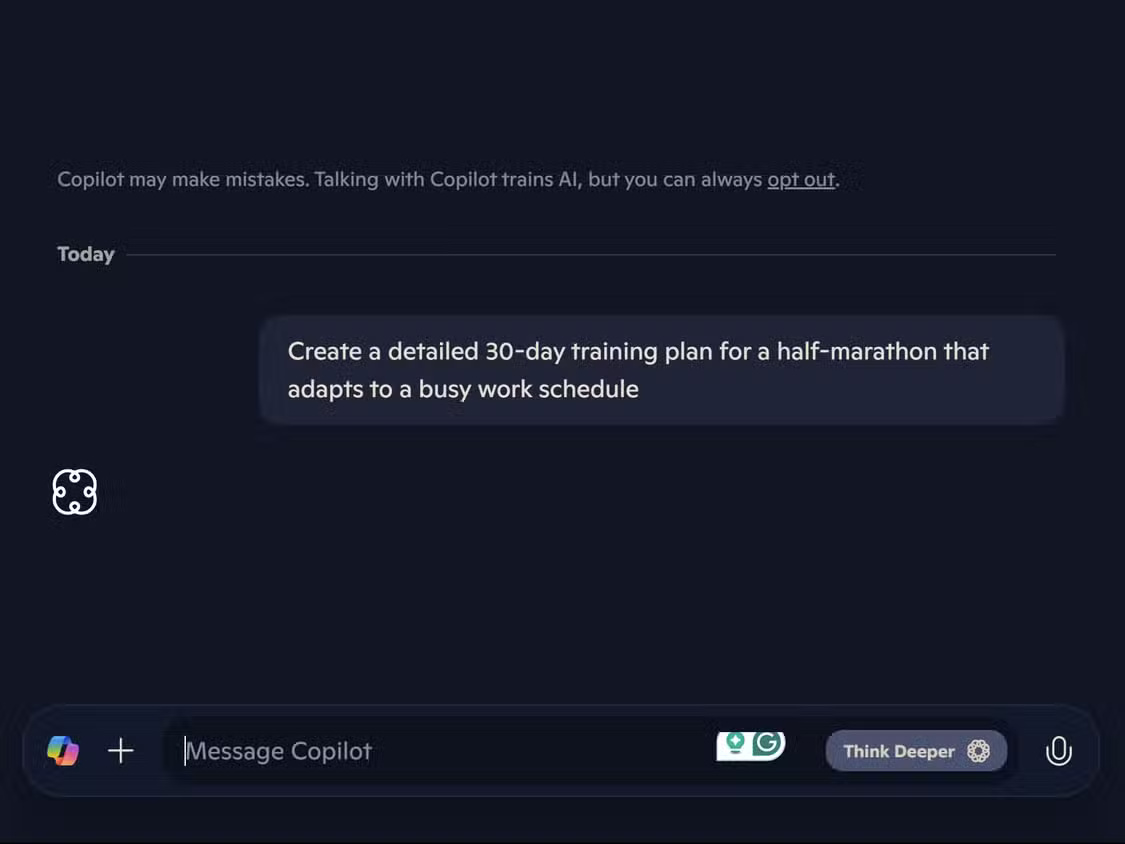
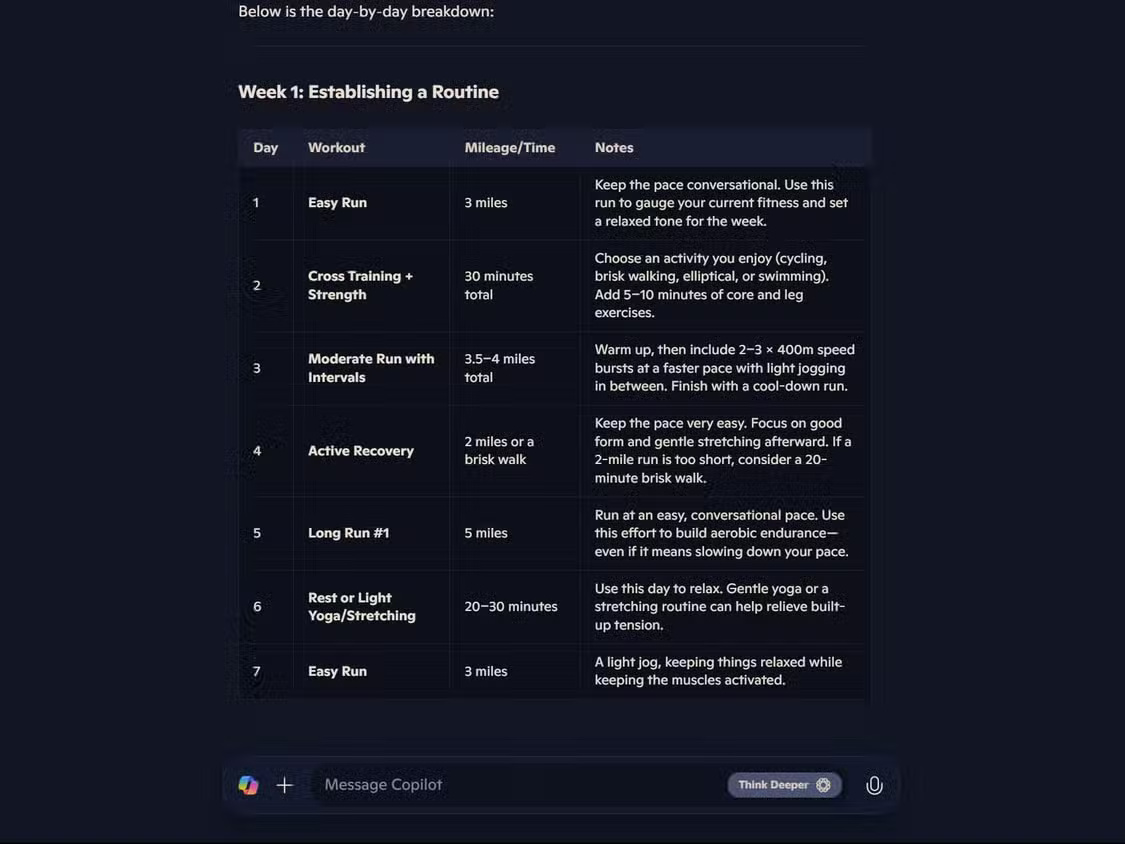
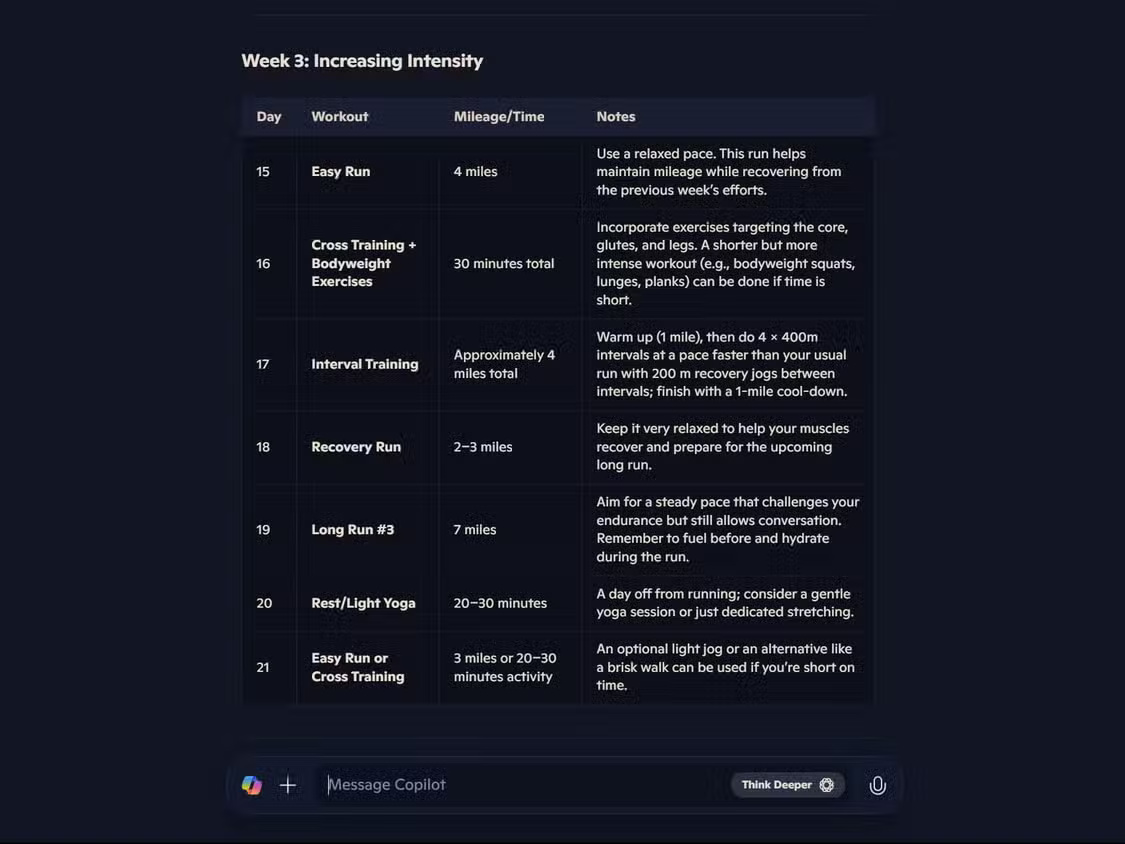
Unlike basic AI models that sometimes create illusions or provide superficial feedback, Think Deeper offers more sophisticated and accurate analysis. This model excels at tasks requiring critical thinking.
Although you might have to wait a little longer during peak hours compared to those with a Copilot Pro subscription, free users are not limited in usage.
6. Access enhanced voice
Enhanced voice interaction with AI used to be a premium feature in most AI chatbots. However, with Microsoft Copilot, you can use enhanced voice chat without limits, removing the previous usage restrictions that made this feature less practical.
According to Microsoft, you can now speak naturally with Copilot in over 40 languages. What's truly impressive is Copilot's ability to gather real-time information during voice chat. Try asking "What's the news today?" and you'll get information about current events instead of outdated information – something ChatGPT's voice chat feature can't provide without a subscription.
Copilot has also improved its voice transcription feature. To try it out, tap the microphone icon in the Copilot app or on the Copilot website. For the best experience, speak clearly and try complex prompts such as "Help me plan a weekend trip to Chicago with a focus on local architecture and food."
7. Get real-time information without any restrictions with Copilot
While ChatGPT search is currently free, it has limited real-time web access. Microsoft Copilot offers unrestricted access to current information. This means you can ask about recent events or product releases and receive up-to-date answers.
When testing this with prompts like "What's the top news today?", Copilot consistently provides accurate and up-to-date information. Unlike the free version of ChatGPT, which sometimes displays news two days old as "latest," Copilot's response is genuinely current information by default.
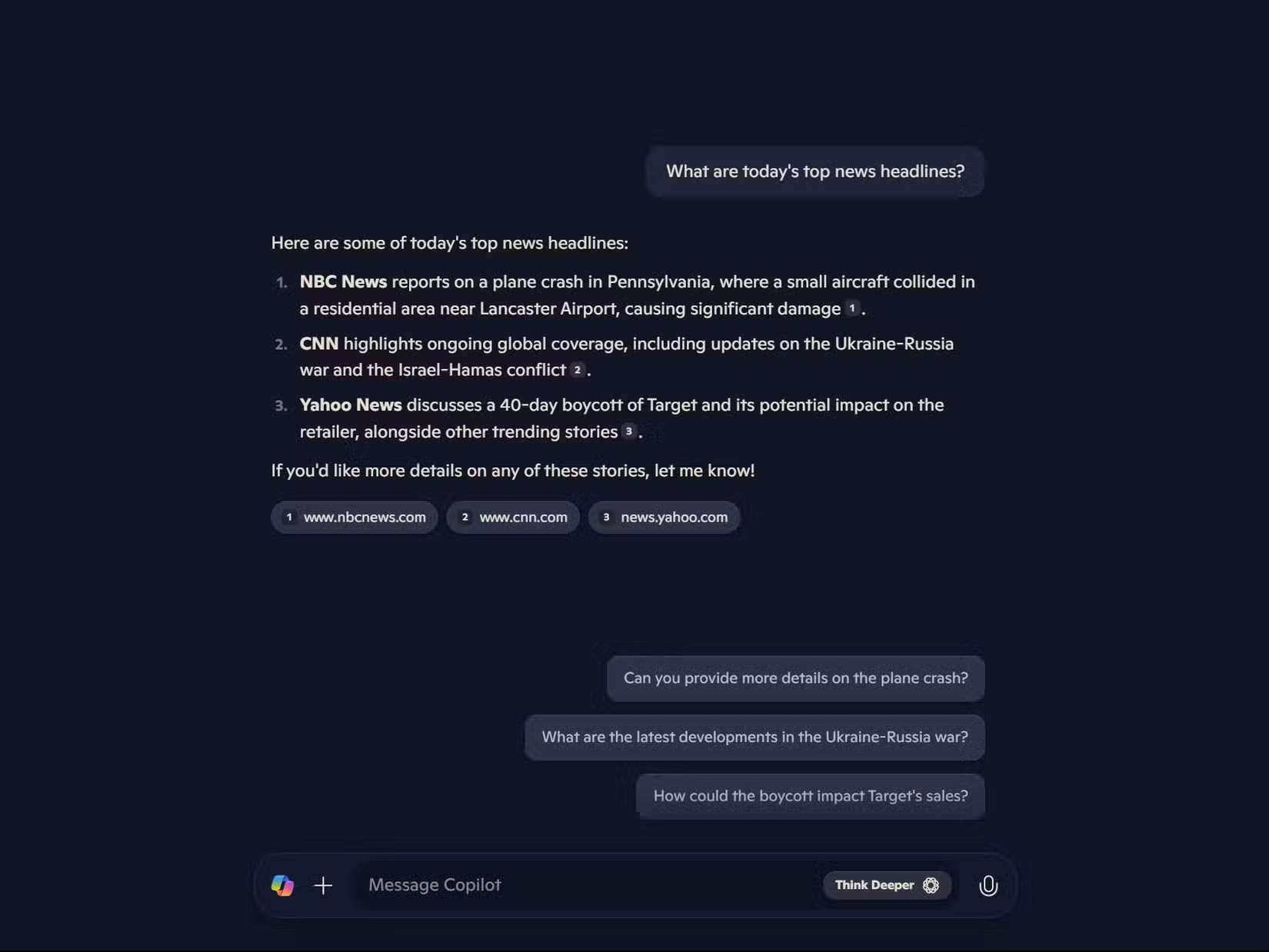
This real-time access also extends to Copilot's voice feature. When asked about the current weather, it retrieves the latest data.
Warning : Never make financial, medical, or other important decisions based solely on information provided by any AI chatbot, especially regarding sensitive data such as stock prices or medical advice.
However, this feature isn't perfect. While Copilot consistently provides up-to-date information, its references can be inaccurate. Sometimes, it links to the publication's homepage instead of the specific article it's referencing – a problem that also occurs with ChatGPT Search.
Tip : For the most recent results, clearly specify the timeframe in your prompt, such as "this week," "today," or "most recent."
8. Copilot has a larger context window
Microsoft Copilot provides free access to GPT-40 with full contextual window capabilities, giving you a clear advantage over ChatGPT's free plan. While both offer GPT-40 access, ChatGPT imposes usage limitations and regresses towards other free models.
The context window—the AI's working memory—determines the amount of information the AI can process in a single conversation. Think of it as the amount of text the AI can remember and reference when responding to you. Copilot's implementation allows for processing approximately 128,000 tokens (about 96,000 words) without any of the limitations of the free plan.
This expanded context makes a noticeable difference when working with lengthy documents. For example, the author has inserted a 40-page document into Copilot and asked it to analyze specific sections while referencing earlier ones.
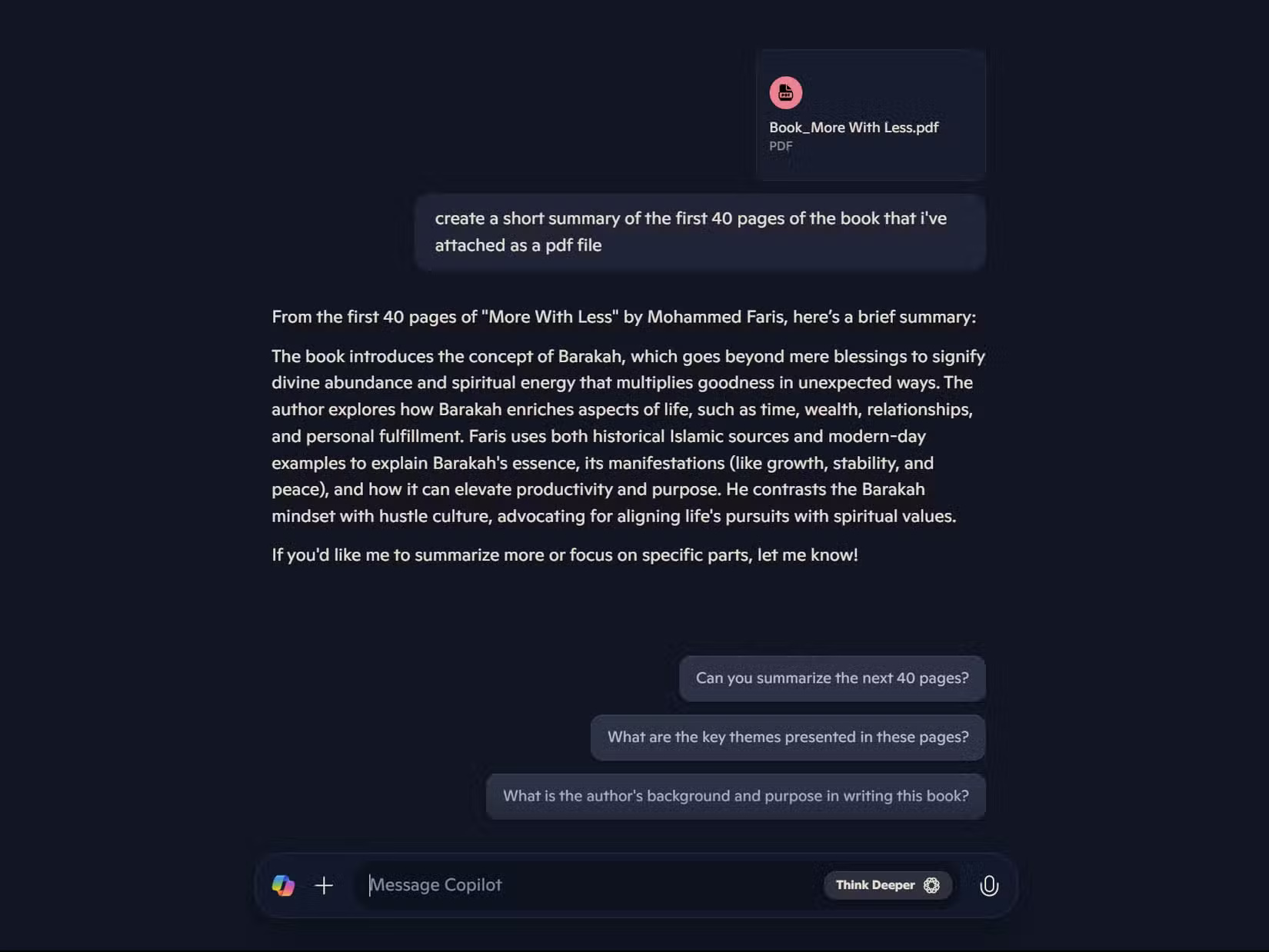
This expanded memory is very useful for coding projects, research analysis, and document review. Currently, you can upload one file per prompt, discuss that file in detail, and maintain that context throughout your session.
While a ChatGPT Plus subscription still offers many advantages, Copilot has narrowed the gap between free and premium AI experiences. For most everyday tasks, the free version of Copilot now provides everything most of us need.
Whether you're a student, a professional, or a casual user looking for the best AI tools for any task, Copilot's free capabilities make it a worthwhile addition to your productivity toolkit—even if you already use other AI assistants.
Final Thoughts
Use this guide as a practical checklist for 8 reasons to use microsoft copilot instead of chatgpt. Work through the steps in order, verify each result, and adjust the options to match your needs.
FAQ
What do you need before following this 8 Reasons to Use Microsoft Copilot Instead of ChatGPT guide?
Review the required tools, accounts, settings, or materials mentioned in the article. Explore 8 reasons to use microsoft copilot instead of ChatGPT, including the key concepts, practical examples, important considerations, and useful guidance.
What are the main steps for 8 reasons to use microsoft copilot instead of chatgpt?
Follow the sections in order, especially 1. Copilot offers GPT-4 for free, 2. Copilot has better internet access and search capabilities, 3. Copilot offers the ability to create DALL-E images for free. Complete each step before continuing and verify the result as you go.
What should you do if the process does not work as expected?
Recheck the prerequisites, update the relevant app or service, review the settings, and repeat the step that caused the issue. Use any troubleshooting notes included in the guide.
Related Articles
 7 Reasons Copilot Is Worth Using7 minutes read
 4 Reasons to Use Microsoft Copilot Instead of ChatGPT: Recommended Choices7 minutes read
 ChatGPT vs Microsoft Copilot: Which AI Is Best?16 minutes read
 Should You Use the AI Chatbot Copilot or ChatGPT?9 minutes read
 How Is Copilot Pro Different from Copilot? Should I Upgrade Explained7 minutes read
 Is GitHub Copilot or ChatGPT Better for Programming: Complete Overview8 minutes read
Reader Comments 0
Sign in with email or Google to join the discussion.