Table of Contents
Explore how copilot in powerpoint helps you complete any presentation.
3. Create a new presentation from scratch
Even with a great idea for your presentation, starting with a blank slide can be discouraging. This is where Copilot in PowerPoint can come in handy.
Copilot helps overcome this initial hurdle by creating entire presentations based on a simple prompt. You can tell it the topic, and it will generate a basic structure with relevant slides.
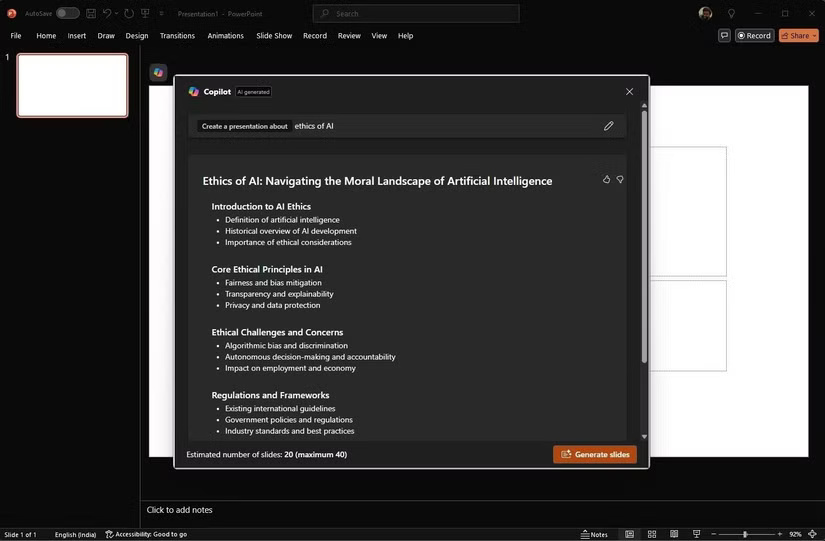
For example, if you need to give a presentation on the ethics of AI, simply import that content into Copilot, and it will generate a presentation outline with slides covering topics such as ethical principles, challenges and concerns, and the legal framework. However, this is more than just creating a template.
Copilot goes beyond basic outlines. It can fill in relevant content on slides, including text, images, and even suggested layouts, as if you had a research assistant doing the preparation for you. Of course, you need to customize the generated content to suit your specific needs, adding necessary details and data.
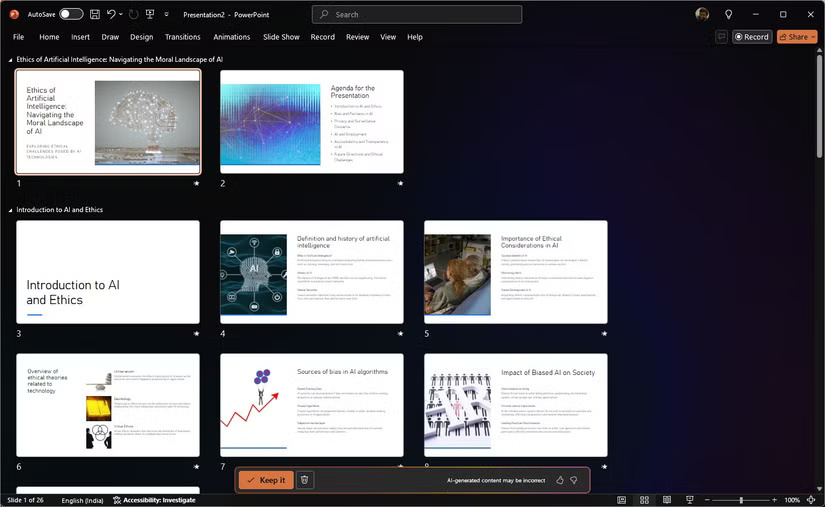
Additionally, Copilot can help brainstorm ideas and create content based on the key points you share. This is incredibly helpful in overcoming creative barriers and ensuring that presentations are polished and informative.
Essentially, Copilot provides you with a solid starting point from which you can then refine and expand. It saves you hours of initial research and slide creation, allowing you to focus on the more important aspects of your presentation.
2. Transform and rearrange the slide deck
We've all been there when we had an overloaded slide deck filled with endless bullet points and a chaotic jumble of information.
Copilot can help transform this clutter into a coherent and engaging presentation. You can also use it to refresh your existing presentations. Perhaps the content is outdated or the slides are too dense and difficult to understand. Copilot can help you organize this content and create a fresh and captivating presentation.
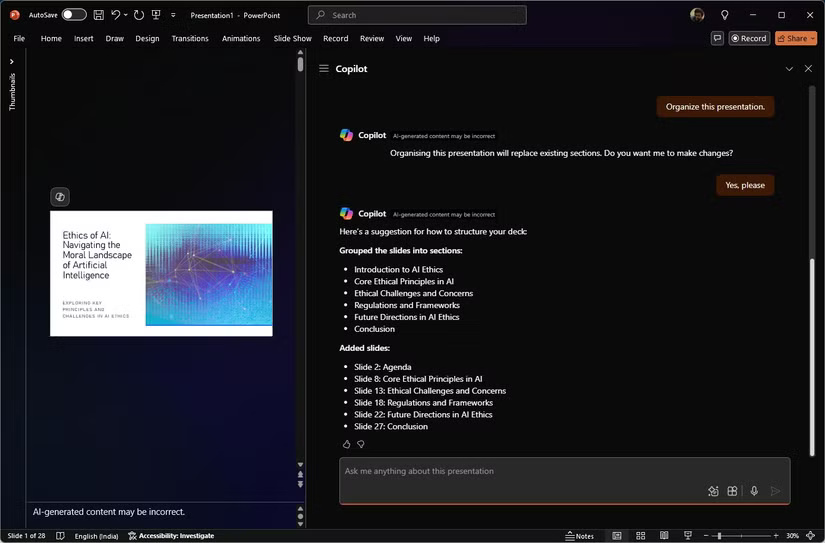
Copilot analyzes your current slide deck and offers suggestions for improving its structure and flow. It can group related slides together, create section headings, and suggest a logical sequence to make your presentation easier to follow. This structural overhaul ensures your audience can grasp the key points without getting lost in a sea of information.
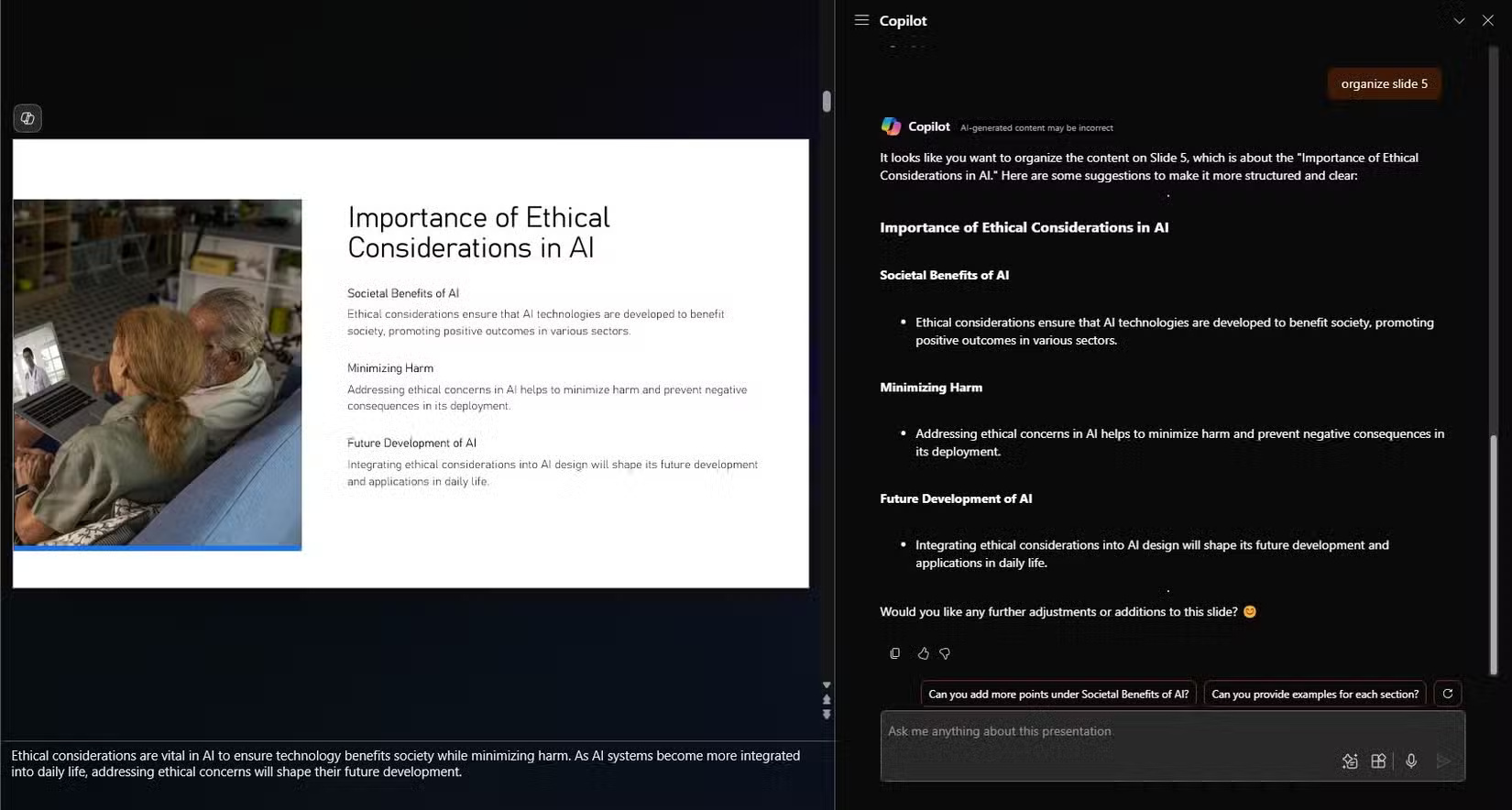
When it comes to content, Copilot helps you condense and clarify your slides. For example, if you have a slide full of text, this tool will suggest ways to break the content down into more understandable sections. It might suggest using bullet points, adding images, or splitting the content into multiple slides.
In terms of design, this tool suggests images, icons, and charts to complement your content. If your slides look monotonous, it will provide design elements and animations to make them more visually appealing.
Copilot also helps you maintain consistency with your brand. This tool ensures that the fonts, colors, and styles of your presentations are consistent.
1. Summarize existing presentations and extract key information
Copilot simplifies the task of summarizing a long presentation or extracting key details from a complex set of slides.
Typically, you need to quickly grasp the key points from a long and complex presentation. Copilot can help you do this by creating a presentation summary. Copilot's summaries are concise and informative, highlighting the main points of each slide or the key slides in a slide set.
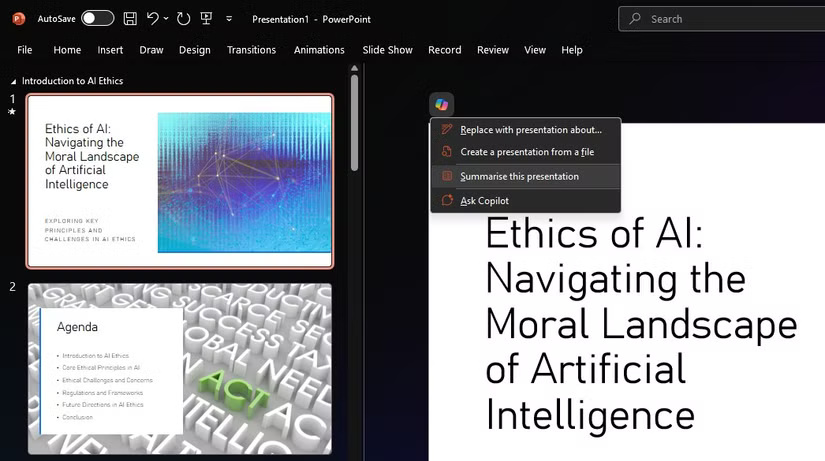
This is extremely useful when you're reviewing a colleague's presentation or when you need to quickly refresh your memory on a particular topic.
Beyond summarizing, Copilot can help you extract key insights from presentations. This tool can analyze data, interpret charts and graphs, and identify trends and patterns that might not be immediately apparent. These insights are not only useful but can also be used to enrich your presentations.
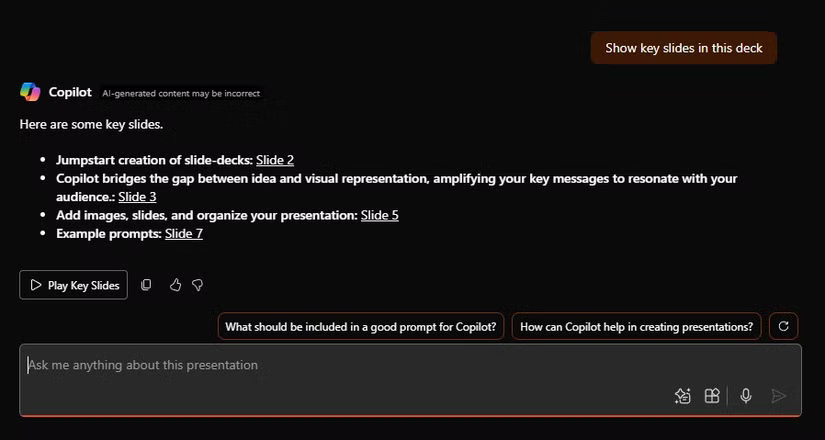
Copilot in PowerPoint provides invaluable support with visual design suggestions, content creation capabilities, and AI-driven insights. This virtual assistant is more than just a tool; it's like a collaborator helping you every step of the way.
However, you should still only consider AI as a creative companion – human intelligence and ingenuity will provide irreplaceable value.
Final Thoughts
Understanding how copilot in powerpoint helps you complete any presentation makes it easier to evaluate the information and apply the most relevant recommendations. Focus on the key points above and verify details that may change over time.
FAQ
What is how copilot in powerpoint helps you complete any presentation?
Explore how copilot in powerpoint helps you complete any presentation.
What key points does this article cover?
The article focuses on 3. Create a new presentation from scratch, 2. Transform and rearrange the slide deck, 1. Summarize existing presentations and extract key information, with practical explanations and examples.
How can you use this information in practice?
Use the explanations to compare options, verify important details, and make a more informed decision. Apply the recommendations that best match your goals and situation.
Related Articles
 How to Create a PowerPoint with Microsoft Copilot15 minutes read
 How to Use Copilot to Create a Presentation from Notes7 minutes read
 PowerPoint 2019 (Part 25): Evaluating Your Presentation: Explained5 minutes read
 How to Use Copilot in PowerPoint: Complete Guide5 minutes read
 PowerPoint 2019 (Part 3): Saving Your Presentation: Explained10 minutes read
 PowerPoint 2019 (Part 2): Creating and Opening Presentations7 minutes read
Reader Comments 0
Sign in with email or Google to join the discussion.