Table of Contents
In fact, many Atmos-enabled soundbars don't support Dolby Atmos at all. The problem isn't with your TV, soundbar, or the apps you're streaming from.
If you've ever watched Netflix or HBO Max and seen the tiny "Dolby Atmos" icon, you could be forgiven for thinking that your TV and soundbar would automatically reproduce sound with amazing spatial audio. But in reality, many Atmos-enabled soundbars don't support Dolby Atmos at all. The problem isn't with the TV, the soundbar, or the apps you're streaming from.
The problem is that you are not using the correct HDMI cable.
The issue isn't quality, as everyone knows the risks of using a poor-quality connector, but bandwidth. In short, Atmos requires more bandwidth than traditional HDMI ARC, and what you need is an eARC (Enhanced Audio Return Channel) cable. This is the secret ingredient that unlocks lossless Dolby Atmos and DTS:X on your TV.
What does eARC actually do (and why isn't ARC enough)?
How Advanced Audio Feedback Channels Unlock Full-Resolution Audio
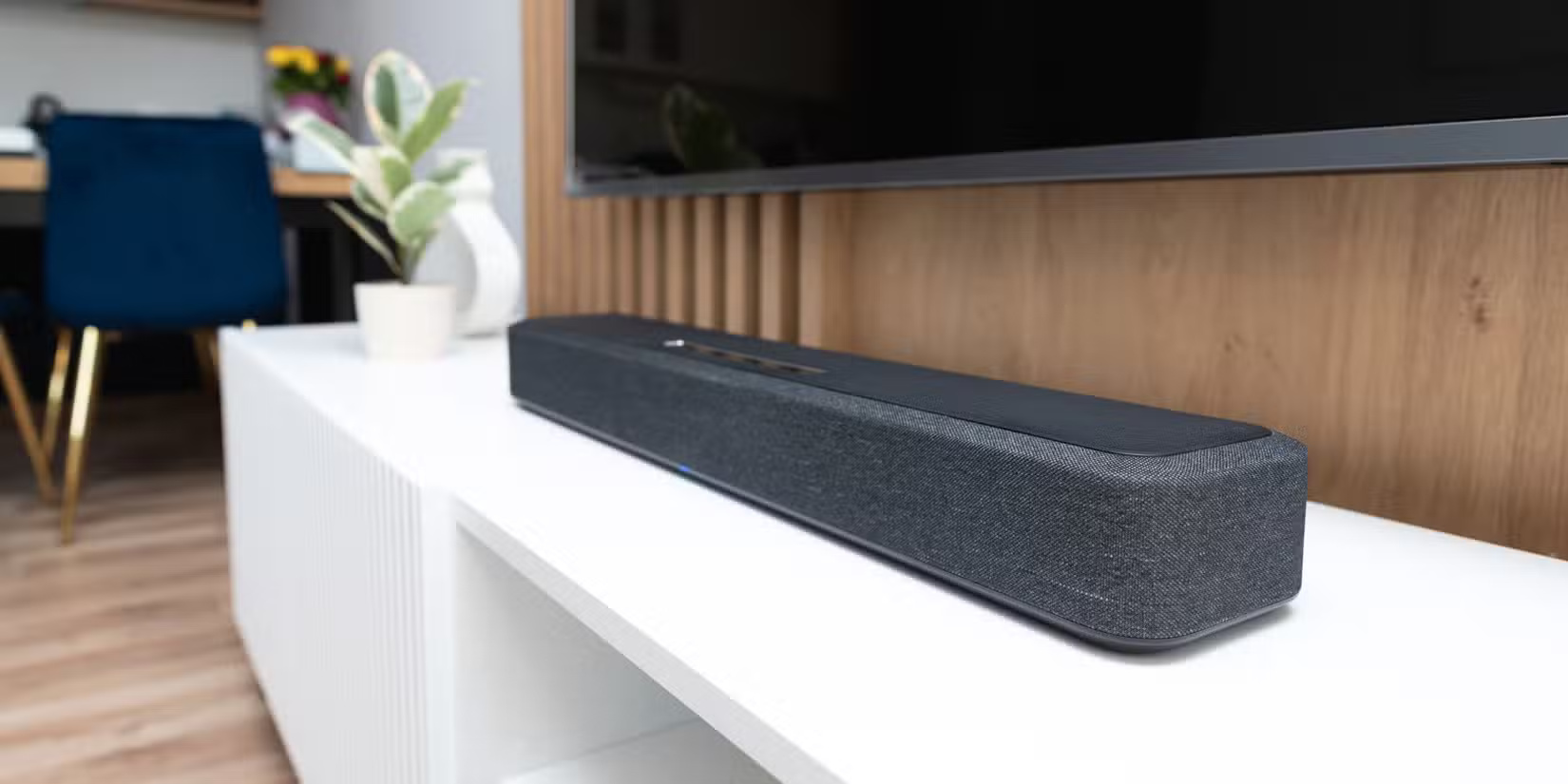
ARC (Audio Return Channel) has been around for years, acting as a conduit for audio to a soundbar or AV receiver via HDMI. ARC is good enough to handle Dolby Digital Plus—a compressed format that's been around for about 20 years—but it's still not as good as newer high-bandwidth lossless formats like Dolby Atmos. Streaming platforms can get around this by compressing Atmos to pass it through ARC, but this clogs up the signal, resulting in poorer audio quality.
EARC solves the problem by dramatically increasing bandwidth. It's like widening a busy road into a four-lane highway, allowing more traffic to flow, although in this case it's transmitting uncompressed Dolby TrueHD Atmos or DTS:X to your sound system. The only problem is you need the right HDMI cable to carry the signal.
The type of cable you switched to (and the most important factor)
Choose a certified ultra-high-speed HDMI cable that fully supports eARC
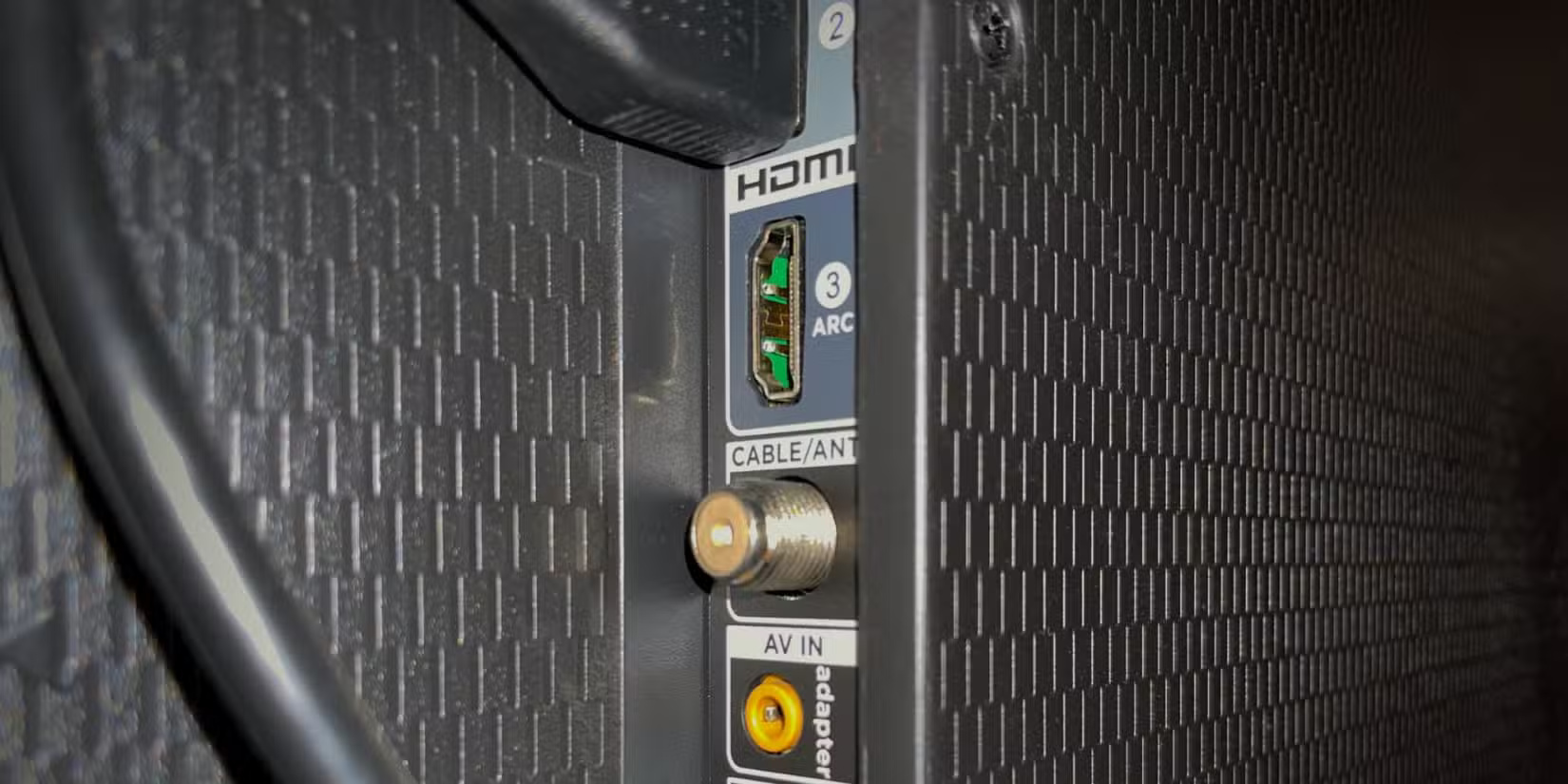
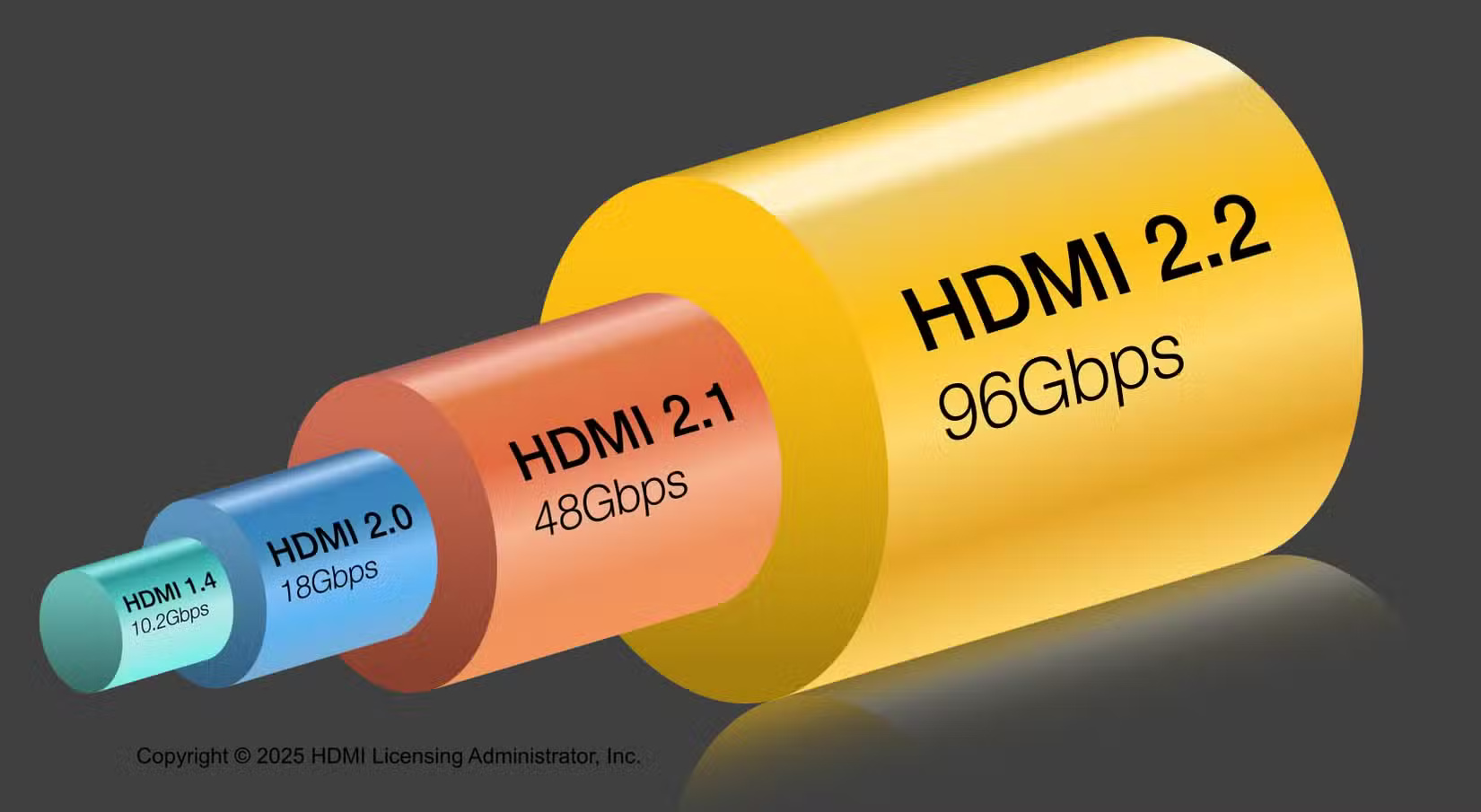
Not all cables are created equal. For eARC to work reliably, you'll need an HDMI 2.1-certified Ultra High Speed HDMI cable. Even older cables that can handle 4K video just fine may be limited by the full-bandwidth audio that eARC can carry. You can find an authentic certified Ultra High Speed HDMI cable on Amazon for under $20 (make sure it has the official HDMI hologram logo) that supports 48 Gbps bandwidth. There are higher-end options with gold-plated connectors and premium cables, but as long as it supports HDMI 2.1, you're good to go.
As soon as you swap the cable, you'll notice a noticeable difference. The TV immediately recognizes the soundbar as an eARC device, and the difference in sound is noticeable. With Dolby TrueHD Atmos, you get true surround sound, enhanced detail in overhead effects, clearer dialogue, and deeper bass. All you have to make sure is that after you swap the cable, you go into your TV's audio settings and turn on eARC.
Tip : Use the HDMI port labeled ARC Or EARC On your TV. Using the wrong port will leave you wondering why your Dolby Atmos still doesn't sound right.
Why is eARC worth the effort?
Experience richer, lossless audio that transforms movies, games, and music
Switching out your HDMI cable isn't the most exciting upgrade to your AV system, but with the right equipment, the difference is immediately noticeable. With eARC enabled, Dolby Atmos kicks in and sounds exactly as it should – immersive, powerful, and precise. I tested Top Gun: Maverick on Apple TV+, and even the original 1986 film had great spatial audio mixing, with surround effects that felt like they were moving on the ceiling, and crisp dialogue that could be heard over the roar of the afterburners.
Another benefit is that eARC is future-proof. Although HDMI 2.2 was released in June 2025 and can handle twice the bandwidth of HDMI 2.1, the new standard can still support any next-generation audio format and bit rate. If you're planning on upgrading your home theater system, gaming system, or even just your living room soundbar, an eARC-compatible cable is a small investment that makes a big difference.
Revolutionize your audiovisual system for the price of a meal
Turns out, spending $20 on an HDMI cable that can handle super-fast bandwidth was the final piece of the puzzle. In retrospect, it seems ridiculous to spend money on high-end gear that performs below its potential, all because you insisted on reusing some old cables. Now, whenever you see the Dolby logo, you can be confident that you're getting the best sound quality, not some compressed, simulated sound.
Don't underestimate the power of HDMI cables. Check that your soundbar and TV support eARC, choose a certified Ultra High Speed HDMI cable, enable eARC in your TV settings, and let your AV system shine. Your ears will thank you!
FAQ
What should you know about unlock dolby atmos on your TV with the right cable?
In practical terms, in fact, many Atmos-enabled soundbars don't support Dolby Atmos at all. The problem isn't with your TV, soundbar, or the apps you're streaming from.
Why does unlock dolby atmos on your TV with the right cable matter?
The article highlights that but in reality, many Atmos-enabled soundbars don't support Dolby Atmos at all .
What is the main takeaway?
The main takeaway is that this is the secret ingredient that unlocks lossless Dolby Atmos and DTS:X on your TV.
Related Articles
 Enable Dolby Atmos on Galaxy S9 to Experience Extreme Sound5 minutes read
 How to Fix Dolby Atmos Error Not Working on Windows 104 minutes read
 What Is Dolby Atmos? How Does It Work?8 minutes read
 Instructions for Bringing Dolby Atmos Audio Technology to Android6 minutes read
 4 Reasons Dolby Atmos Is Better Than DTS:X: Recommended Choices10 minutes read
 Find Out Why iPhone Doesn't Have Dolby Atmos: What to Know6 minutes read
Reader Comments 0
Sign in with email or Google to join the discussion.