Table of Contents
Learn how to create and optimize your inventory in Minecraft with clear steps, practical tips, and troubleshooting guidance for a reliable result.
This article will guide you from crafting to expert tips on managing the items inside a Bundle.
1. What is a bundle?
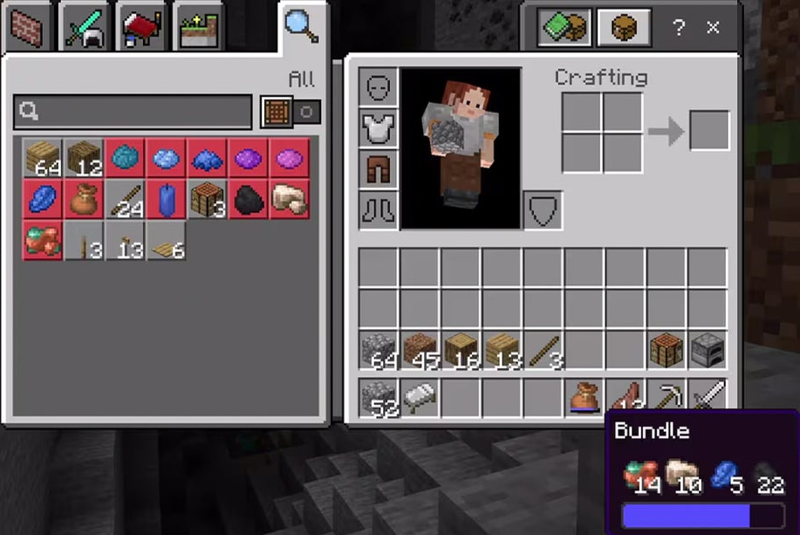
In Minecraft, the Inventory Bag is a special storage item that allows you to store up to 64 units of various items in a single inventory slot. It helps solve the problem of "junk" inventory when you collect a little of everything but don't want to use up too many empty slots.
2. Bundle Crafting Recipe
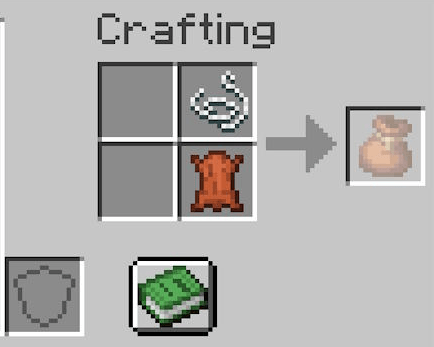
To expand the capacity of your Minecraft inventory , you will need the following basic materials:
- 1. Leather: Harvested from cows, horses, or camels.
- 1. String: Obtained by killing spiders or destroying their webs.
Steps to follow:
- Open the Crafting Table.
- Place the leather in the center of the bottom row.
- Place the thread directly on top of the piece of leather.
- We received the product: Storage bags .
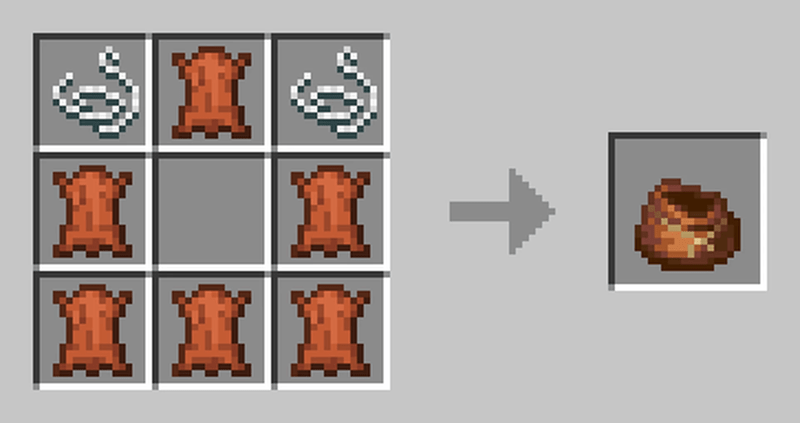
3. How to Optimize Your Inventory in Minecraft
How to put items into the bag
- In Inventory: Left-click to pick up the Inventory Bag, then move it to the item you want to store and left-click again.
- Status bar: Bundles have a blue (or red when full) bar that shows the current capacity.
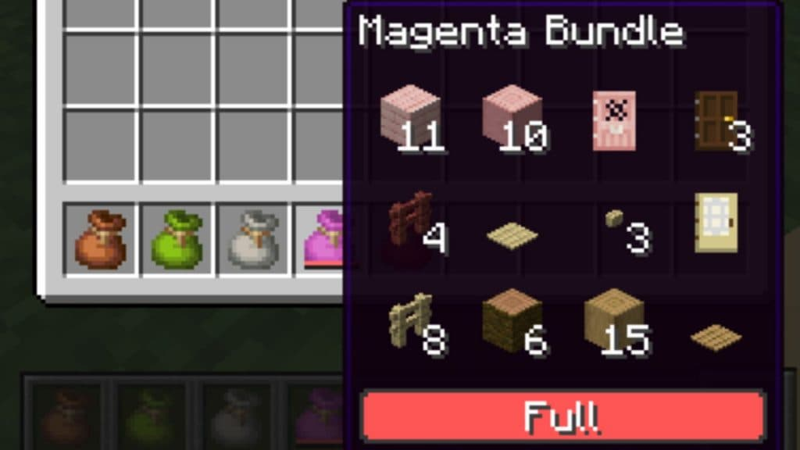
How to retrieve items (Special mechanism)
- Right-click: Take the item that was most recently added (Last-in, First-out).
- Using the mouse scroll wheel: A new feature allows you to scroll through the items inside the bag to precisely select the item you want to retrieve. Once selected, the item will appear at the top of the bag.
- Throwing: Hold the Bundle on the Hotbar and right-click in mid-air to throw the item forward.
4. Stacking Rules in the Inventory
The capacity of the Inventory is based on the 64-unit rule:
- Stackable items (Wood, Stone, Ore): Can hold up to 64 items.
- Items in stack 16 (Apocalypse Gem, Egg): Each item will occupy 4 units of space (16 x 4 = 64).
- Items that don't stack (swords, armor, potions): Will immediately fill up the entire inventory space.
Minecraft Bag Professional Tips
You can place this Inventory inside another Inventory (if there's space) or arrange them on the Hotbar in numerical order for quick access to essentials when farming.
Final Thoughts
Use this guide as a practical checklist for how to create and optimize your inventory in minecraft. Work through the steps in order, verify each result, and adjust the options to match your needs.
FAQ
What do you need before following this How to Create and Optimize Your Inventory in Minecraft guide?
Review the required tools, accounts, settings, or materials mentioned in the article. Learn how to create and optimize your inventory in Minecraft with clear steps, practical tips, and troubleshooting guidance for a reliable result.
What are the main steps for how to create and optimize your inventory in minecraft?
Follow the sections in order, especially 1. What is a bundle?, 2. Bundle Crafting Recipe, 3. How to Optimize Your Inventory in Minecraft. Complete each step before continuing and verify the result as you go.
What should you do if the process does not work as expected?
Recheck the prerequisites, update the relevant app or service, review the settings, and repeat the step that caused the issue. Use any troubleshooting notes included in the guide.
Related Articles
 How to Install and Optimize Minecraft on Linux8 minutes read
 How to Create an Inventory List in Excel6 minutes read
 How to Creating Your Own Minecraft Mods to Play Games in Your Style12 minutes read
 How to Make Things in Minecraft Games6 minutes read
 TOP Free Minecraft Server Creation Tools12 minutes read
 How to Craft a Bag in Minecraft 1.20 Is Extremely Simple5 minutes read
Reader Comments 0
Sign in with email or Google to join the discussion.