Table of Contents
Learn how to remove charms in Minecraft with clear steps, practical tips, and troubleshooting guidance for a reliable result.
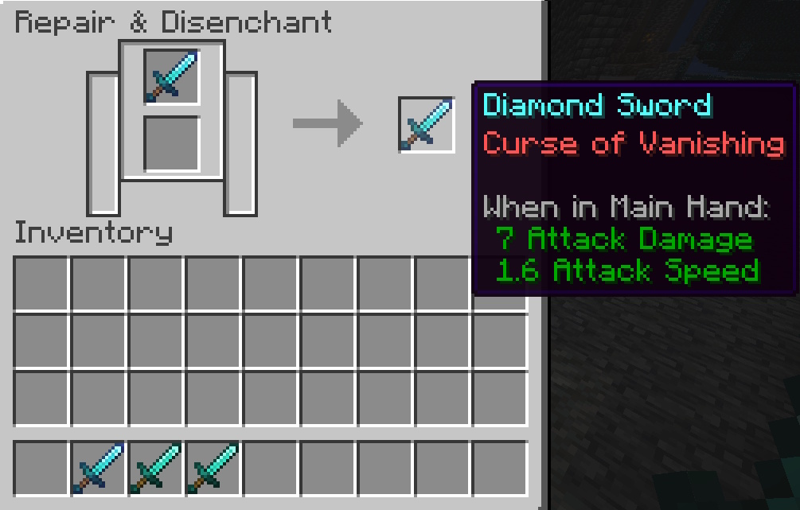
The simplest and most canonical way in the game to remove spells is to use a Grindstone — fully supported on both Java and Bedrock.
How to Remove Charms in Minecraft
Benefits of Removing Spells with Grindstone
- Removes all common spells
- Get more experience points (XP)
- Combine the durability of multiple items into a new, more durable item
- No fuel, time or XP cost
Important Note
The Grindstone cannot be erased:
- Curse of Binding
- Curse of Vanishing
→ Only mods can remove these two curses.
How to own a Grindstone
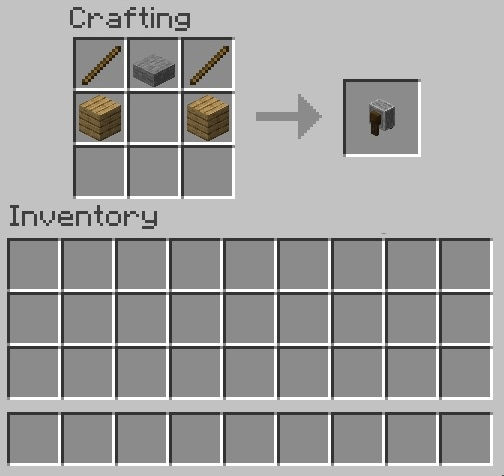
You can:
A. Pick up from the Village
- Appears at the Weaponsmith's house
- Just break it and take it away to use.
B. Making your own Grinding Stone
Prepare ingredients:
| Ingredient | Quantity | Source |
|---|---|---|
| Stick | 2 | From wood |
| Plank | 2 | Any wood |
| Stone Slab | 1 | Smelt stone to get Stone then make Slab |
| Crafting Table | 1 |
Recipe for Crafting Grindstone
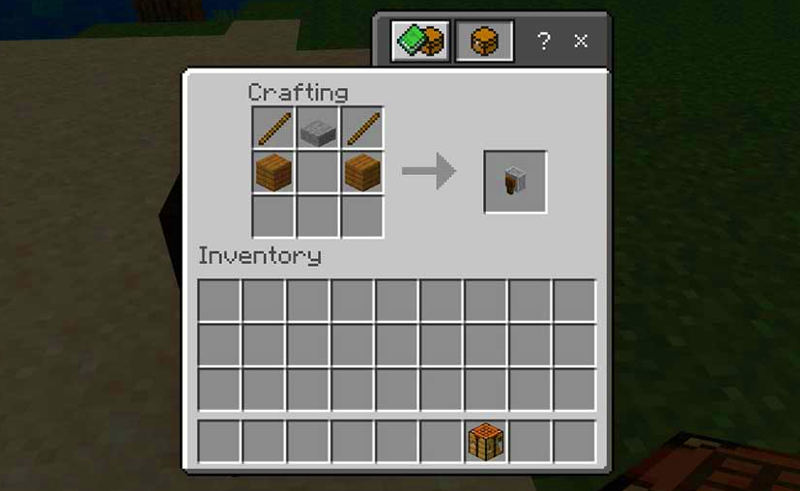
- Open Crafting Table
- Place 2 wooden sticks on either side of the top row
- Place a stone slab in the middle of the top row.
- Place 2 wooden boards on either side of the middle row
- Get the Grindstone and drag it to your inventory
How to Remove Spells with a Grindstone
- Open the Grinding Stone interface
- Place the Charm item in one of the two slots
- If you want to combine durability → put the same type of item in the remaining slot
- Drag the output item in the result box
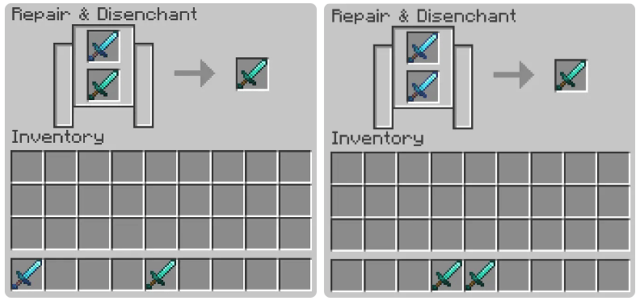
You will:
- Get back the item without Charm
- Get bonus XP if Charm is removed
Combinations in Grinding Stone
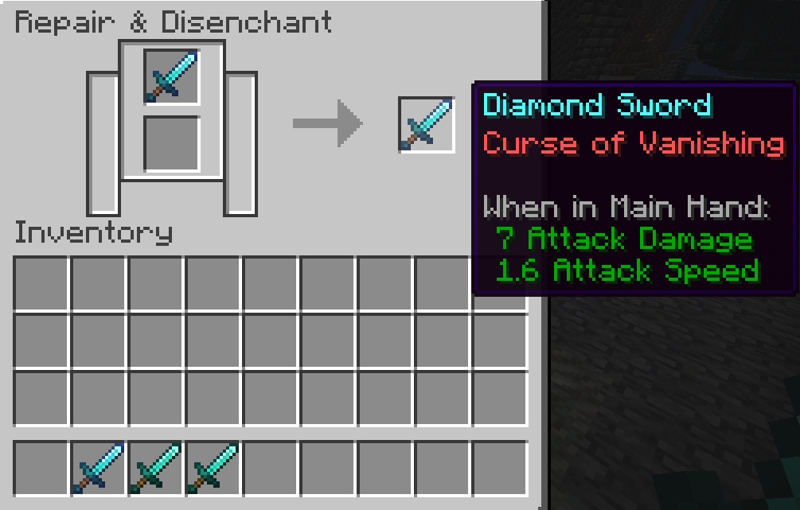
| Method | Input | Result | XP received |
|---|---|---|---|
| A | 2 items with Charms | 1 item without Charm , combined durability | Have |
| B | 1 Charmed item + 1 normal item | 1 item without Charm , combined durability | Have |
| C | 2 normal dishes | 1 normal item plus durability | Are not |
Prioritize using A or B to get the most productive XP.
Why should I remove the Charm?
| Situation | Benefit |
|---|---|
| Wrong Spell | Remake better equipment |
| Accidentally used bad Spell book | No wasted resources |
| Equipment about to break down | Easy durability combination |
| XP Farm | Delete Charm → farm XP |
FAQ – FAQ
Is there any way to remove Curse of Binding or Curse of Vanishing?
- Cannot be removed with Grindstone. Only mods or item destruction can do so.
How is a Grinding Stone different from an Anvil?
- Grindstone: Remove spell → combine durability → gain XP
- Anvil: Hold spell → combine book + item → cost XP
Can enchanted items be deleted in Creative?
- Yes, if the item is transferred to the Survival inventory
Does clearing multiple spells at once give more XP?
- Yes, more spells cleared → higher XP
Are whetstones permanent?
- No damage, unlimited use
Advanced Tips
- Take advantage of fishing & farming trash Charm books → delete to farm free XP
- Place the Grindstone at the Enchant base → convenient for testing Charms
- Should be placed next to the Bookshelf & Spell Table as the 'ultimate spell station'
The Grindstone is an essential tool in Minecraft from the mid-game onwards. Knowing how to remove the enchantment at the right time will help you:
Final Thoughts
Use this guide as a practical checklist for how to remove charms in minecraft. Work through the steps in order, verify each result, and adjust the options to match your needs.
Related Articles
 TOP Best Seed for Ancient City in Minecraft 1.19 the Wild4 minutes read
 How to Remove Enchantments in Minecraft with a Grindstone8 minutes read
 Leaked Information That Windows 10 Will Have a Feature4 minutes read
 Top Most Worthwhile Buildings to Construct in Minecraft11 minutes read
 minutes read
 How to Creating Your Own Minecraft Mods to Play Games in Your Style12 minutes read
Reader Comments 0
Sign in with email or Google to join the discussion.