Table of Contents
This guide provides a clear, practical overview of "Google Chrome Will Stop Supporting macOS 11 Big Sur". It organizes the most useful details, explains important considerations, and highlights the steps or choices that matter most.
According to the content posted on the Chrome Platform Status page, Chrome 138 will be the last browser version to support macOS 11.0. This operating system, called Big Sur, was released by Apple in June 2020, and deployed globally in November of the same year. The successor to macOS 11 Big Sur is macOS 12 Monterey, released in 2021. Apple itself has also ended support for macOS 11 Big Sur in November 2023.
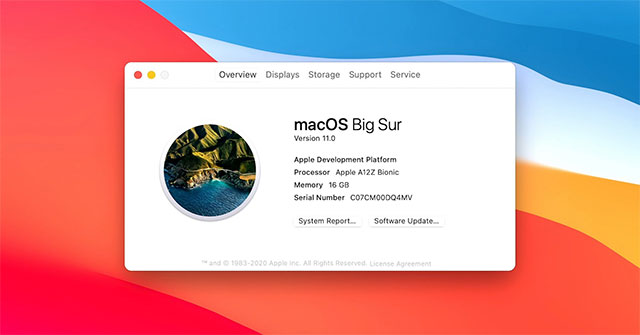
In the release notes for Chrome 139 (due out July 30), Google notes that Apple itself has ended support for Big Sur, so Chrome has effectively been supporting the operating system for nearly two more years. The company makes it clear that Chrome will still work fine on macOS 11 Big Sur, but it won't get any new updates, security patches, or features in the future.
Notably, Chrome 139 now requires at least macOS 12 Monterey, which ended support nearly a year ago. Regardless, it's important that users are running an operating system that's supported by their vendor. Currently supported macOS versions include: macOS 13 Ventura, macOS 14 Sonoma, and macOS 15 Sequoia.
FAQ
What does this guide cover?
This guide explains Google Chrome will stop supporting macOS 11 big sur, including the main steps, important details, and practical considerations.
Who is this guide for?
It is designed for readers who want a clear, practical overview and a reliable process they can follow without unnecessary complexity.
What should you check before getting started?
Review the requirements, confirm that your software or device is up to date, and save any important data before changing settings.
Related Articles
 Google Chrome Will Stop Supporting Windows 7 After 18 Months2 minutes read
 Why You Should Replace Google Chrome?6 minutes read
 Steam Announces End of Support for macOS 113 minutes read
 Update macOS High Sierra to Check 64-bit Compatibility3 minutes read
 The Browser Will Stop Using TLS 1.0 and TLS 1.1 in 20205 minutes read
 Google Continues to Extend Chrome Browser Support on Windows3 minutes read
Reader Comments 0
Sign in with email or Google to join the discussion.