Table of Contents
Explore 3 free macOS apps that fix problems Apple hasn't yet solved.
However, its built-in applications still have many shortcomings, from basic photo editing tools and an ineffective screenshot utility to a better but still limited Spotlight search feature. Fortunately, there are a few free apps that replace the core experience and address the issues that Apple has yet to resolve in macOS.
Affinity
Similar to Photoshop, but completely free
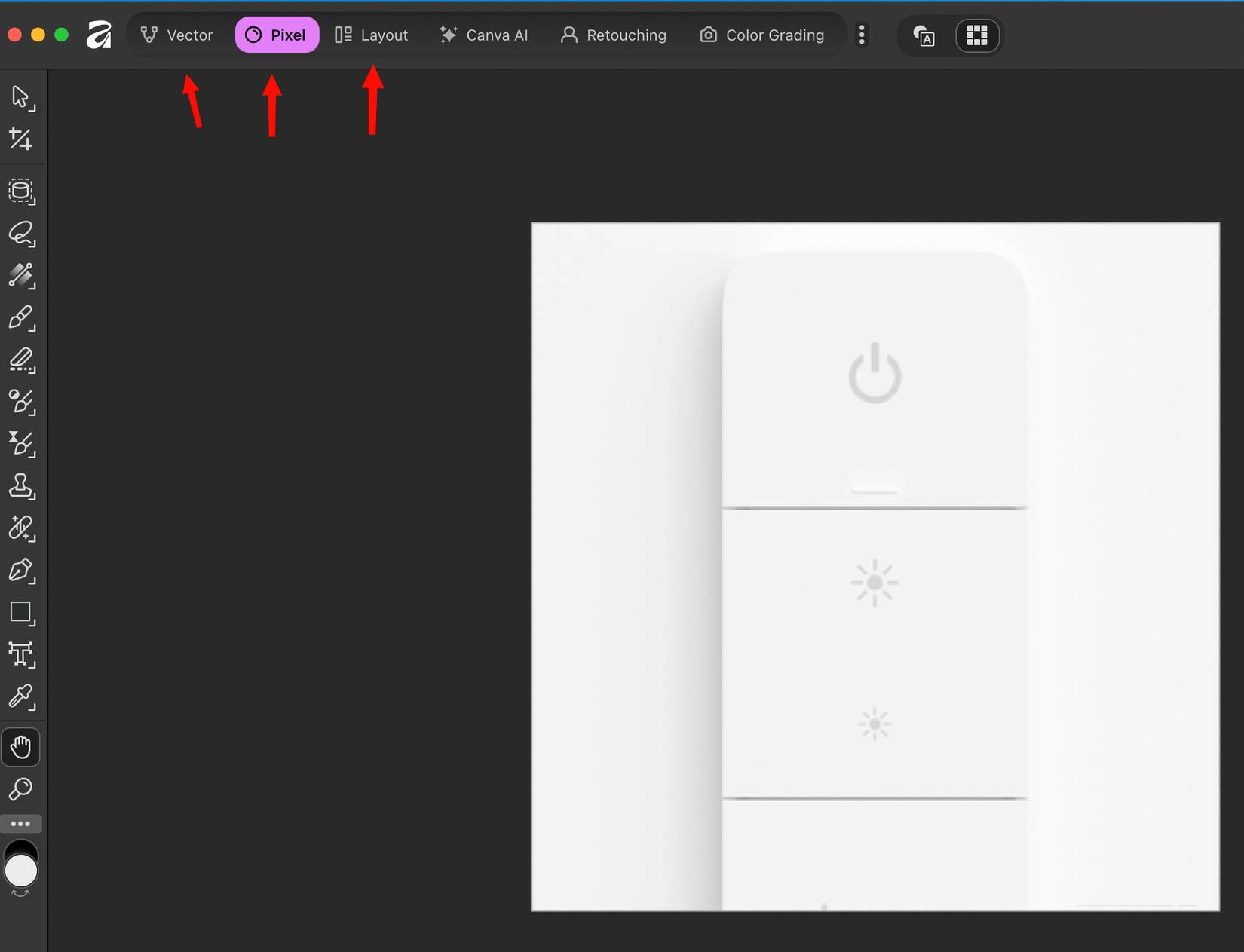
Affinity is a fantastic, free, full-featured photo editor that's very similar to Photoshop. It combines pixel and vector editing, and even includes AI tools over Canva Pro.
By default, you can use the Photos app in macOS to edit photos, but it's limited to the most basic edits. Affinity allows you to manipulate layers; most of the tools are the same as in Photoshop, and the processing speed is very fast. For those who seriously want to edit photos but don't want to spend a fortune on Photoshop, Affinity is the perfect choice.
Shottr
Better screenshots with a great markup tool
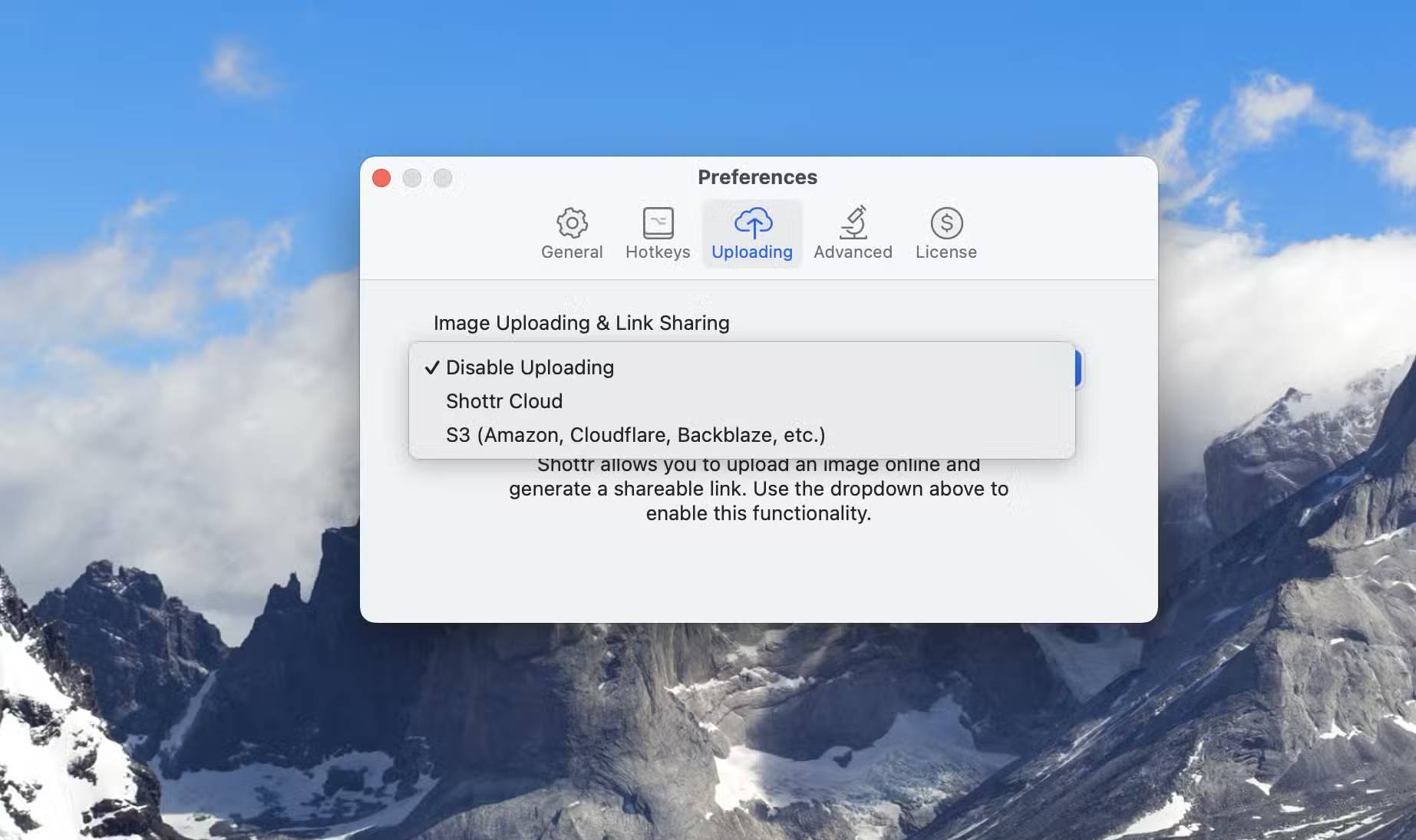
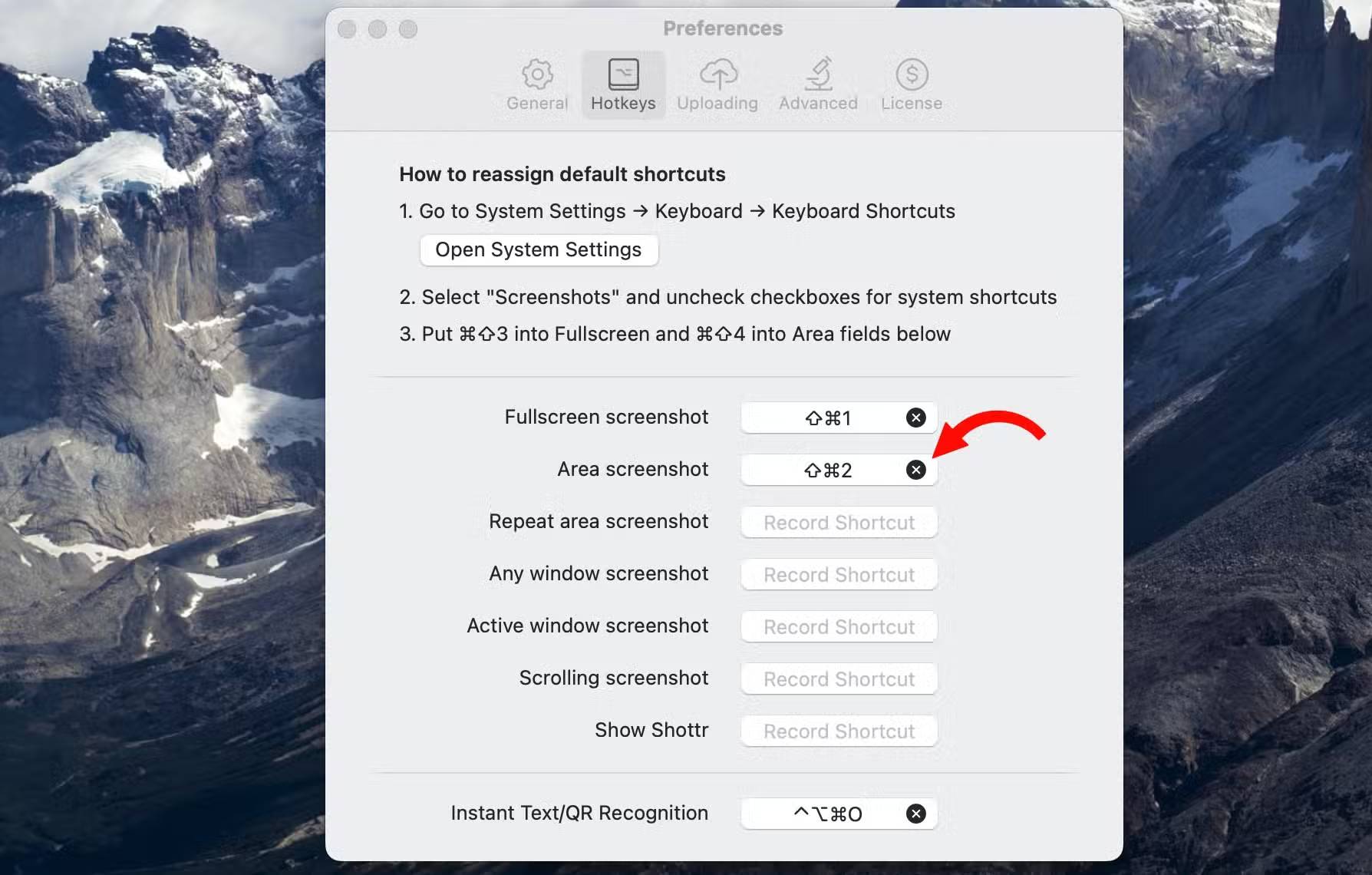
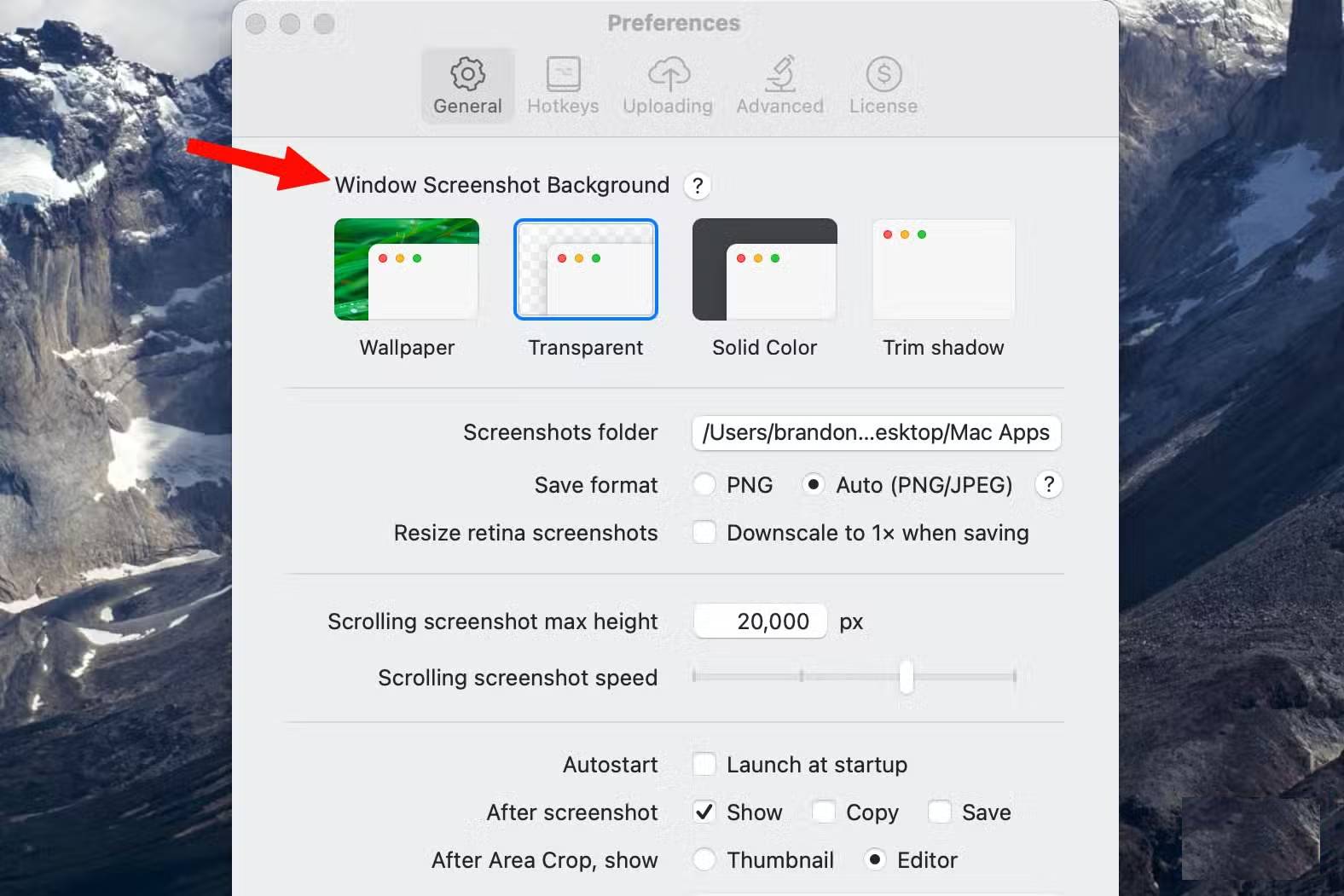
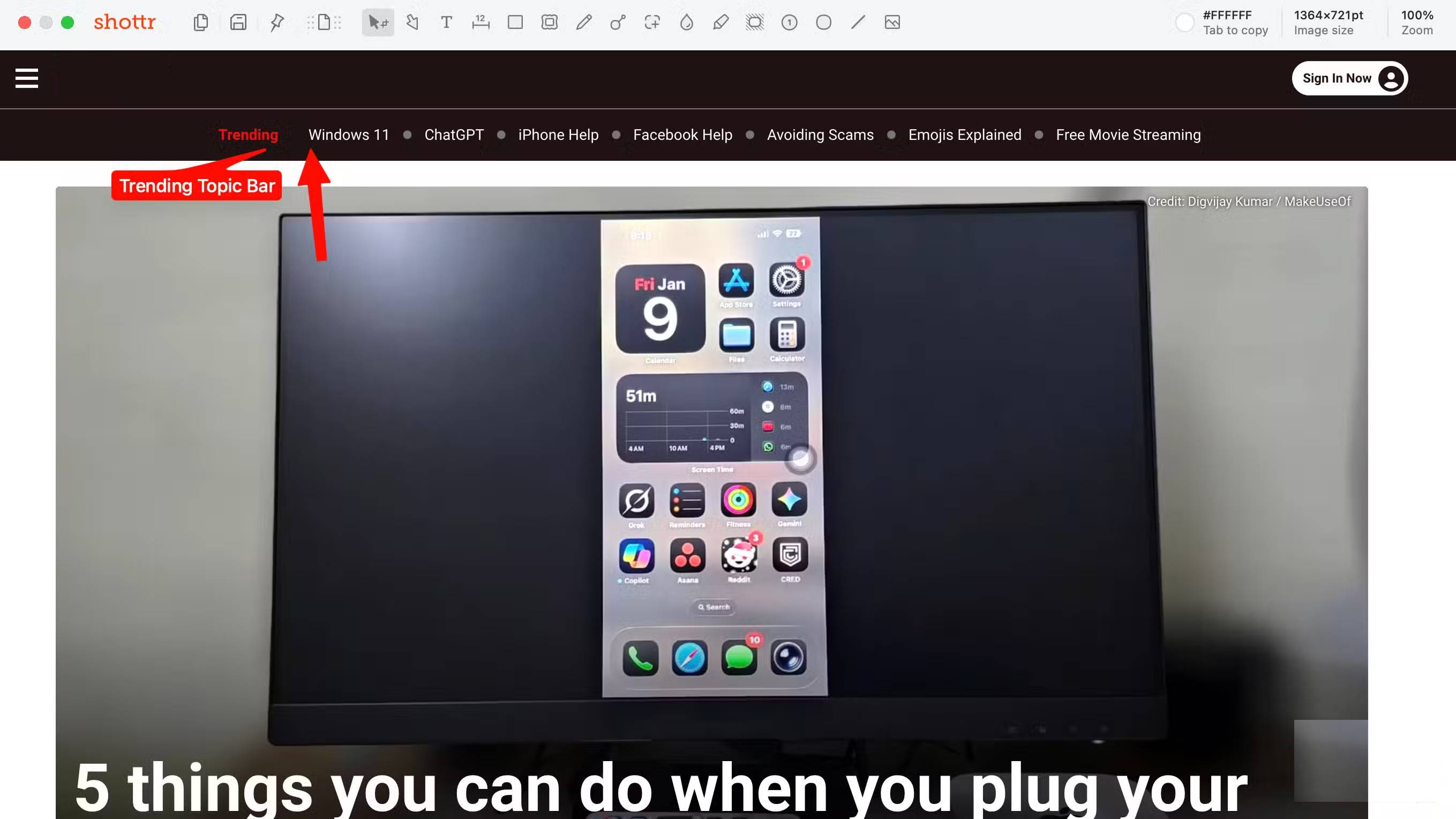
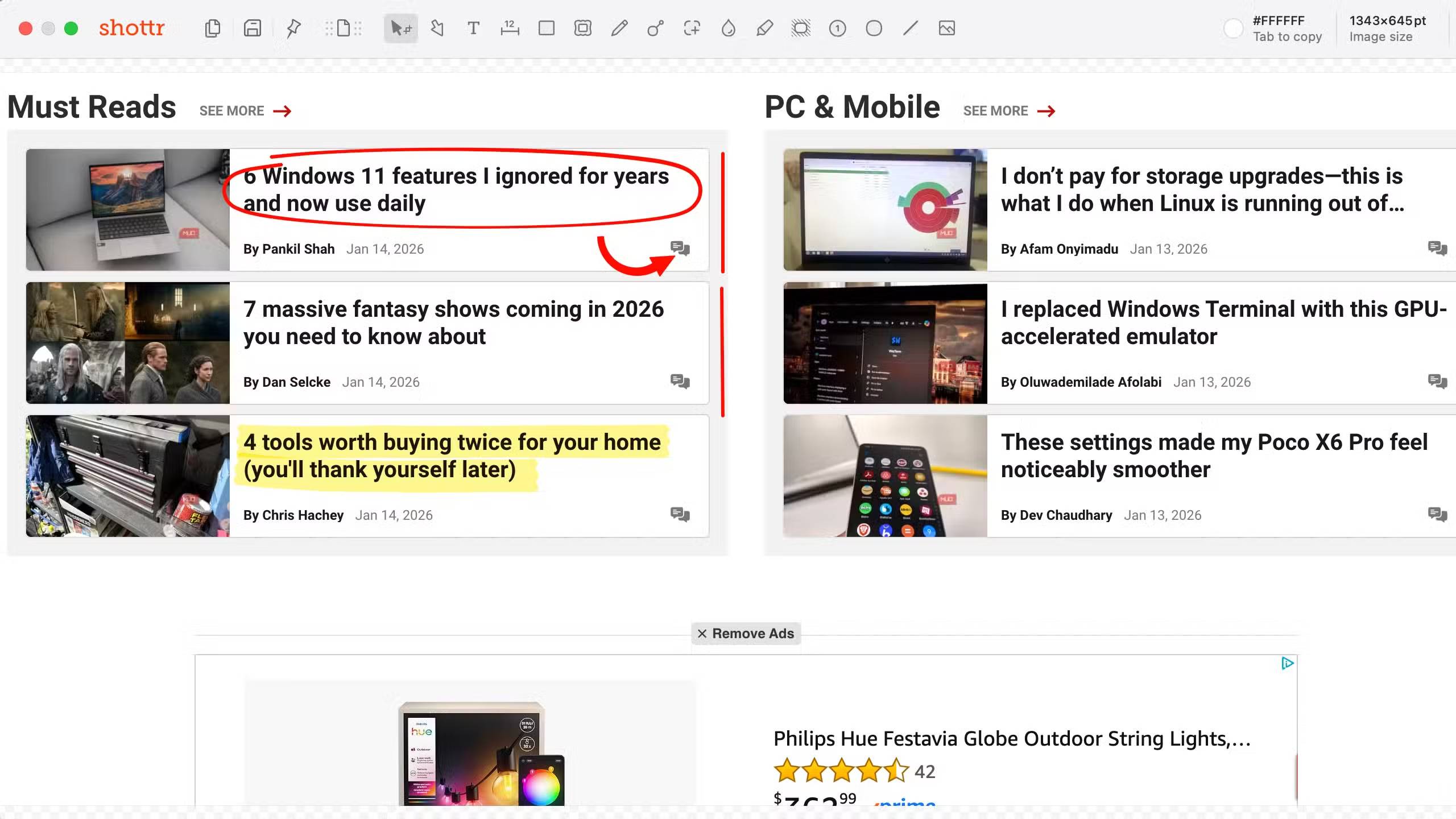
Many people frequently need to take screenshots on macOS. Whether you're writing an article about an application and need to capture an accurate screenshot with annotations, or trying to explain a process to someone, the built-in screenshot tool in macOS is often inadequate.
The free application Shottr solves the problem of taking screenshots on macOS. You can set it up to use keyboard shortcuts (much better than the rather clumsy default shortcuts). It has excellent built-in markup tools that let you add text, place arrows, and highlight anything you need to emphasize in your screenshots. Shottr also offers some advanced options, such as the ability to upload to cloud services with just one click.
Shottr can capture all kinds of screens, from individual selections to web page scrolling or full-screen screenshots. In terms of pricing, it's free for 30 days, after which it requires a fee (upgrading to $12 unlocks additional features).
$12 is a reasonable price for one of the best screenshot tools for macOS. And if you can tolerate those caveats, the free version will still work just fine.
Once again, the most beloved part of Shottr is its markup tools. You can highlight, draw, place (and bend) arrows, write text, set any shape, add images, etc. If you need to explain something to someone from a screenshot, or if you're a developer creating screenshots for an app store, Shottr makes life a lot easier.
Raycast
What Spotlight should have had
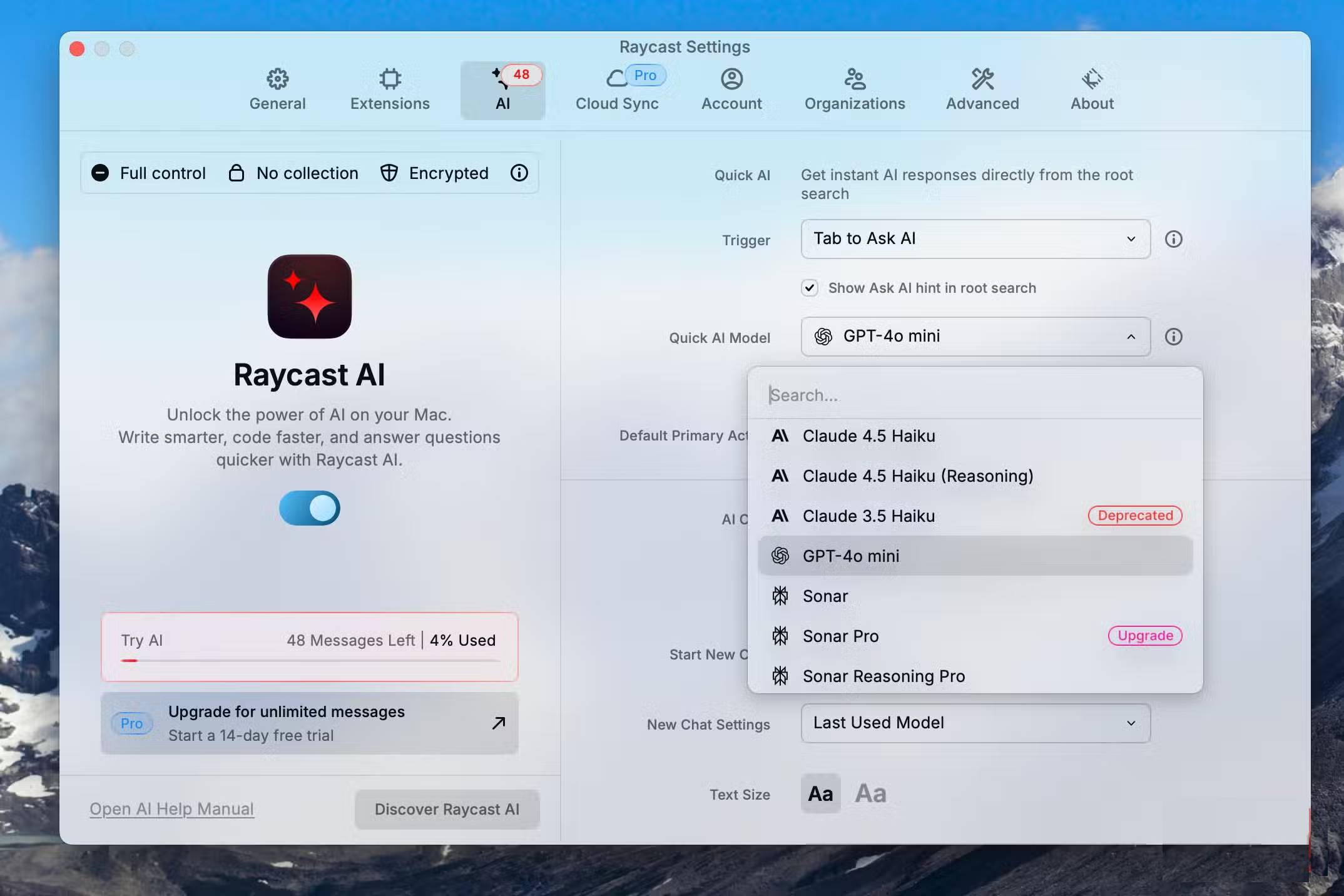
Whether through Alfred or LauncherBar, developers have been trying to fix Spotlight for years. The problem is that Spotlight on macOS is too limited; it hasn't evolved to work the way you need it to by integrating artificial intelligence (AI) and workflows for the apps you use daily. Raycast is the solution, and it's incredibly powerful if you take the time to set it up to work effectively for you.
Raycast's capabilities are incredible; it would take a whole tutorial to fully explain everything it does. In short, Raycast lets you use text prompts (displayed via keyboard shortcuts) to do almost anything you can imagine on your Mac. Here are some examples of what it can do with just a text prompt:
- Integrates with Slack for sending messages, opening channels, searching messages, viewing unread messages, etc.
- Answer questions using AI with ChatGPT, Claude, Gemini, Sonar (you can choose any version of the model with Raycast AI).
- Add a new calendar entry or retrieve your schedule.
- Window management: Set windows to split screen, bottom 1/3, bottom 1/2, or any combination.
- Solve the problem using a computer.
- Search your clipboard history, or ask questions based on previous clipboard entries.
- Ask Gemini Nano Banana to create any image.
Raycast is free to use; however, if you pay $8/month for Raycast Pro, you'll get unlimited access to AI queries from the search bar (the free version only allows 50 queries). Additionally, Raycast Pro provides unlimited clipboard history, custom themes, and cloud synchronization.
The most important features are all free, and there's plenty to explore.
Final Thoughts
Use this guide as a practical checklist for 3 free macos apps that fix problems apple hasn't yet solved. Work through the steps in order, verify each result, and adjust the options to match your needs.
FAQ
What do you need before following this 3 Free macOS Apps That Fix Problems Apple Hasn't Yet Solved guide?
Review the required tools, accounts, settings, or materials mentioned in the article. Explore 3 free macOS apps that fix problems Apple hasn't yet solved.
What are the main steps for 3 free macos apps that fix problems apple hasn't yet solved?
Follow the sections in order, especially Affinity, Similar to Photoshop, but completely free, Shottr. Complete each step before continuing and verify the result as you go.
What should you do if the process does not work as expected?
Recheck the prerequisites, update the relevant app or service, review the settings, and repeat the step that caused the issue. Use any troubleshooting notes included in the guide.
Related Articles
 How to Fix Common macOS Catalina Issues14 minutes read
 11 Free Applications That Handle Common Problems on Windows and macOS5 minutes read
 8 Most Annoying iPhone Problems That iOS 26 Quietly Solved: Practical Guide7 minutes read
 7 Popular Windows Apps That Aren't Available on macOS6 minutes read
 Invite the Application of IMovie, Numbers, Keynotes, Pages, GarageBand Free for macOS, iOS3 minutes read
 Apple Is Preparing to Combine iOS and Mac Applications as One4 minutes read
Reader Comments 0
Sign in with email or Google to join the discussion.