Table of Contents
Explore expensive gpus are 'useless' without these 4 important upgrades.
But the GPU isn't everything. Spending all your money on a single, powerful GPU can be counterproductive. You should aim for a balanced setup that delivers the best performance, rather than just a powerful GPU and neglecting the rest of the components.
GPU is important, but you don't need to buy the most powerful one
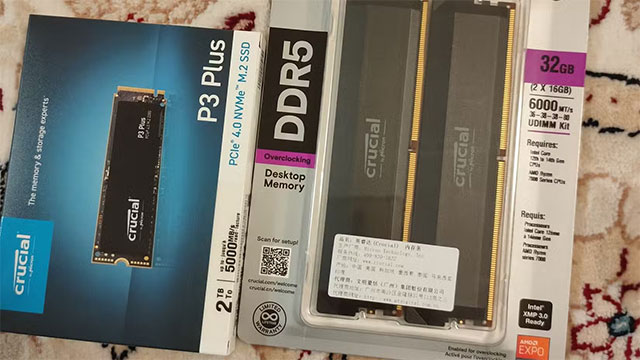
When I built my current build, I was aiming for a mid-range card. I ended up getting the RTX 4080 Super when it launched in 2024, having originally planned on getting the RTX 4070. Looking back, the RTX 4070 was plenty — and many people are in the same boat.
The reason is that frame generation has made choosing a GPU much easier. Nvidia has DLSS, which upscales images and generates additional frames using AI, which can significantly increase fps. AMD also has FSR, but FSR 4 is still slower to catch on. Despite the controversy over 'fake frames', both DLSS and FSR can be effective when implemented in the right games. However, not all games support it, so buyers should do their research first.
If you choose a mid-range GPU, the extra budget can be spent on other, more important components below.
RAM needs to be sufficient and redundant
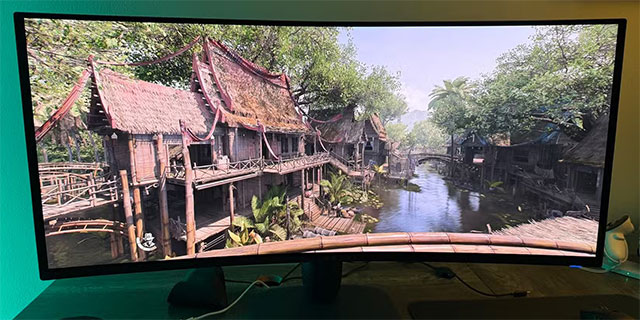
The days of using 16GB of RAM for gaming are over. Games like Microsoft Flight Simulator and Cyberpunk 2077 are huge RAM hogs. If you play the game with other apps open, or play modded games like Minecraft or The Sims, the RAM consumption is even higher.
When RAM is insufficient, Windows will be forced to use virtual memory (pagefile) on the hard drive. Moving data to SSD/HDD to compensate for RAM will cause the speed to drop to a miserable level, leading to constant stuttering, lag, and freezing. No matter how good the GPU is, it cannot save it.
With RAM being so expensive, sometimes you should spend less on GPU to invest in more RAM.
A good display is more important than you think
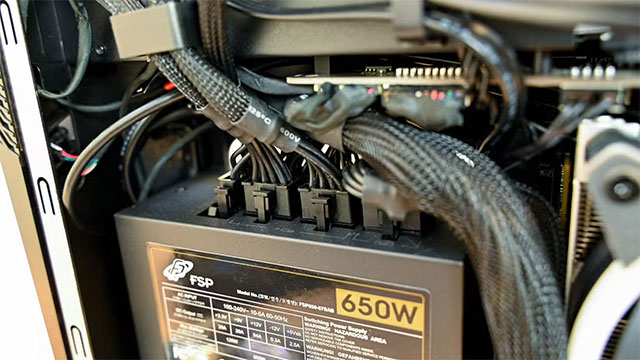
A powerful GPU paired with a 1080p 60Hz monitor is a huge waste. The low-end monitor will become a bottleneck, leaving all the fps the GPU is producing undisplayed.
The opposite is equally tragic: a 4K display with a GPU that can only handle 1080p will result in a lag-ridden experience. The key is that the GPU and display are well matched.
The upgrade from 60Hz to 144Hz is a noticeable difference, but the jump from 144Hz to 240Hz is not so much of a leap. So choosing a good enough monitor will give you the best performance without breaking the bank.
Don't forget the power supply (PSU) and heatsink
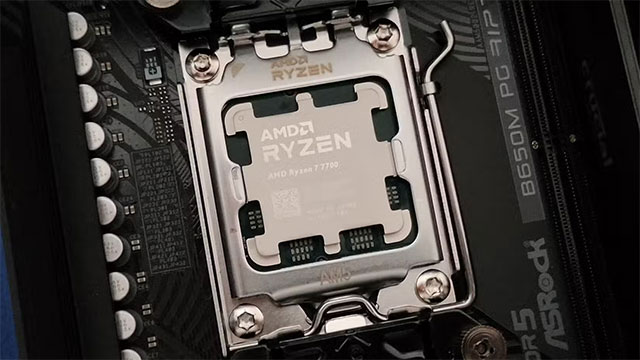
GPUs today consume a lot of electricity. A weak power supply will lead to instability, automatic shutdown or unexpected crashes. A good power supply not only helps the system operate stably but also makes it easy to upgrade in the future.
Overcapacity is also an important part of being 'future-proof'. If you buy a PSU with a higher certification (like Gold), it will perform better, run less hot, and run quieter.
Additionally, temperature is also a factor you cannot ignore. Powerful GPUs emit a lot of heat into the case. You need a good cooling fan and reasonable airflow to keep the temperature of the CPU, GPU and the whole system stable.
Check if you need to upgrade your CPU
At low resolutions like 1080p, the CPU is often the limiting factor because the GPU can render so quickly. But at 1440p or 4K, the burden shifts to the GPU, making the CPU less likely to be a bottleneck.
The issue isn't about choosing the most powerful CPU, it's about choosing the right CPU for your GPU and the type of game you play. Esports games are often CPU-intensive, played at low resolutions, so a powerful CPU will be beneficial.
Having a powerful GPU is great, but if the rest of your machine is weak, that power is wasted. Building a PC is all about balance, and sometimes you don't need to go overboard.
In this era of framerate technology, you don't necessarily need to buy an overkill GPU. The only thing to avoid is GPUs with only 8GB of VRAM, as they will age faster. For AAA gaming, 12GB is the minimum, 16GB is ideal.
Be realistic about your needs. Some people buy powerful GPUs and then spend 600 hours playing a game that runs smoothly on a 10 year old PC. If you don't need the highest settings, invest in a well-balanced rig. The GPU can be upgraded later, but the stability of the system is the most important thing.
Final Thoughts
Understanding expensive gpus are 'useless' without these 4 important upgrades makes it easier to evaluate the information and apply the most relevant recommendations. Focus on the key points above and verify details that may change over time.
FAQ
What is expensive gpus are 'useless' without these 4 important upgrades?
Explore expensive gpus are 'useless' without these 4 important upgrades.
What key points does this article cover?
The article focuses on GPU is important, but you don't need to buy the most powerful one, RAM needs to be sufficient and redundant, A good display is more important than you think, with practical explanations and examples.
How can you use this information in practice?
Use the explanations to compare options, verify important details, and make a more informed decision. Apply the recommendations that best match your goals and situation.
Related Articles
 Top 10 Most Expensive but Useless Items in the World5 minutes read
 Major Upgrades in Age of Empires6 minutes read
 When You Get Rich, Can You Shop for Me These 14 Heavenly Items7 minutes read
 5 Parts of the Human Body Become Redundant and Useless Due2 minutes read
 Top 10 Most Expensive Software in the World7 minutes read
 The Most Expensive 16 Treasures on the Planet Are Astonishing6 minutes read
Reader Comments 0
Sign in with email or Google to join the discussion.