Table of Contents
The ASUS TUF Gaming F15 FX507VU-LP315W configuration described here pairs a 13th-generation Intel Core i7-13620H with a laptop GeForce RTX 4050. That combination is intended for 1080p gaming and general creative work, but frame rates vary by game, graphics settings, cooling, and the laptop’s power limits. The model code matters: other FX507VU configurations can have different memory, storage, display, or port details.
Performance and graphics
The listed configuration includes 16 GB of DDR5 memory and a 512 GB SSD. These are workable starting points for many games, though large game libraries can fill 512 GB quickly. Before upgrading, check the exact unit’s memory layout, available slots, warranty terms, and ASUS service guidance.

The RTX 4050 is a midrange laptop GPU, not a guarantee that every new game will run at maximum settings. Use the game’s own performance requirements and independent tests for the same laptop power configuration to set expectations. The embedded video below is a product review, not a substitute for checking current driver and game performance.

Display and controls
The LP315W listing is described as a 15.6-inch Full HD IPS panel with a 144 Hz refresh rate. A high refresh rate can make motion look smoother when the laptop can produce enough frames; it does not improve every game equally. The original article’s claim of 100% sRGB should be verified against the exact regional specification before relying on the screen for color-critical work.

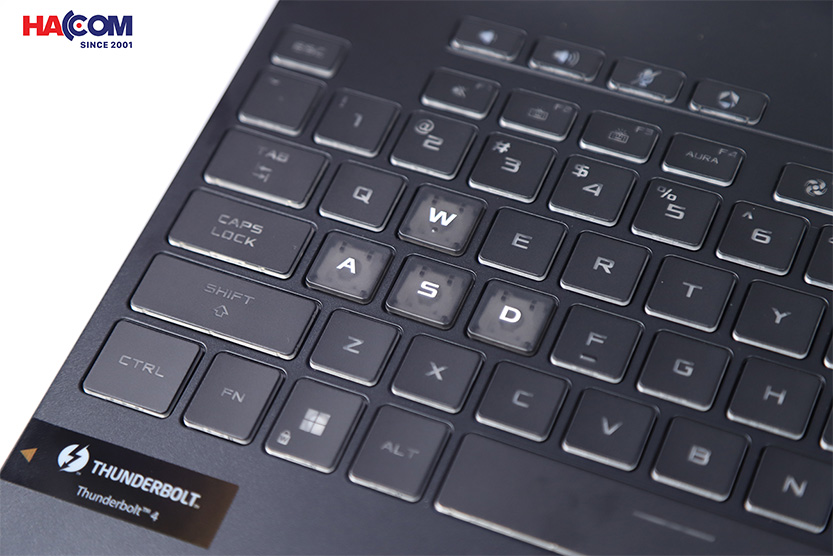
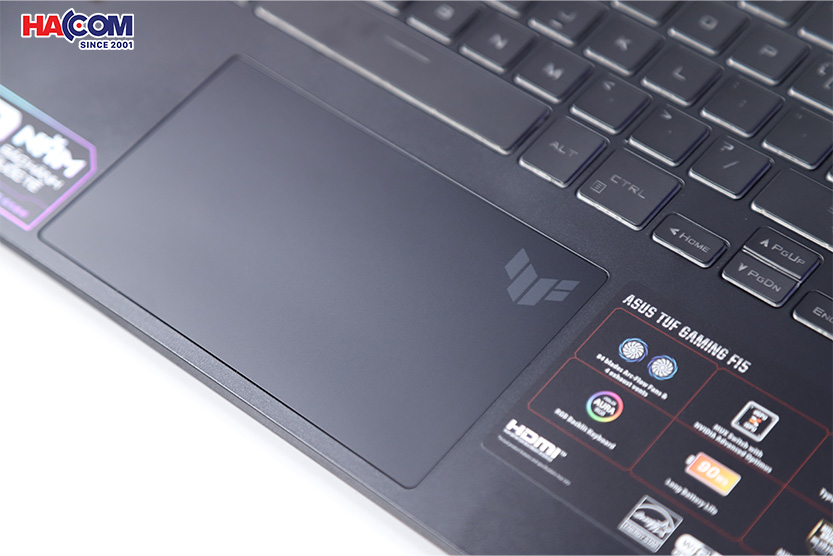
The full-size keyboard includes highlighted WASD keys and RGB lighting on the described model. The included photos show the keyboard and touchpad; try the layout in person if key travel or touchpad size is important to you.
Ports, wireless, and audio
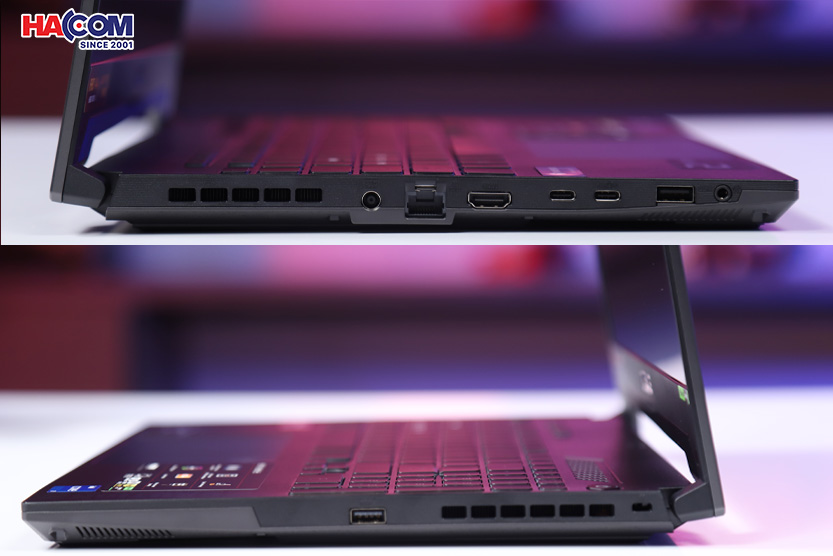
Port selection can vary within the FX507 family. The original listing describes USB-A, USB-C, HDMI, Ethernet, a headset jack, and a barrel power connector, but its detailed USB-C and Thunderbolt claims may not apply to this SKU. Check the port diagram on ASUS’s page or the retailer’s exact specification sheet before buying a dock or display.
The source lists Wi-Fi 6 and Bluetooth 5.1. Wireless performance depends on the router, environment, drivers, and configuration. The laptop includes built-in speakers and microphone processing features; headphones remain useful for clearer positional audio in noisy environments.
Cooling, noise, and portability
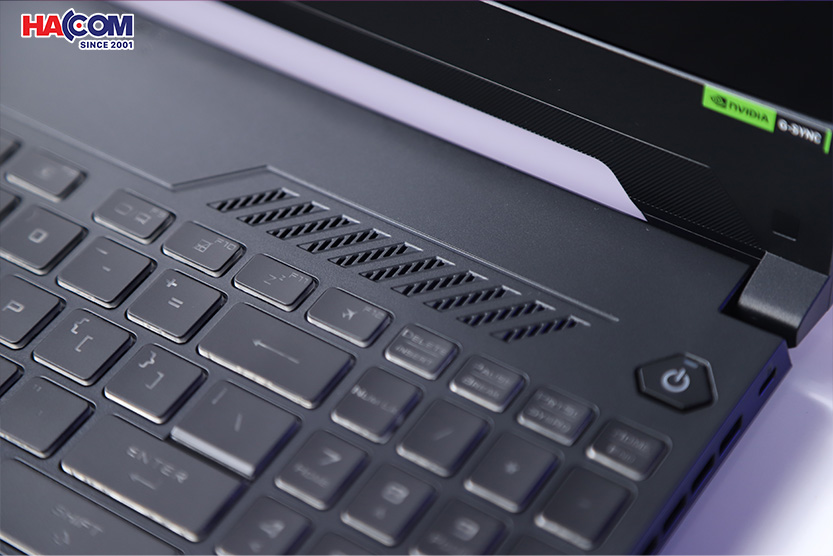
Two fans, heat pipes, and multiple exhaust vents move heat out of the chassis. Gaming laptops can become warm and audible under sustained load, and performance can change with the selected power mode and room temperature. Keep vents unobstructed and use the manufacturer’s recommended cleaning and service instructions; avoid opening the laptop if it would affect warranty coverage.
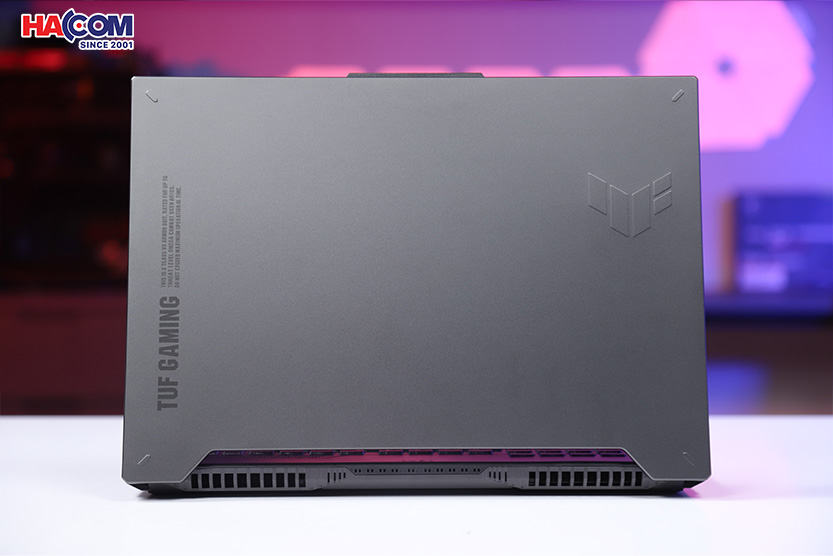
The listed dimensions are about 354 × 251 × 22.5 mm and the stated weight is around 2.2 kg, before the power adapter. It is portable enough to move between locations, though the charger adds bulk.
Should you buy this configuration?
Consider it if you want a 1080p gaming laptop with a dedicated GPU and a high-refresh-rate display. Compare the current price with newer alternatives and verify the exact GPU power limit, display gamut, memory upgrade options, storage slots, battery, ports, and warranty. The source’s old “25 million VND” price is time-sensitive and should not be treated as a current offer.
Video review
Related Articles
 Detailed review of ASUS TUF Gaming A15: Too good for the price
 Review ASUS ROG Phone 5
 Laptop plays Asus G750 game for nearly 30 million VND
 Laptop play Asus G75 game cost more than 30 million
 Asus Rog G750JX terrible gaming laptop
 ASUS ROG Strix SCAR 17 SE: Intel Alder Lake HX chip, 3080 Ti GPU, vapor chamber heatsink
Reader Comments 0
Sign in with email or Google to join the discussion.