Table of Contents
It's not uncommon for a router to become irrelevant after a year. But these devices deserve to be improved.
Routers are tiny computers. They come with their own RAM, CPU, storage, and a basic operating system, held together by whatever software the manufacturer provides. The problem is that most of that hardware is wasted. You have a perfectly good little machine on your shelf, but its factory firmware limits it.
Router manufacturers are also terrible at maintaining their hardware. It's not uncommon for a router to become 'unusual' after a year. But these devices deserve to be improved. With OpenWRT, you can really get more out of them. Not long ago, someone installed OpenWRT on their old router. And the results were amazing!
Run VPN across the network
One tunnel for every device (even the weird ones)
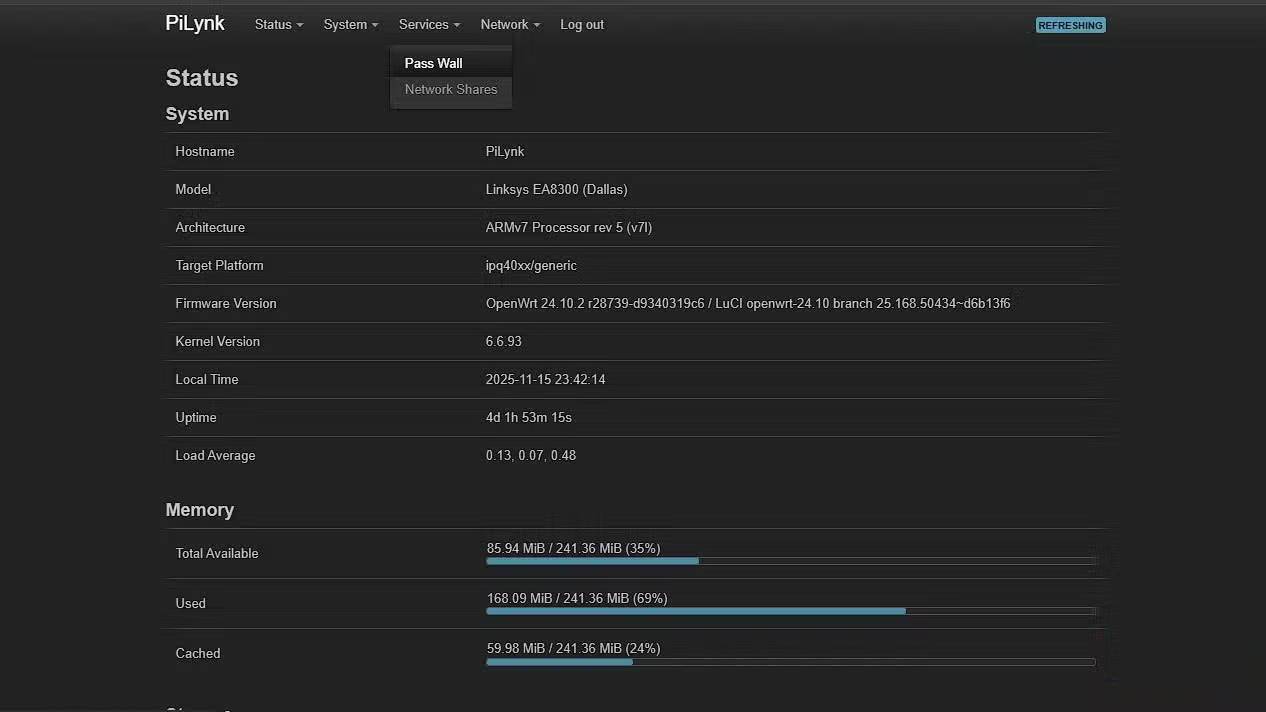

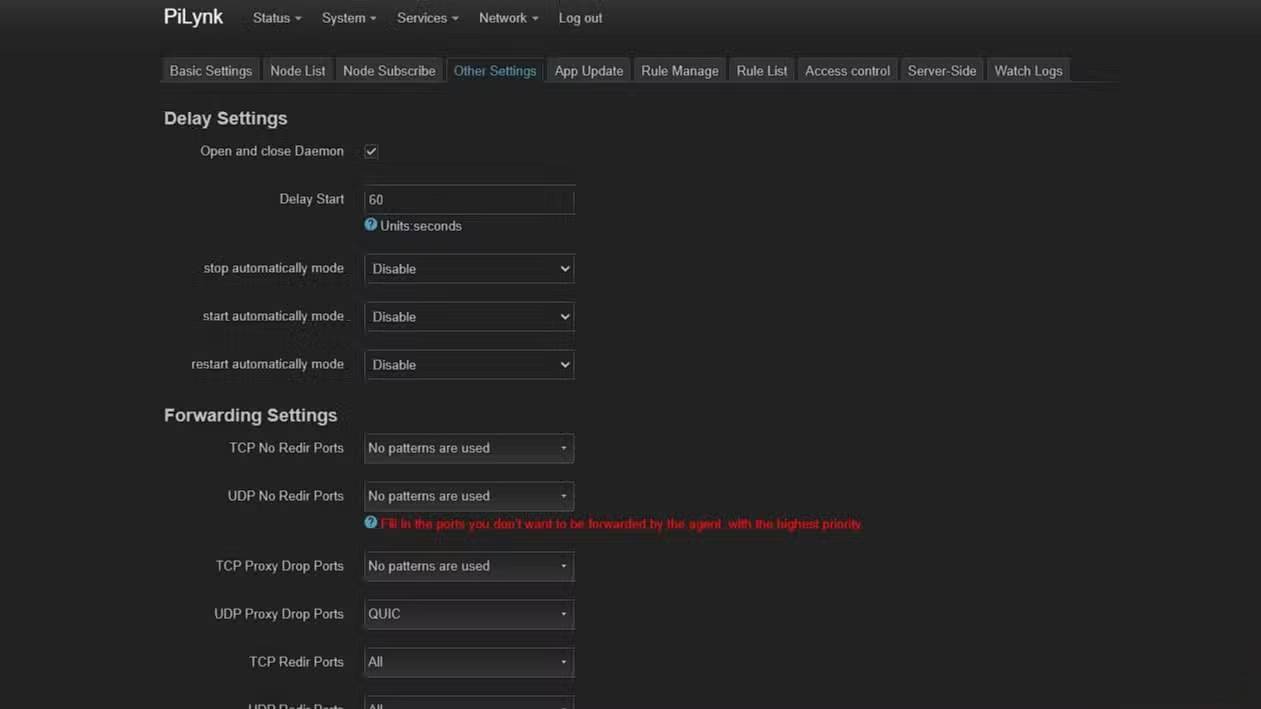
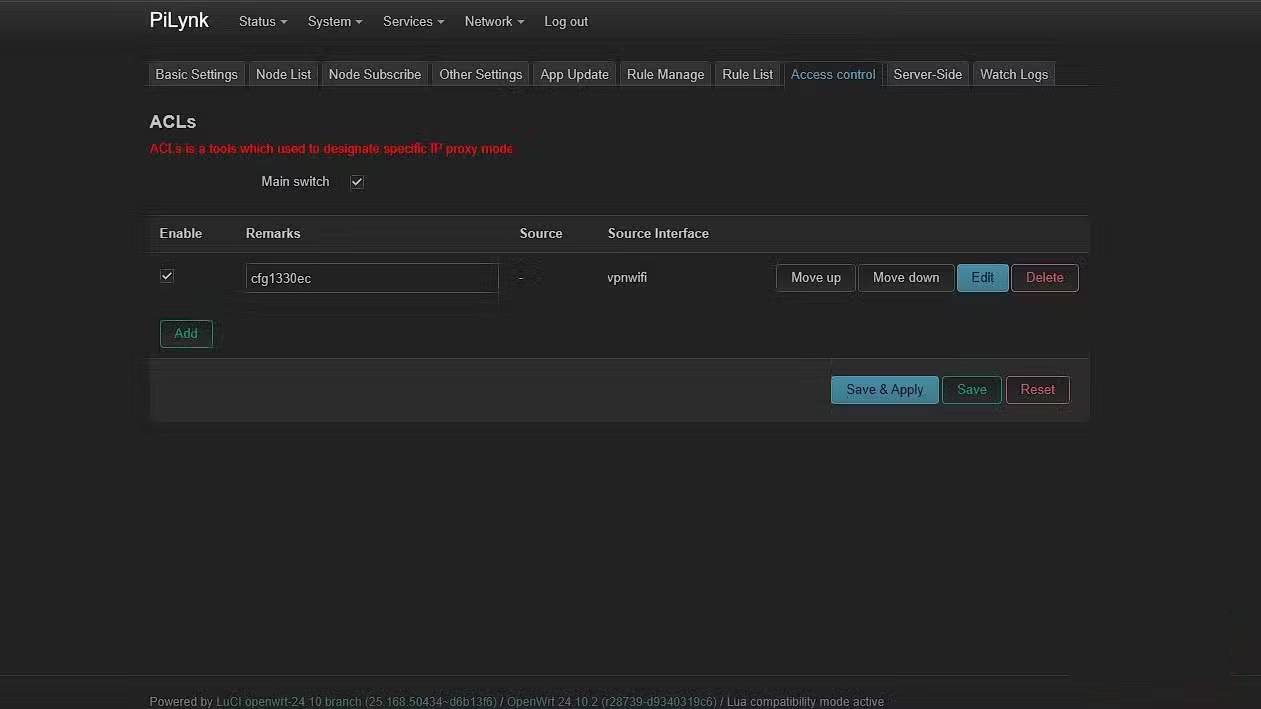
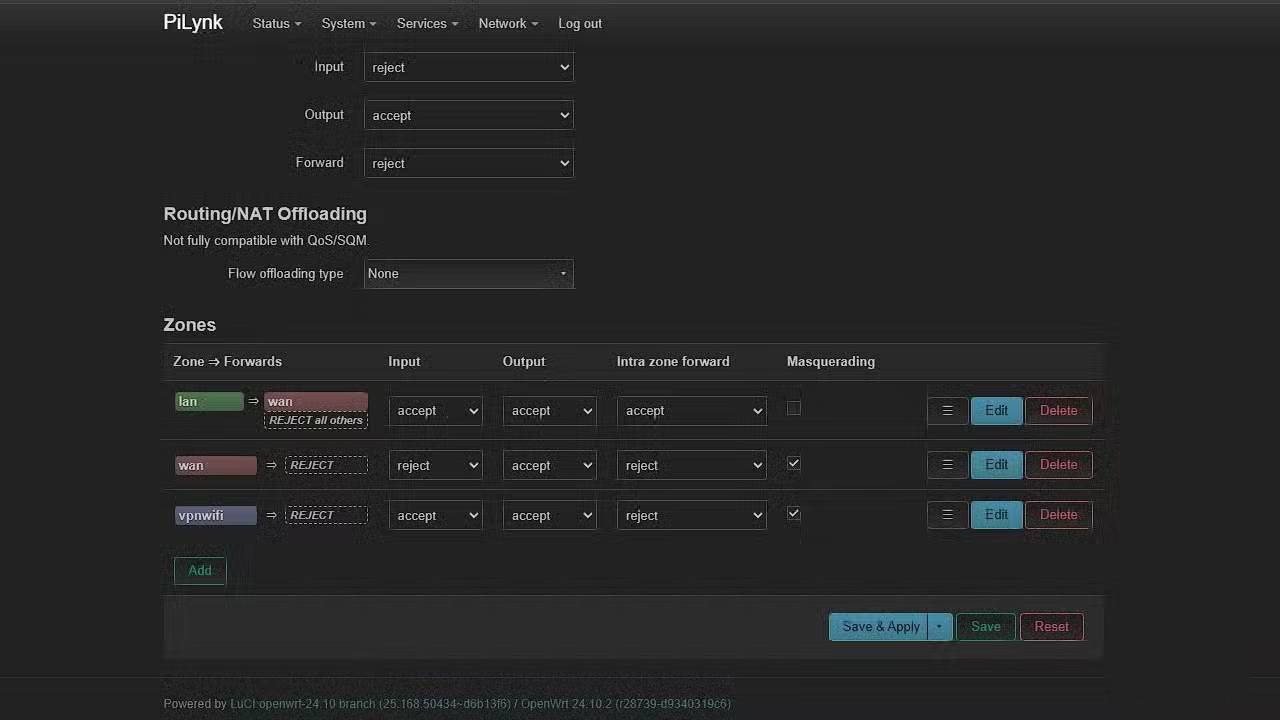
Many people have always used a VPN. A full-blown VPN is one of the biggest motivators for buying a new, expensive VPN. But then they discover OpenWRT. The VPN provider has apps for pretty much every platform people use—but that only solves half the problem. What about devices that can't run apps?
Let's say you have 9 devices connected to the internet and need a VPN on all 9 of them. Does that mean running a VPN client 9 separate times? Absolutely not. Instead, just run the VPN once - at the source.
Whole-network VPNs are nothing new. What is new is a router that supports virtually every protocol under the sun. High-end routers (like the Asus ROG Rupture) can handle WireGuard, but no commercial routers support Xray yet.
But cheap Linksys routers running OpenWRT can. Xray can now be set up using the Passwall plugin. Installing it is as simple as any Linux package.
Create as many Wi-Fi networks as you like
Not exactly a lot but quite a lot
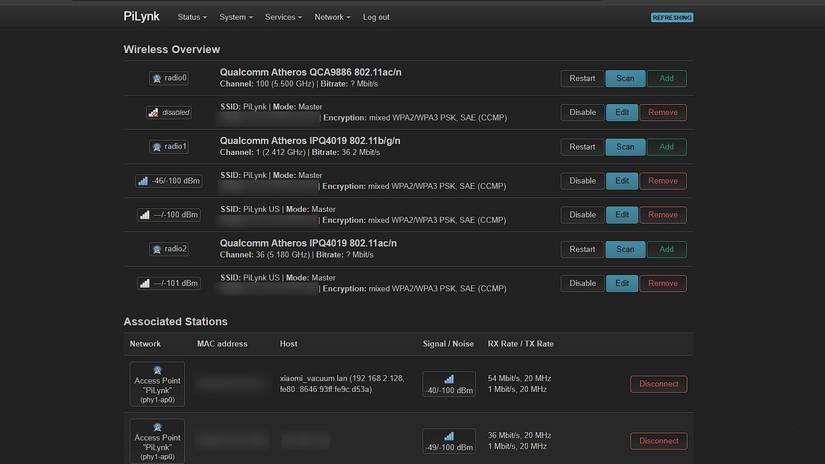
With the stock firmware, the router provides two Wi-Fi networks: one 5GHz and one 2.4GHz. If the router has two antennas, then two SSIDs are enough.
OpenWRT doesn't care about that. With OpenWRT, you can create many more wireless interfaces than the default firmware. Each SSID adds a little bit of overhead, but being able to run dozens of SSIDs is a huge plus.
Run media server directly from router
It won't transcode 4K, but will stream your library just fine.
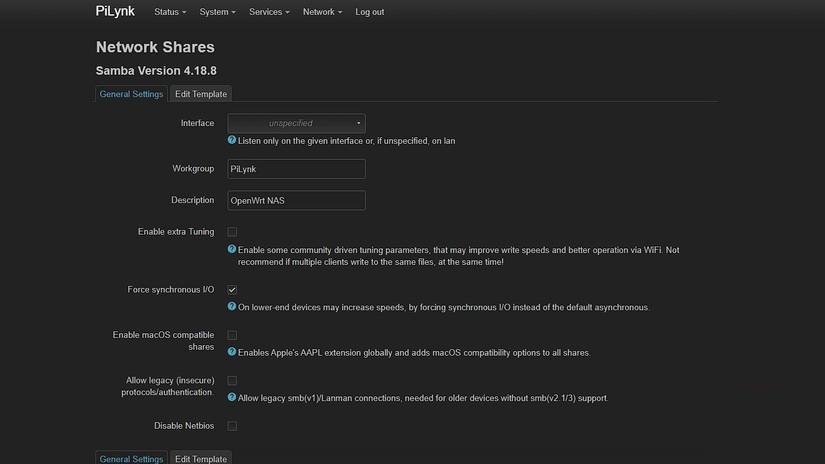
This isn't exactly new in theory, but it's incredibly convenient in practice. No NAS required. No dedicated media server required. No custom scripts required. No hassle with port forwarding. If your router has a USB port and runs OpenWRT, you can start a media server right there.
The real problem with using a router as a media server is power. Your router becomes the bottleneck. If the router isn't powerful enough, it will struggle.
Set up multi-WAN load balancing
Not quite a link, but convincing enough
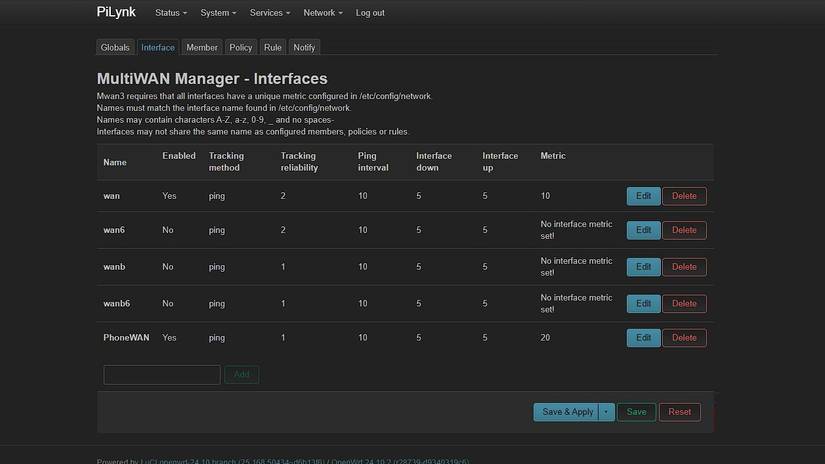
Here's another cost-saving perk of OpenWRT. Instead of buying a separate 4G/5G modem, you can turn your router into a 4G/5G modem using an old Android phone. The router has a USB port. Just plug your phone in, enable USB tethering, and suddenly 5G is right there on your home network. But first, you need the driver packages. Install them with:
Opkg install kmod-usb-net-rndis kmod-usb-net-ipheth usb-modeswitch kmod-usb-net-cdc-etherThis allows OpenWRT to treat your phone as a network interface. If you just want to share a USB connection, that's fine. But if you want to actually combine your home internet and mobile data, you can do more.
To do even more, install mwan3 (Multi-WAN Manager 3). It lets you load balance across as many interfaces as you want. You can merge two networks by giving them equal weights, or set all sorts of rules for different devices. For example, you can route your Smart TV over 5G while keeping your gaming PC on a wired connection for better latency.
Host website on router
It's Linux after all
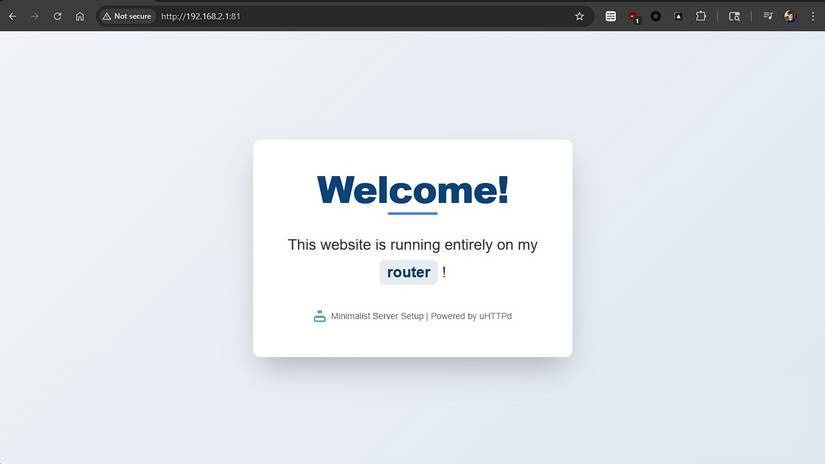
Yes, your router can host a website. And here's a perfect example of something that even expensive commercial routers don't let you do. In the screenshot above, I'm running a small website directly on my router. It's just static HTML under 70 lines, but it's doable nonetheless.
OpenWRT already runs uHTTPd for the LuCI interface, so hosting your own website requires minimal setup. You just create a second instance, assign it a different port (in this example:81), upload the file, and you're done. If you want to expose it to the internet and turn your router into a public web server, you technically can.
FAQ
What should you know about the options in this guide?
In practical terms, it's not uncommon for a router to become irrelevant after a year. But these devices deserve to be improved.
Which option is the best choice?
The best choice depends on your priorities, compatibility, budget, and the specific features discussed in the comparison.
What should you compare before deciding?
Compare core features, limitations, ease of use, compatibility, and long-term value before making a decision.
Related Articles
 Old Routers Can Do a Lot More If You Install the Free Openwrt: Key Facts6 minutes read
 DD-WRT, Tomato and OpenWrt - Where Is the Best Firmware Router?7 minutes read
 7 Must-have Features on a WiFi Router: What You Need to Know8 minutes read
 4 Wi-Fi Router Features for the Best Performance: What You Need to Know7 minutes read
 Linksys MR8300 - Mesh Wi-Fi for Advanced Users7 minutes read
 Learn About Mesh Routers9 minutes read
Reader Comments 0
Sign in with email or Google to join the discussion.