Table of Contents
This updated guide explores gemini can now summarize responses in Google forms with practical details, clear explanations, and useful takeaways. Over the past few months, Google has been aggressively pushing Gemini AI into every corner of its Workspace suite of apps, like generating entire documents from a prompt in Google Docs or creating editable charts in Sheets. Now, the AI capabilities are coming to Google Forms, too.
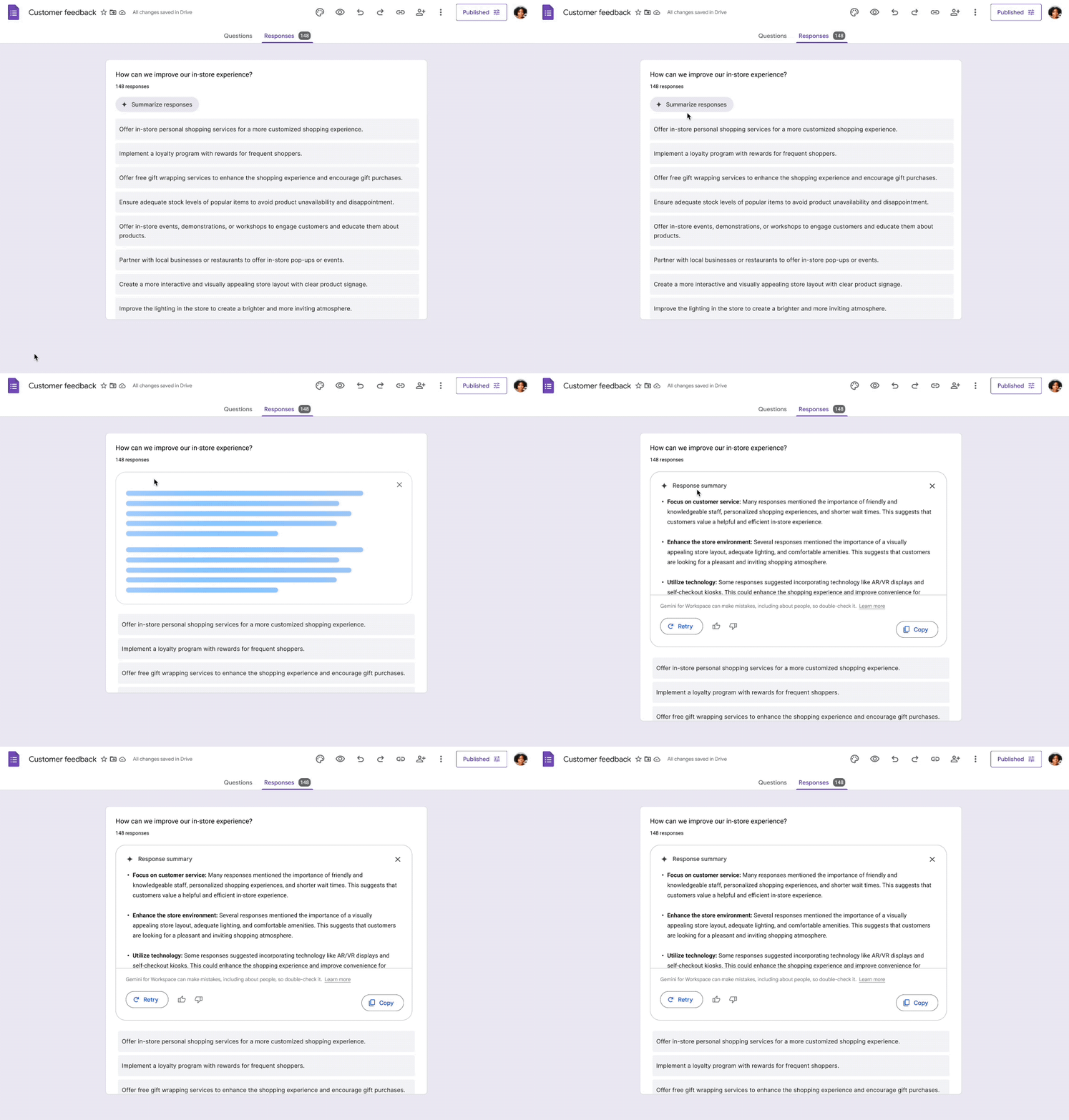
For any form with short answer or paragraph questions, a new 'Summarize responses' button will appear in the 'Responses' tab after you collect more than three responses. Clicking this button will trigger Gemini to read the form title, questions, and all submitted text to provide a summary of the main topics.
While Google is touting this as a new expansion into Forms, Gemini has actually been on the platform for a while now, thanks to its 'Help me create a form' feature that helps draft questions for users and has been rolled out through Google's Workspace Labs program. For those unfamiliar, Workspace Labs is essentially Google's public testing ground, available in select countries, for new and sometimes untested AI tools before they're released to the public.
Once a summary is created, you can copy it to use elsewhere or hit 'Retry' to see if Gemini comes up with a different approach. If new answers appear after you've created the summary, you can choose the 'Refresh' button to update with the latest data.
Currently, Summarize responses is only available in English. To use it, you need access to a paid Google Workspace plan, such as Business Standard, Business Plus, Enterprise Standard, or Enterprise Plus. The feature is available to customers who pay for Google AI Pro and Ultra plans or specific Gemini Education add-on packages. Summarize responses has begun rolling out gradually to Rapid Release domains and will begin rolling out to Scheduled Release domains on June 26.
FAQ
What is the main takeaway about Gemini Can Now Summarize Responses in Google Forms?
The key is to understand the core idea, compare the available options, and apply the practical guidance that matches your situation.
What should beginners know about Gemini Can Now Summarize Responses in Google Forms?
Start with the essential steps and terminology. Avoid changing advanced settings until you understand how they affect performance, privacy, cost, or compatibility.
How can I use this information in practice?
Follow the relevant section in order, test one change at a time, and confirm the result before moving to the next step or recommendation.
Related Articles
 How to Limit Responses in Google Forms7 minutes read
 Quickly Summarize Documents in Google Drive Using Gemini3 minutes read
 Google's Gemini Responded with Strange, Meaningless Words3 minutes read
 Gemini 3.1 Pro or Gemini 3 Pro: Better?8 minutes read
 7 Ways to Take Advantage of Google Forms4 minutes read
 How to Summarize YouTube Videos Using Gemini: Complete Guide4 minutes read
Reader Comments 0
Sign in with email or Google to join the discussion.