Table of Contents
This guide provides a clear, practical overview of "You Won't Get Hacked Just by Connecting to Public Wi-Fi! That's the". It organizes the most useful details, explains important considerations, and highlights the steps or choices that matter most.
Things People Often Misunderstand About Public Wi-Fi
When you think of public Wi-Fi, many people immediately picture hackers waiting to steal your data as soon as you connect. In fact, most modern apps and websites protect you with built-in encryption like HTTPS, which keeps your messages, logins, and online shopping private. No one nearby can easily steal your banking passwords or social media messages.
There are some caveats, though. Encryption protects your communications with most major websites, but it can't hide every detail. For example, your device can still share which sites you visit via DNS requests, and some smaller online services still don't use proper encryption. While annoying, these aren't as threatening as most people think.
Wi-Fi itself is generally safe and secure to use. The real problem arises when users fail to verify the network or device they are connecting to.
When Public Wi-Fi Becomes a Real Danger
The biggest dangers of public Wi-Fi are found in places like airports, hotels, and train stations. These locations attract tourists, students, or workers looking for quick access to the Internet. Many people connect without checking to see if the network is real.
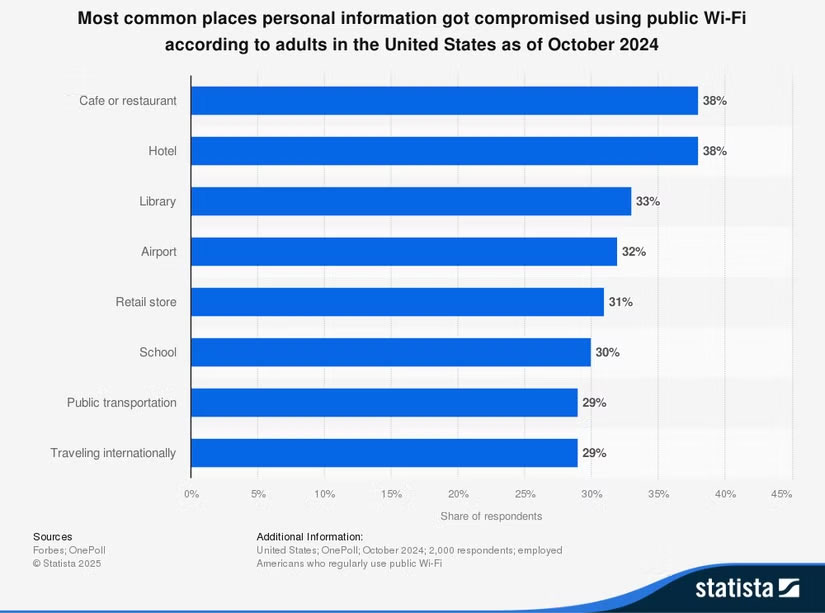
A survey from Statista highlights the problem. Four in 10 public Wi-Fi users say they have experienced a data breach or theft while using a shared network. Coffee shops and airport lounges are the most common sites, largely because users tend to choose the network with the strongest signal. Attackers exploit this vulnerability by using their own Wi-Fi access point devices to create fake networks. Once you're connected, they can intercept your internet activity and install fake login portals to steal your account information.
How to secure your connection on public Wi-Fi
You don't have to avoid public Wi-Fi completely. What you need are habits that will help you avoid scammers.
First, always use the QR code provided by the venue or use a Wi-Fi hotspot coupon whenever possible before connecting. These methods ensure you have the official network information directly from the source. If not, double-check the exact Wi-Fi name with the staff before attempting to connect. Rogue networks rely on you picking up quickly, so take a few seconds to be sure. When connecting, try to disable automatic connection options and file sharing if possible.
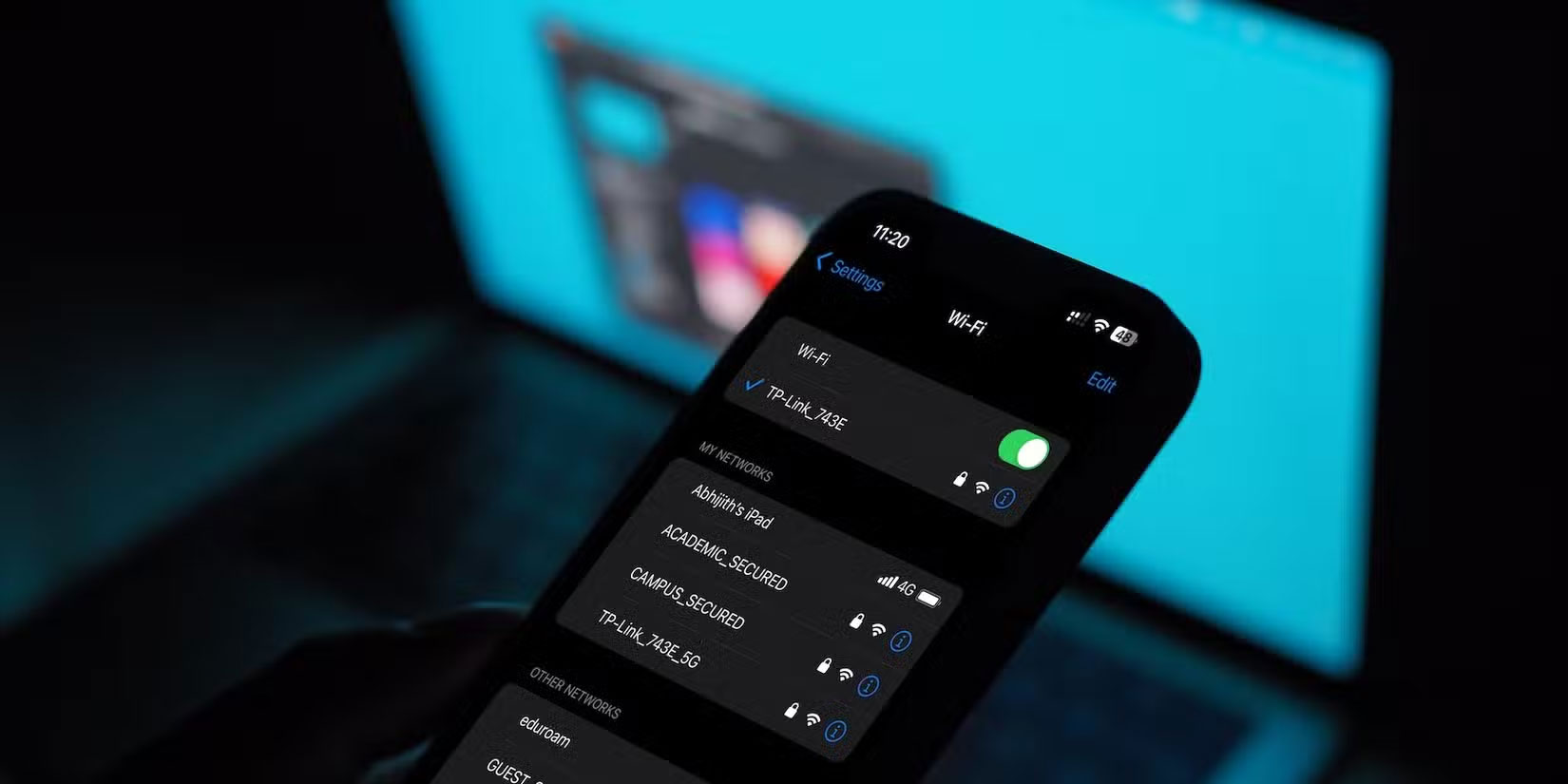
VPNs (virtual private networks) offer even more protection. They act as a tunnel between your device and the websites you visit, obfuscating everything in between. If you accidentally connect to a rogue hotspot, your data will still appear as gibberish to an attacker. That's why VPN use is on the rise around the world, especially among people who travel or work remotely.
Login portals are also a weak point. Be wary of any site that asks for your social media account, email, or credit card information to gain basic access. Many public networks actually use a simple code from your receipt or just your room number. Skip anything that seems too intrusive or asks for sensitive information that has nothing to do with the network.
Public Wi-Fi itself isn't an immediate threat. The real risk lies in how we use it. Busy travelers and students often click before checking, creating the perfect opportunity for attackers. Hackers take advantage of this haste by setting up convincing-looking fake networks with cheap equipment. Many hackers today use social engineering tricks rather than direct attacks on devices. The next time you're on free Wi-Fi, stop and make sure you're connecting to a legitimate network—being more vigilant can help keep your data safe from being hacked.
See also:
- Useful Wi-Fi Network Setup Tips
- Automatically lock screen when connecting to strange Wi-Fi on phone
- How to Keep Android Devices Connected to Strong Wi-Fi
FAQ
What should you know about things People Often Misunderstand About Public Wi-Fi?
When you think of public Wi-Fi, many people immediately picture hackers waiting to steal your data as soon as you connect. In fact, most modern apps and websites protect you with built-in encryption like HTTPS, which keeps your messages, logins, and online shopping private. No one nearby can easily steal your banking passwords.
When Public Wi-Fi Becomes a Real Danger?
The biggest dangers of public Wi-Fi are found in places like airports, hotels, and train stations. These locations attract tourists, students, or workers looking for quick access to the Internet. Many people connect without checking to see if the network is real.
How to secure your connection on public Wi-Fi?
You don't have to avoid public Wi-Fi completely. What you need are habits that will help you avoid scammers.
Related Articles
 How to Fix Hacked / Infected Phone5 minutes read
 Learn About Public IP Address13 minutes read
 Use Mac Public Place: How to Keep Your Macbook Safe in Public?8 minutes read
 Can Smartwatches Be Hacked?8 minutes read
 The Un Acknowledges That Cyberattacks Are Extremely Sophisticated3 minutes read
 6 Clear Signs That Your Phone Is Hacked6 minutes read
Reader Comments 0
Sign in with email or Google to join the discussion.