Table of Contents
This guide provides a clear, practical overview of "Turn Your Living Room into a Movie Theater with These Upgrades". It organizes the most useful details, explains important considerations, and highlights the steps or choices that matter most.
7. Invest in a large screen or projector
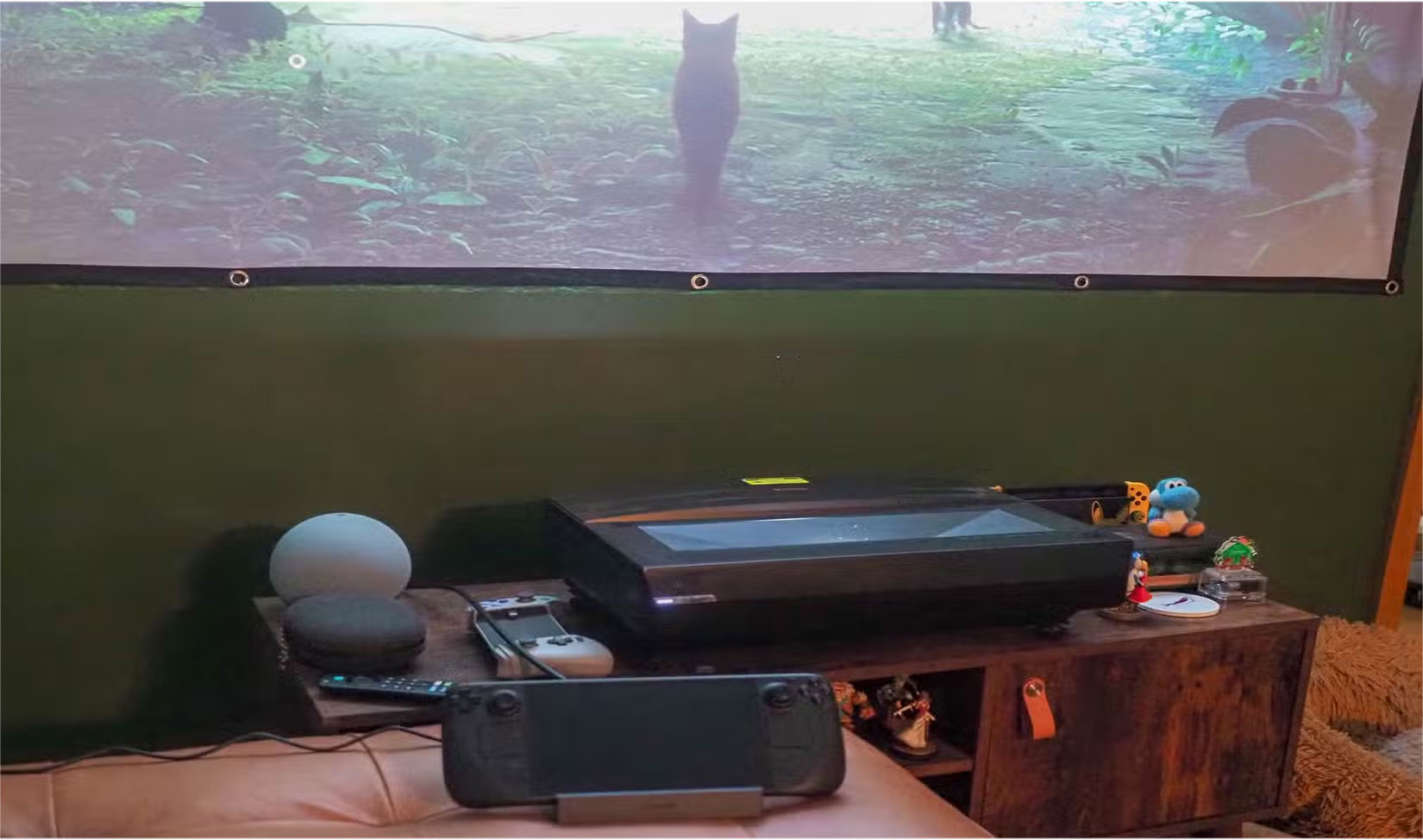
When it comes to recreating the cinema experience at home, screen size matters. While a standard 55-inch TV works fine for general viewing, it doesn't provide the immersive, larger-than-life feeling you get when watching a movie. To achieve that sense of immersion, the screen needs to fill your field of vision, similar to how a cinema screen works.
If you're choosing a projector, the screen is just as important as the projector itself. A good projection screen will provide significantly better contrast, color fidelity, and image sharpness than a plain white wall. For a TV setup, high-end OLED or LED models are ideal, especially in dark rooms, thanks to their deep blacks and rich, vibrant colors.
If you want to take things a step further and create a truly high-end experience, you may want to consider working with experts who specialize in setting up bespoke home theater systems in Woodland Hills (or your local area). This ensures your setup is carefully designed, professionally installed, and fully optimized for a seamless, cinema-quality viewing experience.
6. Upgrade the sound system
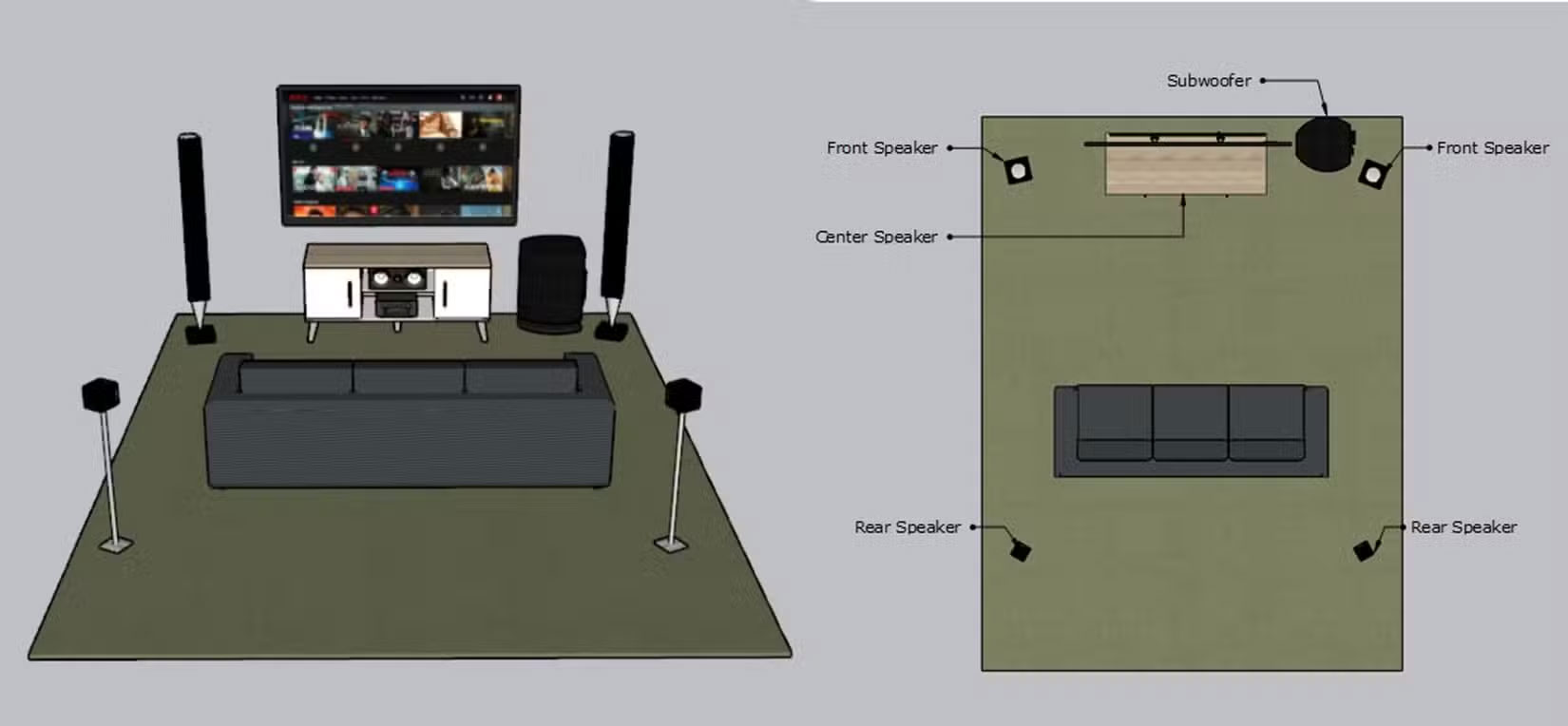
Few things kill the mood of a movie faster than distorted dialogue or action scenes that sound like they're taking place in the next room. Built-in TV speakers simply aren't equipped to deliver the kind of immersive, room-filling sound that draws you into the story.
There are three key elements to a true Dolby Atmos experience: Room layout, speaker placement, and the right equipment for the space. It may sound like a big ask, but you don't have to be an audio expert right away. You can start with a solid Dolby Atmos- enabled soundbar, which can dramatically enhance your experience.
5. Adjust TV settings
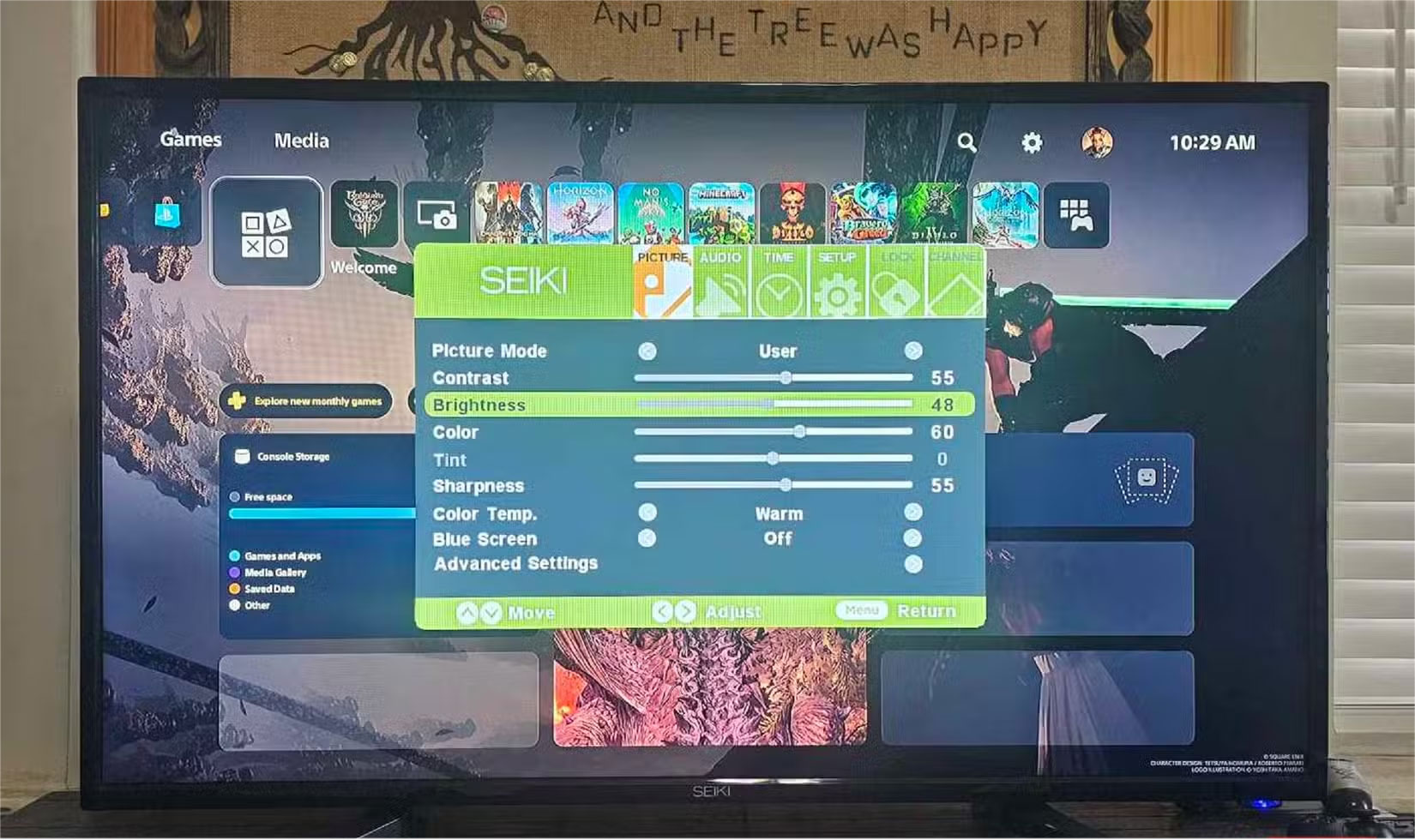
Most TVs come with default settings tuned for a bright retail environment, not the dim, controlled lighting of a home theater. These factory presets often result in oversaturated colors, excessive brightness, and motion smoothing features that distort the cinematic look.
It's also important to adjust the brightness and contrast to suit your actual viewing environment. In a dark room, lower brightness settings tend to provide a more comfortable and visually accurate experience. If your TV supports HDR, double-check that HDR mode is enabled and configured correctly. When set up correctly, HDR can dramatically improve color depth and contrast, making movies look truly cinematic.
4. Turn off the lights and block out natural light
The goal is to create a space where the screen is the primary source of light, just like in a real movie theater. The first step is to turn off all the lights in the room when the movie is on. But to take it a step further, consider installing curtains to block out natural light, especially during mid-afternoon movie viewings.
You should also pay attention to reflected light sources in the room. The lamp in the corner may be off, but if it reflects light from the screen back at you, it will still cause glare. Try to rearrange or remove anything that shines light where it shouldn't.
To further minimize distractions and maximize viewing quality, it's important to consider how the room itself is arranged. Factors such as screen placement, seating positions, room dimensions, and light control can all influence the overall experience. For this reason, if you're looking to achieve the best possible results, you may benefit from consulting professionals who offer custom home entertainment systems services. These experts can evaluate your space and ensure that key elements are positioned and integrated effectively to create a more immersive viewing environment.
3. Add theater-style seating (if possible)
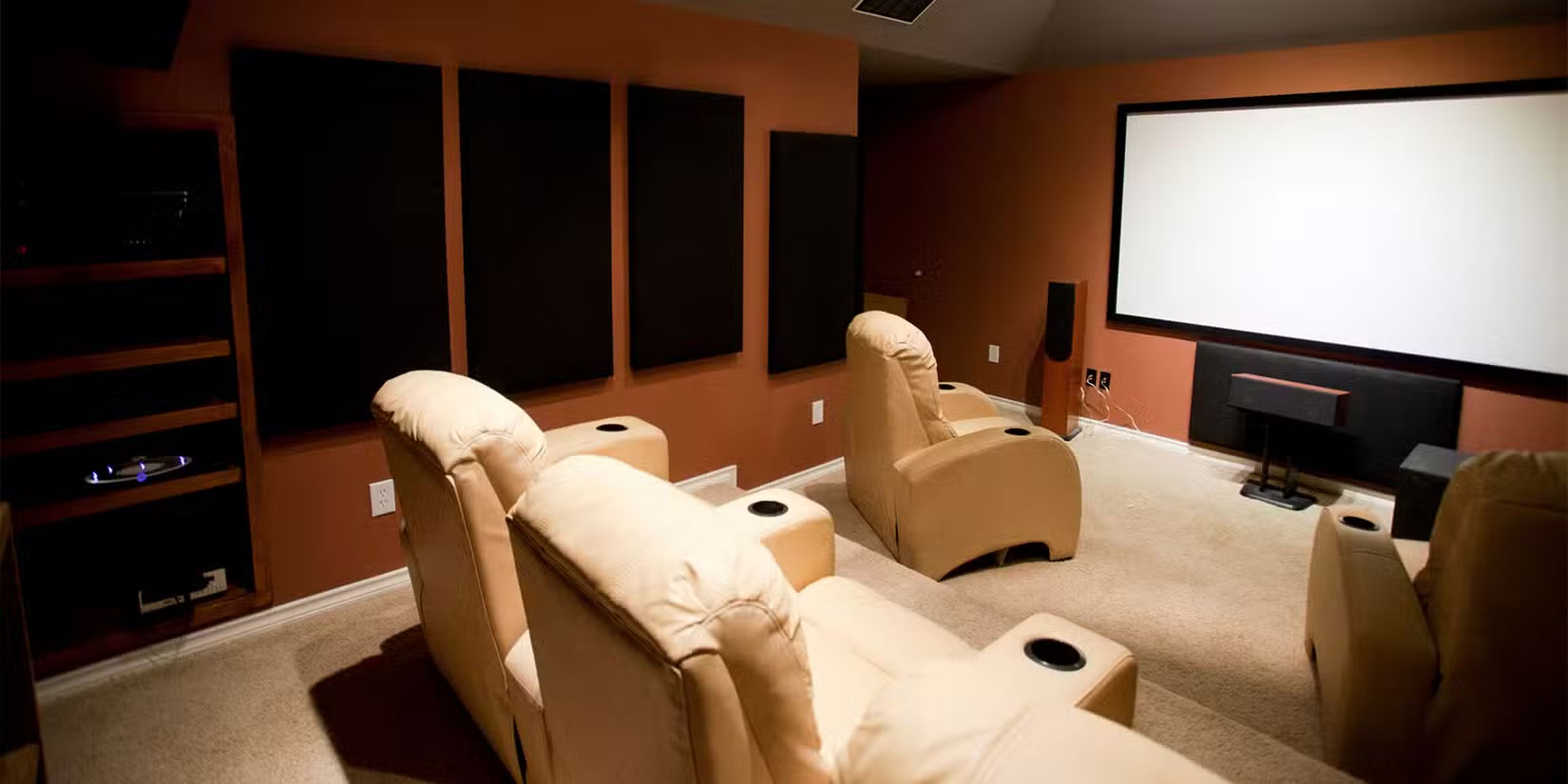
Comfort is a crucial part of the entire home theater experience. If you constantly have to shift your position to get comfortable, you won't be fully immersed in what's happening on screen. Everyone should be able to see the screen clearly without having to crane their necks or lean on others.
If you don't have dedicated theater seating, make the most of what you have. Arrange existing furniture to create the best viewing angle, add comfortable cushions and blankets, and make sure everyone has a place to put drinks and snacks without obstructing the view. A little thoughtful organization can go a long way.
2. Create a mood with LED lights
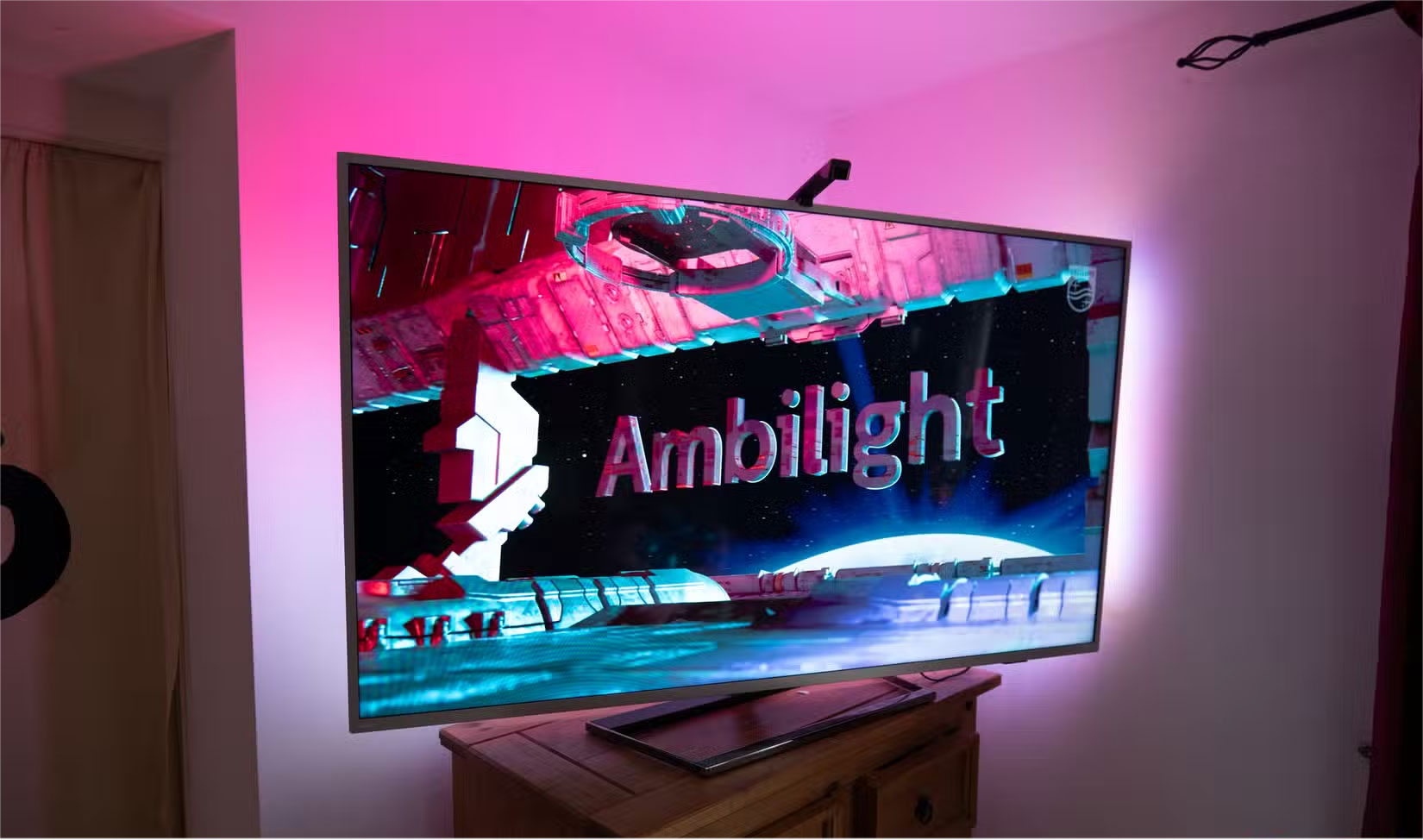
The goal here is to add light without taking away from the look. You want ambient light that complements the screen, not something that competes with it or washes it out, and that's where cross lighting comes in. These are LED strips you attach behind your TV or projector, and they're more than just cool lighting. They help reduce eye strain during long viewing sessions, and, as a bonus, they make the blacks on your screen look deeper and more dramatic by increasing contrast.
1. Select Blu-ray movie playback
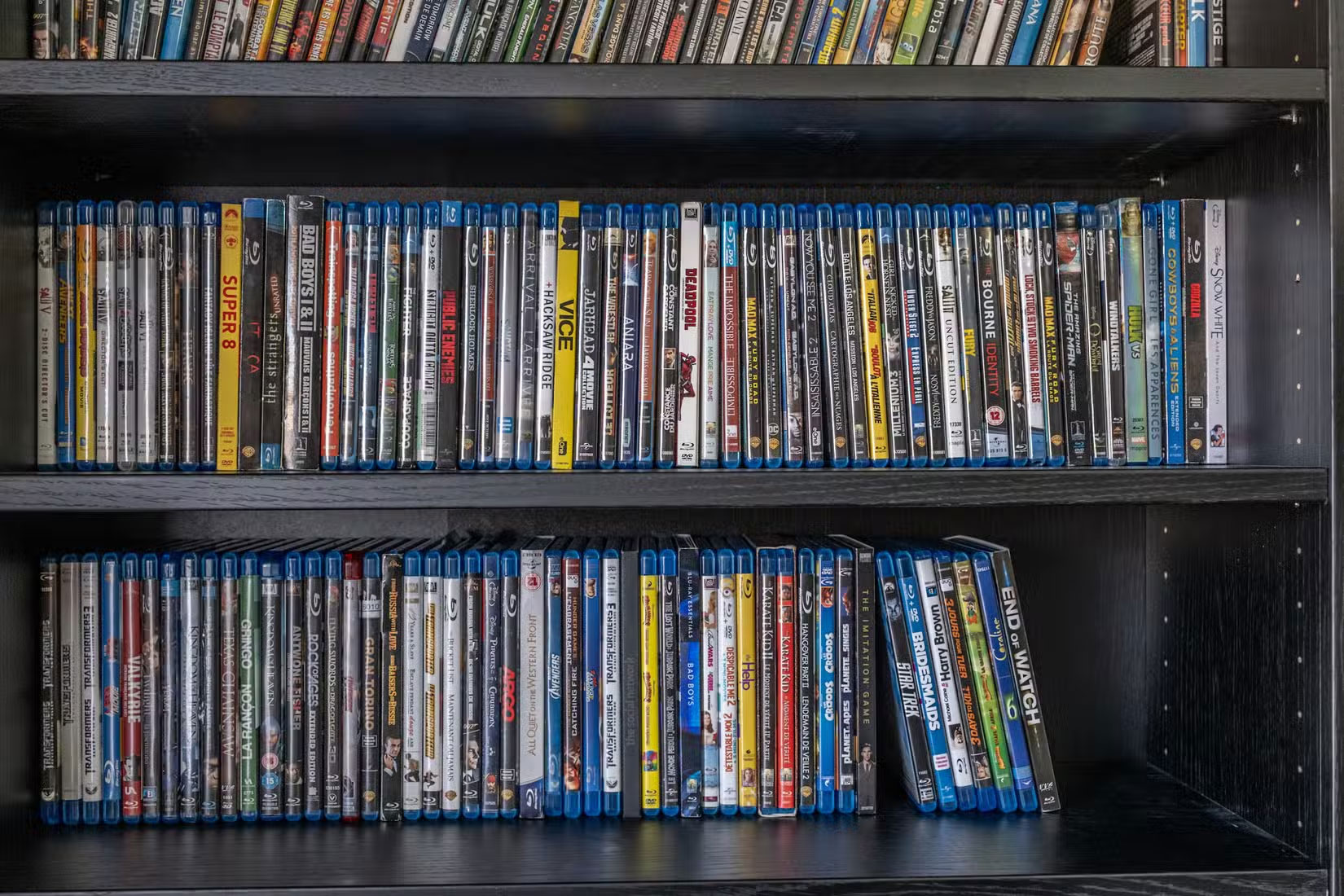
In a streaming-dominated world, it may seem old-fashioned to recommend physical media, but Blu-ray discs still provide the highest-quality movie experience you can get at home. Streaming services compress video and audio to save bandwidth, meaning you don't get the full quality that filmmakers intended.
4K Blu-ray discs deliver uncompressed video at a higher bitrate than any streaming service can match. The difference is most noticeable in action scenes with lots of movement, where stream compression can introduce artifacts and softness that Blu-ray handles cleanly. If you don't own a Blu-ray player, consider a gaming console like the PlayStation 5, which doubles as a reliable Blu-ray player for several uses other than gaming.
FAQ
What should you know about 7. Invest in a large screen or projector?
When it comes to recreating the cinema experience at home, screen size matters. While a standard 55-inch TV works fine for general viewing, it doesn't provide the immersive, larger-than-life feeling you get when watching a movie. To achieve that sense of immersion, the screen needs to fill your field of vision, similar to how a.
What should you know about 6. Upgrade the sound system?
Few things kill the mood of a movie faster than distorted dialogue or action scenes that sound like they're taking place in the next room. Built-in TV speakers simply aren't equipped to deliver the kind of immersive, room-filling sound that draws you into the story.
What should you know about 5. Adjust TV settings?
Most TVs come with default settings tuned for a bright retail environment, not the dim, controlled lighting of a home theater. These factory presets often result in oversaturated colors, excessive brightness, and motion smoothing features that distort the cinematic look.
What should you know about 4. Turn off the lights and block out natural light?
The goal is to create a space where the screen is the primary source of light, just like in a real movie theater. The first step is to turn off all the lights in the room when the movie is on. But to take it a step further, consider installing curtains to block out natural light, especially during mid-afternoon movie viewings.
Related Articles
 10+ Samples of Beautiful and Simple Living Room Furniture3 minutes read
 How to Get the Best Seat in a Movie Theater10 minutes read
 The Design of a Beautiful, Modern Small Living Room3 minutes read
 Golden Rules in Living Room Decoration5 minutes read
 Why Are Projectors Gradually Replacing Tvs in Living Rooms: Explained5 minutes read
 The Sample of Beautiful Living Room, Modern Apartment Style3 minutes read
Reader Comments 0
Sign in with email or Google to join the discussion.