Table of Contents
Having a spare BIOS update USB drive with you always means you never have to worry about this again, and it has become one of the most useful backup drives to have.
Many people have encountered a strange desktop configuration. The motherboard is not updated for the CPU purchased, but a simple BIOS update makes everything work perfectly.
That said, if you reset the BIOS, the computer will not work. The CPU cannot read it because the motherboard has "forgotten" that it is compatible, making the computer appear to be broken.
The first time this happened, it was a huge shock. Nobody likes having their expensive hardware suddenly stop working. But now, having a spare BIOS update USB drive with you means you never have to worry about this again, and it's become one of the most useful backup drives to have.
Some people almost broke their computers
Because I just want to update to Windows 11
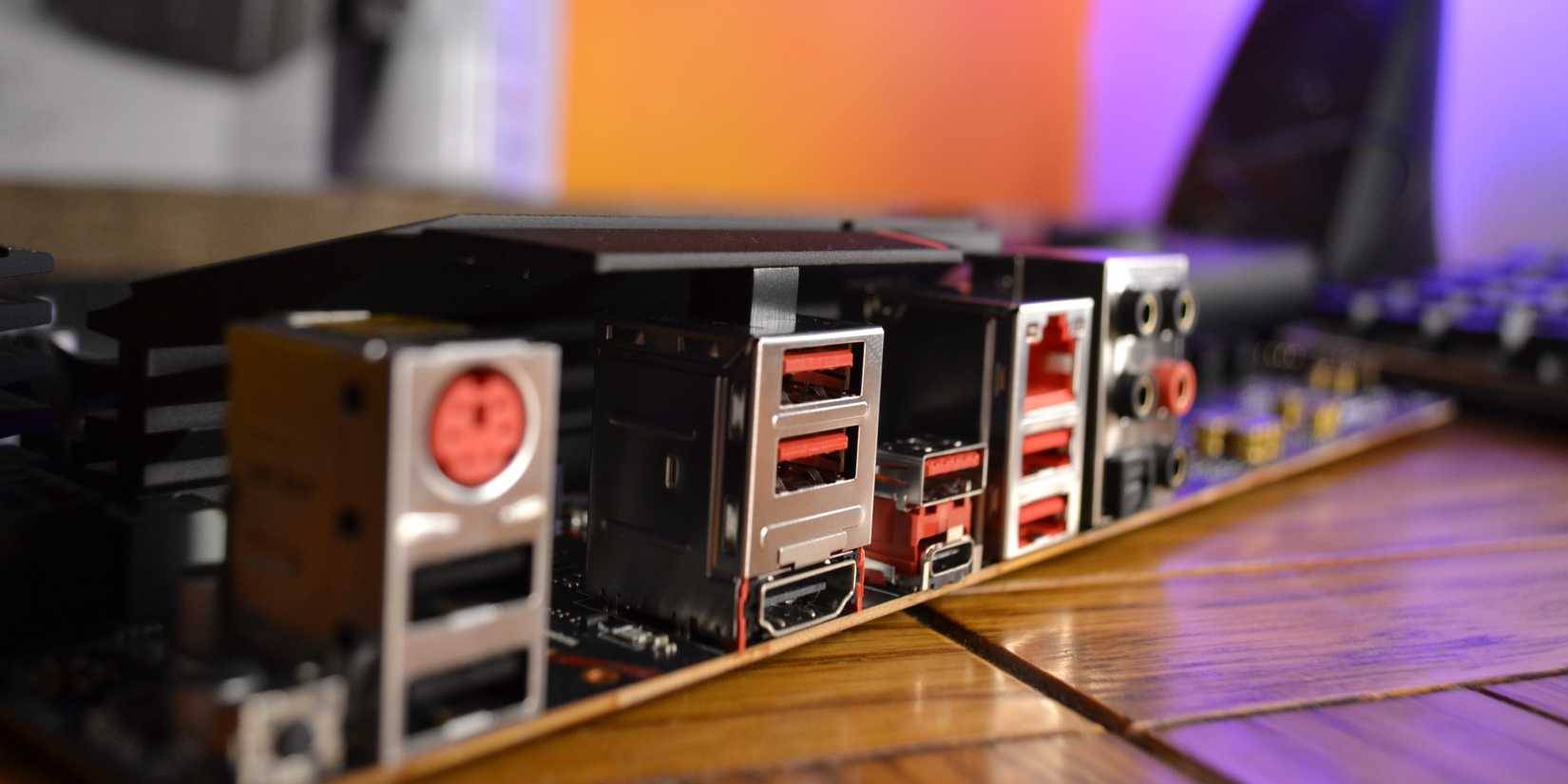
In fact, the first time some people encountered this problem was when they tried to update their computers from Windows 10 to Windows 11. Since Windows 10 ended support on October 14, 2025, users really needed to update their computers, but in some cases, things ended badly, with the computer becoming unresponsive due to some configuration issues.
Basically, due to poor management, there's a weird mess between the modern and legacy Windows drive settings, which means updating to Windows 11 isn't as simple as just hitting Update And watching the magic happen.
Windows 11 has some specific requirements for upgrading, which means that even though your computer is compatible, you still need to make some BIOS adjustments. However, enabling some of these settings in the BIOS doesn't work. Again, this is a "user issue" rather than a Windows issue (although Windows 11's requirements are annoying). The main setting in question is Secure Boot, which requires a UEFI-enabled drive using the GPT drive partition style.
After enabling the necessary settings, the primary boot drive became unreadable - along with everything else on the computer. The fan still spun, but nothing happened.
A small USB drive keeps your computer safe
You never have to worry about your computer crashing again
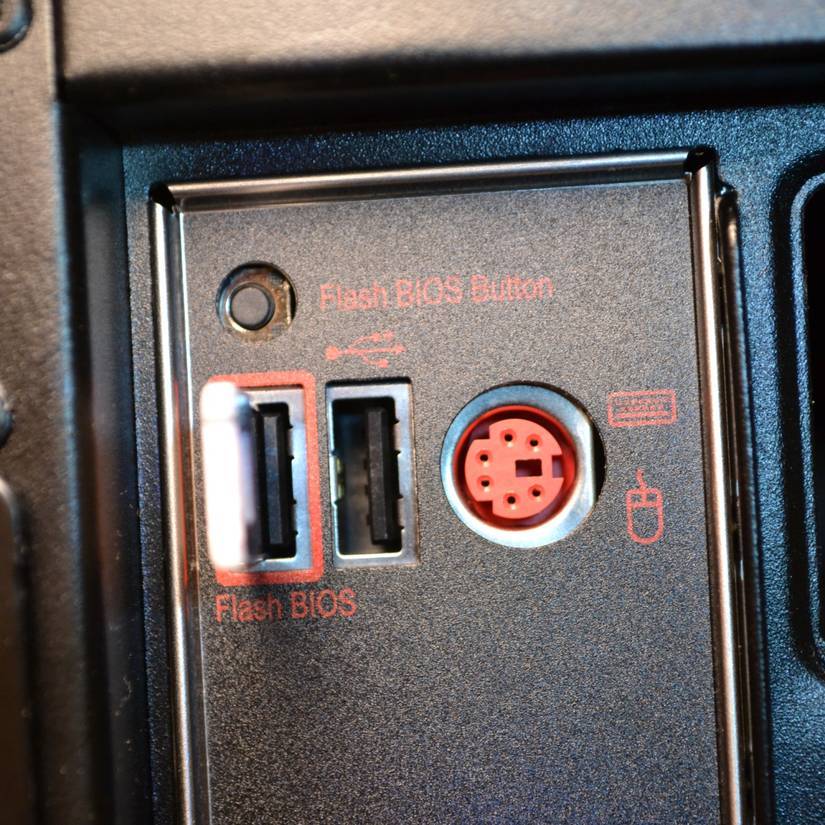
Luckily, your motherboard has a Quick BIOS Flash button. This is essentially a super-handy special USB port that you can use to flash the BIOS on your motherboard before you boot up your system.
In the example scenario, there is an AMD Ryzen 5000 CPU connected to a motherboard that is factory compatible with previous-generation AMD Ryzen 3000 CPUs. However, it is also compatible with 5000-series CPUs; it just needs to be updated first, and that's where the BIOS Quick Flash button and port come in.
On this motherboard, the BIOS Quick Flash option actually accesses a special minimal firmware that runs separately from the main BIOS. So if anything goes wrong, you can use this USB port and its button to flash the new firmware and reboot your computer.
And this magic is the tiny USB drive that holds the BIOS files for the motherboard. Modern BIOS configuration files are much larger than older versions, but the maximum capacity is still no more than 50MB.
The motherboard in this example requires a maximum of 32GB of USB 2.0 storage. The limited nature of the BIOS means it can't read drives larger than that. Furthermore, it must use the FAT32 file system and MBR partitioning. It may sound complicated, but it only takes a minute or two to configure.
Storing a BIOS backup on a USB is a must.
It's hard to know when your computer might stop working properly. Luckily, a corrupted BIOS is one of the rarest problems you'll encounter, but it's definitely one of the most stressful.
Storing a BIOS backup on a USB flash drive is handy when those moments happen, but it must be stressed that it may not solve your problem unless you have certain hardware.
FAQ
What is new about this BIOS update USB will keep your PC safe?
In practical terms, having a spare BIOS update USB drive with you always means you never have to worry about this again, and it has become one of the most useful backup drives to have.
Why does this update matter?
The article highlights that but now, having a spare BIOS update USB drive with you means you never have to worry about this again, and it's become one of the most useful backup drives to have.
Is the change available to everyone?
Availability may depend on the product version, region, account, or rollout stage described in the article.
Related Articles
 How to Update BIOS Safe and Correct for Laptop or Desktop6 minutes read
 Should I Update the BIOS? 5 Important Notes When Updating8 minutes read
 5 Tips for Using the BIOS to Help You Master Your Computer8 minutes read
 How to Update Your Computer's BIOS: Step-by-Step Guide10 minutes read
 Lenovo: Complete Guide3 minutes read
 How to Upgrading Bios13 minutes read
Reader Comments 0
Sign in with email or Google to join the discussion.