Table of Contents
Do Not Disturb synchronization can make several devices follow the same quiet mode, but support is not universal across every Android phone, tablet and watch. Check the features shown on your devices and the documentation for their specific combination rather than assuming one Google Account enables everything.
What is documented, and what was only a code finding?
Early reports about Google Play services pointed to a planned Do Not Disturb switch in cross-device services. Code strings can reveal development work, but they do not establish a public release date or a complete compatibility list.
Google now explicitly documents Do Not Disturb sync for Googlebook and a compatible Android phone. That setup requires an Android 17-or-later phone, current software, a shared Google Account, Bluetooth and Wi-Fi, and the same Wi-Fi network or personal hotspot.
This specific documentation does not establish that every phone-to-phone, tablet or watch combination has the same capability. Google's general Android cross-device services guide has its own requirements and feature list.
How to check your cross-device settings
- Check your Android version and install supported system and app updates.
- Search Settings for Cross-device services. Depending on the device, it may be under Google services or Connected devices.
- Review the device group and enable cross-device services on each device you want included.
- Look for a Do Not Disturb sync option. In Google's documented Googlebook setup, it appears with the Continue activity features.
- If available, enable it and test switching Do Not Disturb both on and off. Confirm the state on each participating device.
A missing option may reflect unsupported hardware, software version or feature availability. Signing in to the same account is necessary for some integrations, but it is not sufficient proof of support.
Watch synchronization is a separate compatibility check
Some watch-and-phone pairings already support shared Do Not Disturb or bedtime modes. Google has documented this for compatible Pixel phones and Pixel Watches. Other manufacturers provide their own controls and requirements.
Check the watch's companion app and manufacturer help. Do not assume all cross-brand combinations work, or that all unsupported combinations are impossible. Features change with device and software updates.
Review exceptions before relying on silence
Synchronizing an on/off state does not necessarily copy every notification exception. On each device, review allowed callers, applications, alarms, repeat callers and automatic schedules. Test an ordinary notification and any important alert you intend to keep.
If sync is unavailable, use each device's Quick Settings toggle or configure local schedules. Google's Modes and Do Not Disturb guide explains the available filters. You can also combine quiet mode with other Android focus features.
Cross-device services also support other integrations, but each has its own compatibility rules. Check the published feature requirements instead of tying all planned improvements to a single Android release date.
Related Articles
 Android M Do Not Disturb mode: easier to understand, easier to use
 How to activate non-disturbing mode on Android
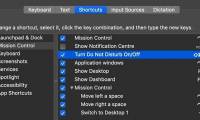 How to set Do Not Disturb shortcuts on a Mac
 How to use the non-disturbing feature of going to bed on iOS 12
 Does the alarm clock ring when Android turns off or in no-disturb mode?
 How to turn on do not disturb on Oppo automatically
Reader Comments 0
Sign in with email or Google to join the discussion.