Article on the subject of "windows 10x"
-
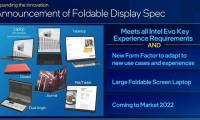
Intel is back with foldable laptops
introducing the 12th generation intel core chips for mobile devices, once again intel is back with this technology trend.
-
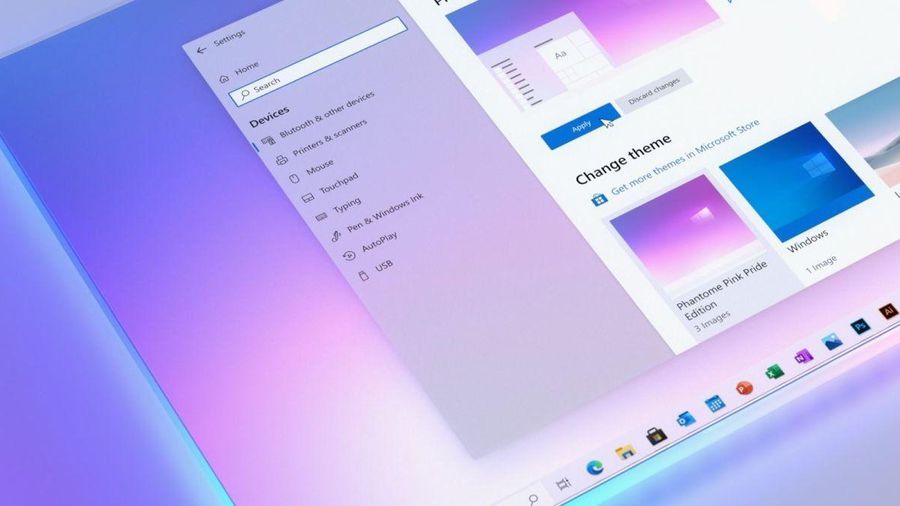
Microsoft released a new Windows 10 update
windows 10x is really gone, but microsoft seems to be keen to implement its good points on windows 10.
-
Microsoft confirms Windows 10X is dead
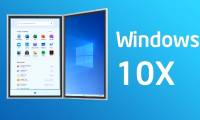
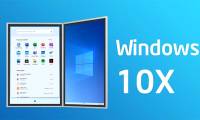
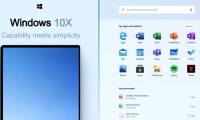
microsoft has just officially confirmed that windows 10x will not be released. microsoft will no longer be rolling out windows 10x as a standalone operating system, but will instead bring its key features to windows 10 and their other products.
-
Microsoft wants to 'quarantine' all third-party drivers on Windows 10
on windows 10, driver is a must-have element when you want to interact and use a specific hardware device. each hardware device is compatible with its own driver.
-
How to shut down or restart a Windows 10X computer
although there are many similarities with windows 10, in fact a lot of windows 10 features have been removed on windows 10x. in addition, a number of other features have also been adjusted, such as options to turn off, restart the device.
-
Dual-screen Surface Neo tablets were delayed indefinitely
sad news for surface fans who have been expecting this unique device since last year.
-
Microsoft confirmed Windows 10X will be available on a single-screen PC first instead of dual monitors
microsoft claims that windows 10x will ship directly to dual-screen pc models in the second half of 2020, and surface neo will be the first to run the highly anticipated new operating system. however things have changed 180 degrees.
-
Here's how Microsoft evaluates Surface Neo and Duo
the use of wrist sensors and electroencephalography has played a major role in the development of surface neo and surface neo.
-
This is the new File Explorer interface designed by Microsoft specifically for Windows 10X
windows 10x is currently in the refining and finalizing phase to make it available later this year.
-
First impressions of Windows 10X: a very logical step for Microsoft
when microsoft announced windows 10x in october 2019, many people believed that the operating system would eventually fail, just like windows rt.
-
3 features of Windows 10X should be brought to Windows 10
not only is windows 10x an operating system for dual-screen and foldable devices, it is also the foundation for introducing a series of changes to the modern windows experience that windows 10 has pioneered for many years. before.
-
How to try Windows 10X right on Windows 10 without installing it
curious about windows 10x? this is how it is provided by microsoft.
-
How to install Windows 10X emulator on Windows 10
if you are a developer or a technology enthusiast, you can test windows 10x on your device with microsoft emulator on windows 10. of course, your device must meet the minimum requirements.
-
Actual photo of Windows 10X on ThinkPad X1 Fold
at ces 2020, lenovo showed the thinkpad x1 foldm, its folding prototype prototype laptop running windows 10x, the optimal operating system for microsoft's folding devices.
-
Dell unveils a new patent on its unique foldable PC model
the product is expected to be released in the second half of 2020.
-
Windows 10X will be available for laptops as well, these are the first images of this OS
the major and significant changes of windows 10x are revealed in the internal design document of microsoft.
-
7 surprising announcements from Microsoft at the 2019 Surface hardware event last night
here are 7 surprising announcements from microsoft at its annual surface hardware event last night (october 2).
-
Surface Neo, a unique dual-screen device from Microsoft, runs Windows 10X
surface neo is a unique dual-screen device that can be used as a traditional laptop, a tablet or an e-book.
-
Here's how to uninstall Windows 10 to return to using Windows 7 or 8.1
suppose for some reason that you do not want to use the windows 10 operating system anymore, such as in the process of using windows 10 you often encounter some errors, ... you can completely downgrade from windows 10 to windows 7 or windows 8.1.
-
The chart for the 10 most amazing versions of Windows
more than 35 years have passed since the time microsoft released what changed the face of the computer industry: the windows operating system.
-
Windows revolution and breakthrough changes through each version
let's look at the most significant changes on major windows versions that have been released over the years, and how they are still useful today.
-
Summary of several logout methods on Windows 8 and Windows 10
on windows 7 and previous windows versions, users can easily log out of their accounts. however, on windows 8 and windows 10, this process is a bit more complicated.
-
Looking back at 27 years of 'evolution' of Windows
software firm microsoft is preparing to release a new windows 8 operating system that promises to make significant progress changes compared to previous generations, such as tablet support, the update process is judged to be more reasonable. ..
-
Instructions on how to upgrade from Windows XP to Windows 8
when upgrading from windows xp to windows 8, only data files will be saved, some programs and drivers will have to be reinstalled or upgraded. if you own a pc running xp pro service pack 3, here are the steps to take to upgrade to windows 8.
-
4 ways to 'revive' Windows XP on Windows 10
windows xp is an operating system with a history of more than a decade. although windows 10 is now the latest and greatest, but for some windows xp people cannot be defeated. so the following article will show you how to 'revive' this operating system on windows 10, please follow it.
-
What is Windows Hello? How does Windows Hello work? How to install Windows Hello
windows hello is a feature that helps sign in to windows 10 devices with just one look or one touch without having to enter a password.
-
Instructions for setting up Windows Hello face recognition on Windows 10
windows hello is a convenient and useful new feature integrated by microsoft for windows 10 with the ability to identify user faces, security support and support for faster login when using the operating system.
-
9 Windows 8.1 errors have not been resolved
with the application of new functions such as boot straight into desktop, refreshing the app store and using multiple windows for modern applications, windows 8.1 feels like a new step compared to its predecessor windows 8. although however, there is a question: why doesn't microsoft call it windows
-
How to download Windows 10 Theme for Windows 7
since the release of windows 10, many windows 7 and windows 8 users want to get the windows 10 interface in windows 7/8 by installing a visual style (theme). those looking for a good windows 10 theme for windows 7 will be happy to know that the windows 10 theme is available for windows 7.
-
Compare Windows 10 and Windows 11
windows 11 has officially launched. with it come some pretty big changes to the windows experience. whether it's brand new features or old functionality with a new look, windows 11 seems to have breathed new life into most people.
-
Windows operating system is 35 years old, everything you need to know about Windows
35 years ago on 11/20/2085, the first version of windows operating system appeared to replace ms-dos, which completely changed the history of computer technology. it is an important pillar paving the way for the modern versions of windows that we are using today.
-
Instructions for upgrading Windows 7 to Windows 8 and Windows 8.1
microsoft allows users running windows 7 and windows xp to upgrade directly to windows 8 or windows 8.1 without having to reinstall windows. in the article below, network administrator will guide you through the steps to upgrade from windows 7 to windows 8 and windows 8.1.
-
Use Windows XP Mode on Windows 8
windows xp mode is no longer active in windows 8. and so is the future. explaining this, microsoft simply stated that it will no longer support windows xp and does not want users to continue using it, even in a virtual machine. however, you can easily set up windows xp mode in windows 8.
-
Instructions for using Snap feature on Windows 10 with shortcut
snap on windows 10 is completely different than on windows 7 and 8. with windows 10, you can flexibly move or resize open application windows throughout the screen position easily. based on new shortcut keys.
-
How does Windows 7, 8 not automatically upgrade to Windows 10?
for windows 7 and windows 8 users, if windows 10 is eligible to upgrade windows 10 will receive a notification to upgrade windows 10 in the system tray. however, if you don't want to use windows 10, you can still block windows 7 and 8 upgrades to windows 10.
-
How to enter Windows XP mode from Windows 7 to Windows 10
moving xp mode from windows 7 as a virtual machine to windows 10 is relatively difficult, because of the different drives and multiple files used. this tutorial will show you an easy workaround, the whole process takes less than 10 minutes.
-
Even if you're tired of Windows 10, don't downgrade to Windows 8.1
how to geek, after trying to reinstall windows 8.1 and experiencing it for a few hours, advised users that it should not be back to windows 8.1. try to find out why so.
-
How to stack windows (Cascade Windows) on Windows 10 & 11
this guide shows you how to quickly stack windows (cascade windows) on windows 10 & 11 to optimize multitasking and screen management.