wifi calling
-
 How to turn off WiFi calling on Android
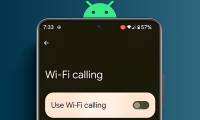
wifi calling is a feature that allows you to make calls and send messages via wifi network completely free of charge on android phones. the following article will guide you how to turn off wifi calling feature on android.
How to turn off WiFi calling on Android
wifi calling is a feature that allows you to make calls and send messages via wifi network completely free of charge on android phones. the following article will guide you how to turn off wifi calling feature on android.
-
12 Settings on Samsung Galaxy Phones You Should Change
just bought a new samsung galaxy phone and need to configure it? here are 10 settings you should change to make your samsung phone run better.
-
What is WiFi Calling? How does it work?
network coverage is improving, but there are still many people around the world who cannot get a phone signal as good as in their homes. there are areas of poor reception in many networks, especially in rural areas. wifi calling can be the solution to this problem.
-
The simple way to boost mobile phone signal strength in your home
in theory, there will be two reasons for poor signal strength, which may be your service provider's fault or may be due to materials blocking signals and structures in your own home.
-
Steps to make a call on Wifi Calling
with wifi calling, iphone users can receive or send messages, make calls and receive calls anywhere if the phone has a wifi connection. in the article below, network administrator will guide you through the steps to make a call on wifi calling.
-
Instructions for activating and using Wifi Calling feature on iOS 8
apple supports adding wifi feature calling on ios 8 operating system. with wifi calling you can receive or send messages and calls anywhere if your phone has wifi connection. to enable and use wifi calling on iphone, refer to the following article of network administrator.
-
Enable Wi-Fi Calling on iOS 10
wifi calling is a feature that allows iphone users to receive or send messages and calls anywhere if the phone has a wifi connection. apple supports this feature first on ios 8. operating system and to ios 10 (iphone 7, iphone 7 plus), this feature is still integrated and used.
 Home
Home
 Wifi Tips
 Fix Computer
 Windows 10
 Windows 11
 Artificial Intelligence
 Space Science
 Strange story