Article on the subject of "presentations"
-

Fix 6 common errors on PowerPoint slides
what could be worse when you are preparing to report in front of people and unexpectedly discover that your presentation slide is so prepared to show very unusual signs.
-
If you want a nice, easy-to-understand presentation slide, you need to keep in mind the following
to make your presentation more appealing and unique, the slide will be an effective support tool for you. many people when presenting often give slides the effects and colors to attract viewers. but this is not necessary. for a fascinating and engaging presentation slide, just keep in mind the
-
Tricks for audio and video in Microsoft PowerPoint 2010
in order to have a lively and engaging audience presentation, in addition to the following elements: good content, beautiful effects, you need to add some appropriate audio and video illustrations ...
-
Instructions for using PowerPoint effectively
please help the viewer get comfortable and follow the simple instructions below to help your presentation 'more soulful'.
-
10 useful tips for you when presenting with PowerPoint
here are some small tutorials that will help you make professional presentations with concise content, avoiding the most common mistakes. please refer to 10 useful tips when presenting with powerpoint!
-
Before giving a presentation, take 15 minutes to do these things
the heart beats fast, the mouth is dry, the hands are sweaty, ... and you start feeling anxious, restless, uneasy. those are the common psychologies that anyone faces before making a presentation to the crowd. and if you're going to have some important presentation in front of the crowd, take 15
-
14 basic mistakes when presenting in public
too much joking, reading slides, excuses for being late or not preparing well before standing on stage are the most basic errors that many speakers have.
-
3 core elements of a successful presentation
a presentation is called success when easy to understand, easy to remember and emotional.
-
PowerPoint informatics test P9
powerpoint is one of the useful microsoft office applications when you need a presentation. if you are looking to learn about this application, the multiple choice questionnaire below will give you lots of useful information.
-
PowerPoint informatics test P10
a set of multiple-choice questions about powerpoint 2010, invite readers to test their knowledge. the set of questions includes 10 sentences to try.
-
PowerPoint informatics test P7
powerpoint is an important application in the microsoft office software suite produced by the big microsoft that creates presentation files. in the quiz below, network administrator will send you very interesting questions revolving around this topic for you to learn.
-
PowerPoint P8 informatics test
please read your knowledge with questions around the powerpoint topic. the questions that the network editor below will give you some useful knowledge. let's start.
-
PowerPoint informatics test P5
to make your presentation more interesting and new, tools like powerpoint will help you a lot. in this article, network administrator will learn with you about this tool through the following extremely interesting multiple choice questions.
-
PowerPoint informatics test P6
to create an impression for a presentation with listeners, in addition to good content, beautiful powerpoint slides will help you a lot. in this article, network administrator will send a set of multiple choice questions about powerpoint.
-
PowerPoint informatics test P4
power point is an effective presentation tool, and in order to increase persuasiveness and attraction from slides, images are an indispensable part. to help readers have more useful knowledge about this topic, below the network administrator will send you reading extremely interesting questions
-
Steve Jobs and the simple secret of making speeches come into people's hearts
the once-famous apple macintosh technology maker guy kawasaki has given at least 2,000 speeches since 1987. in which kawasaki revealed that many presentation techniques he used to attract audience attention. the author was able to study and get inspired by steve jobs.- whom kawasaki considered 'the
-
To succeed, learn the talking techniques like Jack Ma
perhaps any reader would wonder why jack ma's talks attracted so many listeners. of course not just because he is a billionaire.
-
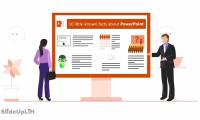
15 Facts About Presentations That You Should Know
presentations are the standard for business communication over the world and have been for decades. but the history of presentations, and software like microsoft powerpoint and google slides, is quite fascinating.
-
10 useful tips for you when presenting with PowerPoint
here are some small tutorials that will help you make professional presentations with concise content, avoiding the most common mistakes. please refer to 10 useful tips when presenting with powerpoint!
-
How to create professional presentations in Canva
there are many options for creating workplace presentations, from familiar tools like microsoft powerpoint to new names like google slides. there is another platform for creating a presentation, canva.
-
How to use Gamma AI to create stunning presentations
presentations are one of the most effective ways to convey information, but like everything else, they often require time and effort to create an impressive product.
-
Use iPhone to control remote presentations
through the keynote application and wireless connectivity, presentations on mac computers can be remotely controlled by iphone, ipad, and intuitive experience.
-
Create and open presentations in PowerPoint 2016
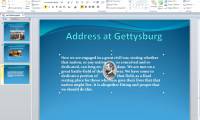
powerpoint files are called presentations. whenever you start a new project in powerpoint, you will need to create a new presentation that can be completely refreshed or from a template.
-
Before giving a presentation, take 15 minutes to do these things
the heart beats fast, the mouth is dry, the hands are sweaty, ... and you start feeling anxious, restless, uneasy. those are the common psychologies that anyone faces before making a presentation to the crowd. and if you're going to have some important presentation in front of the crowd, take 15
-
PowerPoint 2016: Reviewing your presentation
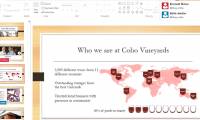
before submitting a presentation, users can ask others to review it and provide feedback on the slides. the presentation creator can even work with a collaborator to create a presentation together.
-
PowerPoint 2016: How to print slides and presentations
although powerpoint presentations are designed to be viewed on a computer, there are times when you may want to print them. you can even print customized versions of your presentations. this can be especially useful when presenting slide shows.
-
Turn any document into a presentation with this AI trick!
creating a presentation from scratch can be a time-consuming challenge, especially when you start with a detailed document filled with notes, research, or data.
-
Create professional presentations with Prezi AI.
prezi ai allows users to build slides in the form of visual mind maps, combining smooth animation effects and automatic layout suggestions, making presentations more engaging and memorable.
-
Share PowerPoint 2016 presentations online
instead of displaying the slideshow as usual, you can choose to present it as a video or even online so that others can view it remotely.
-
Guide to giving offline presentations on Canva
you can use canva offline to give presentations without an internet connection. this offline mode only applies to the web and desktop versions of canva.
-
How to make PowerPoint - Instructions for making reports and presentations using PowerPoint
powerpoint is an application that helps you create presentations, reports, presentations ... this article will guide step by step making powerpoint for new students.
-
How to save presentations in PowerPoint 2016
whenever you create a new presentation in powerpoint, you'll need to know how to save it for later access and editing. as with previous versions of powerpoint, you can save files to your computer.
-
If you want a nice, easy-to-understand presentation slide, you need to keep in mind the following
to make your presentation more appealing and unique, the slide will be an effective support tool for you. many people when presenting often give slides the effects and colors to attract viewers. but this is not necessary. for a fascinating and engaging presentation slide, just keep in mind the
-
How to create an engaging presentation using Figma
there are a million ways to create a presentation, but figma is an underrated tool. the prototype feature in figma allows for a multitude of customizable transition options.
-
How to Deliver Effective Presentations
delivering presentations is an everyday art form that anyone can master. to capture your audience's attention, present your information with ease and confidence. act as if you are in a conversation with your audience, and they will pay...
-
Rehearsal and record presentations in PowerPoint 2016
powerpoint provides a number of tools that can help you rehearse your presentation. you can even record a copy with the caption, allowing the listener to review the presentation later.
-
Steve Jobs and the simple secret of making speeches come into people's hearts
the once-famous apple macintosh technology maker guy kawasaki has given at least 2,000 speeches since 1987. in which kawasaki revealed that many presentation techniques he used to attract audience attention. the author was able to study and get inspired by steve jobs.- whom kawasaki considered 'the
 Home
Home Tech info
 Technology
 Science
 Life
Life Application
 Electric
 Program
 Mobile
 System