kill viruses
-
 Remove viruses, trojans on Windows 7 manually
this article i will show you how to remove viruses, trojans manually on windows 7 operating system in a simple way.
Remove viruses, trojans on Windows 7 manually
this article i will show you how to remove viruses, trojans manually on windows 7 operating system in a simple way.
-
Fix the phenomenon of hidden files in the explorer virus
plug the usb into the computer as usual and suddenly find no data present; while the drive capacity is still occupied ... using all kinds of ways is still not done, do not rush to format usb but please calmly review this article to be able to save your data.
-
The best computer protection software
viruses, malware, worms, ... are malicious software with your computer. anyone who has been using a computer knows them or at least has heard about them.
-
How to remove Trojan, Virus, Worm or Malware?
these are extremely dangerous programs. when your computer is attacked by a virus or malware, they will start to devastate your computer.
-
Steps to remove temporary files stored on Kaspersky
like other programs and antivirus applications, in the process of using kaspersky internet security software, kaspersky will store temporary files in a folder hidden deep in the system drive.
-
No need to use an antivirus program, this is how to get rid of the virus on your computer
viruses can be illegally hacked into users' computers through various ways, such as during web browsing, or from usb devices or during the installation of applications and software.
-
How to identify and kill strange viruses when using YM
in the face of strange virus attacks, yahoo messenger (ym) community can identify and destroy viruses in two ways.
-
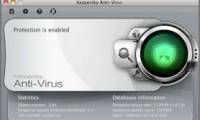
Kaspersky launches antivirus version for Mac
kaspersky has just released a version of the antivirus software of the same name for apple's mac os x operating system.
-
Removal of virus does not need specialized software
this is an appropriate method for computers with configurations not strong enough to use heavy-duty antivirus software such as bitdefender, kaspersky, norton antivirus ...
-
How to show hidden files and folders on the USB drive
when using usb to copy data from one computer to another, usb virus attack is normal, very happening. and once the virus has attacked the usb drive, it can 'eat' or hide any data on your usb drive. so how to display hidden files and folders on the usb drive, please refer to the following article
-
Kill viruses, Windows 7 trojans without downloading software
software scans take a lot of your time, from installation to waiting for the completion process. not to mention some protection tools also consume a lot of memory. so why don't you try to manually perform the virus and trojan removal process on win 7 computer?
-
5 tips to help your computer stay 'healthy'
this article will provide some very easy-to-follow instructions on how to keep your computer healthy by using the tools available in windows 7, windows vista, windows xp and microsoft office 2010.
 Home
Home
 Wifi Tips
 Fix Computer
 Windows 10
 Windows 11
 Artificial Intelligence
 Space Science
 Strange story