Table of Contents
A phone can convert many PDFs into a Word document, but the result depends on the source. Text-based PDFs usually convert more cleanly than scans, columns, forms, or graphic-heavy pages. Scanned pages require OCR, and no app can guarantee a perfect layout.
Before installing a “Document Viewer” app
Several mobile apps use nearly identical names such as Document Viewer, Document Reader, or PDF Viewer. The original article did not identify a developer or current store listing, so do not install an app based only on these old screenshots.
- Open the official Google Play or Apple App Store listing yourself.
- Verify the developer, recent update history, privacy disclosures, permissions, subscription terms, and in-app purchase details.
- A document reader does not need access to contacts, SMS, phone calls, or precise location for basic conversion.
- Check whether conversion happens on the device or uploads the PDF to a server.
- Avoid converting confidential, financial, identity, medical, legal, or work documents in an unapproved app.
Convert PDF to Word in a compatible Android app
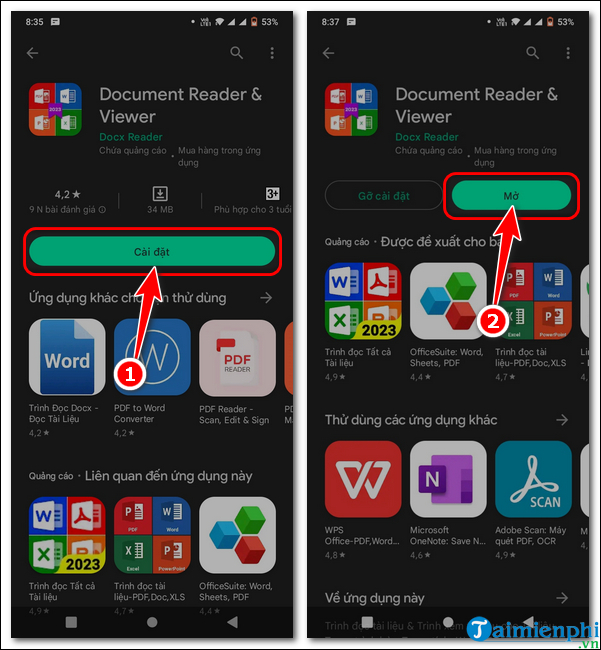
The interface varies, but an app with a genuine PDF-to-Word feature generally uses this workflow. The screenshots below show the older Document Viewer version referenced by the original guide.
Install the verified app from its official store listing and open it. Review requested file or photo permissions; grant only what is needed to select the PDF.
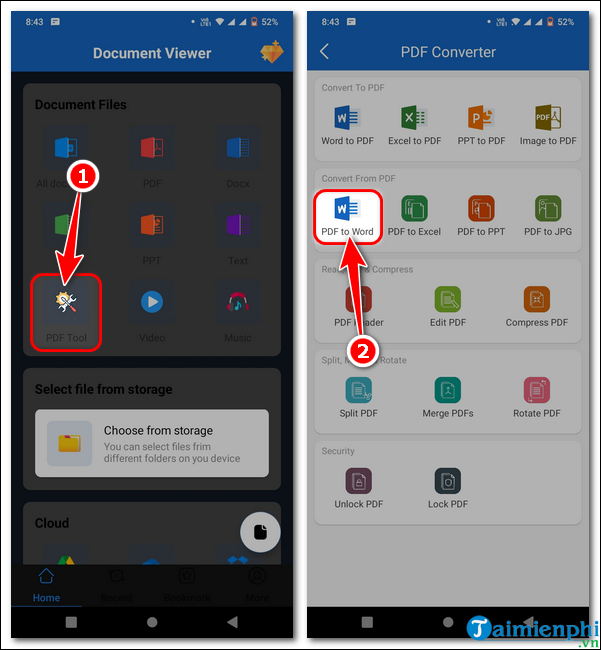
Open PDF Tools or Convert, then choose PDF to Word.
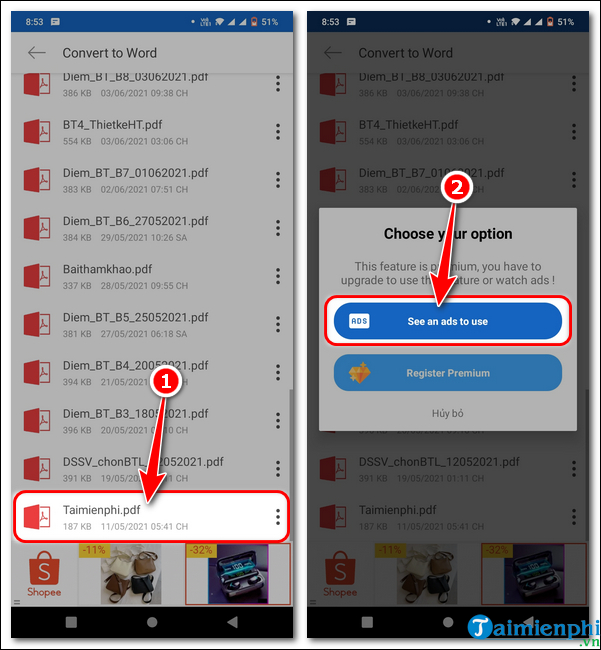
Select the PDF from local storage or an approved cloud location.
Review the offered conversion mode. An ad-supported option may exchange attention or data for use, while a premium option may create a recurring subscription. Confirm the price and renewal terms before continuing.
If the PDF is a scan, enable OCR and choose the correct document language when the app offers those controls.
Start the conversion, wait for it to finish, and open the DOCX result.
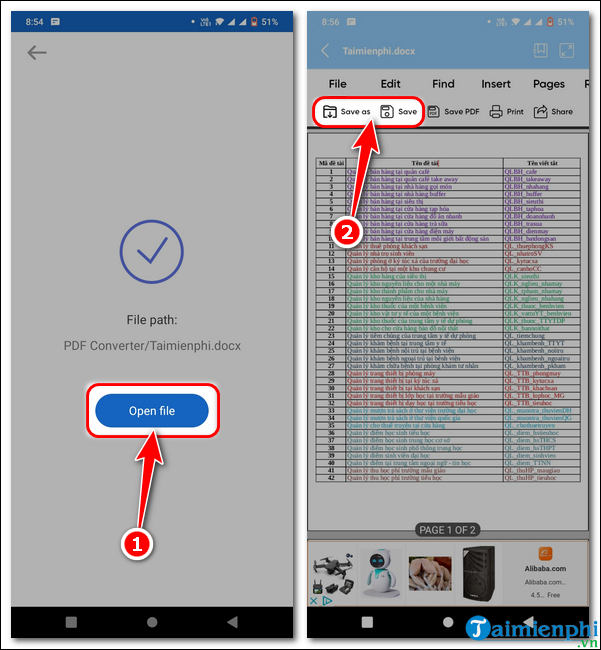
Save or share the new file to a location you control. Delete uploaded or temporary copies according to the service's privacy controls.
Convert on iPhone or iPad
If the named app is unavailable on iOS, use a reputable PDF or office app that explicitly supports PDF-to-DOCX conversion in its current App Store listing. You can also use a trusted web converter in Safari for non-sensitive documents, or transfer the PDF to a computer and convert it in desktop Word or an approved OCR tool.
Do not assume an Android and iOS app with the same generic name comes from the same developer.
Check whether the output is truly editable
- Tap within a paragraph and confirm individual words can be edited.
- Check names, dates, numbers, accented characters, and Vietnamese diacritics against the PDF.
- Inspect tables, columns, headers, footnotes, page numbers, and images.
- Make sure each page is not merely inserted as a picture.
- Save the DOCX, close it, and reopen it in another compatible editor.
If the text appears garbled, use the guide to fix PDF-to-Word font errors. For image-only documents, follow an OCR-first scanned-PDF workflow.
When a computer is the better choice
Use a desktop when the PDF is long, confidential, table-heavy, or important enough to require careful proofreading. A larger screen makes it easier to compare the source and output side by side, choose OCR languages, and repair styles. Review the broader list of PDF-to-Word conversion methods before paying for a mobile subscription.
Keep the original PDF unchanged. The Word file is an editable reconstruction, not a guaranteed replica or proof that every character was recognized correctly.
Related Articles
 How to Convert a WordPerfect Document to a Microsoft Word Document4 minutes read
 How to Turn a Scanned Document into Microsoft Word Document8 minutes read
 2 Quick Ways to Convert Word to PDF on Your Phone3 minutes read
 Convert PDF to Word, Convert PDF Files for Free12 minutes read
 How to Convert a Word Document to Epub5 minutes read
 How to Convert HTML to Word6 minutes read
Reader Comments 0
Sign in with email or Google to join the discussion.