Table of Contents
Foxit PDF Reader can embed another file inside a PDF as a document-level attachment. The attachment travels with the saved PDF and appears in the Attachments panel; it does not become a visible page or merge its contents into the document.
The screenshots below show an older Foxit interface. Current menu labels may differ, but you can still open the Attachments panel from the navigation controls.
Attach a file to the entire PDF
Open Foxit PDF Reader. If you need help with installation or basic navigation, see how to use Foxit PDF Reader.
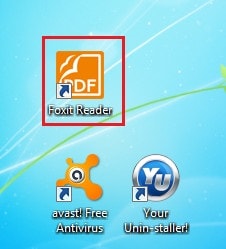
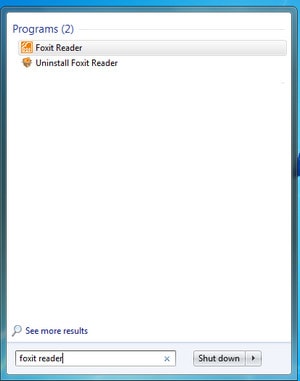
Open the PDF that will contain the attachment.
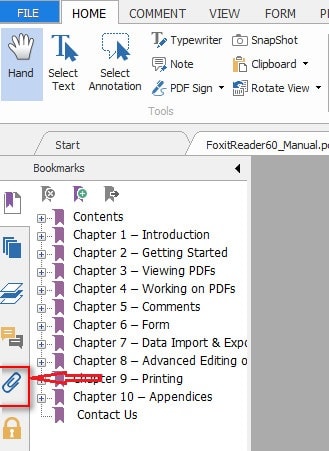
Choose View > View Setting > Navigation Panels > Attachments, or select the paperclip-shaped Attachments icon in the navigation panel.
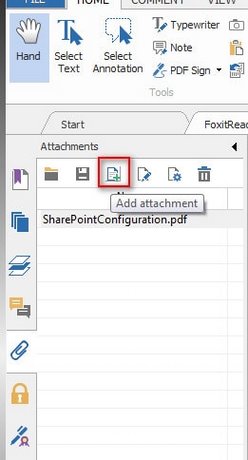
In the Attachments panel, select Add Attachment. Choose Add Files (or Add Folder, if available), locate the content you want to embed, and confirm the selection.
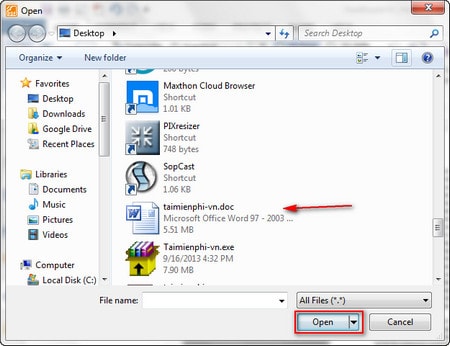
Verify that the file appears in the Attachments panel.
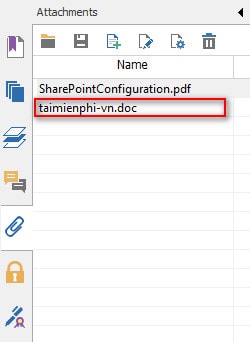
Select File > Save or Save As. Adding the file in the panel is not enough—the PDF must be saved for the attachment to remain embedded.
Attach a file to a specific place on a page
Foxit also supports a file-attachment comment. Choose the file command in the Comment tools, click the intended position on the page, and select a file. A small attachment icon appears at that location. This is useful when the extra file relates to a particular paragraph, figure, or form field.
A document-level attachment is invisible on the page and is found in the Attachments panel. A file-attachment comment is represented by an icon on the page. Choose the method that makes the relationship clear to the recipient.
Open, save, rename, or remove an attachment
Open the Attachments panel and select the item. Depending on the Foxit version, toolbar buttons or the right-click menu let you open it, save a copy, edit its description, or delete it. Save the parent PDF after making changes.
Security and compatibility considerations
- Do not open unexpected attachments. An embedded file can be as risky as an email attachment. Confirm its source before extracting or opening it.
- Executable files may be blocked. Foxit security settings can deny or warn about formats such as
.exe. Do not weaken these controls simply to open an untrusted file. - Attachments increase the PDF size. Compress large media separately when appropriate, but do not claim a universal size limit; limits can depend on the application, file system, and sharing service.
- Recipients may miss hidden files. Tell them that the PDF contains attachments and where to find the panel in their viewer.
- Not every PDF viewer handles attachments identically. Test the saved document in the viewer your recipients use.
Foxit's file attachment documentation explains both attachment types and the available panel actions. If you need to alter the visible text or images instead, use a proper PDF editing method rather than embedding another file.
Related Articles
 Instructions for Attaching Files to PDF Files Using Foxit Reader2 minutes read
 Instructions on editing PDF files using Foxit PDF Reader13 minutes read
 How to Install the Latest Version of Foxit Reader on Your4 minutes read
 How to Join PDF Files with Foxit Reader2 minutes read
 minutes read
 How to Set up Voice Text Reading Mode in Foxit Reader?2 minutes read
Reader Comments 0
Sign in with email or Google to join the discussion.