Table of Contents
Office 2016 includes useful tools for reusable content, data import, document sharing, charts, watermarks, and interface customization. Several were not actually introduced in Office 2016, but they remain practical features for people who still maintain this version.
Support note: Microsoft ended support for Office 2016 on October 14, 2025. The applications may continue to run, but they no longer receive regular security fixes or technical support. Plan a move to a supported Office release, especially on computers that open files from outside your organization. See Microsoft's Office upgrade and end-of-support guidance.
1. Insert a date or time in Word
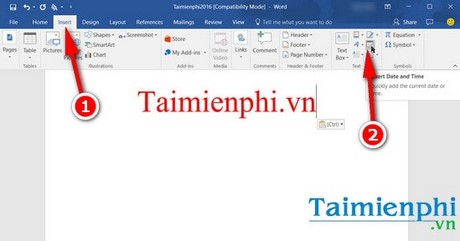
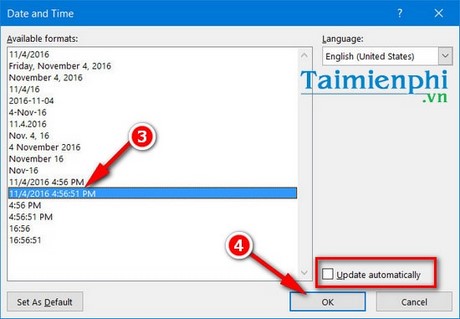
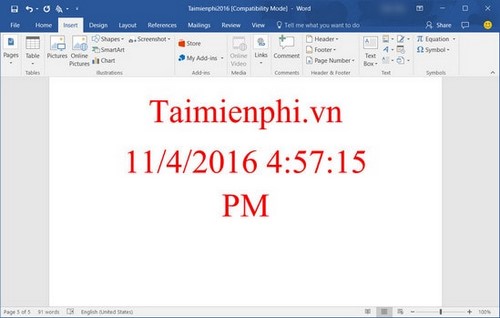
Place the cursor where the value belongs, select Insert > Date & Time, choose a format and language, then select OK. Enable Update automatically only when the document should display the current date whenever the field refreshes. Leave it disabled when the date must remain fixed, such as the issue date on a letter.
This is mainly a Word feature, not a universal identical command across Word, Excel, and PowerPoint. In Excel, use date/time values or functions such as TODAY() and NOW() according to the worksheet's needs.
2. Change the Office theme and background
Open File > Account. Use Office Background for the decorative title-bar pattern and Office Theme for the interface colors. Available themes can include Colorful, Dark Gray, Black, and White, depending on edition and updates.
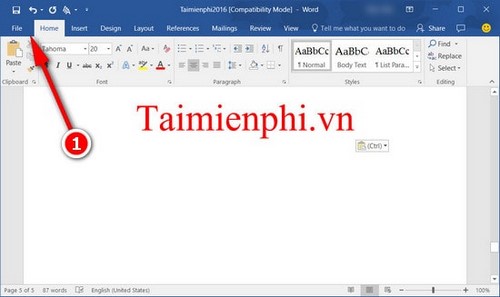
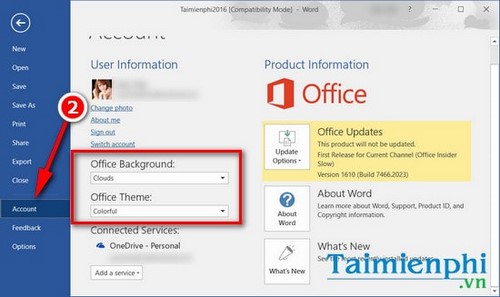
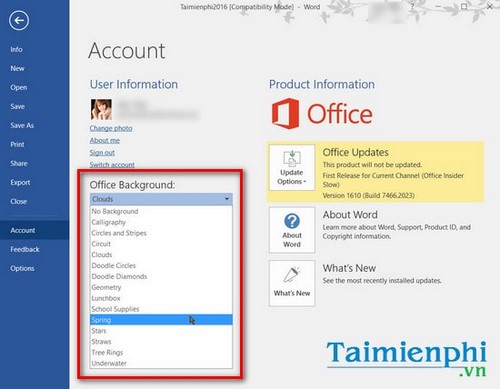
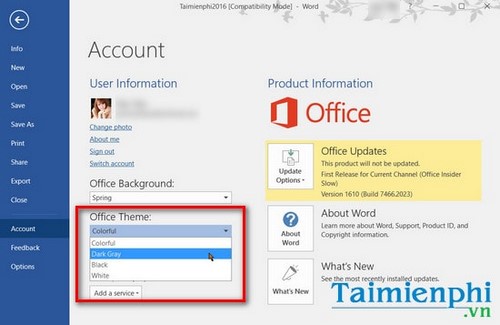
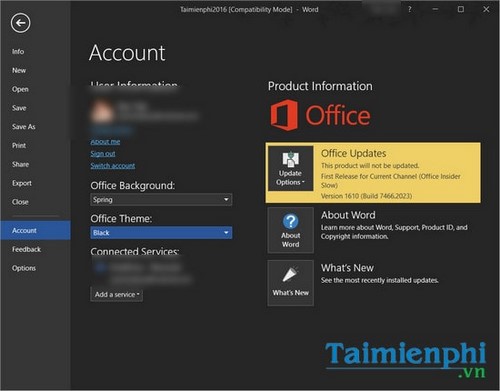
The choice usually applies across Office applications. For more detail, compare the Office 2016 interface settings and the steps to enable a dark Office theme.
3. Use newer chart types
Excel 2016 expanded its chart selection with types such as Waterfall, Histogram, Pareto, Box and Whisker, Treemap, and Sunburst. Select a well-structured data range, choose Insert, and pick a chart suited to the question the data should answer. Word and PowerPoint can also insert charts backed by an embedded worksheet.
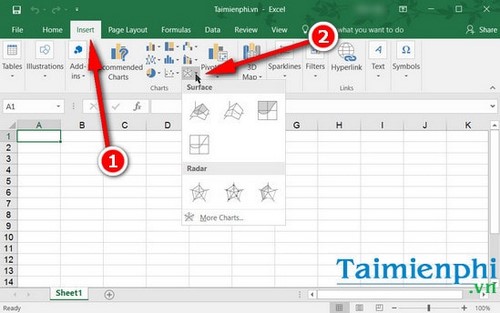
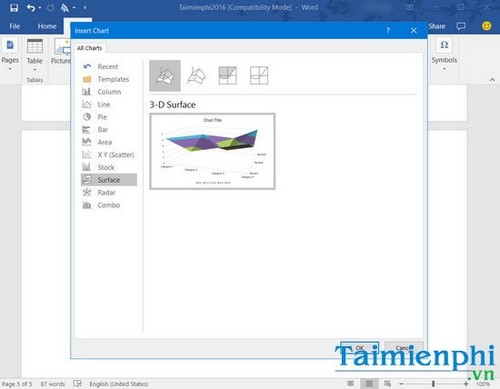
A new chart type is not automatically a better chart. Label units, avoid unnecessary effects, and verify that categories and values are interpreted correctly.
4. Reuse content with Quick Parts in Word
Quick Parts stores reusable text, fields, and document properties. Select the content, choose Insert > Quick Parts > Save Selection to Quick Part Gallery, name the entry, and save it to the appropriate template.
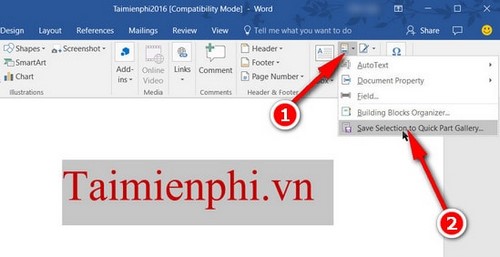
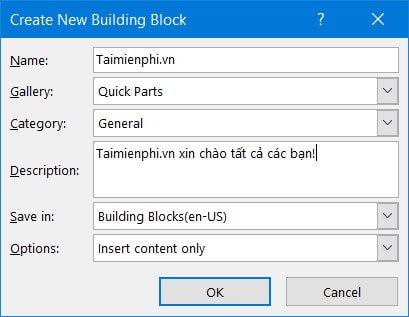
To reuse it, return to Insert > Quick Parts and select the entry.
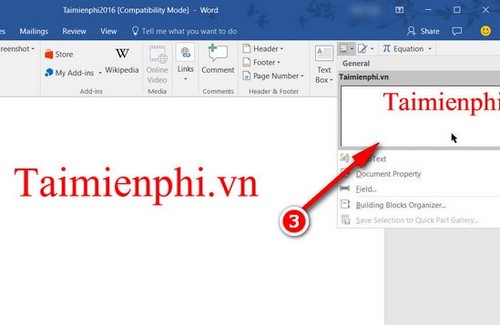
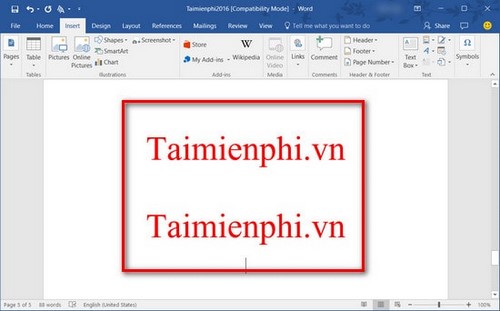
Quick Parts predates Office 2016. Its value is in consistently reusing approved addresses, clauses, signatures, and other blocks without copying from an old document.
5. Look up selected text
Right-click a word or phrase and choose Smart Lookup when the command and connected service are available. A pane can show definitions or web-related information.
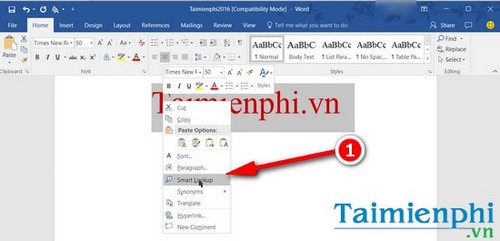
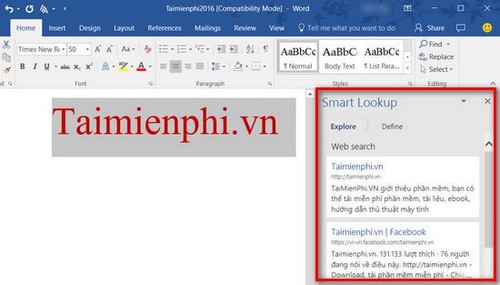
Results may depend on privacy settings, internet access, service availability, and organization policy. Do not treat lookup summaries as authoritative for legal, medical, financial, or technical decisions; open and evaluate the original sources.
6. Add a watermark in Word
Select Design > Watermark, then choose a built-in option or Custom Watermark for text or a picture.
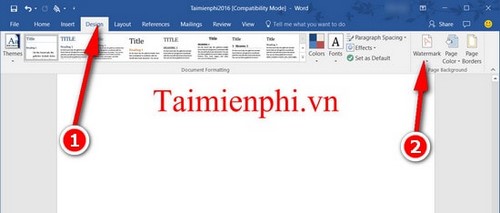
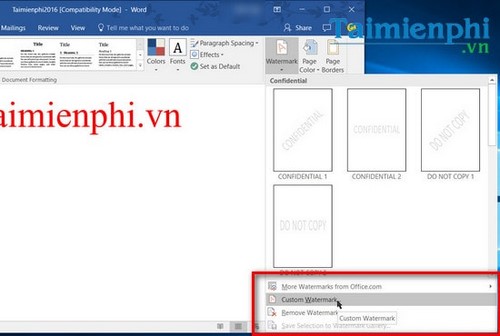
A watermark can communicate “Draft,” “Confidential,” or another status, but it does not enforce copyright, prevent copying, or secure the file. Use document permissions and organizational controls when access must be restricted.
7. Import a web table with Excel Power Query
In Excel 2016, the command may appear as Data > New Query > From Other Sources > From Web. Enter the page URL, review the available tables in Navigator, then choose Load or Edit to clean and transform the data.
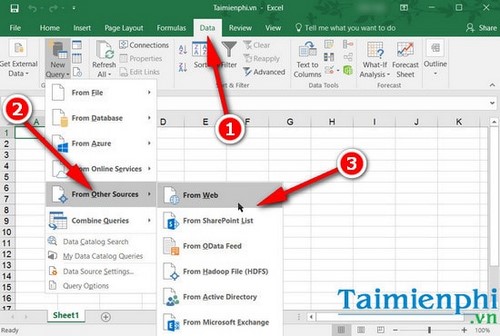
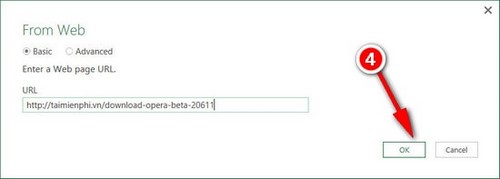
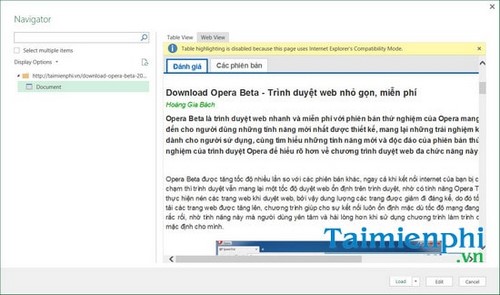
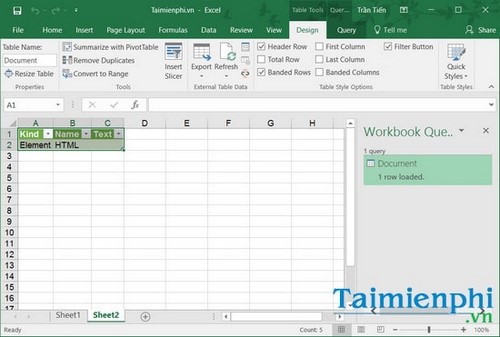
Only import data you are authorized to use. Web-page structure can change, authentication can block access, and privacy levels affect how Power Query combines sources. For a more current cleaning workflow, see how to clean Excel data with Power Query.
8. Save and share through OneDrive
Select File > Save As, sign in to the correct Microsoft account, choose a OneDrive location, and save the file.
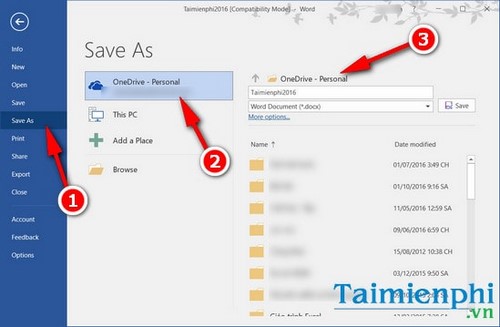
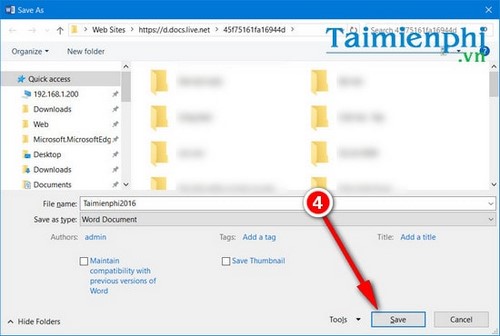
Sharing from cloud storage can simplify co-authoring and version history, but Office 2016's connection to Microsoft 365 services is no longer a supported configuration. Availability can vary by account, tenant policy, authentication requirements, and client updates. Do not rely on an unsupported Office 2016 installation for a new collaborative workflow.
Which features are still worth using?
Quick Parts, structured dates, charts, watermarks, and local data tools remain useful in existing Office 2016 documents. Cloud-connected and lookup features are more likely to change. Keep backups, avoid untrusted attachments, and prioritize an upgrade to a supported Office version rather than extending an unsupported installation indefinitely.
Related Articles
 Microsoft Office for iPad Has Additional Printing Features3 minutes read
 3 Exciting New Features Coming Soon in the New Office Application2 minutes read
 Advantages of Office 2010 Compared to Office 20077 minutes read
 Latest Features of Microsoft Office 201925 minutes read
 The Office 2010 Features You May Not Know Yet: New Features8 minutes read
 Set Autosave Feature in Office 20163 minutes read
Reader Comments 0
Sign in with email or Google to join the discussion.