Table of Contents
A slow Windows PC is usually caused by one or more measurable bottlenecks: a busy startup, insufficient free storage, high CPU or memory use, malware, overheating, outdated software, or aging hardware. Check what is actually constrained before installing a “PC optimizer.”
1. Restart and identify the bottleneck
Restart the computer, wait a few minutes for startup tasks to settle, then press Ctrl + Shift + Esc to open Task Manager. On the Processes tab, sort by CPU, Memory, Disk, or Network and look for a process that remains unusually busy. Do not end unfamiliar Windows processes; search for the program name and close or update the responsible application safely.
2. Disable unnecessary startup apps
In Task Manager, open Startup apps. Disable nonessential launchers, updaters, and chat or media applications that do not need to start with Windows. Leave security software, hardware utilities you rely on, and accessibility tools enabled. Restart to compare boot and sign-in time.
3. Free storage space
Open Settings > System > Storage to review temporary files and large categories. Empty the Recycle Bin and remove downloads only after checking them. Storage Sense can automate selected cleanup tasks.
Keeping the desktop organized makes files easier to find, but a normal number of desktop icons does not usually create a major performance problem. Moving files into folders also does not free space unless they are moved to another drive or deleted.

For a detailed storage investigation, see how to find large hidden files with WizTree.
4. Uninstall applications you no longer use
Go to Settings > Apps > Installed apps, review the list, and uninstall programs you recognize and no longer need. Avoid removing device drivers, Microsoft runtimes, or manufacturer utilities without understanding their purpose.
Windows' built-in uninstaller is the appropriate first choice. A third-party uninstaller is not required for routine removal and can introduce its own risks.
5. Scan for malware
Open Windows Security > Virus & threat protection, check that protection is active and updated, then run a Quick scan. Use Scan options for a Full scan or Microsoft Defender Offline scan when there is a reason to suspect persistent malware.
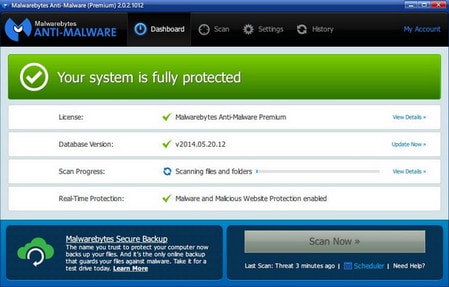
Do not run several real-time antivirus products simultaneously; their drivers and scans can conflict and consume resources. Download software only from trustworthy publisher or platform sources.
6. Install Windows and application updates
Open Settings > Windows Update, install approved updates, and restart when prompted. Update frequently used applications as well. For hardware drivers, prefer Windows Update or the computer/component manufacturer's official support channel rather than generic driver-updater programs.
7. Optimize the correct type of drive
Search Windows for Defragment and Optimize Drives. Windows handles hard drives and solid-state drives differently. Traditional HDDs may be defragmented; SSDs are optimized with storage-specific maintenance such as TRIM. Do not repeatedly force traditional defragmentation on an SSD. Leaving Windows' scheduled optimization enabled is usually sufficient.
8. Reduce browser and background load
Close tabs and extensions you do not use, especially if Task Manager shows high memory or CPU usage. In Windows Settings, review permissions for applications that continue running in the background. If one site behaves slowly, clearing its browser data can help; follow the browser cache cleanup guide rather than deleting unrelated system files.
9. Check heat, power mode, and hardware health
- Make sure vents are unobstructed and fans are working.
- On a laptop, compare performance while connected to its proper power adapter.
- Use Settings > System > Power & battery to choose an appropriate power mode.
- Back up important files if the drive reports errors, makes unusual noises, or the PC freezes during file access.
10. Consider a targeted hardware upgrade
If memory is consistently full, more RAM may help—but only if the device supports an upgrade. Replacing a mechanical system drive with an SSD can significantly improve responsiveness on compatible older PCs. If CPU use stays near 100% during your normal workload, a newer processor or computer may be the practical solution.
For a broader diagnostic sequence that also covers macOS, use the current slow-computer troubleshooting guide. Make one change at a time and measure the result so you can tell which action actually helped.
Related Articles
 Speed up Your Computer - 12 Steps to Have a Computer That15 minutes read
 3 Ways to Speed up Computers Running Slow Like 'Crawling Turtles'3 minutes read
 Control Computer Fan Speed7 minutes read
 Tell You 5 Ways to Increase Network Speed Extremely Fast and Effective4 minutes read
 30+ Ways to Speed up Your Computer Effectively on Windows 1021 minutes read
 How to Speed Up Your Windows Computer with 10 Effective Tips?7 minutes read
Reader Comments 0
Sign in with email or Google to join the discussion.