How to Choose a Color Ink-Tank Printer: 4 Models Compared
Compare four refillable color printers by print-only versus all-in-one functions, USB or Wi-Fi, speed, media, monthly volume, and support.
Fix Windows problems, troubleshoot devices, understand AI, secure your accounts and get more from your technology with tested step-by-step guides.
Compare four refillable color printers by print-only versus all-in-one functions, USB or Wi-Fi, speed, media, monthly volume, and support.
Understand how a 3D printer turns a digital model into a physical object, the main printing methods and materials, practical uses, limitations, and safety concerns.
Use Canon's official support page to choose the correct 32-bit or 64-bit LBP2900 driver, install it by USB, verify the printer, and fix common setup errors.
Learn how to install Canon 2900 Drivers on Windows 11/10/7 computers with clear steps, practical tips, and troubleshooting guidance for common issues.

Protect your files, privacy, warranty, and budget before a computer repair. This checklist covers backups, encryption keys, documentation, estimates, and post-repair testing.
Change MacBook display brightness with the keyboard, Control Center, or System Settings; enable automatic brightness and troubleshoot missing or unresponsive controls.
Change an MSI laptop's screen brightness with its hotkeys, Windows Quick Settings, Display settings, or Mobility Center, and fix a missing or unresponsive slider.
Change an ASUS laptop's brightness with its hotkeys, Windows Quick Settings, Display settings, or Mobility Center, and troubleshoot missing or unresponsive controls.
XDR is Apple's name for high-end dynamic-range display performance, not a replacement HDR format. Compare brightness, contrast, color, hardware, and buying criteria.
Restore a missing or unresponsive Windows brightness slider by checking the display type, resetting the graphics driver, and safely updating, rolling back, or reinstalling drivers.
Restore a rotated Windows display by selecting Landscape in Display settings. Learn when Ctrl-Alt-arrow shortcuts work and how to fix rotation that keeps returning.
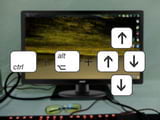
Explore keyboard Shortcuts to Rotate your PC Screen, including key concepts, practical steps, useful tips, and common questions.
Remove unwanted black borders by restoring the display's native resolution, checking aspect-ratio and GPU scaling, correcting HDMI underscan, and repairing display drivers.
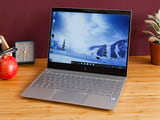
Change an HP laptop's screen brightness with its action keys, Windows Quick Settings, Display settings, or Mobility Center, and troubleshoot controls that do not work.
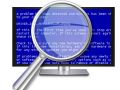
Use BlueScreenView to read Windows minidump files, identify stop codes and recurring modules, search reliable references, and know when deeper WinDbg analysis is needed.
Diagnose a dim or blurry laptop display by separating brightness, sharpness, flicker, and line defects, then test settings, drivers, an external monitor, and the backlight.
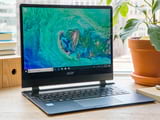
Change an Acer laptop's brightness with Fn keys, Windows Quick Settings, Display settings, or Mobility Center, and fix missing or unresponsive brightness controls.
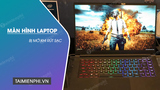
Stop a Windows laptop screen from becoming unexpectedly dim on battery by checking brightness, adaptive controls, power-saving settings, and graphics drivers.
Keep a Windows laptop running with its lid closed by changing the lid action for battery and plugged-in power, with important heat and security precautions.
Diagnose blurry text, fuzzy apps, and fixed bright spots on a laptop display, then apply the right Windows setting, driver fix, or hardware check.