What special skills does Pet Pumpkin in Free Fire have?
The Free Fire OB24 update will be released on September 26, 2020, bringing many new features to the game, including new characters and a new companion.
Fix Windows problems, troubleshoot devices, understand AI, secure your accounts and get more from your technology with tested step-by-step guides.

The Free Fire OB24 update will be released on September 26, 2020, bringing many new features to the game, including new characters and a new companion.
Locking USB ports on your Windows computer will help protect your data more securely, preventing others from borrowing your computer and potentially spreading viruses when they plug in USB drives or any other external storage.
To lock USB ports and prevent other users from connecting USB devices to your computer, you can manually change some system settings; however, this is quite complicated.
It's not uncommon to encounter situations where a USB drive connects but files cannot be opened, or where files with strange names appear on the USB drive.

In some cases, after connecting an Android phone to a computer, problems may occur, such as the phone not being recognized... To fix this, you need to enable USB debugging mode. Follow the instructions below in this article.
Even without prior experience with SD Formatter, you can easily learn and use this tool to fix errors, read information, or format memory cards and USB drives on your computer through Taimienphi's installation and usage guide.

Checking a bootable USB drive is a crucial step before installing an operating system. In this article, Free Download will guide you on how to test a bootable USB drive on Windows 10 using BIOS, CMD, and software such as Rufus.

Using USB ports to connect peripherals is commonplace, but have you ever tried charging a device via a network cable? This isn't a new concept, but it's an interesting topic worth exploring.
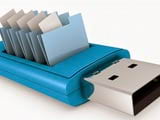
A multi-purpose bootable USB drive is an essential tool for troubleshooting Windows errors, recovering data, and quickly installing the operating system.
It's quite common for a USB drive to appear empty when opened, even though data is still inside. This is because viruses have hidden your files and data on the USB drive.
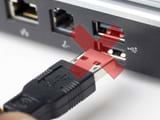
The problem of a laptop not recognizing a USB device is a common one for computer users. There are many causes and specific solutions for this error.
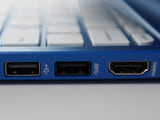
You're planning to buy a laptop or PC and are interested in learning about its ports, especially the USB 3.0 ports, which are of great interest to many users. However, you may have limited information about this port format.
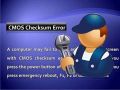
Recently, you've noticed that the time displayed on Windows is often incorrect, requiring you to manually adjust it daily. Furthermore, every time you start your computer, you receive an error message: 'CMOS Checksum error'.
In a computer system, the BIOS is a fundamental input/output system program that stores basic computer information that you can edit and configure.

There are many reasons for the 'BIOS checksum Error', such as: a faulty power supply circuit for the CMOS, an outdated BIOS, or a dead battery, etc.
When your computer is no longer compatible with existing applications in the operating system or experiences BIOS errors, you need to upgrade the BIOS. This article from TipsMake will guide you through the process.

This guide on enabling CPU virtualization in BIOS will help you activate virtualization technology on your computer, a technology that is now quite common and often used to support emulators or virtualization to achieve.
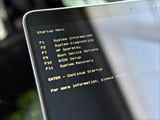
This guide explains how to configure the BIOS on an HP laptop to boot from a USB drive, allowing HP laptop users to install Windows or access the boot menu to fix computer errors.
If you're having trouble with your computer constantly restarting and not displaying the BIOS screen, check out this article from TipsMake to learn how to fix this problem.
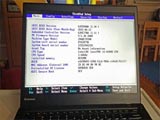
BIOS is the firmware displayed on the screen during system startup. Suppose you want to configure your BIOS to boot from external hard drives or USB drives but don't know how.