Table of Contents
If a Windows screen is upside down or sideways, open Settings > System > Display, select the affected monitor, and set Display orientation to Landscape. Select Keep changes after the image returns to normal. This works even when graphics-driver rotation shortcuts are unavailable.
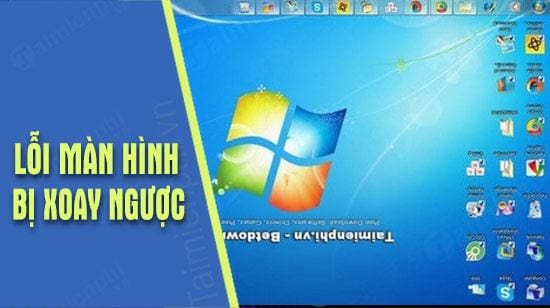
Fix the screen in Windows 11 or Windows 10
- Press Windows + I to open Settings. If the rotated pointer is difficult to control, use the keyboard: press Tab and the arrow keys to move, and Enter to select.
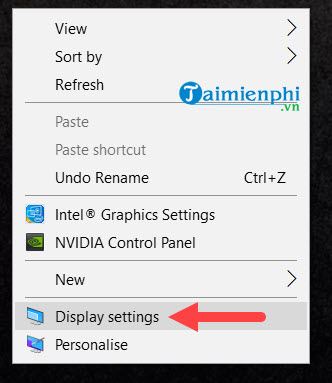
- Open System > Display. You can also press Windows + D, right-click an empty part of the desktop, and choose Display settings.
- If more than one monitor appears, select Identify, then choose the screen that is rotated.
- Under Scale & layout, open Display orientation.
- Select Landscape for the usual horizontal orientation.
- Choose Keep changes. If the result is wrong, wait for Windows to revert or select Revert.
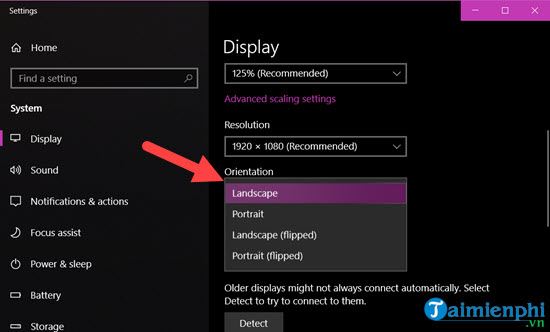
The other choices are intentional layouts: Portrait rotates a display 90 degrees, while Landscape (flipped) and Portrait (flipped) reverse those orientations. They are useful only when the physical monitor is mounted accordingly.
Try the Ctrl-Alt-arrow shortcut
Some Intel graphics configurations provide rotation hotkeys:
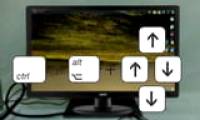
- Ctrl + Alt + Up Arrow: normal landscape
- Ctrl + Alt + Down Arrow: flipped landscape
- Ctrl + Alt + Left Arrow: portrait
- Ctrl + Alt + Right Arrow: flipped portrait
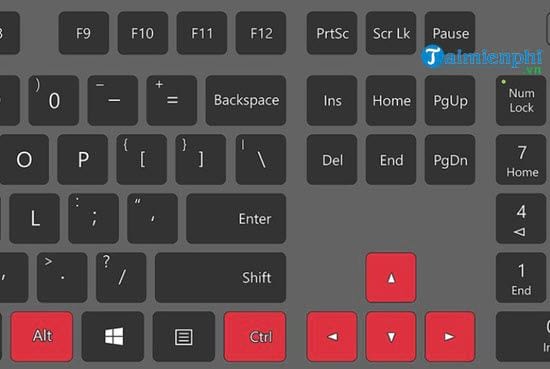
These are graphics-driver shortcuts, not guaranteed Windows shortcuts. They may be disabled, reassigned, or absent on AMD, NVIDIA, and newer Intel setups. If Ctrl + Alt + Up Arrow does nothing, use Display settings; do not reinstall software merely to enable a shortcut you do not need.
For an intentional portrait setup, TipsMake's broader screen rotation guide explains how to select the correct monitor and orientation.
Fix the orientation in Windows 8 or Windows 7
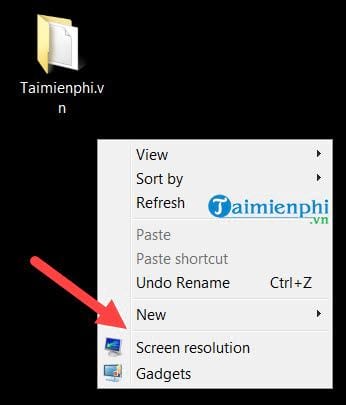
On these older systems, right-click the desktop and select Screen resolution.
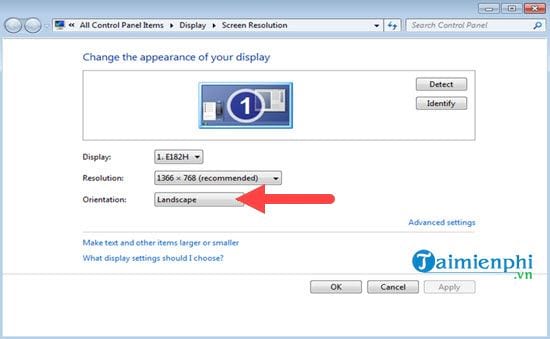
Open the Orientation menu, choose Landscape, select Apply, and keep the change when the preview is correct.
Windows 7 and Windows 8 are no longer appropriate for normal internet-connected use because their standard security support has ended. The steps remain here only for legacy or isolated systems.
If the screen rotates again
Check rotation lock on a convertible PC
A tablet or 2-in-1 may rotate automatically when its sensor detects a change in physical position. Put the device in laptop mode, open Quick Settings with Windows + A, and turn Rotation lock on if you want a fixed orientation. The control may be unavailable while a detachable keyboard is connected or the device is not in a tablet posture.
Check the graphics utility
Open the Intel, AMD, NVIDIA, or PC-maker display utility and look for rotation or hotkey settings. Disable unwanted rotation hotkeys rather than assuming another person changed the screen. TipsMake's article on a sideways computer screen covers older Intel Graphics Options menus.
Update the correct display and sensor drivers
If Display orientation is missing, the wrong monitor rotates, or a convertible ignores its position, install Windows updates and the PC manufacturer's current graphics, chipset, sensor, and system-control drivers for the exact model. Avoid generic driver-updater utilities.
Check remote and virtual sessions
Remote Desktop, a virtual machine, or a screen-sharing tool may not expose all physical display controls. Change orientation on the local PC or in the host's display settings, then reconnect the session.
If only a video or photo is upside down
Changing Windows orientation rotates the entire desktop. If the taskbar and apps look normal but one video is inverted, use the media player or editor's rotate control instead. TipsMake's ProShow rotation guide is one example for legacy editing projects; current editors offer a similar per-clip transform.
Quick recovery checklist
- Select the affected display under Settings > System > Display.
- Set Display orientation to Landscape.
- Use Ctrl + Alt + Up Arrow only if the installed graphics driver supports it.
- Disable automatic rotation or graphics hotkeys if the problem returns.
- Update model-specific display or sensor drivers if the orientation control is missing or unreliable.
Related Articles
 How to Fix the Error of the Computer Screen Being Reversed3 minutes read
 Simple Way to Fix a Horizontally Rotated Computer Screen: Complete Overview6 minutes read
 How to Rotate Windows 10, 8, 7 Computer Screen Quickly3 minutes read
 Rotation: How to Fix a Rotated Screen5 minutes read
 How to Fix the Error of the Computer Screen Being Turned3 minutes read
 Keyboard Shortcuts to Rotate Your PC Screen3 minutes read
Reader Comments 0
Sign in with email or Google to join the discussion.