How to access BIOS on various computer models
The method for accessing the BIOS varies depending on the laptop model. Once in the BIOS, you can easily configure and modify computer settings.
Fix Windows problems, troubleshoot devices, understand AI, secure your accounts and get more from your technology with tested step-by-step guides.
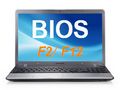
The method for accessing the BIOS varies depending on the laptop model. Once in the BIOS, you can easily configure and modify computer settings.

Have you ever tried installing a second operating system on Windows? If so, you've likely encountered some UEFI Secure Boot errors during the process.
If you are experiencing problems or errors related to the BIOS, you can try resetting the BIOS to its default settings. If you don't know how to reset the BIOS settings, please refer to the article below for instructions.

There are many reasons to switch your computer from traditional BIOS to the newer UEFI standard if your hardware supports it, and the following article will guide you through the steps to correctly switch Legacy BIOS to UEFI.
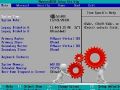
Computer boot speed depends on RAM, hard drive, processor, and BIOS. This guide shows you on how to adjust your BIOS to speed up boot times.
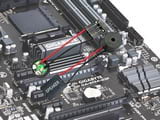
Use the startup beep pattern, BIOS vendor, and motherboard manual to narrow down RAM, graphics, CPU, keyboard, and firmware problems before replacing hardware.
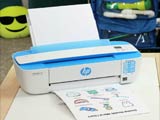
Find a network printer's IPv4 address from Windows Settings, Printer Properties, the printer's control panel, a configuration page, or your router.
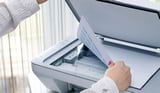
Troubleshoot scanners that are not detected, jam paper, scan slowly, or produce streaked, blurry, cropped, or unreadable files.
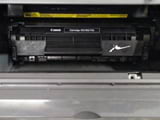
Fix Canon LBP 2900 paper-feed failures by checking the paper, tray loading, obstructions, pickup roller, separation pad, and print settings.

Use controlled test prints to isolate garbled characters, missing glyphs, substituted fonts, and corrupted PDF output to the file, driver, cable, or printer.
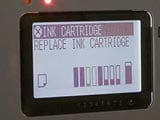
Distinguish genuine low-ink or low-toner symptoms from clogged printheads, damaged drums, paper problems, and cartridge errors before replacing supplies.

Are you wondering if your printer will give you a warning or any signs when it's running low on ink? When should you replace the ink cartridge?
Fix projector power, no-signal, color, focus, cropped-image, keystone, overheating, and warning-light problems in a safe order.
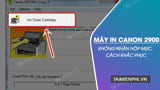
Resolve a Canon LBP 2900 'no toner cartridge' message by reseating the cartridge, checking compatibility and packaging, cleaning accessible contacts, and isolating sensor faults.

Compare direct thermal, thermal-transfer, desktop, industrial, and handheld label printers by media, resolution, volume, software, connectivity, and support.
Compare five monochrome printers by laser versus ink-tank design, print-only versus multifunction use, duplexing, connectivity, speed, supplies, and support.
Explore 4 of the best Canon Printers to Buy Right Now, including key concepts, practical steps, useful tips, and common questions.
Compare four HP printers for duplex text printing, wireless multifunction use, compact Wi-Fi printing, and refillable color output.
Compare Brother ink-tank, monochrome laser, duplex, Ethernet, Wi-Fi, scan, copy, and ADF options across five home and small-office models.
Choose a 58 mm or 80 mm thermal receipt printer by POS compatibility, interface, cutter, paper roll, barcode support, speed, drivers, and service.