Table of Contents
For regular color documents, a refillable ink-tank printer can reduce ink cost compared with small cartridges. The right model depends on whether you need scanning and copying, USB or Wi-Fi, photo media, print speed, and current software support—not an old “best price” ranking.
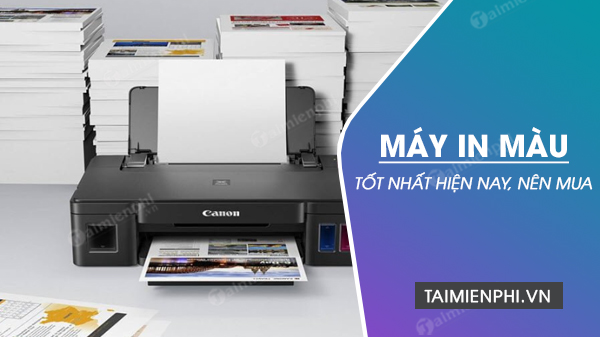
The four models below were retained from the original comparison, but reference prices and exaggerated quality claims were removed. Some are older products. Confirm availability, region-specific ink bottles, warranty, and operating-system support before buying old stock.
Quick comparison
| Model | Functions | Connection | Best fit |
|---|---|---|---|
| HP Ink Tank Wireless 415 | Print, scan, copy | USB and Wi-Fi | Shared household or small-office color work |
| Brother DCP-T310 | Print, scan, copy | USB | Basic all-in-one use from one computer |
| Canon PIXMA G1010 | Print only | USB | Low-complexity color printing without scan/copy |
| Canon PIXMA G3010 | Print, scan, copy | USB and Wi-Fi | Wireless all-in-one color workflow |
These models use manual rather than automatic two-sided printing. If you print many duplex documents, compare a newer model with an automatic duplex unit and verify supported paper sizes.
1. HP Ink Tank Wireless 415
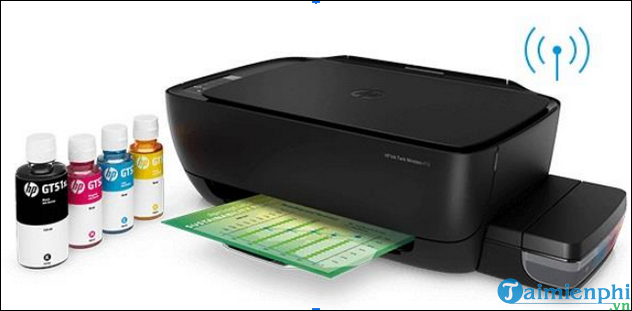
The Ink Tank Wireless 415 is a color all-in-one with flatbed scanning, copying, USB, and Wi-Fi. It is designed for bottle-fed ink and can suit families or small offices that regularly print color documents from several devices.
Choose it when: wireless access, scan/copy functions, and refillable color ink are all required.
Check before buying: current HP app and driver support, declared yields for the exact GT-series bottle set, replaceable printhead policy, Wi-Fi setup method, borderless/media limits, and whether the unit has been stored with ink for a long period. It has manual, not automatic, duplexing.
Do not use a maximum monthly duty-cycle claim as a normal target. Compare HP’s recommended range and standardized ISO speed with your real workload.
2. Brother DCP-T310
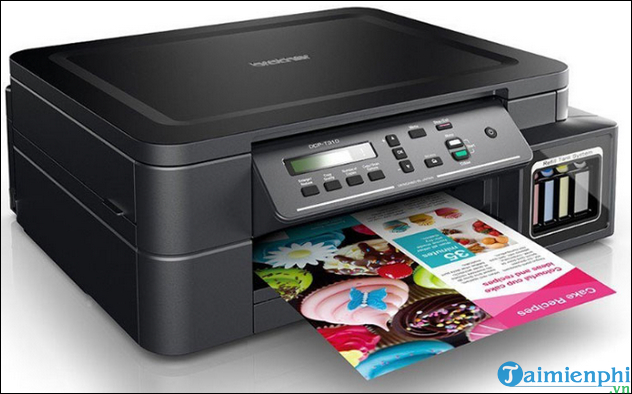
The DCP-T310 is an older refillable-ink multifunction model with color printing, flatbed scanning, copying, a main tray, and a manual-feed slot. This exact model connects by USB; wireless capability belongs to related models with a “W” suffix.
Choose it when: a supported USB computer needs printing, scanning, and copying, and a well-priced unit has verifiable service history and supplies.
Check before buying: current Brother driver support, nozzle-check quality, ink bottle compatibility, tray condition, printhead warranty, and stock age. Avoid comparing a draft pages-per-minute figure with another brand’s ISO images-per-minute result.
The DCP-T310 and newer DCP-T220 overlap heavily. Compare current support and real consumable cost instead of assuming the higher model number is newer or better.
3. Canon PIXMA G1010
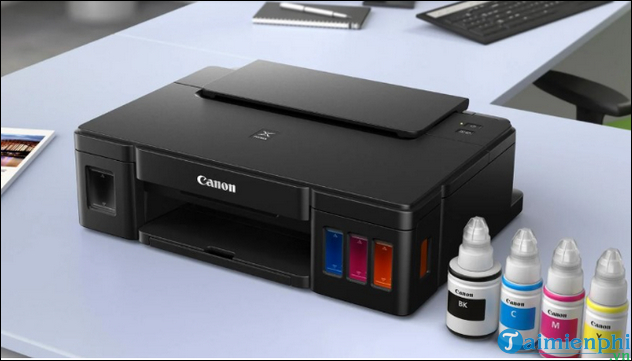
The PIXMA G1010 is a print-only refillable MegaTank model with USB. Canon lists ISO A4 speeds up to 8.8 images per minute for monochrome and 5 for color, plus a recommended monthly volume of 150–1,500 pages.
Choose it when: you want a simple USB color printer and do not need a scanner, copier, Wi-Fi, or automatic duplex.
Check before buying: support for your version of Windows, because regional Canon pages emphasize Windows drivers for this model; also confirm GI-790 bottle availability, borderless photo sizes, paper handling, and printhead/maintenance policy. The “up to 7,000 pages” bottle claim depends on Canon’s stated test conditions and does not mean every color bottle produces that number on any document.
4. Canon PIXMA G3010
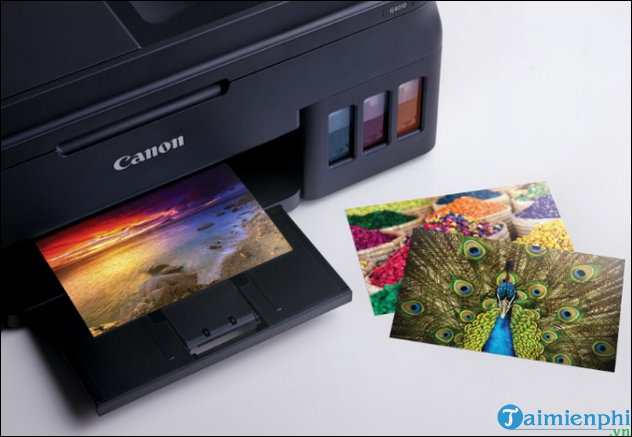
The PIXMA G3010 adds flatbed scanning, copying, Wi-Fi, Wireless Direct, and mobile-print support to a refillable color system. Canon lists the same headline ISO A4 speeds—up to 8.8 ipm monochrome and 5 ipm color—and a recommended monthly range of 150–1,500 pages.
Choose it when: several devices need wireless color printing and the household or office also needs flatbed scan/copy functions.
Check before buying: supported router bands and security modes, current mobile app, driver availability, scanning destinations, and whether manual duplex meets your needs. The original claim of “5,000 pages per minute” was invalid; page yield and print speed are separate measures.
How to compare color quality honestly
- Print the same file on the same paper type using a comparable quality setting.
- Use manufacturer-recommended photo paper for photo tests and plain paper for office charts.
- Check neutral grays, small colored text, skin tones, gradients, and fine lines.
- Allow ink to dry for the period recommended for the paper; do not assume every page requires “a few minutes.”
- View under consistent light and test water or highlighter resistance only if your workflow needs it.
Maximum dpi is not a direct measure of perceived photo quality. Ink formulation, printhead, dot placement, paper, color management, and source image quality all matter.
Estimate real running cost
- Separate monthly black and color page counts and note average coverage.
- Use local prices for the exact black, cyan, magenta, and yellow bottles.
- Apply the manufacturer’s declared yields and test basis; do not convert a “5% coverage” statement into a guarantee.
- Add printhead, waste-ink or maintenance-box service, cleaning ink, paper waste, and warranty.
- Check whether the printer performs automatic maintenance while powered off and connected.
Ink-tank maintenance matters
- Print often enough to keep the ink system healthy, following the model guidance.
- Run a nozzle check before repeated cleaning cycles.
- Use one normal cleaning cycle, retest, and avoid excessive cleaning that consumes ink.
- Refill with the exact compatible ink and avoid mixing unknown formulations.
- Transport the printer only in the documented orientation with its ink valves or caps secured as instructed.
If nozzles remain blocked, see how to clean a printer printhead and follow the manufacturer-specific method. For more HP workflow context, compare four HP printer types; for Brother alternatives, see five Brother printer models compared.
Which one should you shortlist?
- Print-only and USB: Canon G1010.
- USB all-in-one: Brother DCP-T310, if support and condition are good.
- Wireless all-in-one: compare HP 415 and Canon G3010 using current app support, supplies, sample output, and service.
Before committing, print your own document and photo sample, scan a representative original, connect every required device, and confirm bottle availability from more than one local source.
Related Articles
 What Type of Printer Should I Buy: Color or Black and White?9 minutes read
 Which Is the Best Brand Color Printer Between: Canon, Brother and Epson?9 minutes read
 4 Basic Steps to Use the Printer for New Users7 minutes read
 Printers: Select Printer for Small Office8 minutes read
 Learn the Advantages and Disadvantages of the Versatile Printer Series8 minutes read
 The Best Multifunction Printer 201817 minutes read
Reader Comments 0
Sign in with email or Google to join the discussion.