Fix Task Manager Not Opening or Responding in Windows
Open Task Manager another way, remove an unintended policy restriction, repair system files, and check for malware or account problems.
Fix Windows problems, troubleshoot devices, understand AI, secure your accounts and get more from your technology with tested step-by-step guides.
Open Task Manager another way, remove an unintended policy restriction, repair system files, and check for malware or account problems.
Check the search scope, restart Explorer, repair Windows Search, rebuild the index, and diagnose a folder that never appears in results.

Separate cloud, account, notebook, and section problems; preserve unsynced pages; resolve conflicts, misplaced sections, and storage errors.
Determine whether Windows is crashing or waking, then test Fast Startup, wake devices, startup software, drivers, and firmware safely.
Restore Bluetooth after an update by checking settings and services, rolling back or reinstalling the correct driver, and re-pairing devices.
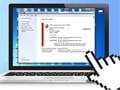
Safely diagnose a stalled Windows update, run the current troubleshooter, reset update components, and repair Windows files.
Check image access, activation, accessibility and policy settings, then repair the wallpaper cache without using activation workarounds.

Use Services to inspect startup types and dependencies, change only a verified service, and reverse the setting if Windows or an app breaks.

Understand the hidden Samples page on older Windows 10 builds, what its dummy controls did, and how to enable or remove it safely.
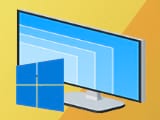
Select each display separately, choose its native resolution and scaling, and fix blur or size mismatches in a multi-monitor setup.
Back up first, choose the correct reset and reinstall options, understand what each one removes, and prepare Windows for reuse or sale.
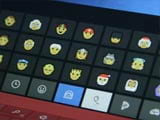
Press the Windows emoji shortcut, search and insert emoji, symbols, kaomoji, or GIFs, and troubleshoot the panel when it does not open.

Capture the full screen, one window, a selected region, a game, or a scrolling web page with built-in Windows and Edge tools.
Identify the correct audio device, try rollback first, reinstall without losing the fallback driver, and restore OEM audio components.
Adjust a laptop or built-in display from Quick Settings, Settings, or keyboard controls, and handle external monitors or a missing slider.
Measure where boot time is lost, disable verified startup apps, check storage and malware, and use Fast Startup only when it behaves reliably.

Work through router checks, Wi-Fi reconnection, IP and DNS repair, driver updates, and network reset without unnecessarily disabling IPv6.

Mark Wi-Fi or Ethernet as metered, understand what Windows limits, and optionally set a data cap for a mobile or restricted connection.
Safely identify, remove, and reinstall the correct wireless adapter driver, with recovery steps if Wi-Fi or the adapter disappears.
Generate the built-in WLAN report, open its HTML file, and use session, adapter, disconnect, and error details to diagnose Wi-Fi problems.