Table of Contents
If a Windows PC powers on again after you choose Shut down, it may actually be crashing during shutdown, receiving a wake signal, or failing to complete a hybrid shutdown. Start by testing a full shutdown and checking the event history; do not jump straight to Registry or boot-configuration tweaks.

Confirm what the computer is doing
- Save work, open Terminal or Command Prompt, and run
shutdown /s /f /t 0. This requests a full shutdown and closes applications forcibly. - If the PC stays off, Fast Startup or a program that delays normal shutdown is likely involved.
- If it powers on after several seconds or minutes, open Terminal as administrator after the next boot and run
powercfg /lastwakeandpowercfg /waketimers. - Open Event Viewer and check Windows Logs > System around the shutdown time for Kernel-Power, BugCheck, or Power-Troubleshooter events.
If the machine loses power and immediately starts again before Windows begins shutting down, inspect the case power button, motherboard connections, power supply, and firmware wake settings.
Stop Windows from hiding a shutdown crash
Press Windows + R, enter sysdm.cpl, and open Advanced > Startup and Recovery > Settings. Clear Automatically restart under System failure. If shutdown is triggering a blue screen, Windows can then display the stop code instead of appearing to restart normally.
Perform a clean boot
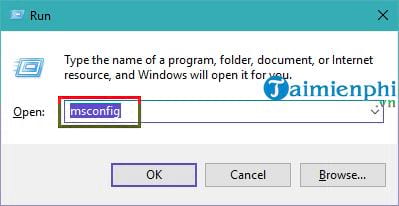
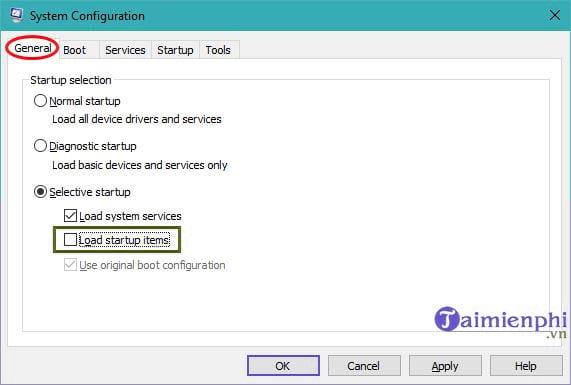
A third-party service or startup utility can block shutdown. Press Windows + R, enter msconfig, and choose Selective startup. Clear Load startup items.
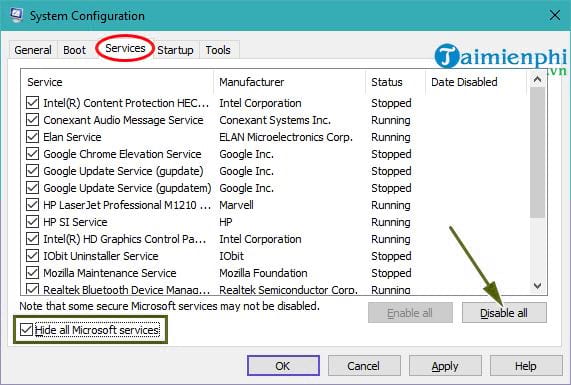
On the Services tab, first select Hide all Microsoft services, then choose Disable all. Never disable the Microsoft services that remain visible.
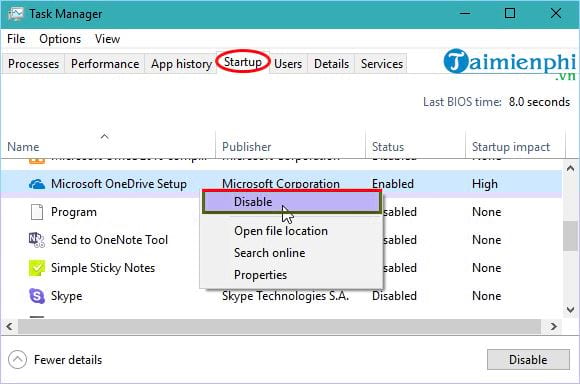
Open Task Manager's Startup apps page and disable nonessential third-party items, then restart and test shutdown. If the problem stops, re-enable items in small groups until the cause returns. Restore Normal startup afterward.
Turn off Fast Startup for testing
Fast Startup saves part of the kernel session rather than performing a fully cold shutdown. Disable it when the command-line full shutdown works but the Start-menu command does not.
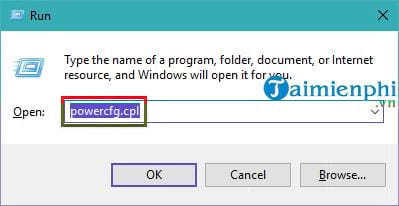
- Press Windows + R, enter
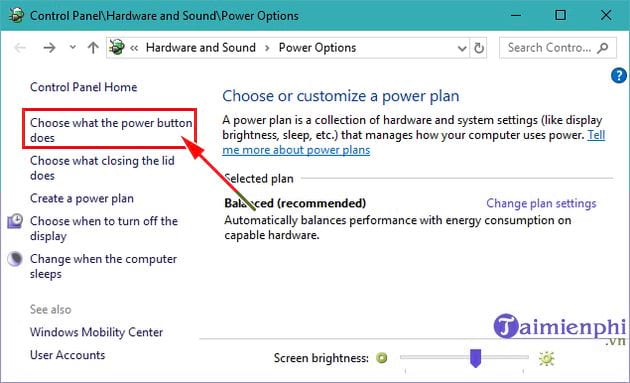
powercfg.cpl, and press Enter. - Select Choose what the power buttons do.
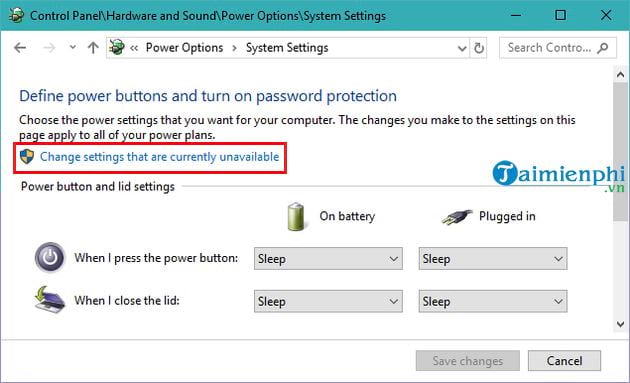
- Select Change settings that are currently unavailable.
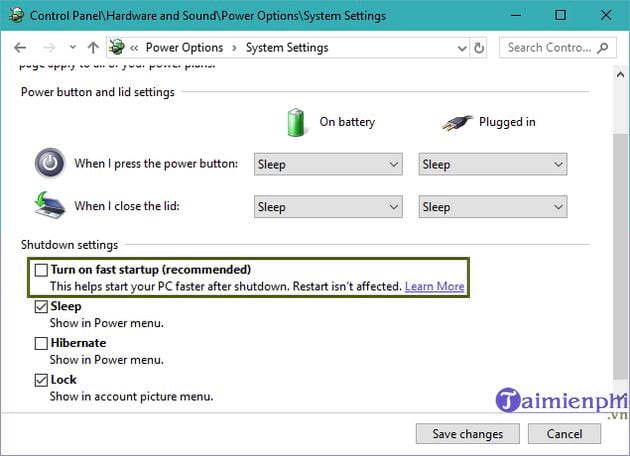
- Clear Turn on fast startup and save changes.
If this solves the problem, update chipset, storage, and graphics drivers from the PC or motherboard manufacturer before deciding whether to re-enable the feature.
Disable an unwanted wake source
If powercfg /lastwake names a network adapter, mouse, or other device, open Device Manager, view that device's Power Management tab, and clear Allow this device to wake the computer. Keep wake permission enabled for the keyboard if you rely on it.
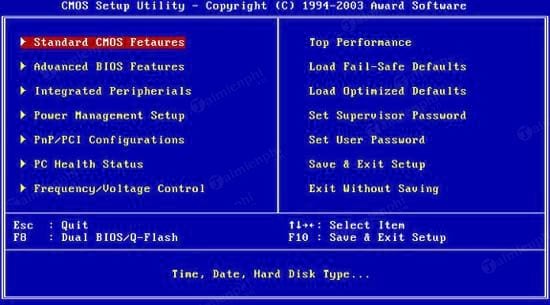
Also check firmware settings for Wake on LAN, Power on by PCI-E, RTC alarm, or Restore on AC power loss. Change only the setting tied to the observed wake source.
Avoid unrelated Registry and boot tweaks
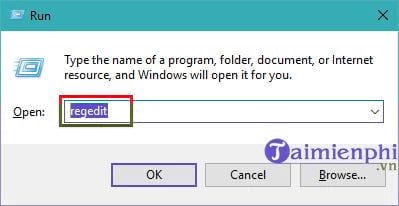
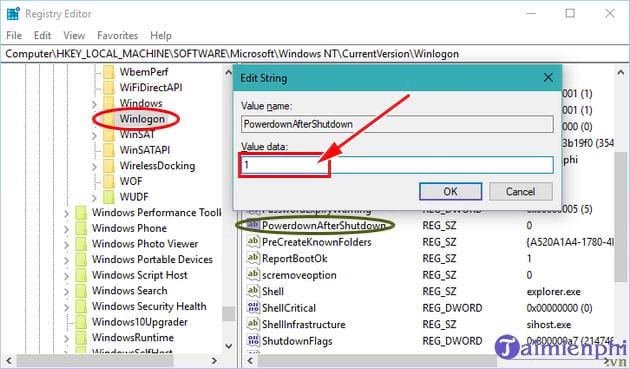
Some older guides recommend editing PowerdownAfterShutdown under the Winlogon Registry key. That value comes from legacy shutdown behavior and is not a general fix for modern Windows power-on events.
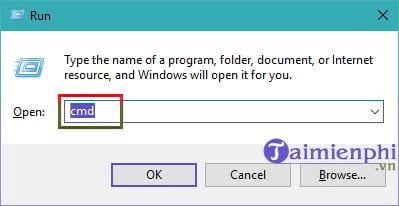
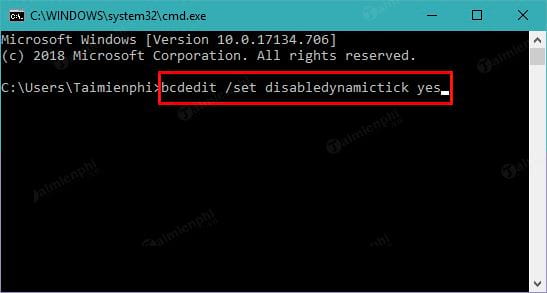
Likewise, bcdedit /set disabledynamictick yes changes a Windows timer behavior; it is not a supported general remedy for a PC restarting after shutdown. Do not apply it without a separate, documented timer issue.
Update Windows, drivers, and firmware
Install current cumulative updates on a supported Windows release and use the computer manufacturer's drivers for chipset, management engine, network, and storage devices.
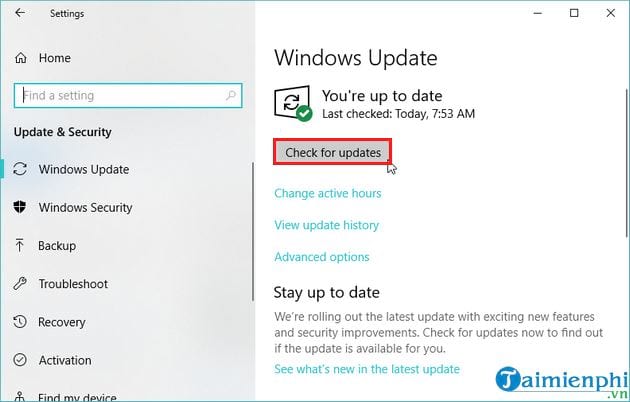
Update BIOS or UEFI only when the manufacturer's release notes mention power, shutdown, wake, or compatibility improvements for the exact model. Keep a laptop connected to AC power and never interrupt flashing. See How to Update BIOS Safely before proceeding.
Repair or reset only after diagnosis
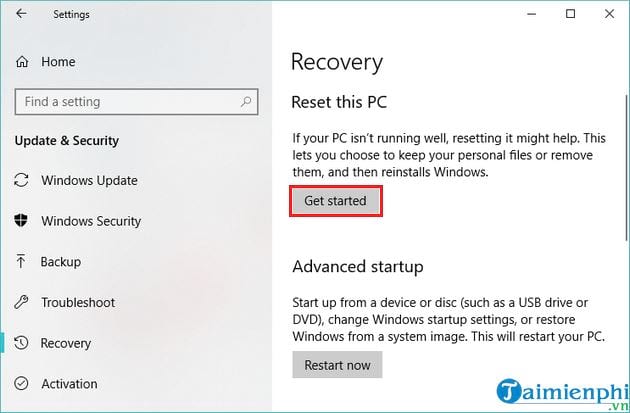
Run DISM.exe /Online /Cleanup-Image /RestoreHealth followed by sfc /scannow from an administrator Terminal. If shutdown still fails, a repair reinstall is less disruptive than a factory reset and may preserve apps and files. Back up important data and BitLocker recovery information first.
If the PC powers itself on even when Windows is not installed or after being disconnected from the network and peripherals, the fault is probably in firmware, cabling, the power button, or hardware. Use the computer repair checklist or seek hardware service.
Related Articles
 How to Add Shutdown to the Right-click Menu on Windows 104 minutes read
 How to Fix Windows Computer Automatically Restarting When5 minutes read
 Instructions to Prevent Shutdown on Windows 10 Computers5 minutes read
 How to Create Slide to Shutdown Function on Windows 104 minutes read
 Instructions: Restart, Shutdown or Sleep in Windows 82 minutes read
 Update Windows: Complete Guide: What Are the Consequences of Restarting3 minutes read
Reader Comments 0
Sign in with email or Google to join the discussion.