Identifying Whether Windows 10 Is an Upgrade or a Fresh Installation on Your PC
Knowing how to identify whether Windows 10 is an upgrade or a fresh installation will let users know whether the Windows 10 pre-installed on their computer.
Fix Windows problems, troubleshoot devices, understand AI, secure your accounts and get more from your technology with tested step-by-step guides.
Knowing how to identify whether Windows 10 is an upgrade or a fresh installation will let users know whether the Windows 10 pre-installed on their computer.
An archived walkthrough of the Windows Update, Media Creation Tool, and Update Assistant methods once used to install Windows 10 version 1809, with current-use warnings.
A historical guide to the browser method once used to obtain Windows 10 version 1809 ISO files, with clear warnings about expired links and unsupported software.
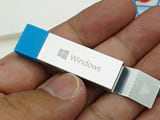
An archived Rufus walkthrough for creating Windows 10 version 1809 installation media, including USB-erasure warnings, partition-scheme guidance, and safer current options.
An archived pre-upgrade checklist for Windows 10 version 1809 covering backups, disk space, drivers, peripherals, security software, power, and recovery planning.
A historical Media Creation Tool walkthrough for saving a Windows 10 version 1903 ISO, with guidance on expired downloads, architecture choices, and safer current sources.
Historical upgrade advice for Windows 10 version 1903, plus current guidance on compatibility holds, backups, forced updates, and unsupported releases.
Troubleshoot a failed or stuck Windows 10 version 1903 update by checking compatibility, running Windows Update diagnostics, resetting its cache, and repairing system files.
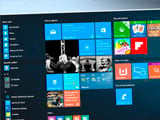
Upgrade Windows 10 Home to Pro with a valid license, verify activation, understand what Pro adds, and know when a clean installation is actually necessary.
A historical guide to the Windows 10 Insider Preview Build 19603 ISO download process, with warnings about expired links, test software, and safer current options.
A concise archive of Windows 10 version 2004 features, hardware considerations, and ISO availability, with safer guidance for installing a supported release.
Review the main Windows 10 May 2020 Update features, understand 32-bit versus 64-bit media, and learn why old version 2004 ISO links should not be used today.
Create Windows 10 installation media, boot from USB, complete a clean installation safely, and troubleshoot common UEFI, GPT, MBR, and missing-driver errors.
Understand how an SSD improves Windows 10 boot time, responsiveness, noise, power use, and durability—and what it will not improve.
Create a full Windows 10 system image on an external drive, prepare recovery media, and restore the image safely without confusing it with System Restore.
Download a genuine Windows 10 ISO with Microsoft's Media Creation Tool, choose the correct language and architecture, and avoid obsolete third-party downloader methods.
Get a Windows 10 ISO from Microsoft, choose 64-bit or 32-bit media correctly, check license and hardware compatibility, and prepare for a safe installation.

An archived Windows 10 version 1703 upgrade guide covering Windows Update, Update Assistant, and ISO setup—with the backup and keep-options that protect your files.
A historical Windows 10 version 1703 USB installation walkthrough, with safer media-creation options and critical warnings about licensing, partitions, and data loss.

Remove the weather or Widgets button from the Windows 11 taskbar and disable News and interests on Windows 10, with optional policy and Registry methods.