Table of Contents
Explore ohstem -- programming application, including the key concepts, practical examples, important considerations, and useful guidance.
With this app, controlling robots via Bluetooth, designing your own control panels, or taking programming lessons has become easier and more fun than ever.
I. General review of OhStem
OhStem App is a product of AITT Artificial Intelligence Technology Company Limited, with the noble goal of popularizing programming knowledge and STEM technology to generations of Vietnamese children.
Positioning applications in the OhSTEM ecosystem
The OhStem App is positioned as the central control and programming tool for all OhStem smart robot kits. This app helps users of all levels, especially children, easily interact with physical products (robots) through a simple software interface.
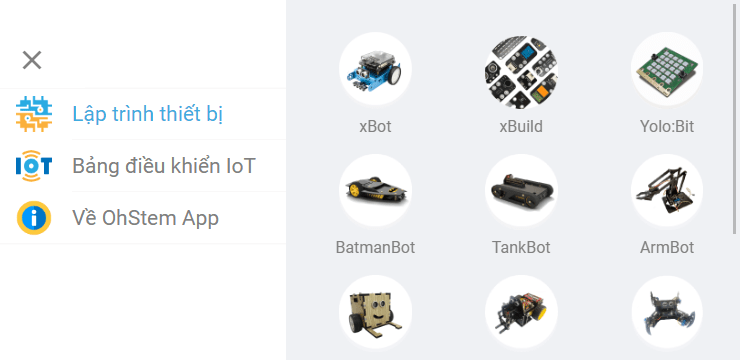
OhStem App is a major step forward in bringing programming closer to students. The app removes the barrier of complex coding languages, replacing it with an intuitive and friendly learning environment.
With full technical support, users can rest assured to use the application to explore and experiment with creative ideas. The connection between software (App) and hardware (Robot) creates a realistic and effective learning experience, encouraging children to develop logical thinking and problem-solving skills.
II. Core features
OhStem App focuses on creating an effective learning environment where children can both learn theory and practice right away with robots.
Drag and drop programming, suitable for all ages
This is the core feature of the app, specially designed for kids aged 7 to 15 :
- Intuitive Interface: Uses a drag-and-drop block programming model (like Scratch), making it easy for kids to build commands without typing complex code.
- Learning through play: Turn robot programming into a logic puzzle game, promoting children's interest and sequential thinking ability.
Specific assembly instructions
The application not only supports programming but also acts as an electronic manual:
- Assembly Instructions: Provides detailed, intuitive assembly steps for each STEM kit product, ensuring children can assemble the robot accurately by themselves.
- Programming Lessons: Provides step-by-step, step-by-step instructions on how to program robots to perform specific functions.
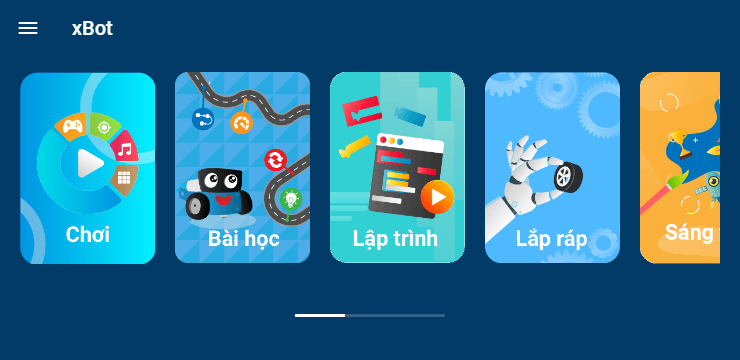
The OhStem App acts as a mobile textbook, making it easy for kids to get acquainted with physical programming. The ability to provide lessons and assembly instructions right in the app is a huge convenience, allowing students to learn at home without too much supervision.
The interface is simple, friendly, without too many distracting details, helping children maintain concentration. This is a free platform, creating the most favorable conditions for all children to have access to advanced STEM knowledge and technology.
Robot control panel and experience it yourself
The application provides high interactivity with the robot via Bluetooth connection:
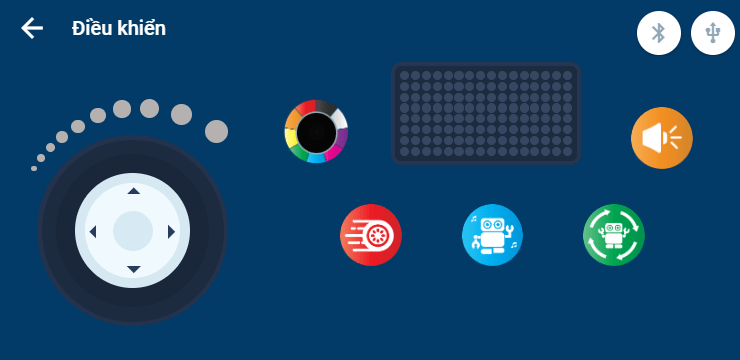
- Bluetooth Control: Allows remote connection and control of the robot via a default control panel.
- Interface customization: Users can design their own control panel as desired, adjust buttons and levers to suit the functions of the robot they are programming.
III. Download Instructions & Benefits of STEM Technology
OhStem App is a completely free app that opens the door to the world of technology for all ages.
Interactive widgets and personalized experiences
The ability to design your own control panel is a powerful feature that encourages personal creativity. This allows users to not only be passive learners but also active designers, creating a unique control tool for their own robot product.
OhStem App promotes practical programming skills from an early age. Instead of just writing code to run on a computer, children can see the results of their programming immediately on a physical robot.
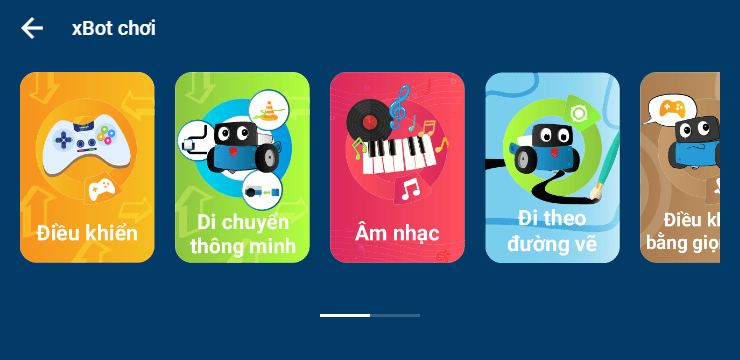
This interaction increases interest and reinforces logical knowledge. Moreover, with Bluetooth connection support, the application creates a safe and flexible testing environment. All contact information and technical support are clearly provided (Hotline: 0923 027 252, Email: contact@ohstem.vn), ensuring that users always receive timely help.
Benefits of learning programming with Robot
- Develop logical thinking: Drag and drop programming helps children learn how to arrange commands in sequence, practicing logical and systematic thinking.
- Problem-solving skills: When the robot doesn't work as expected, children must debug and fix it themselves, developing practical problem-solving skills.
IV. Conclusion & FAQ
OhStem App is the ideal STEM education tool, connecting theory and practice smoothly and for free.
FAQ (FAQ)
Does OhStem App require an internet connection?
- Answer: The app mainly needs Bluetooth connection to control the robot, but needs Internet for first download, updates and accessing new lessons.
I don't have an OhStem robot, can I use the app?
-
A: You can still download the app to watch lessons, get familiar with the drag-and-drop programming interface and dashboard design, but you won't be able to interact with the physical robot.
What age group is OhStem App most suitable for?
-
Answer: The application is optimally designed with a drag and drop interface, very suitable and easy to use for children between the ages of 7 and 15.
Download the OhStem App today to unlock your child's coding and technology potential.
Related Articles
 11 Things That Programmers Need to Remember When They Want to12 minutes read
 These Programming Languages for the Best Mobile Application22 minutes read
 Should We Learn Many Programming Languages or Just One10 minutes read
 Set of Multiple Choice Questions About Programming with P124 minutes read
 Beginners of Computer Programming Need to Focus on What?10 minutes read
 Set of Multiple Choice Questions for Programming with P15 Prize5 minutes read
Reader Comments 0
Sign in with email or Google to join the discussion.