Table of Contents
Explore don't use your desktop hard drive for a nas.
Aren't all hard drives the same? Not necessarily
Basically, all hard drives store data. But they aren't always suitable for every application.
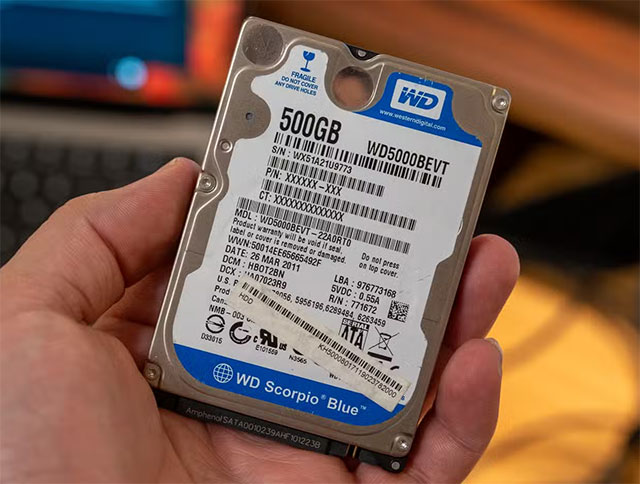
Take the WD Blue – a very popular line of desktop hard drives – as an example. While it offers various speeds and capacities, it's fundamentally designed for desktop computers. Desktop hard drives are optimized for typical usage: running for most of the day, handling light data transfer, and requiring relatively stable cooling. Desktop users rarely move tens or hundreds of terabytes of data annually, and the WD Blue is designed based on that assumption.
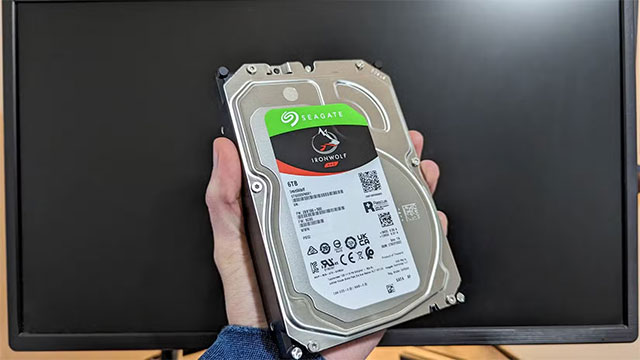
Meanwhile, the WD Red line for NAS drives is built entirely differently. Manufacturers clearly state the workload specifications – the amount of data the drive can handle in a year. NAS drives typically have higher-quality components, longer warranties, and firmware specifically designed for RAID. Some desktop drives even use SMR technology, which can easily cause RAID rebuild errors.
Additionally, there are specialized drive lines like WD Purple – optimized for 24/7 surveillance systems. NAS systems can generate heavy read/write bursts at specific times, but camera systems record continuously day and night.
Many desktop drives are not covered under warranty when used in a NAS
Each hard drive sold comes with a warranty, primarily to address manufacturing defects or early failures. WD Blue typically has a two-year warranty, WD Red Plus three years, and WD Red Pro five years. But the more important factor lies in the warranty conditions. Because manufacturers define desktop drives as intended for desktop use, if they discover they've been connected to a NAS, they can completely refuse warranty coverage due to 'misuse'.
The reason is clear: NAS devices handle a much heavier workload than personal computers. Desktop drives aren't designed for that level of load, so if one fails when connected to a NAS, the manufacturer has the right to consider it misuse.
NAS drives are designed for 24/7/365 operation
NAS drives are developed to withstand harsher operating environments. Desktop drives don't have specific endurance figures, but the WD Red Plus is advertised at 180TB/year, while the WD Red Pro reaches 550TB/year. This is the amount of data the drive can sustainably read/write over an entire year.
In addition to durability, NAS drives are also optimized for higher temperatures and vibrations – characteristics of systems with many drives connected simultaneously. Many home NAS systems only have 2–4 drive bays, but many people utilize older rack-mount servers with more than a dozen drive bays, creating a hotter and more vibrating environment than usual.
NAS drives are also designed to run continuously 24 hours a day, 7 days a week. Some NAS devices have uptime of months, even years. This continuous operation, along with high traffic frequency – such as running media servers, home labs, storing photos, and personal services – puts immense pressure on the hard drives, and only those designed specifically for NAS can withstand it.
Recommendations for beginners
If you're planning to buy a NAS, you should do some research beforehand to choose the right hard drives. Investing wisely from the start will help the system operate stably in the long run.
If your budget doesn't allow for a brand-new NAS, there are still many cost-effective options. Many users prefer recertified or refurbished drives to reduce costs while maintaining quality. A NAS doesn't necessarily have to be brand-new – you can buy used servers to build your own NAS, or utilize various other devices depending on your needs.
Final Thoughts
Use this guide as a practical checklist for don't use your desktop hard drive for a nas, here's why. Work through the steps in order, verify each result, and adjust the options to match your needs.
FAQ
What do you need before following this Don't Use Your Desktop Hard Drive for a NAS, Here's Why guide?
Review the required tools, accounts, settings, or materials mentioned in the article. Explore don't use your desktop hard drive for a nas.
What are the main steps for don't use your desktop hard drive for a nas, here's why?
Follow the sections in order, especially Aren't all hard drives the same? Not necessarily, Many desktop drives are not covered under warranty when used in a NAS, NAS drives are designed for 24/7/365 operation. Complete each step before continuing and verify the result as you go.
What should you do if the process does not work as expected?
Recheck the prerequisites, update the relevant app or service, review the settings, and repeat the step that caused the issue. Use any troubleshooting notes included in the guide.
Related Articles
 Computer Hard Drive Is Fast, Why?6 minutes read
 How to Mount SATA Port for Desktop4 minutes read
 Learn About 2. 5 Inch, 3. 5 Inch, 1. 8 Inch Hard Drive Sizes. ..11 minutes read
 How to Identify Hard Drive Failure, Hard Drive Failure, Bad Hard Drive7 minutes read
 What Is a Hard Drive? There Are Several Types?7 minutes read
 Dissection of Hard Drive Components9 minutes read
Reader Comments 0
Sign in with email or Google to join the discussion.