Table of Contents
Explore comparing thunderbolt and usb-c, including the key concepts, practical examples, important considerations, and useful guidance.
At the end of 2025, someone buys a new laptop and realizes how useful Thunderbolt ports are, especially the latest version, Thunderbolt 5.
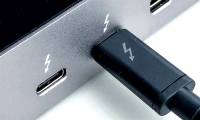
Interestingly, outwardly, there's nothing particularly special about it. But in reality, that tiny lightning bolt icon unlocks faster speeds, support for larger displays, and hardware options that a standard USB-C port doesn't offer.
Thunderbolt is one of those technologies you might not realize you're using, but once you've started using it, you'll never want to stop.
It looks like USB-C, but it's much better
The lightning bolt symbol changes everything
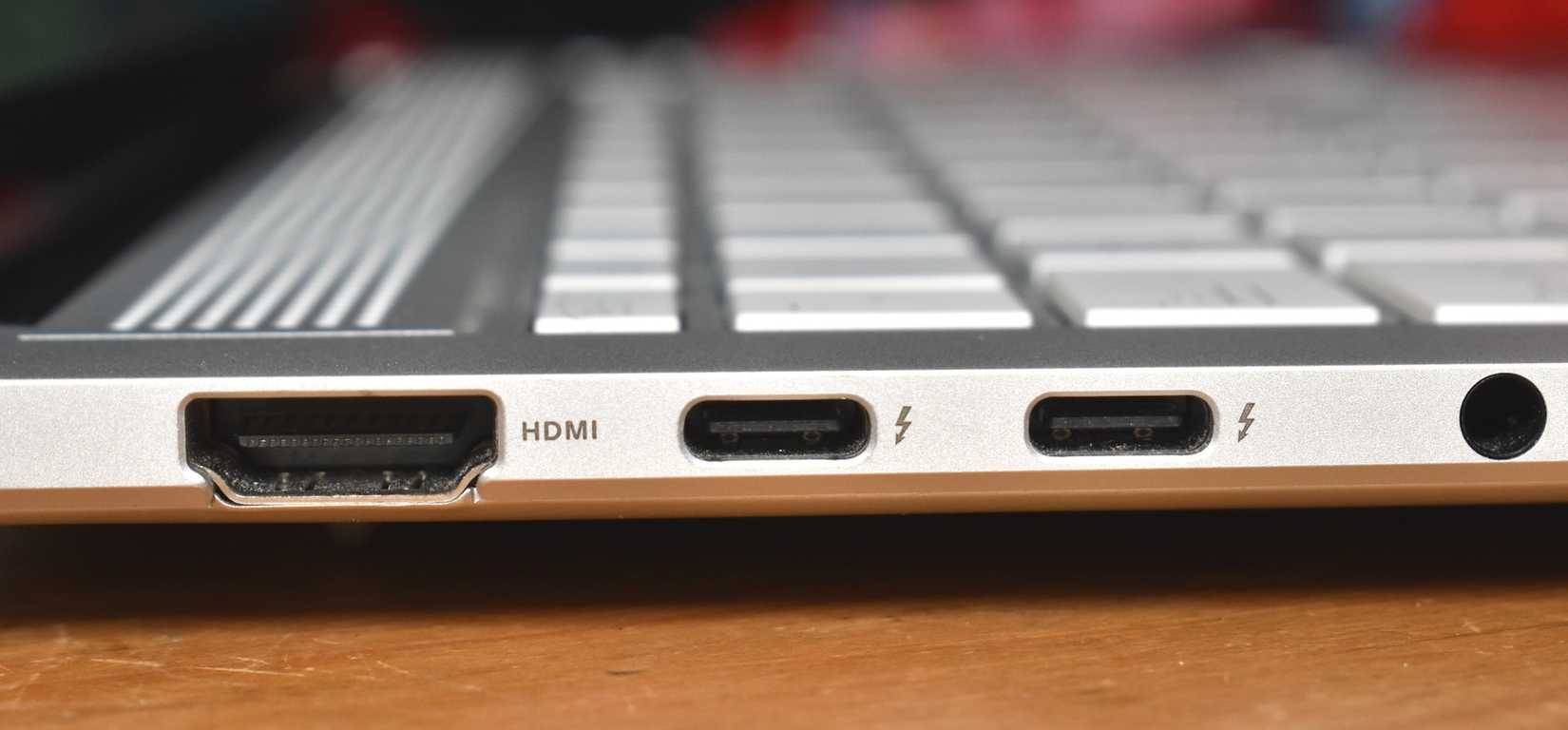
The confusion between USB-C and Thunderbolt is understandable. All the technology goes through the USB-C connector, but it doesn't really fully explain what this port can do.
A basic USB-C port supports charging and data transfer, and is capable of handling high-speed data transfers and higher power delivery levels. However, at first glance, this port often doesn't tell you what you're getting; it's basically just guesswork most of the time. And that's before you consider the problems with randomly selecting a USB-C port.
Thunderbolt is a standard built on the foundation of USB-C. When you see the lightning bolt icon on a USB-C port, it indicates that it complies with a different set of stringent requirements. This standard includes speed, connectivity, display support, expansion cards, power delivery, and more.
|
Features |
USB-C (Universal) |
Thunderbolt 5 |
|---|---|---|
|
What is it? |
Physical connector shape |
A high-performance connectivity standard |
|
The connector used |
USB-C |
USB-C |
|
Maximum data rate |
480Mbps → 40Gbps (large difference) |
80Gbps (bidirectional) |
The latest version of this standard, Thunderbolt 5, is a huge leap forward from what a basic USB-C port can offer. depending on the USB generation. The problem is: USB-C is a connector. It can only work with the specifications of the USB generation it was designed to work with, meaning a USB-C cable using USB 3.0 or USB 4.
That's the most important thing to remember when trying to understand the confusion between USB-C, USB 3/4, and Thunderbolt.
Thunderbolt is very fast
Speed isn't everything, but it's an important part of it
One of the core reasons Thunderbolt is great is its speed. It's faster than USB 3.x and USB 4, and significantly faster in that respect.
Thunderbolt 5 provides 80Gbps bidirectional throughput. More importantly, it can automatically increase bandwidth up to 120Gbps in one direction when the display requires it.
That doesn't just mean faster file transfers. It means the connection can intelligently prioritize what you're doing – whether it's displaying images on a high-resolution screen, transferring data to ultra-fast external storage, or connecting multiple devices via a single dock.
|
Features |
USB4 |
Thunderbolt 5 |
|---|---|---|
|
Connector |
USB-C |
USB-C |
|
Maximum bandwidth |
Speeds up to 40Gbps (optional) |
Bidirectional data transfer speed of 80Gbps |
|
Enhance dynamic bandwidth |
Optional |
Speeds up to 120Gbps in one direction. |
|
PCIe support |
Optional |
Required |
|
Supports discrete GPU |
Unreliable/Inconsistent |
Guaranteed |
|
Screen support |
Depending on the device |
Ensure high resolution and refresh rate. |
|
Connection reliability |
Depending on the implementation method |
Consistency across all certified devices. |
|
Cable requirements |
Common USB-C cable |
Thunderbolt 5 cable is certified. |
For example, the latest USB standard, USB4, supports speeds up to 40Gbps. But you're not guaranteed to achieve that speed. Furthermore, USB4 devices aren't required to reach that speed, as that's the theoretical maximum. In practice, USB4 has two levels (20Gbps and 40Gbps), and since devices struggle to reach that maximum speed, most manufacturers don't bother integrating support.
But if you see the Thunderbolt icon, you know that you are guaranteed the fastest speed allowed by the standard (40Gbps for Thunderbolt 4, up to 80Gbps for Thunderbolt 5).
Display connectivity is a major game-changer
Thunderbolt has a clear advantage
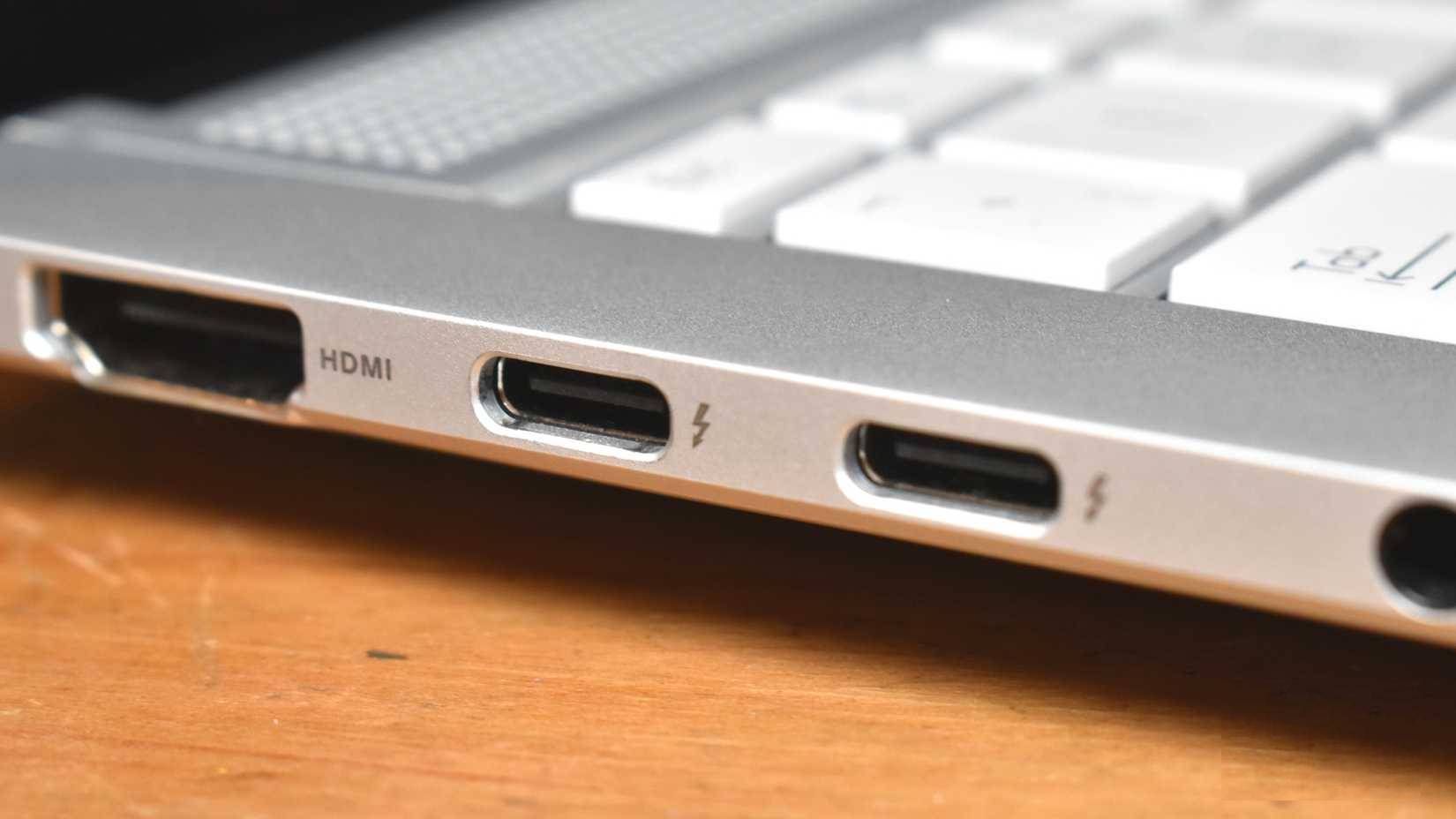
Besides speed, display support is one of the biggest differences between Thunderbolt and other USB standards.
Typical USB-C display outputs use what's called DisplayPort Alt Mode. This is an optional feature and isn't consistently applied across all ports and cables. Some USB-C ports support one external display, some support two, and refresh rates or resolutions may drop abruptly when you connect to a dock.
Thunderbolt eliminates that uncertainty and is designed to work efficiently with all modern displays, all through a single cable.
- Multiple 4K displays at high refresh rates : Thunderbolt 5 can support up to three 4K displays at 144Hz from a single port on compatible systems.
- 8K Displays : Two 8K displays at 60Hz are entirely possible via a single Thunderbolt 5 connection.
- Comparable bandwidth : Thunderbolt 5 offers bidirectional bandwidth up to 80 Gbps, with "Bandwidth Boost" capable of pushing video-focused traffic up to ~120 Gbps unidirectional – this extra bandwidth is what allows large displays to operate smoothly.
- DisplayPort 2.1 support : Thunderbolt 5 incorporates DisplayPort 2.1 Alt Mode, allowing the transmission of very high-resolution video signals such as 8K@60 Hz or even 4K@240 Hz with hardware-acceptable compression (DSC).
With Thunderbolt 5, display support is guaranteed, meaning you'll get stable performance – which is especially important for docks or multi-monitor setups.
Peripheral device support capabilities are also outstanding
Faster, more stable with better bandwidth
Another major improvement you get from Thunderbolt is PCIe support. PCIe is the technology that internal components use to communicate with the system. Thunderbolt delivers PCIe over the USB-C cable, giving you support for a wider variety of peripheral hardware.
For example, you can run a powerful external GPU via Thunderbolt and be confident that you'll achieve consistent data transfer speeds. Similarly, an external NVMe SSD will provide consistent data speeds, something that is sometimes difficult to achieve with a standard USB connection.
However, Thunderbolt is also capable of handling multiple high-bandwidth devices simultaneously. Thunderbolt allocates bandwidth flexibly, allowing you to use external hard drives, monitors, peripherals, and more without the data connection drops often seen with USB.
Final Thoughts
Understanding comparing thunderbolt and usb-c makes it easier to evaluate the information and apply the most relevant recommendations. Focus on the key points above and verify details that may change over time.
FAQ
What is comparing thunderbolt and usb-c?
Explore comparing thunderbolt and usb-c, including the key concepts, practical examples, important considerations, and useful guidance.
What key points does this article cover?
The article focuses on It looks like USB-C, but it's much better, The lightning bolt symbol changes everything, Thunderbolt is very fast, with practical explanations and examples.
How can you use this information in practice?
Use the explanations to compare options, verify important details, and make a more informed decision. Apply the recommendations that best match your goals and situation.
Related Articles
 What Is Thunderbolt 3: Compare Thunderbolt 3 and Usb-c11 minutes read
 6 Best Uses of Thunderbolt 37 minutes read
 How Does Thunderbolt Actually Work: What You Need to Know7 minutes read
 Compare USB4 and Thunderbolt 45 minutes read
 The Reason Thunderbolt 3 Is the Preferred Connection Standard7 minutes read
 Why Apple's Thunderbolt 4 Pro Cable Is So Expensive, $1294 minutes read
Reader Comments 0
Sign in with email or Google to join the discussion.