
Program
How to Use Spinners in Bootstrap 5
Create accessible Bootstrap 5 border and grow spinners, adjust their color, size and alignment, and add clear loading states to buttons and page sections.
Browse more Learn programming through practical tutorials, code examples and clear guides covering languages, databases, web development and core concepts.
Create accessible Bootstrap 5 border and grow spinners, adjust their color, size and alignment, and add clear loading states to buttons and page sections.
Create accessible Bootstrap 5 progress bars with labels, colors, stripes and animation, then set height, update values, and build stacked progress segments.
Create Bootstrap 5 badges for labels and counts, apply contextual colors and pill shapes, place badges in buttons, and add useful screen-reader context.
Group related Bootstrap 5 buttons horizontally or vertically, control group size, build accessible toolbars and toggle choices, and nest dropdown menus.
Create Bootstrap 5 buttons with solid or outline styles, choose semantic button and link markup, set sizes and full-width layouts, and handle disabled or loading states.
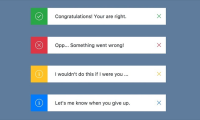
Create Bootstrap 5 alerts with contextual styles, links and icons, make them dismissible with a fade transition, and handle dynamic messages accessibly.
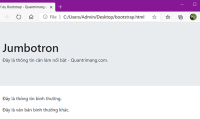
Bootstrap 5 removed the jumbotron component, but spacing, background, typography, container, and button utilities can recreate responsive hero and callout sections.

Create accessible Bootstrap 5 tables, then add striped or hoverable rows, borders, compact spacing, contextual states, dark headers, and responsive scrolling.

Use Bootstrap 5 color utilities for text and backgrounds, control opacity, pair readable foreground and background colors, and avoid common accessibility mistakes.

Format readable Bootstrap 5 content with semantic headings, display and lead styles, blockquotes, lists, code elements, font utilities, and responsive alignment.

Build responsive Bootstrap 5 layouts with containers, rows, columns, six breakpoints, gutters, equal-width columns, mixed spans, and nested grids.

Understand what Bootstrap 5 provides, when to use it, and how to create a responsive first page with the CDN, mobile viewport settings, containers, and components.

Add a trusted remote MCP server, complete OAuth, verify its status, limit each service's permissions, and troubleshoot connectors without exposing credentials.
Reduce wasted routine runs by filtering triggers, limiting context, removing unused connectors, choosing a sensible cadence, and auditing real run history before paying for more capacity.

Choose the right automation tool by comparing determinism, AI reasoning, integrations, hosting, latency, review controls, and operational ownership—and combine tools when one is not enough.

Set up a scheduled Claude Code routine that reviews stale Linear issues, uses only necessary connectors, produces a fixed summary, and is tested safely.
Create an event-driven Claude Code routine that reviews selected pull requests, applies precise filters, posts bounded findings, and avoids unnecessary write access.

Verify a Stripe webhook, remove sensitive fields, deduplicate the event, call a Claude Code Routine API securely, and create a welcome-email draft for review.

Install OpenClaw with the official installer or npm, complete secure local onboarding, verify the Gateway and dashboard, and fix common setup problems.

Build a resilient OpenClaw setup with cloud and local providers, explicit model selection, tested fallbacks, protected credentials, and measurable cost controls.