Table of Contents
MacOS Tahoe 26 is now available to everyone with a compatible MacBook and desktop Mac. It was first announced last June at WWDC 25.
MacOS Tahoe 26 is now available to everyone with a compatible MacBook and Mac desktop. It was first announced last June at WWDC 25 and has been available for testing through developer and public betas over the past three months. This will be the last major macOS update for older Intel-based Macs — specifically those equipped with Apple's T2 security chip.
Apple releases macOS Tahoe 26 with more powerful Spotlight search and separate Phone app
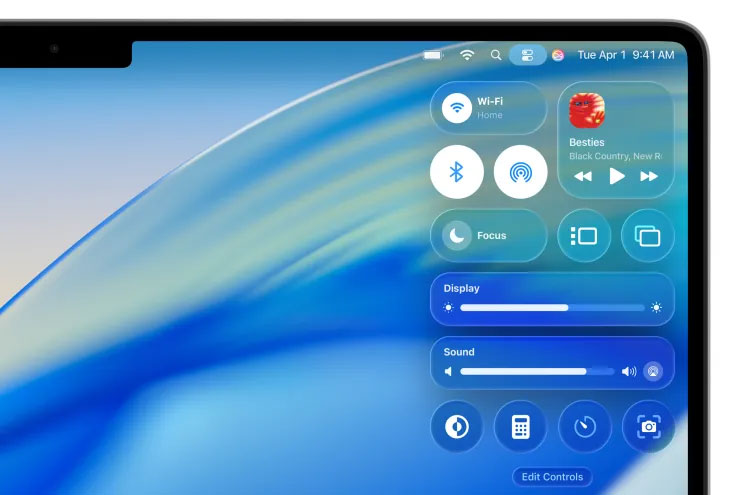
The most notable update to the Tahoe will also be the most obvious. It includes a major UI overhaul based on Apple's new Liquid Glass design language, with extensive use of transparency effects on windows, buttons, and notifications. The Tahoe's menu bar will also be completely transparent, making the screen appear a little larger.
MacOS' Spotlight search and launcher will be more useful with Tahoe, intelligently ranking search results based on relevance and letting users perform specific actions in apps like sending an email or creating a note without having to open those apps. If you want to keep your Mac organized, you can now change the color of folders or add emoji to highlight them.
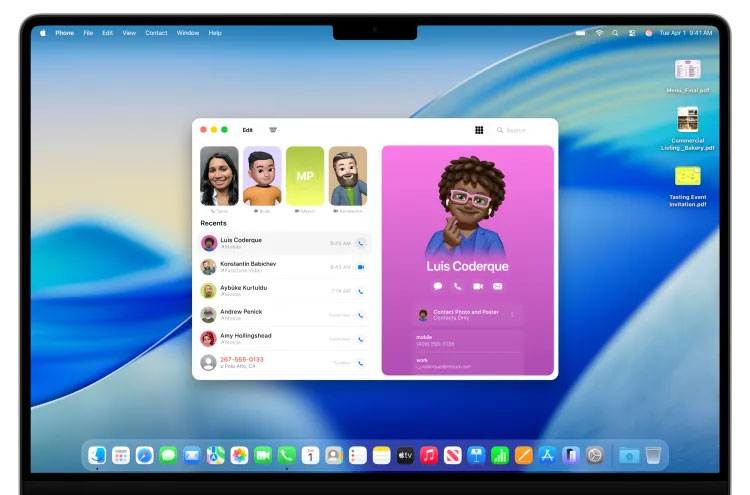
The new Phone app will mimic the functionality of the iOS app and can forward calls from your iPhone to your computer. It will include access to your recents list and voicemail, as well as new iOS features like Call Screening, which can answer calls from unknown numbers for you, and Hold Assist, which can put the phone on hold until someone actually answers. Using Apple Intelligence, Live Translation can translate text, audio in phone calls or FaceTime calls, and even conversations in Messages.
Top New Features in MacOS Tahoe 26
Liquid Glass
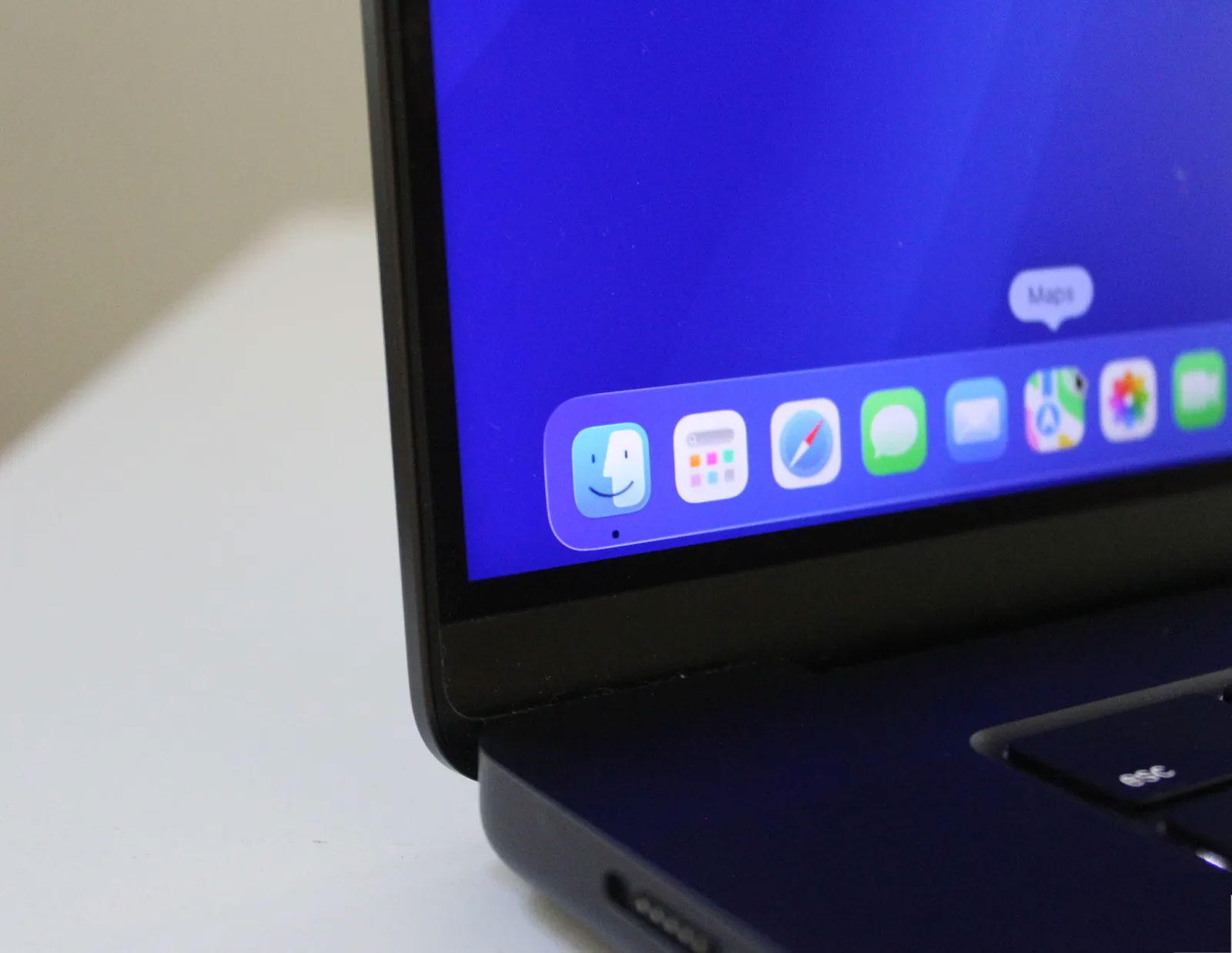
It's been a while since we've had an Apple design controversy. Liquid Glass is the latest cause for outrage, and this time Apple seems to be aware of it. The "visual texture," as Apple calls it, is a major change in the company's operating system updates this year, and it's been under intense scrutiny since its announcement.
Transparency isn't new; in fact, it's been around for a while in macOS. But Tahoe takes transparency to a whole new level, in a way that makes it even more daring. macOS's current "flat" design first debuted in 2014 with Yosemite, with its approach of minimizing buttons in menus and instead favoring text and simple shapes in the user interface. Liquid Glass changes things completely, bringing back buttons, making objects stand out from the very low opacity of menus and interfaces. These buttons and borders are highlighted by glass-like borders, creating a slight 3D effect.
The most obvious example of this is the menu bar and Control Center. Control Center was already pretty cluttered, so the new, simpler interface is appreciated, with the switch from the layered sections to a series of circular buttons. The transparency is noticeable, relying heavily on the frosted glass effect to maintain readability. The entire menu bar at the top is now completely gone, which is what Apple meant when they said it makes the screen feel bigger. Widgets have a similar effect, although interestingly when you change the wallpaper, it fills the background and removes the transparency.
Overall, the cosmetic changes on macOS haven't had as big an impact as they have on iOS. There are certainly areas where Apple could improve the display, but they're relatively easy to implement on macOS Tahoe.
Important Spotlight Update
This has been the feature that I've been most excited to try since it was announced, and it's got many features. Spotlight search has always been a favorite feature of macOS, and I've been waiting for Apple to take it to the next level. In Tahoe, it borrows from the popular Alfred app on the Mac, but it's far superior in terms of integration. It's smarter on almost every level, quickly bringing up apps, documents, and even clipboard history, which is probably the most practical use case so far, even if it's not as feature-rich as Alfred.
Spotlight can now even perform system and in-app actions, like playing a podcast or starting a recording. You can fill in parameters like who you want to email—again, right in Spotlight! It remains to be seen what you'll rely on this feature for, but you can sense its potential.
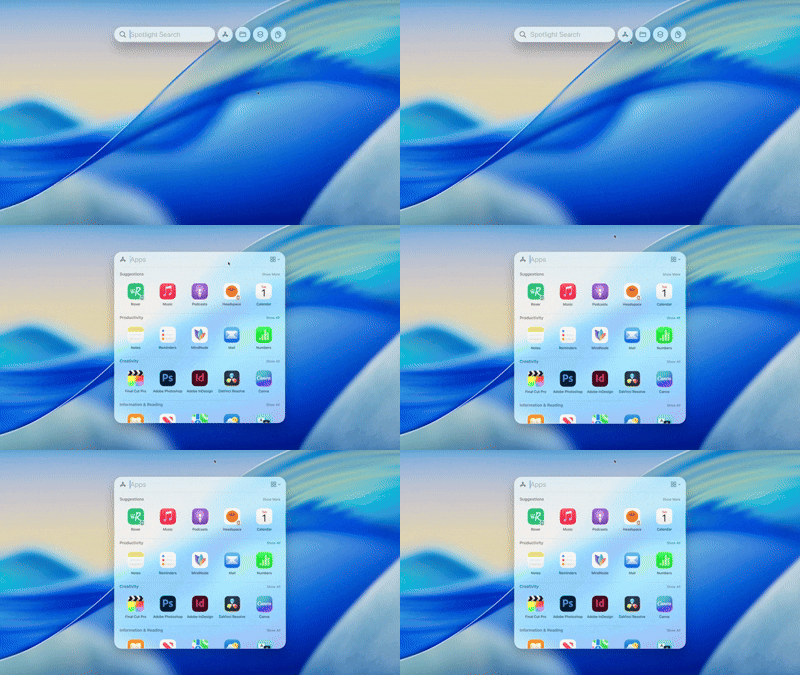
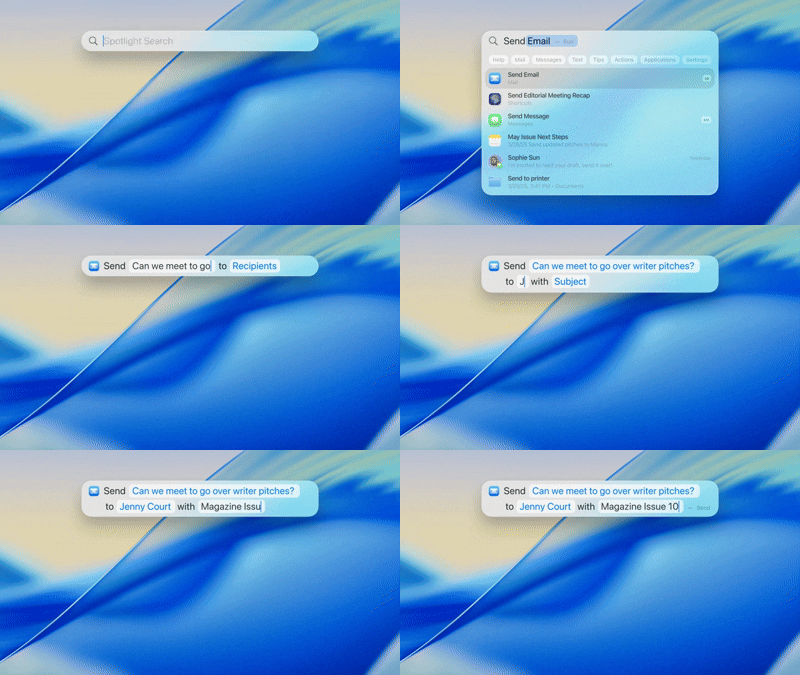
You can find even Quick Keys you can use to speed things up even more. Type 'sm' to send a message or 'ar' to create a reminder. You can also set up your own Quick Keys, which really expands your capabilities and customization. For example, you can set up Quick Keys to perform actions within the app you're using, allowing you to quickly set up a task entirely from the keyboard. This is for Mac users who are already familiar with all the other key commands.
Interestingly, as part of its Spotlight-centric strategy, Apple replaced Launchpad with a new Apps shortcut in the dock. Launchpad takes up the entire screen, which is why people use Spotlight to open apps much more often.
AI-powered Shortcuts
Shortcuts can be a really powerful way to automate tasks on your Mac. With macOS Tahoe, they're enhanced with Apple Intelligence, allowing you to set up shortcuts like text summarization or image generation. You can even use ChatGPT (or the Neural Engine on your device) if needed, setting up potentially useful sequences of actions. For example, you could create a shortcut that compares text notes from a lecture in Notes with an audio recording, then summarizes the differences using Apple Intelligence.
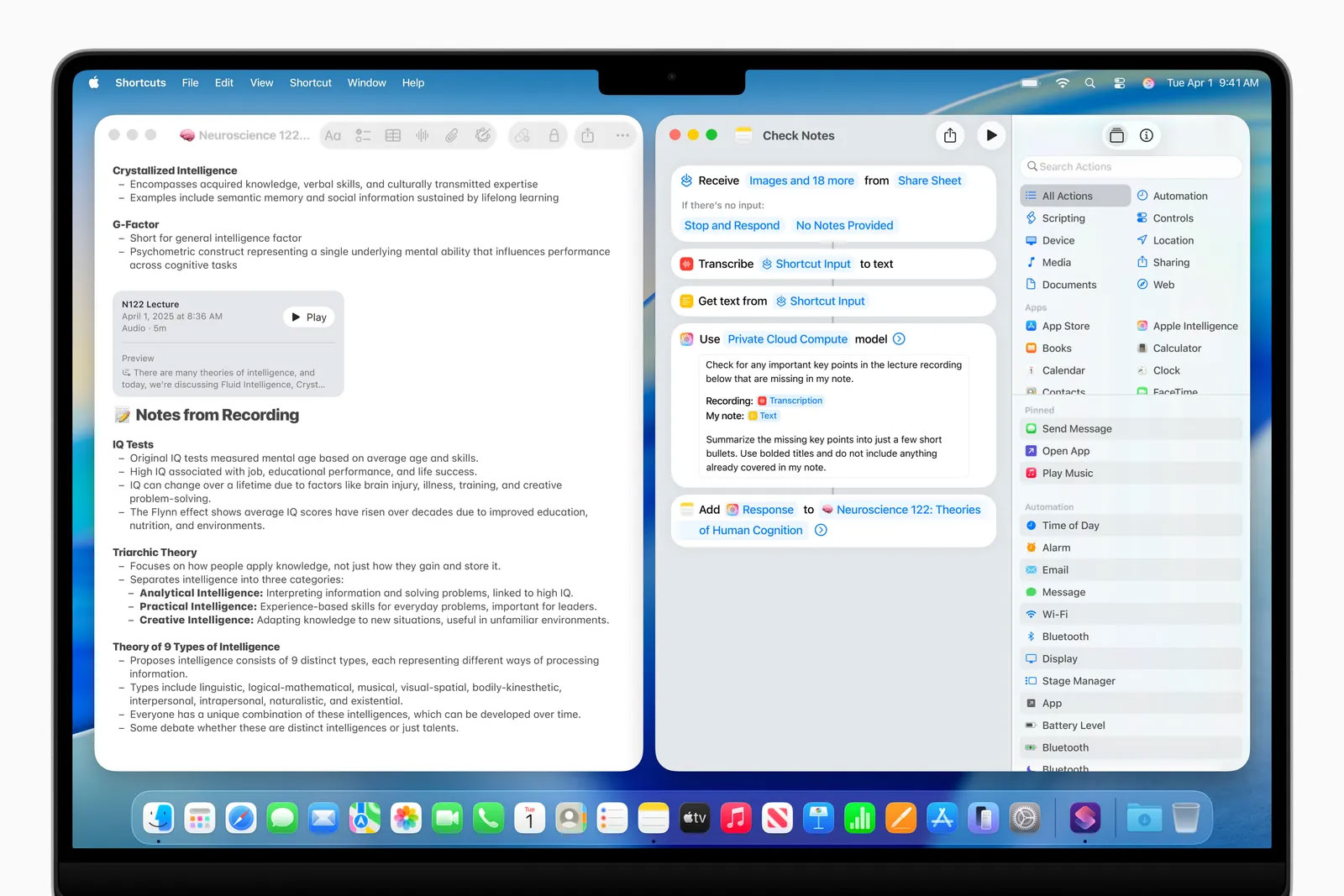
The good news is that you can now access these AI-powered shortcuts via the Spotlight update mentioned above.
More Continuity features
As part of the ever-growing Continuity suite, the Phone app is now available on the Mac. Why install the Phone app on a device that doesn't have a cellular modem? It might seem counterintuitive, but remember, you can take calls directly from your iPhone to your Mac.
The app has all the same features that came with iOS 26, like in-call translation, new contact wallpapers, and automatically screened calls. Unsurprisingly, all of the changes to group chats are coming to the Messages app on Mac.
The addition of the Phone app could point us toward a 5G MacBook in the future, something Apple has long delayed. While portable laptops aren't exactly popular right now, it seems more likely now that the Phone app is here. It's possible that the MacBook Pro M6, when it launches, will have a surprise cellular option to better take advantage of the Phone app (possibly with Apple's C1X modem). Microsoft announced the 5G Surface Laptop just a few months ago.
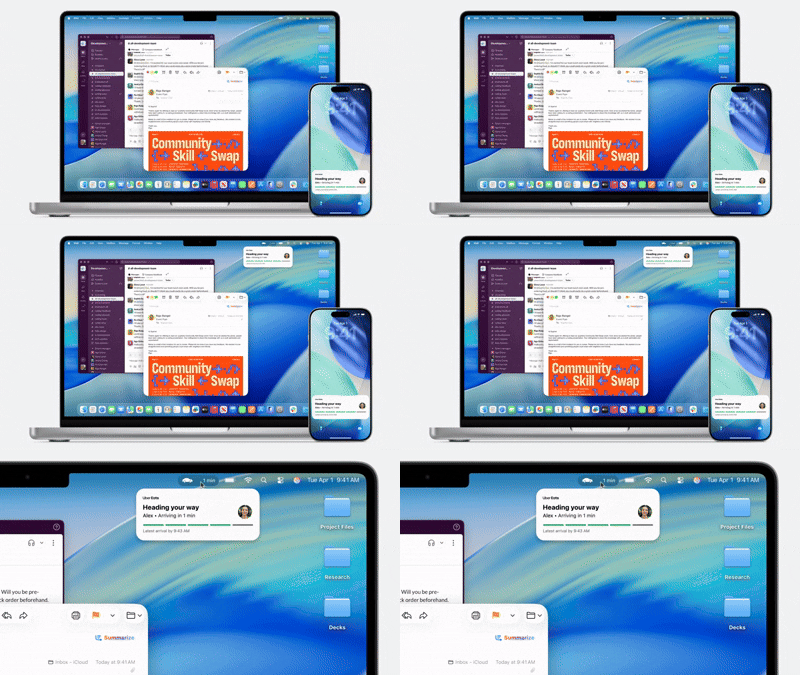
Apple also introduced Live Activities for the Mac, which will hand off an ongoing task from your iPhone, such as an Uber Eats order, and deliver updates right to your Mac's Menu bar.
Other Features of macOS Tahoe
You can find a few other features worth mentioning. One of them is the gaming improvements, with a dedicated Games app, similar to what will be coming in iPadOS 26 and iOS 26. This is probably the most useful feature on the Mac, though, as the question of which games are available on the Mac is often asked. It also allows Apple to highlight some big titles, like Cyberpunk 2077 or Assassin's Creed: Shadows.
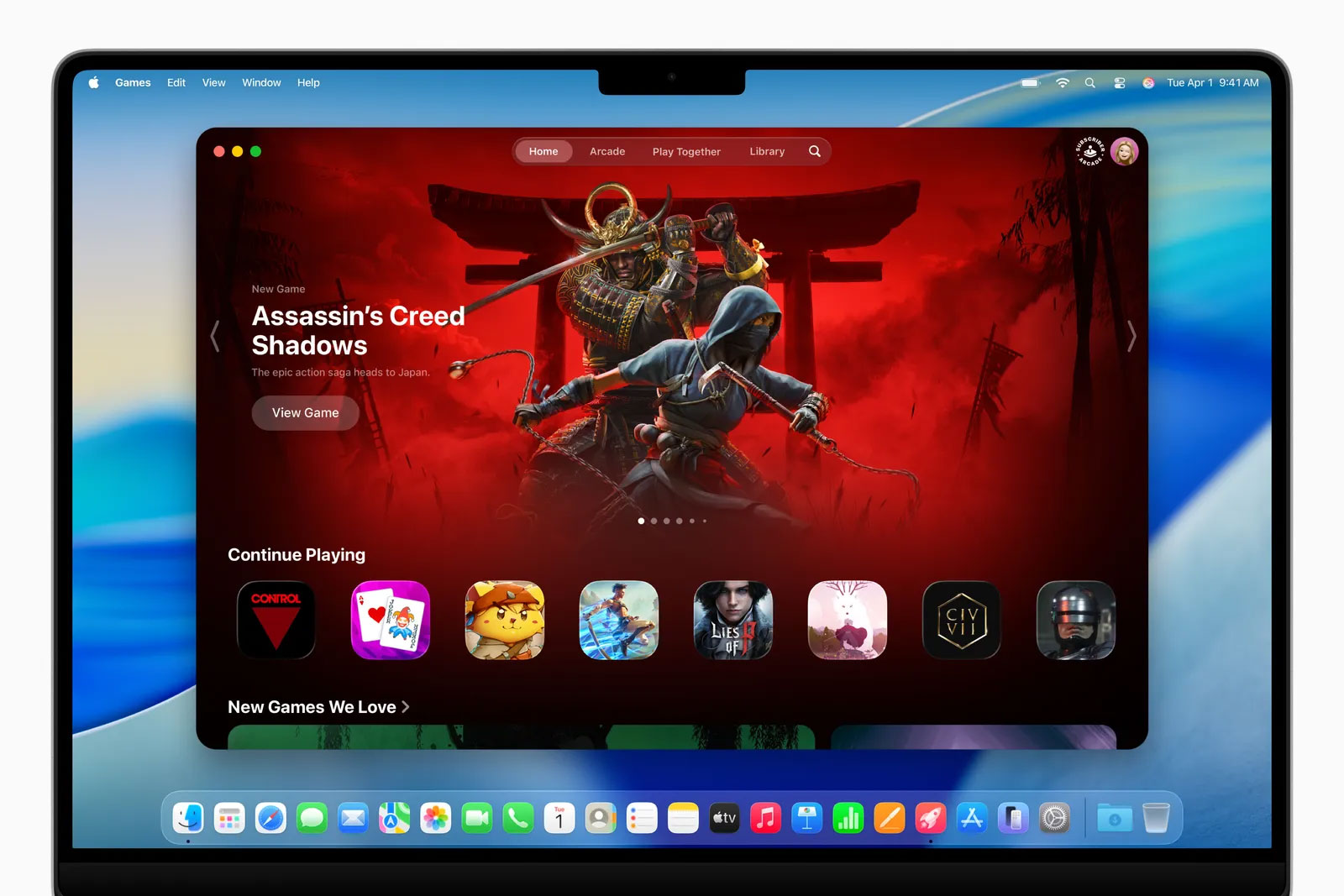
Admittedly, it's pretty cool, even if it's not entirely useful. But it does bring all your games together in one place, from across your device, and focuses on big, gorgeous visuals. The more interesting part is the new Game Overlay, a feature that PC gamers have access to. This overlay lets you chat with friends, adjust settings, and more without ever leaving the game. It's worth noting that transparent menus look especially nice in this case.

Some minor changes include the ability to record audio memos in the Notes app, a Journal app coming to the Mac for the first time, and a new Magnifier feature that lets you zoom in using your webcam or connected camera.
FAQ
What should you know about apple releases macOS tahoe 26 with more powerful spotlight search and?
In practical terms, macOS Tahoe 26 is now available to everyone with a compatible MacBook and desktop Mac. It was first announced last June at WWDC 25.
Why does apple releases macOS tahoe 26 with more powerful spotlight search and matter?
The article highlights that top New Features in MacOS Tahoe 26 Liquid Glass It's been a while since we've had an Apple design controversy.
What is the main takeaway?
The main takeaway is that spotlight search has always been a favorite feature of macOS, and I've been waiting for Apple to take it to the next level.
Related Articles
 List of Mac Devices That Will Support macOS 263 minutes read
 How to Bring Spotlight Search macOS to Windows 103 minutes read
 How to Search on Spotlight on a Mac5 minutes read
 How to Quickly Search on iPhone with Spotlight3 minutes read
 How to Open Spotlight Search Results in Finder on Mac3 minutes read
 Why the macOS Tahoe Update Is a 'huge Milestone' for Intel - based Macs4 minutes read
Reader Comments 0
Sign in with email or Google to join the discussion.