Table of Contents
This guide organizes the entries in "4 Features That Help You Get the Most Out of Your Motherboard" and explains what each option, idea, or example offers. It also highlights practical details that matter when comparing the choices.
It's time to stop ignoring these possibilities.
4. Overclocking memory will increase system performance
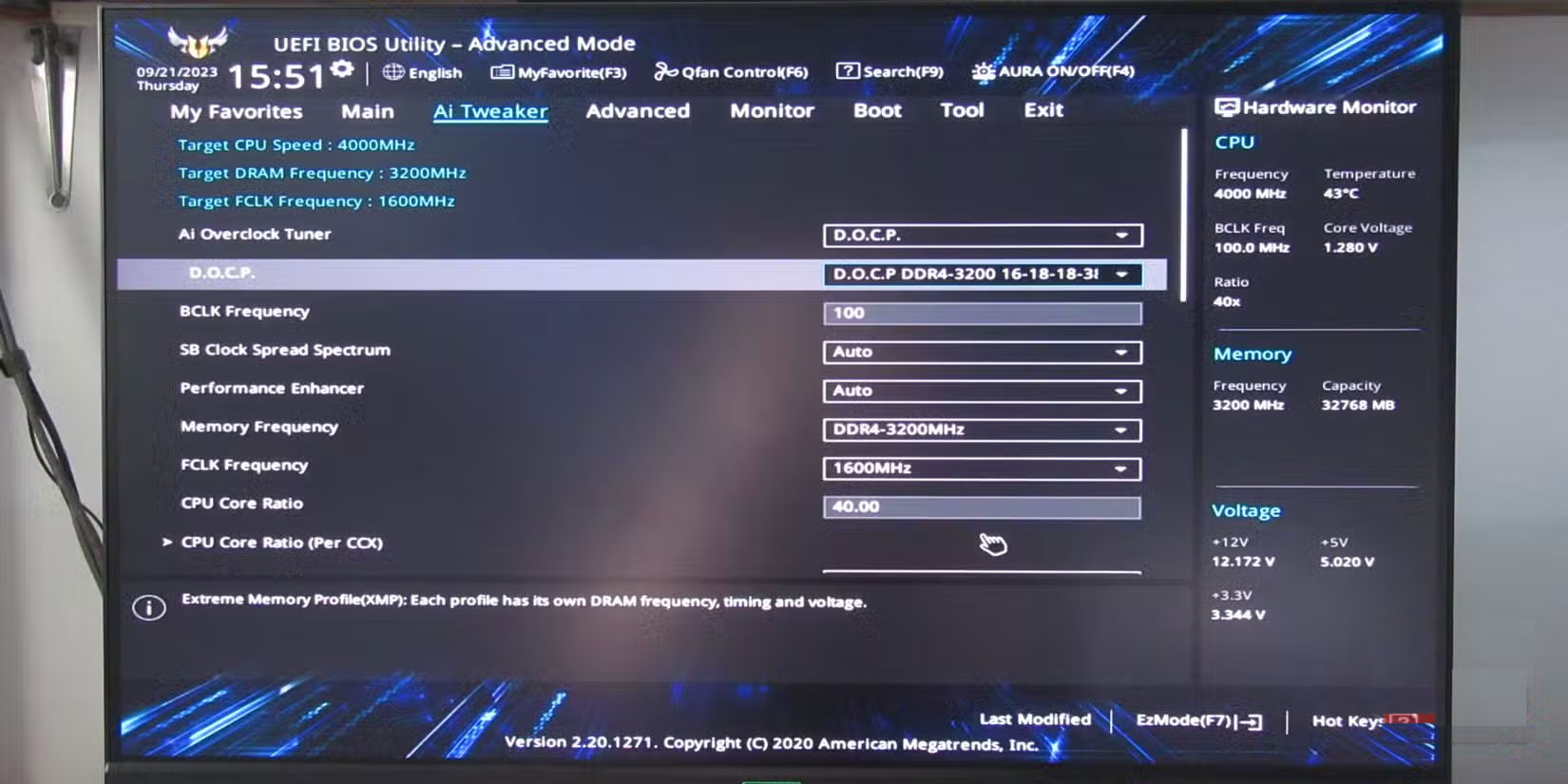
When first assembling a PC with an ASUS motherboard, many people make a basic mistake - leaving the RAM running at the default speed. For months, the DDR5 memory only ran at 4800MHz. After overclocking, the difference became obvious after enabling the appropriate memory profile.
Motherboards don't automatically run your RAM at faster frequencies. They default to the safe, baseline settings that ensure stability but sacrifice performance.
Memory profiles, such as XMP (Extreme Memory Profiles) for Intel and EXPO (Extended Profiles for Overclocking) for AMD, are essentially pre-configured settings created by memory manufacturers to instruct your motherboard how to run your RAM at its advertised speeds. These profiles automatically adjust timings, voltages, and frequencies—no complicated manual tweaking required.
Enabling these profiles is a simple but effective process. You can enable memory overclocking with just a few clicks in your BIOS to get a significant performance boost. As a result, properly configured memory will improve frame rates in games and reduce the time required for rendering and compiling tasks.
3. Audio Features You Might Not Use
The motherboard you buy may include a surprisingly capable audio solution. Modern motherboards include impressive audio hardware—dedicated audio processors, high-end capacitors, and discrete PCB layers—that rival standalone sound cards from just a few years ago.
Many modern motherboards include 7.1 Surround Sound HD Audio and other useful audio features in their software. Most motherboard manufacturers include some version of audio enhancement tools, but they are often hidden.
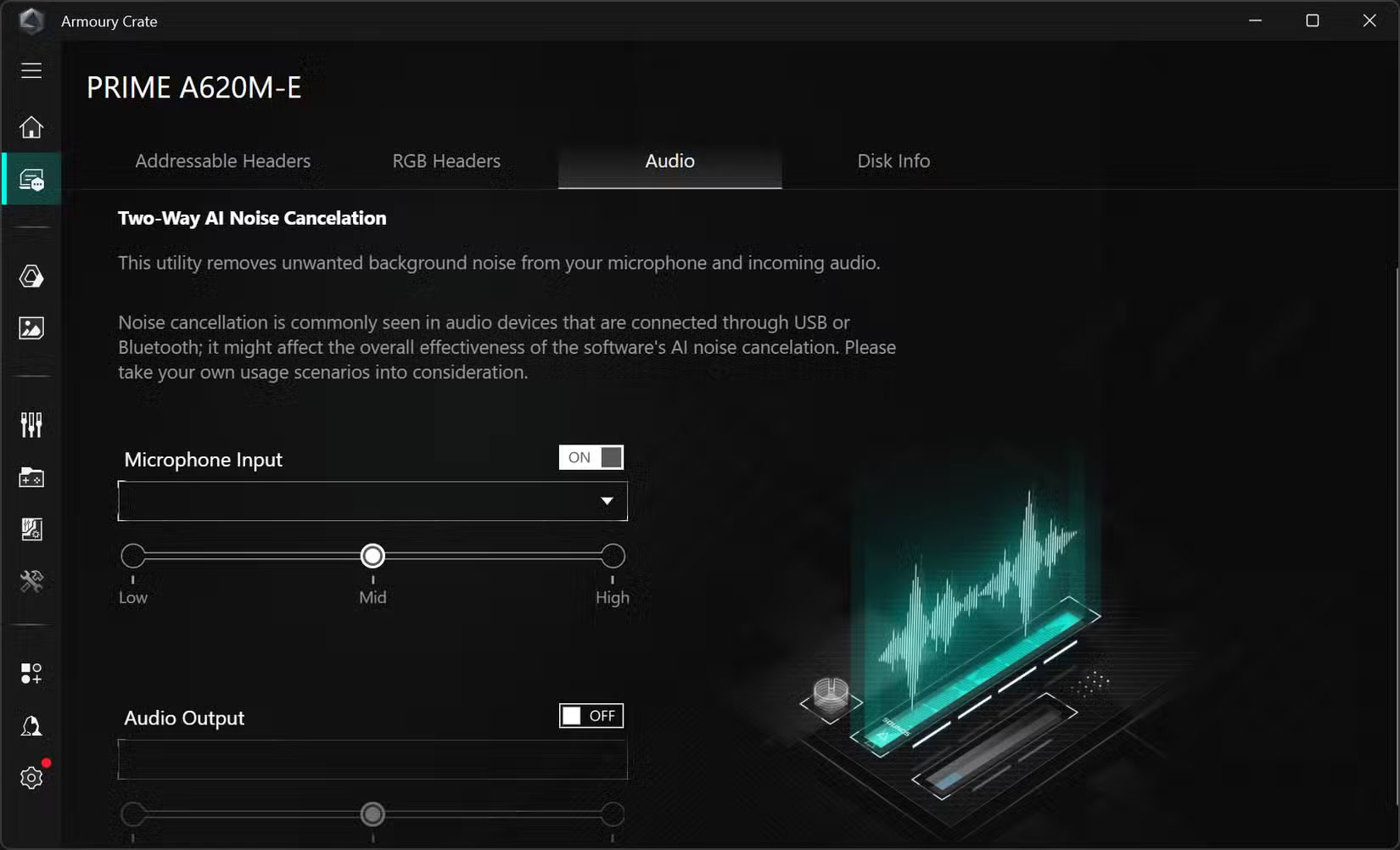
Some motherboards also have AI Noise Cancellation. This feature uses machine learning algorithms to filter out background noise during calls and recordings. Many were skeptical until I tested it on a particularly chaotic Zoom call. The difference was dramatic; your voice sounded crystal clear.
2. BIOS has hidden superpowers
Many people used to only go into the BIOS when they really needed it. However, modern BIOS interfaces have built-in features that can really improve your computing experience and you've been missing out.
Most motherboards offer EZ Mode and Advanced Mode. EZ Mode is great for quickly checking system status – like CPU temperature, fan speed, and enabling XMP for RAM – without getting overwhelmed. Advanced Mode is where the real power lies, with detailed overclocking options and security settings.
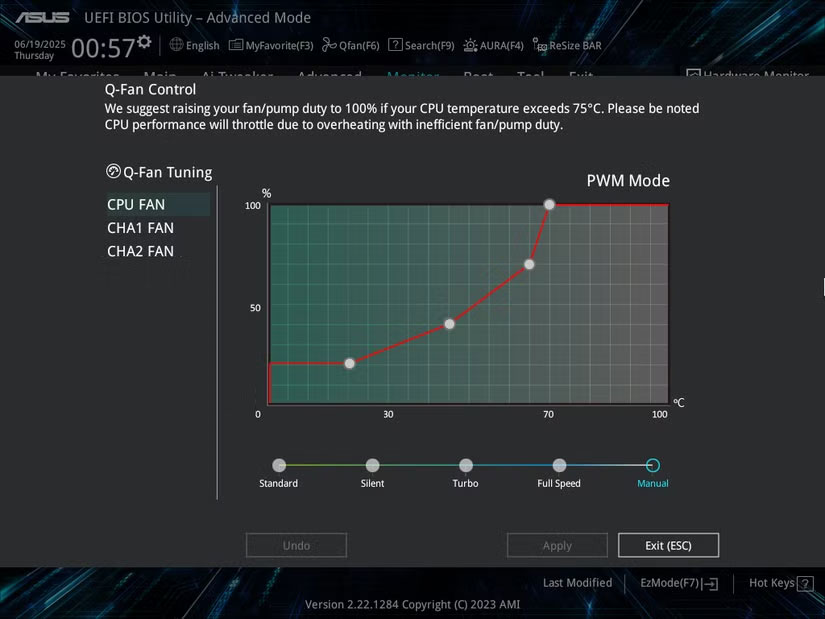
You should only switch to Advanced Mode when you're ready to dig deeper. The fan curve controls are worth checking out if your PC's fans are running at full blast. You can map temperatures to custom speeds, so your system stays quiet during light tasks but speeds up when needed.
1. You're Missing Out If You Don't Update Regularly
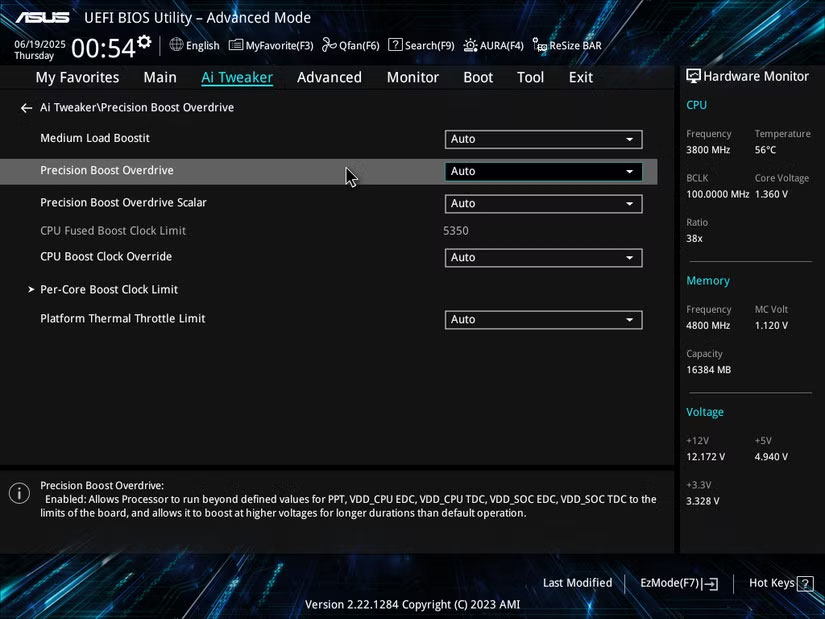
BIOS updates aren't just bug fixes; they often improve memory compatibility and add features you didn't know you were missing. The motherboard received an update that improved RAM stability at higher speeds—something you'd never have discovered without the update. It also added PBO Enhancement, a Precision Boost Overdrive (PBO) optimization feature that improves performance and thermal management.
Security patches are equally important. BIOS updates are often released to address vulnerabilities that could compromise your entire system. So there are many reasons to update your PC's BIOS beyond just improving performance.
FAQ
What should you know about 4. Overclocking memory will increase system performance?
When first assembling a PC with an ASUS motherboard, many people make a basic mistake - leaving the RAM running at the default speed. For months, the DDR5 memory only ran at 4800MHz. After overclocking, the difference became obvious after enabling the appropriate memory profile.
What should you know about 3. Audio Features You Might Not Use?
The motherboard you buy may include a surprisingly capable audio solution. Modern motherboards include impressive audio hardware—dedicated audio processors, high-end capacitors, and discrete PCB layers—that rival standalone sound cards from just a few years ago.
What should you know about 2. BIOS has hidden superpowers?
Many people used to only go into the BIOS when they really needed it. However, modern BIOS interfaces have built-in features that can really improve your computing experience and you've been missing out.
What should you know about 1. You're Missing Out If You Don't Update Regularly?
BIOS updates aren't just bug fixes; they often improve memory compatibility and add features you didn't know you were missing. The motherboard received an update that improved RAM stability at higher speeds—something you'd never have discovered without the update. It also added PBO Enhancement, a Precision Boost Overdrive (PBO).
Related Articles
 5 Top B760 Motherboards in 2024: Best Options Compared8 minutes read
 How to Check the Mainboard Model and Motherboard Manufacturer11 minutes read
 The Terms You Need to Know When Buying a Motherboard24 minutes read
 Things to Know When Choosing to Buy Mainboard13 minutes read
 Leaked Images of Upcoming Lenovo Gaming Motherboards3 minutes read
 What Is Motherboard? Learn About the Mainboard in the Computer14 minutes read
Reader Comments 0
Sign in with email or Google to join the discussion.