Table of Contents
When you have an old Android phone, you can turn it into your own file server. All you need is a simple tool, Copyparty, which can even compete with Nextcloud.
If you want cloud storage, Google Drive 's meager 15GB of space will quickly run out. Unless you're willing to pay for it, cloud storage really isn't the all-in-one storage solution you'd expect.
But if you have an old Android phone, you can turn it into your own file server. All you need is a simple tool, Copyparty, which can even compete with Nextcloud.
Copyparty brings self-hosting to Android
Your phone can become a complete file server
Copyparty is a lightweight file server that can turn almost any device into a file server that you can access over your local network or the internet. The entire file server and all its features are compressed into a single Python file. Drop the file into the root directory of the drive you want to use and run it to start the server. That's it!
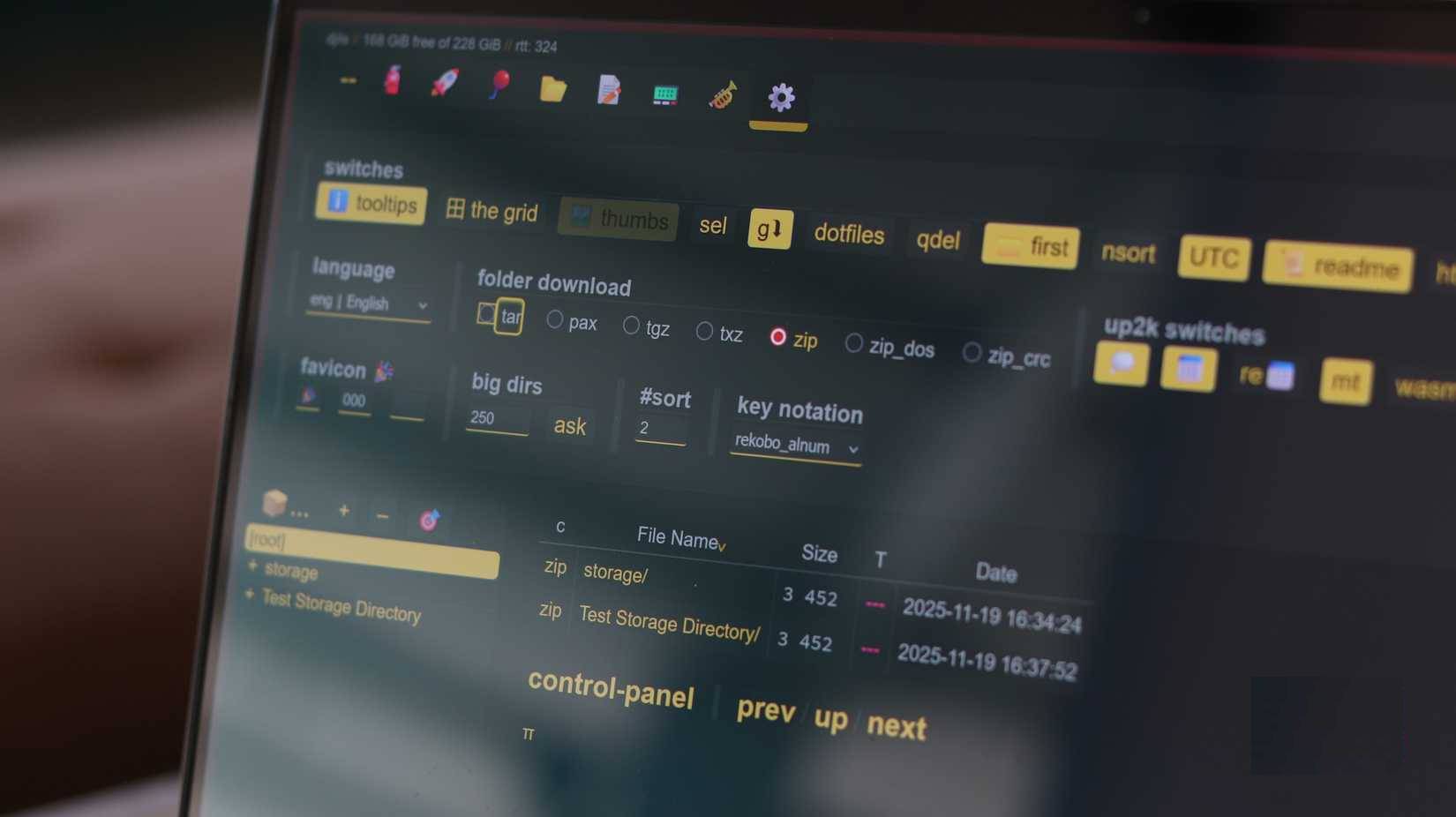
In addition to being incredibly easy to get started with, Copyparty is also incredibly fast. Not only is it pretty fast for a free self-hosted tool, but it's also faster than many other alternatives, including Nextcloud.
Copyparty doesn't lack any features either. You can resume downloads and uploads, de-duplicate files, batch rename, tagging to organize files, built-in media and thumbnail support, and instant compression. Plus, Copyparty supports almost any file transfer protocol you'd want to use, including HTTP, HTTPS, WebDAV, FTP, FTPS, and TFTP.
This complex feature set and small footprint make Copyparty a great choice for running a file server on low-end devices with large storage capacity. In addition to running on Windows, Linux, or macOS computers, you can also use Copyparty to turn your Android (or iOS) phone into a file server.
Setting up Copyparty on Android Phone
All you need is a terminal and a Python script
Similar to the PC version, running Copyparty on an Android phone only requires running a single command. However, since Android doesn't come with a shell, you'll need to install Termux first.
Termux is a terminal emulator that lets you run Linux commands on Android. You can download it from F-Droid, but avoid the version of the app on the Google Play Store as it is no longer actively supported.
After installing Termux, run the following command to install the Termux:API and download the Copyparty script. Make sure to grant Termux storage access when prompted.
Yes | pkg upgrade && termux-setup-storage && yes | pkg install python termux-api && python -m ensurepip && python -m pip install --user -U copyparty && { grep -qE 'PATH=.*.local/bin' ~/.bashrc 2>/dev/null || { echo 'PATH="$HOME/.local/bin:$PATH"' >> ~/.bashrc && . ~/.bashrc; }; } echo $?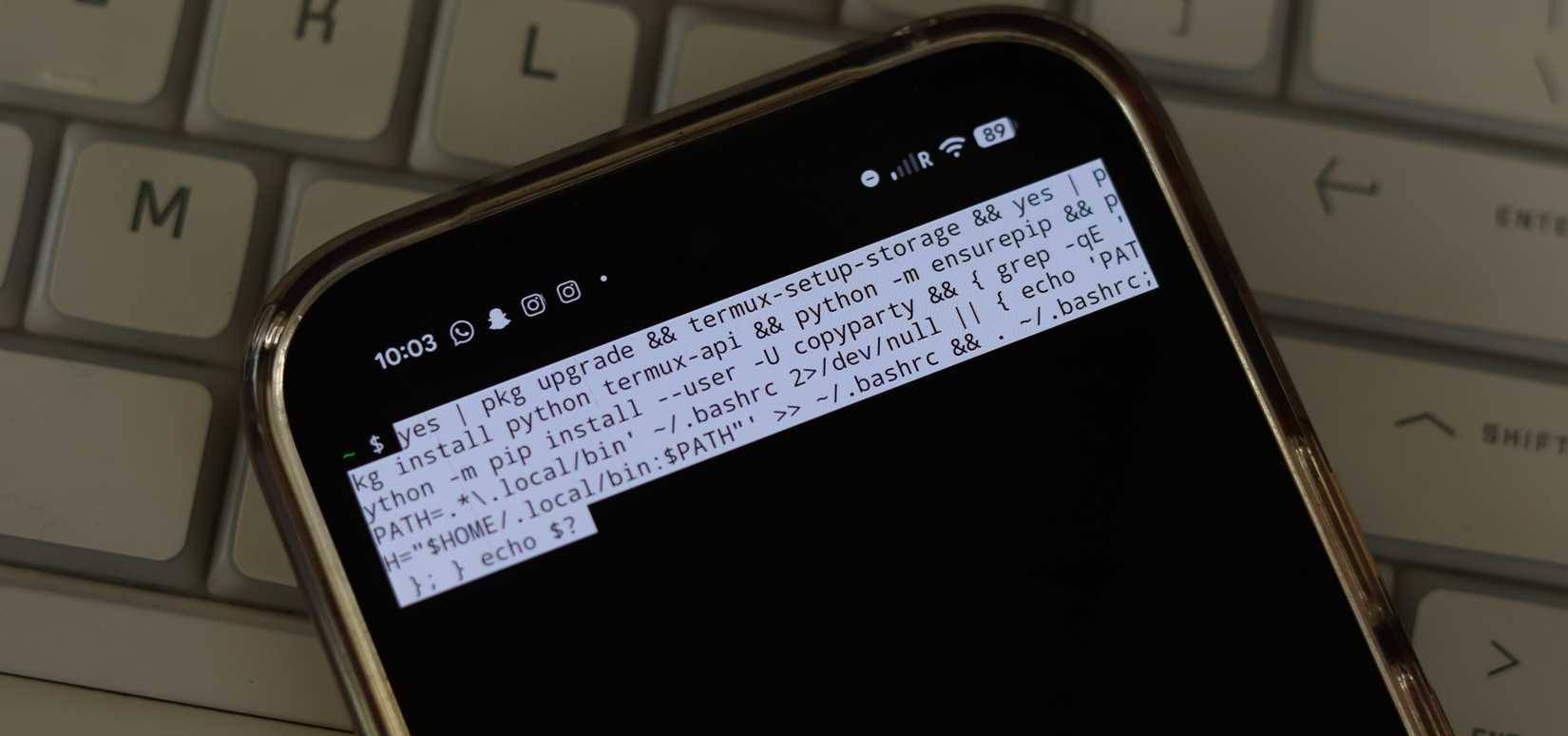
If you want thumbnails for your photos and videos and are willing to spend an extra 132MB of storage, run the following command.
Pkg install ffmpeg && python3 -m pip install --user -U pillow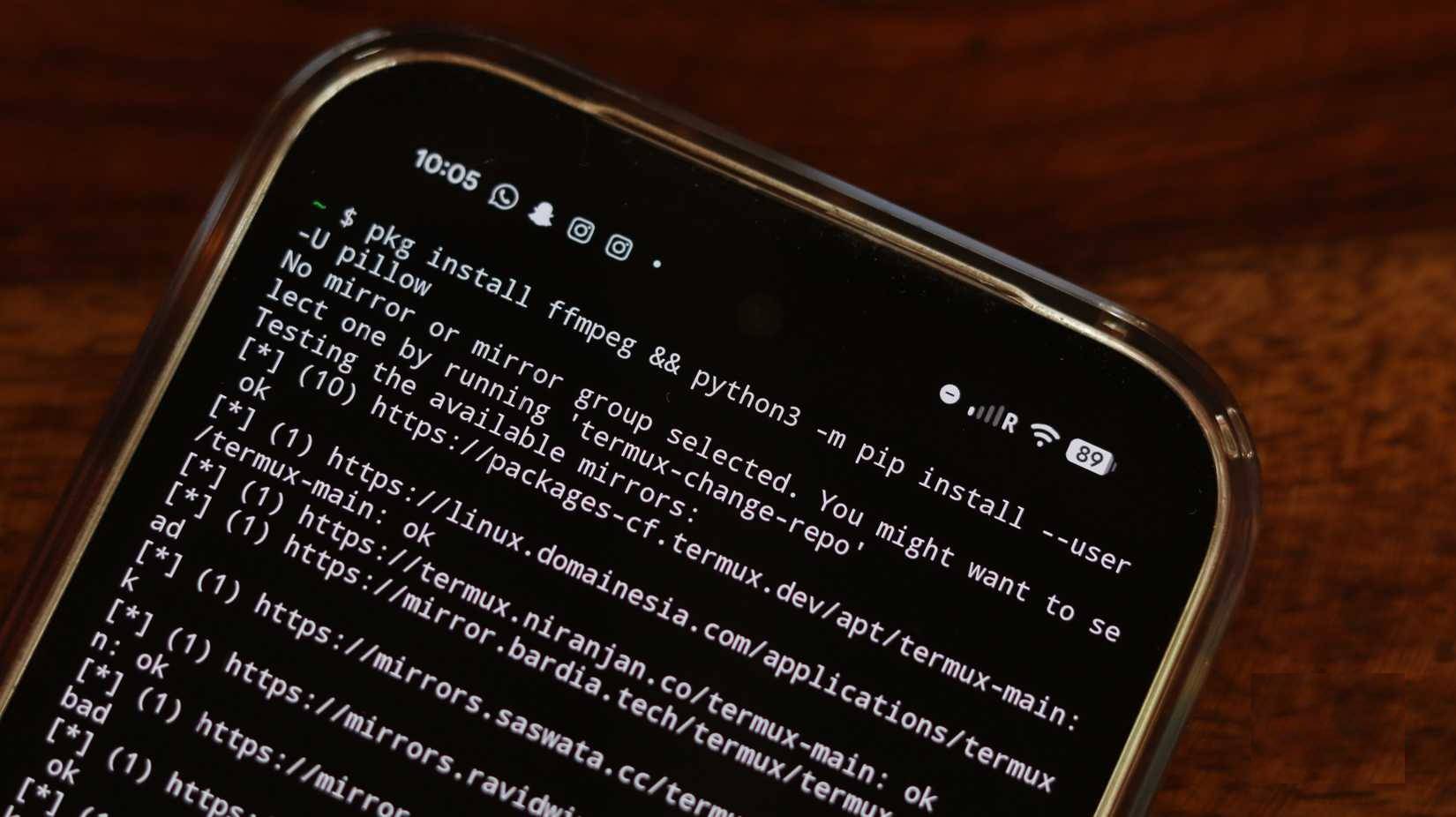
And that's it! Copyparty is now ready to run on your Android. Just type Copyparty Anywhere in the terminal and the server will start automatically. You can also add the --qr Flag to get a handy QR code pointing to your server file.
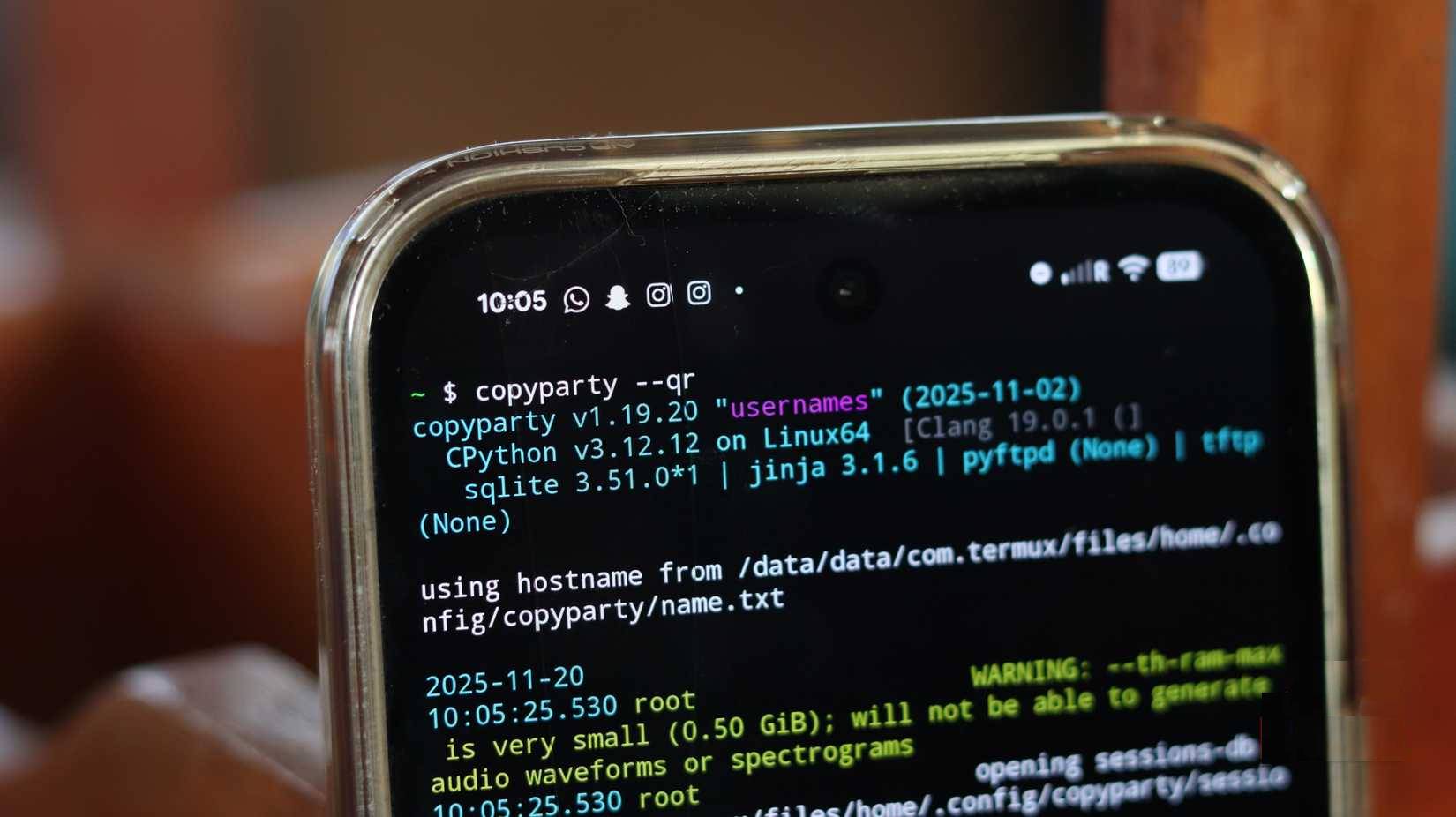
You will also see your file server address mentioned in the terminal. Type this address into any browser on any device that can connect to the network and you will be able to upload or download files to your phone's memory immediately.
Why use your phone as a cloud storage solution?
It's fast, free, and a whole new way to share files.
Most reasonably modern phones have at least 128 GB of storage. Installing Android will still leave you with around 100 GB of free storage on an older phone. Running a file server on a laptop you use for other tasks can also be a hassle.
With an old phone, however, you can simply connect it to Wi-Fi, plug it into a power outlet, and leave it in a corner of your house. You'll get significantly more storage than any other cloud storage service, while still maintaining full control over your data and privacy.
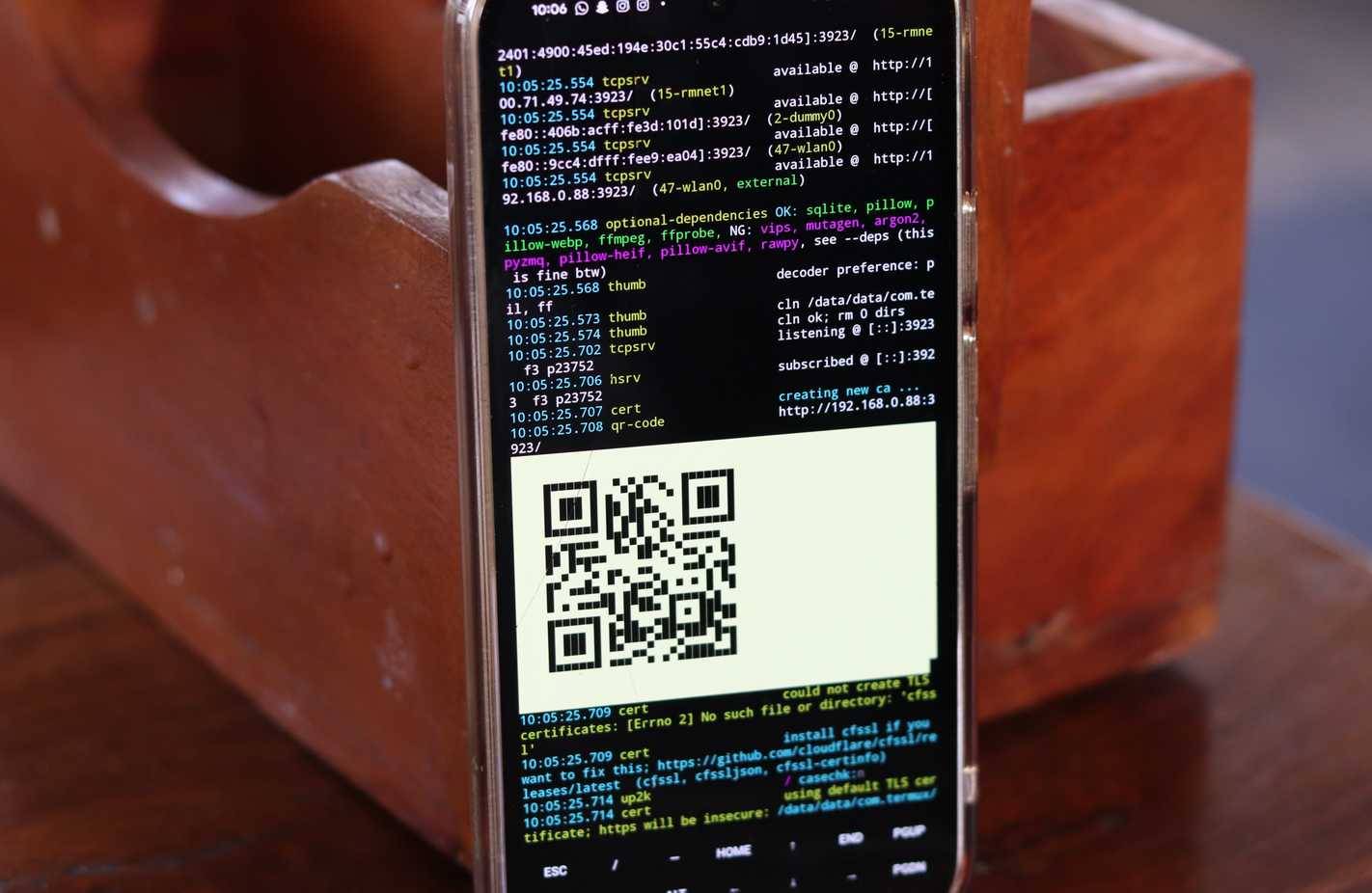
Speed matters too. Copyparty is really fast—many times faster than most other cloud storage solutions. In fact, many people no longer use USB drives or external SSDs to move data between laptops. Copyparty transfers data pretty quickly, regardless of size.
This is one of the best ways to repurpose an old Android phone that's been collecting dust in a drawer. It only takes a few minutes of tinkering and you can have something really useful. If you don't have your old phone, installing Copyparty on your primary phone can be a great way to wirelessly share files between your phone and any other device.
FAQ
What should you know about Google Drive vs. copyparty?
In practical terms, if you have an old Android phone, you can turn it into your own file server. All you need is a simple tool, Copyparty, which can even compete with Nextcloud.
Why does Google Drive vs. copyparty matter?
The article highlights that all you need is a simple tool, Copyparty, which can even compete with Nextcloud.
What is the main takeaway?
The main takeaway is that copyparty brings self-hosting to Android Your phone can become a complete file server Copyparty is a lightweight file server that can turn almost any device into a file server that you can access over your local network.
Related Articles
 Google One Is Available in Vietnam, Customers Register to Receive 110,000 VND to Google Account3 minutes read
 Google Drive 4,2021.46200, Google Drive Download and3 minutes read
 How to Save a Google Doc: Complete Guide6 minutes read
 Support Tools for Using Documents from Google Drive7 minutes read
 Google Instructs iOS Users to Switch to Android 5.03 minutes read
 Download Files and Websites Directly from Google Drive in Chrome7 minutes read
Reader Comments 0
Sign in with email or Google to join the discussion.